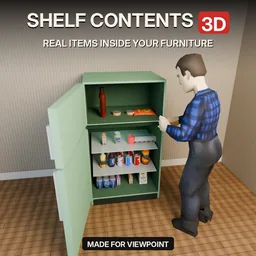

Shelf Contents 3D makes storage furniture more immersive in Project Zomboid Build 42.21. See actual loot on shelves, watch drawers and refrigerator doors open, and discover clothes hanging inside wardrobes. Supports 378 furniture types, realistic item placement, animated interiors and compatibility with Visible Loot, Living Props and Project Viewpoint.
Contents
Shelf Contents 3D transforms how storage furniture appears in Project Zomboid. Instead of showing generic decorative objects, shelves and cabinets display the items actually stored inside them.
Walk into a supermarket and you can see products arranged on the shelves. Take a can of food, and it disappears from its position. Put something back, and the contents update to reflect the change.
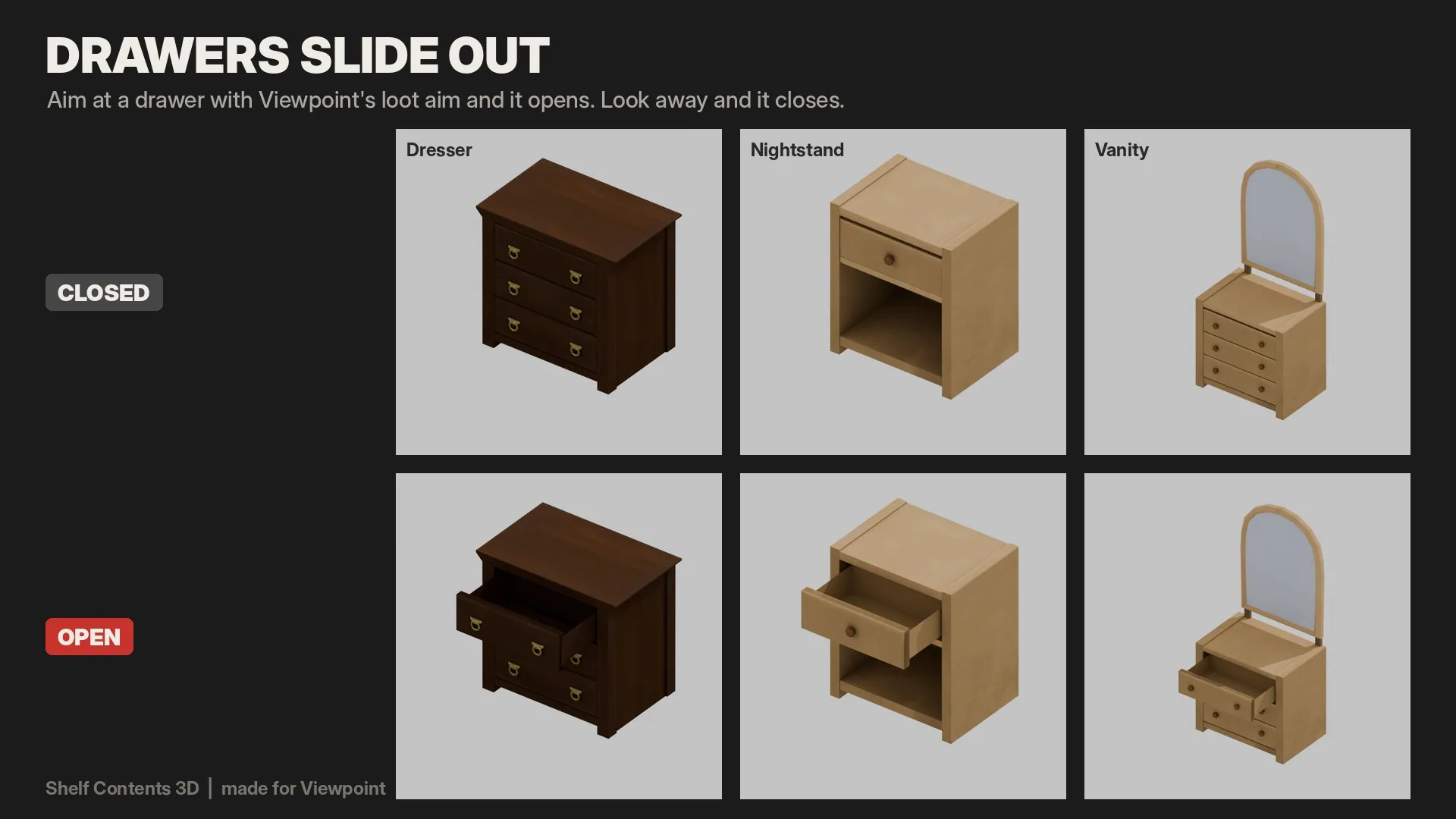
Version 0.4.0 introduces another major improvement: functional furniture interiors. Drawers slide out, cabinet doors swing open, and refrigerators reveal their contents when examined through Project Viewpoint.
The result is a more immersive looting experience where you can visually inspect storage before opening the inventory interface.
See Actual Items on Shelves
The modification renders stored belongings as individual 3D objects rather than filling furniture with placeholder goods.
It supports 378 types of furniture, including:
- Supermarket shelves and display racks.
- Refrigerated store displays.
- Bookcases and wall shelves.
- Storage racks and cabinets.
- Counters and other compatible surfaces.
The visual arrangement depends on the objects being stored.
Examples of item placement:
- Books stand upright in organized rows.
- Magazines and flat objects form stacks.
- Bottles, cans and packaged products line up on shelves.
- Long objects such as rifles, mops and brooms lean toward the back.
- Smaller belongings are distributed across available surfaces.
The system uses the actual dimensions and shelf positions of supported furniture models.
Looting Changes What You See
Visible objects are linked to their corresponding inventory contents.
Removing something from a container changes its displayed contents, while storing new belongings causes them to appear.
This also makes exploration more intuitive.
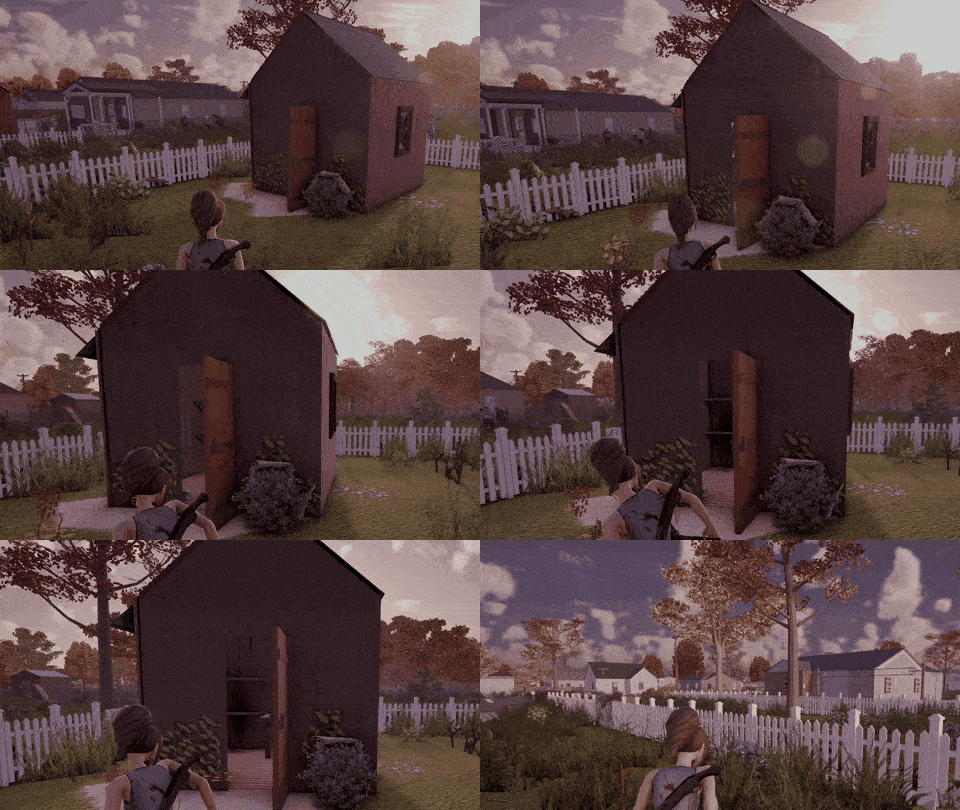
With Project Viewpoint, you can open a shed or cabin door and inspect visible shelves from outside. If nothing is stored there, you may not need to enter the building.
Opening Drawers, Cabinets and Refrigerators
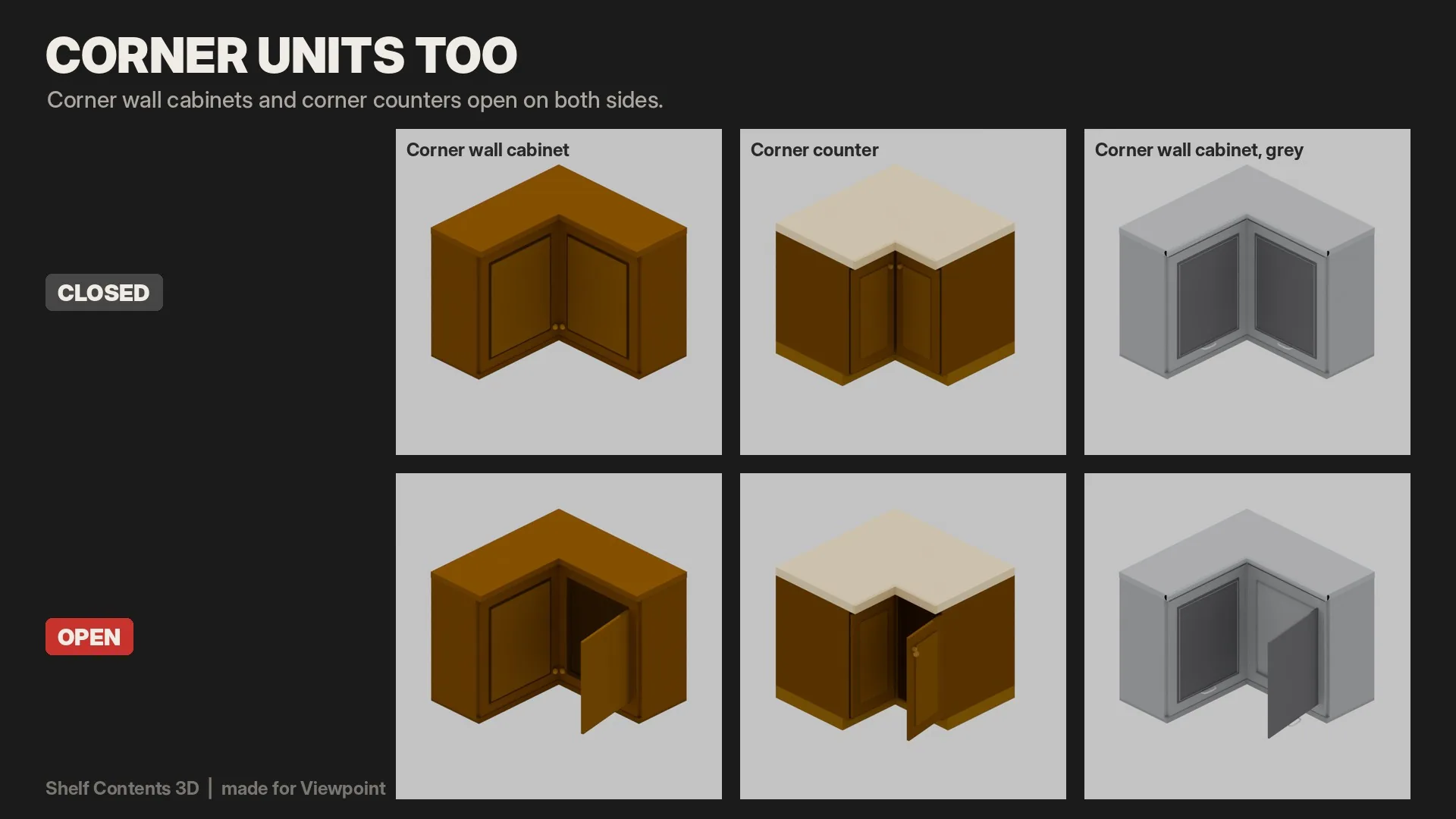
The 0.4.0 update adds opening animations and modeled interiors for 143 furniture models.
Supported objects include:
- Dressers and bedside tables.
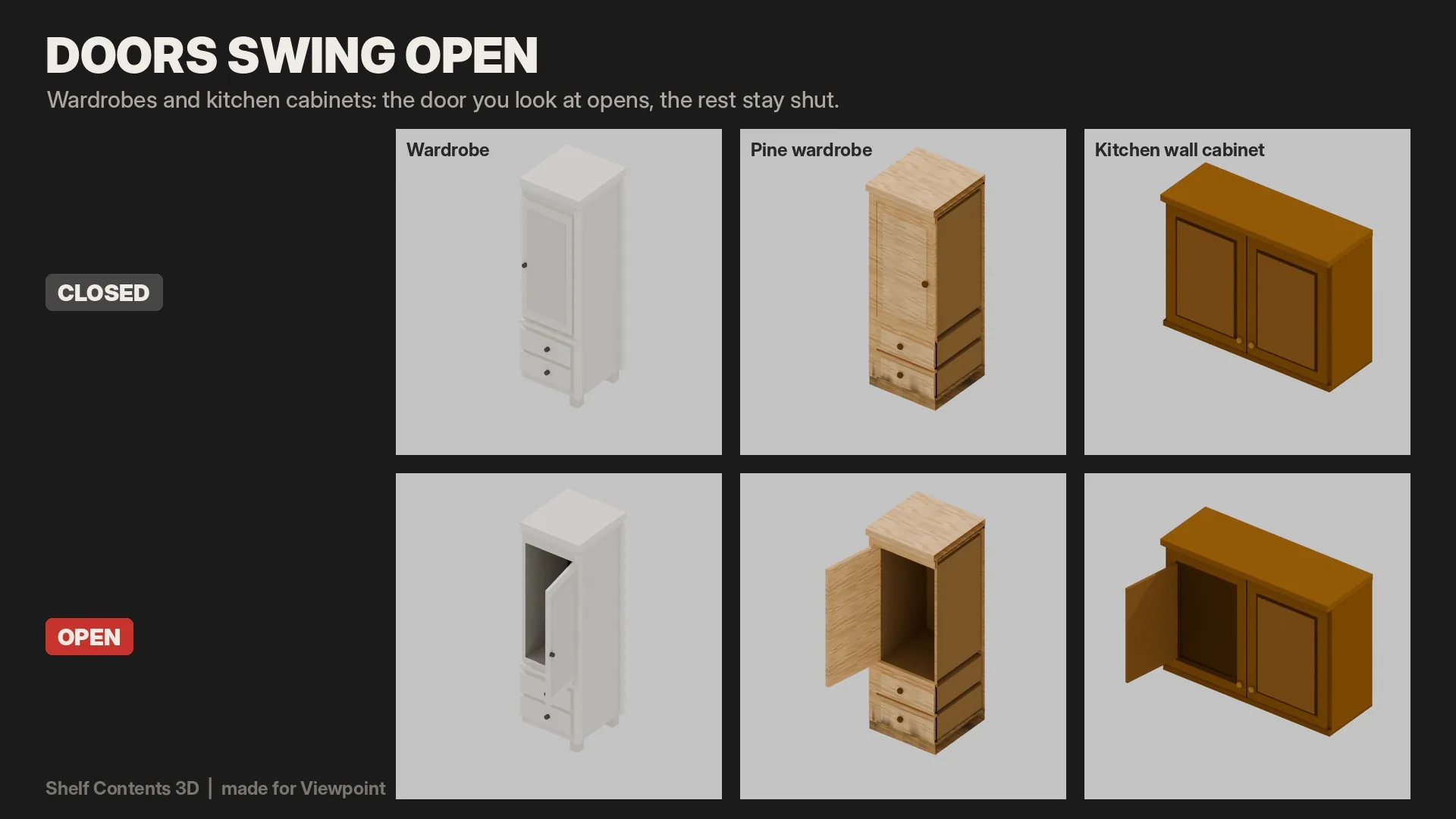
- Kitchen cabinets, including corner units.
- Wardrobes.
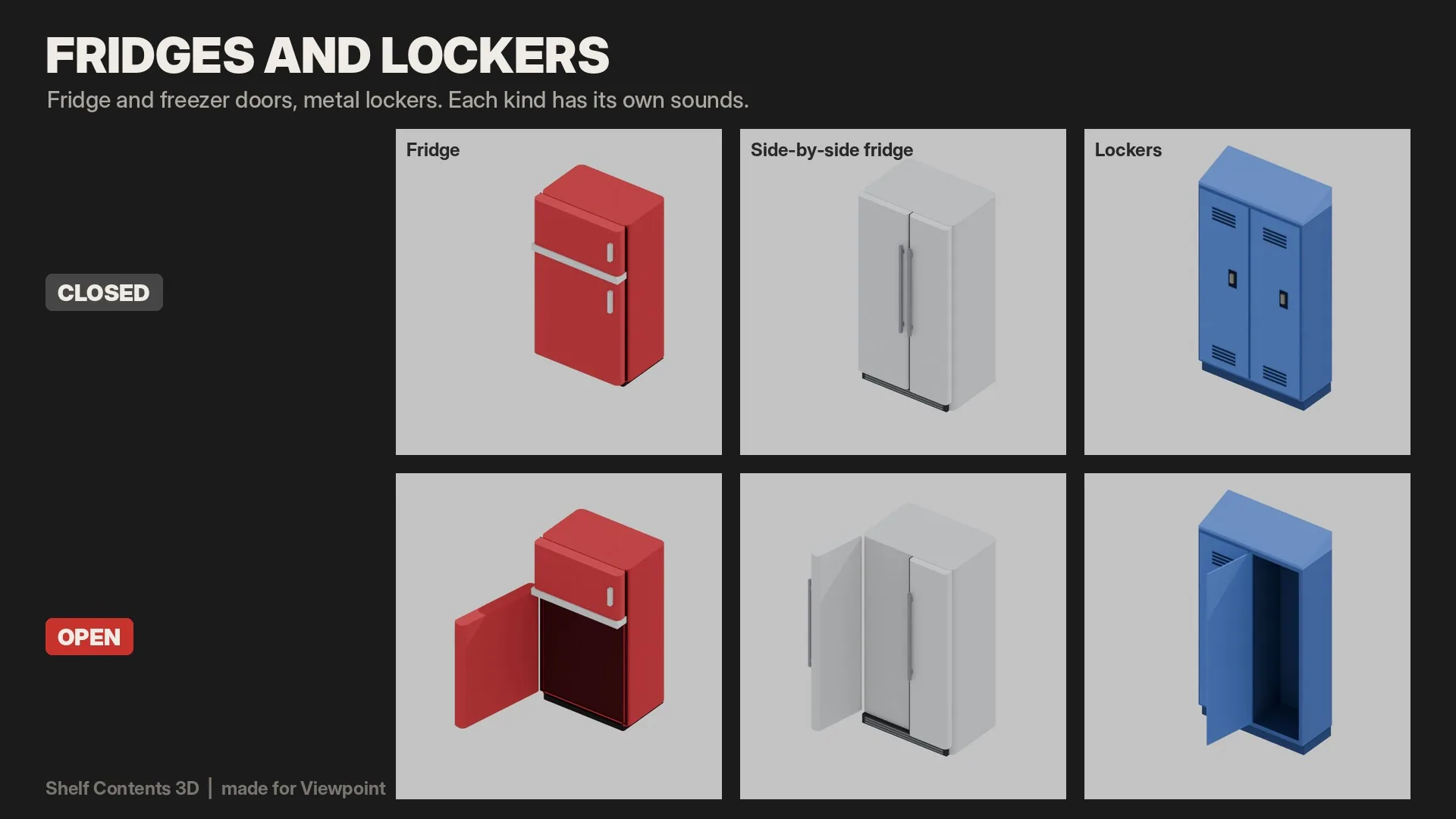
- Refrigerators and freezers.
- Lockers.
When you aim at supported furniture using Viewpoint's loot interaction system, the corresponding drawer or door opens.
Looking away normally closes it again.
What appears inside?
Kitchen cabinets can reveal groceries and dishes. Refrigerator shelves display stored food and drinks, while frozen products appear behind the freezer door.
Smaller items are arranged inside drawers, with walls and shelves providing a realistic interior structure.
Clothing on Hangers
Wardrobes and lockers contain hanging rails.
Clothing stored inside appears on hangers, while garments placed in drawers are shown folded.
Clothes racks in shops also display their actual contents.
This creates a visual distinction between different storage types without adding new loot mechanics.
Opening Sounds and Furniture Behavior
Several furniture categories receive their own opening and closing audio.
Separate sounds are used for wooden drawers, cabinet doors, refrigerators and metal lockers.
These effects are local to the player and are not heard by other characters.
An additional setting controls when furniture closes.
Find it under:
Options > Mods > Shelf Contents 3D
Drawers and doors stay open:
- Disabled (default): Furniture closes when you look away.
- Enabled: Opened furniture remains open until you walk away from it.
Trash bins and dumpsters are intentionally excluded from visible contents.
Required Mods and Installation
The following dependencies are required:
- Project Viewpoint - Provides the first-person perspective and loot interaction.
- ZombieBuddy - Supplies the required Java functionality. You must approve its permission request when prompted.
- 6277 3D Models for Viewpoint - Provides the furniture geometry used by the visual system.
Installation Steps
- Subscribe to the modification and all required dependencies.
- Open the game's Mods menu and enable them.
- If using an existing save, open Load, select your world and enable the additions under Mods.
- Restart Project Zomboid once.
The project is designed for Build 42.21 with Viewpoint 0.1.6.1.
It can be added to or removed from existing saves because its changes are visual and client-side.
Compatibility with Other Furniture Mods
Several popular modifications work alongside the new storage visualization.
| Mod | Compatibility |
|---|---|
| Visible Loot | Supported. Placeholder goods are replaced on covered furniture |
| KK's Shelves in 3D | Supported. Generic decorations are disabled where actual item visualization takes over |
| Living Props | Compatible, including some refrigerators with opening doors |
| Viewpoint Hands: Loot & Inventory | Supported, including its aiming and inventory interactions |
Visible Loot and KK's Shelves in 3D should remain enabled if you already use them. Their functionality continues on furniture not handled by this modification.
However, other mods that independently fill shelves with generic decorative goods may cause duplicate objects to appear.
The inventory interface shown in some original screenshots belongs to Knox Inventory, which is optional and not required.
Other Furniture Model Packs
Additional furniture model packs can still display stored items on their shelves.
However, drawers and doors may remain closed if their models have not yet been adapted.
Performance and Technical Limits
Every visible item becomes an additional 3D model rendered by the game.
The system operates around nearby furniture within approximately 18 tiles.
In densely stocked stores, this can affect frame rates, particularly on less powerful computers.
To reduce excessive rendering, built-in limits are applied:
| Parameter | Limit |
|---|---|
| Visible range | Approximately 18 tiles |
| Items per furniture object | 96 |
| Total items on screen | 6,000 |
| Supported furniture types | 378 |
| Furniture models with opening interiors | 143 |
These limits help manage rendering workloads, but performance will still depend on the number of objects nearby and your hardware.
Multiplayer and Current Limitations
The visual system operates on the client side, but dedicated multiplayer servers have not yet been tested.
In multiplayer, the server may not transmit a container's contents until someone interacts with it.
As a result, unopened furniture can appear empty even when it contains items.
Additional limitations include:
- Some drawers, doors and refrigerators do not open yet.
- Furniture from external model packs may lack adapted interiors.
- Generic shelf-filling mods can create overlapping decorations.
- Bugs and incomplete visual behavior are possible during development.
The project is still a work in progress, with additional furniture support planned for future updates.
Shelf Contents 3D brings a practical visual improvement to exploration and looting. Being able to recognize stored goods, inspect cabinets and watch interiors respond to your actions makes buildings feel more tangible without changing the actual items or inventory mechanics.
Screenshots 5


Comments 0
No comments yet — be the first.
Log in or sign up to leave a comment.