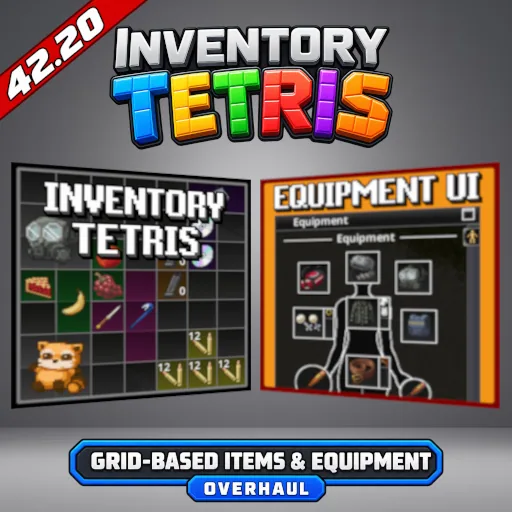

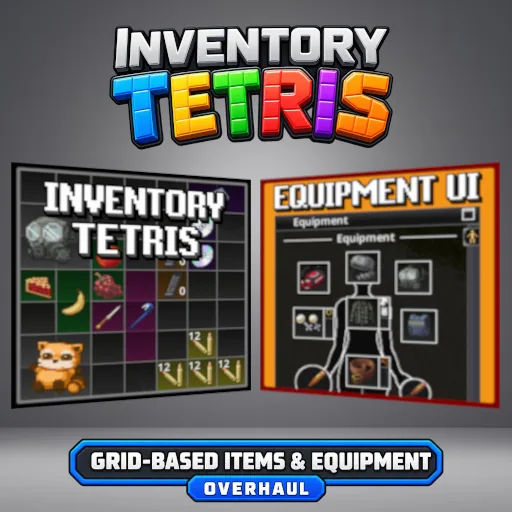
Inventory Tetris completely transforms inventory management in Project Zomboid Build 42.20 with a grid-based system where every item occupies physical space. Rotate objects, organize backpacks, manage pockets and equipment, and stack compatible items. Includes Equipment UI, optional container searching, customizable grid sizes, weight settings and inventory traits. Supports Singleplayer, Multiplayer and Dedicated Servers.
Contents
Inventory Tetris - Realistic Grid-Based Inventory for Project Zomboid
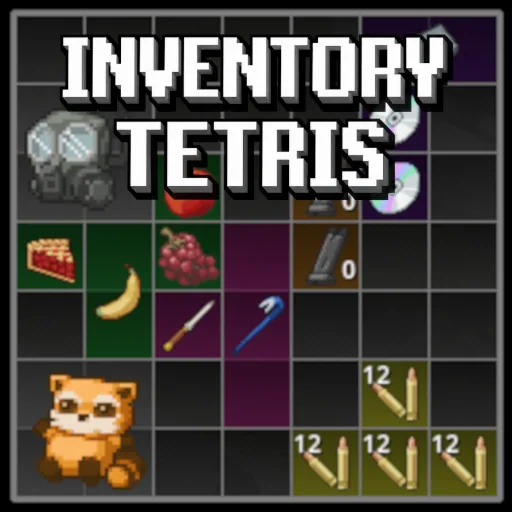
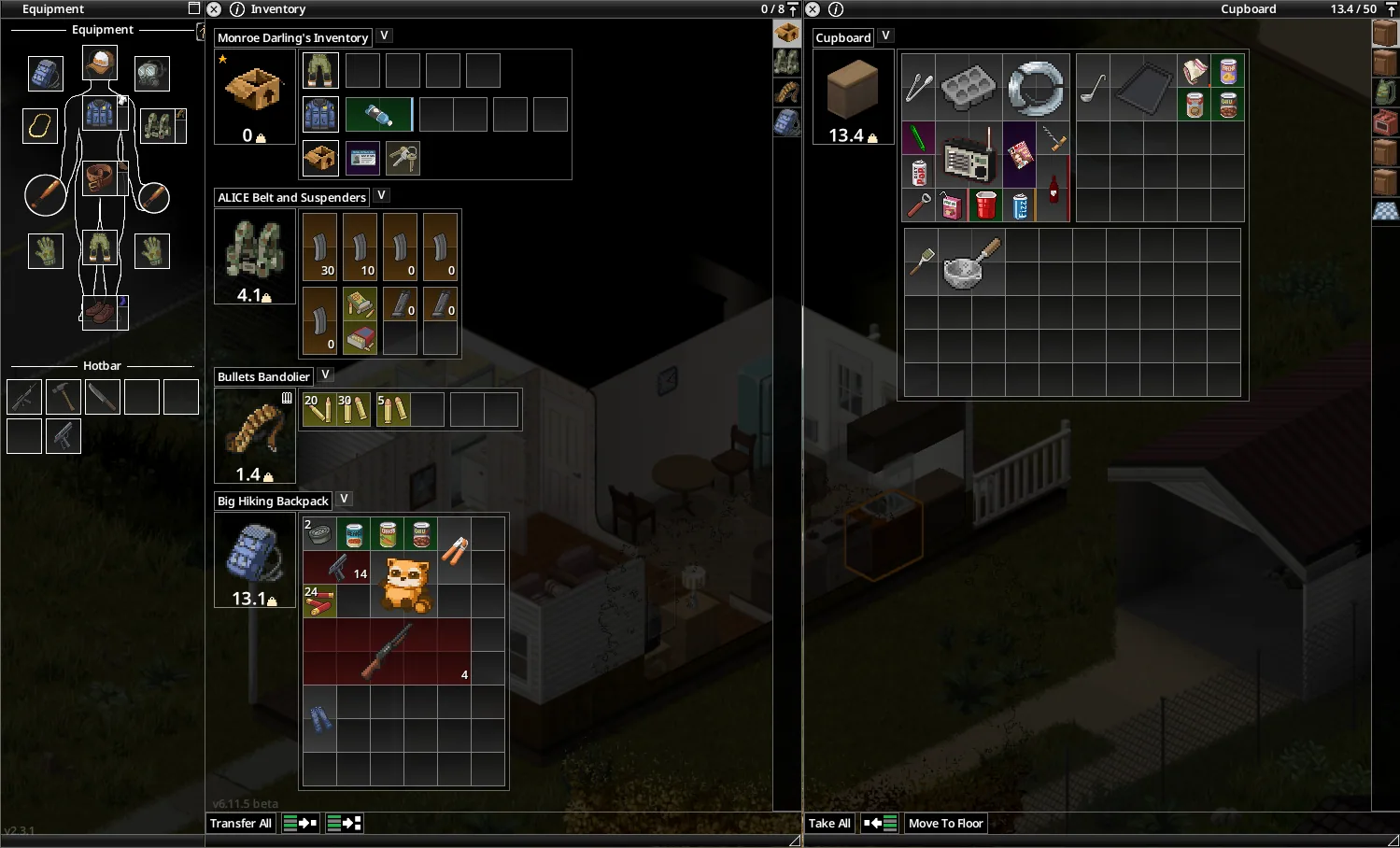
Inventory Tetris completely overhauls the inventory system in Project Zomboid, replacing traditional item lists with an interactive grid where every object occupies physical space.
Instead of simply collecting items until a weight limit is reached, survivors must consider their equipment's dimensions, available container space and the most efficient way to organize supplies.
Inspired by grid-based inventory systems, the modification introduces item rotation, stacking, backpack organization and integrated equipment management.
This maintained version is designed for Project Zomboid Build 42.20, with support for Singleplayer, Multiplayer and Dedicated Servers.
Grid-Based Inventory System
The central feature is a complete replacement of the standard inventory interface.
Every item has its own dimensions and must physically fit inside the selected container.
Main features include:
- Physical item sizes - Large objects require more inventory slots than smaller items.
- Item rotation - Rotate equipment to fit objects into available spaces.
- Manual organization - Arrange supplies according to your preferred layout.
- Item stacking - Combine compatible stackable items.
- Different container layouts - Backpacks and other containers have their own grid configurations.
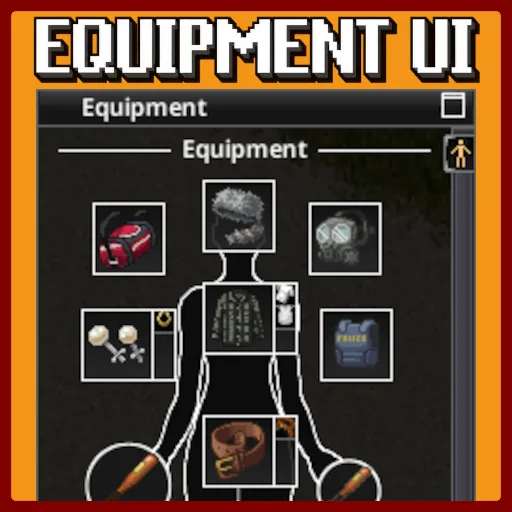
- Integrated equipment management - Manage carried items, pockets and worn equipment through a connected system.
Inventory management becomes an important part of survival, encouraging players to plan what they carry and how they pack it.
Backpacks, Pockets and Equipment UI
Inventory Tetris extends beyond the main inventory window.
The system integrates:
- Backpacks and storage containers.
- Containers placed inside other containers.
- Character pockets.
- Equipped clothing and accessories.
- Worn equipment.
- The Equipment UI interface.
Equipment UI is already included in this version. There is no need to install the discontinued standalone Equipment UI modification.
Players should disable or remove the older standalone version to avoid potential conflicts.
Optional Search & Discovery System
Inventory Tetris includes an optional mechanic that changes how survivors discover items.
With Search & Discovery enabled, the contents of eligible containers remain hidden until the character searches them.
This adds more deliberate exploration when looting houses, vehicles, corpses and storage areas.
To activate the feature, open:
Sandbox Options > Inventory Tetris: Search > Enable Search Mode
Additional options include:
- Search Time - Controls how quickly items are revealed.
- Corpse Search - Choose between Disabled, Some Items or Enabled.
The system also interacts with existing character traits:
- Dextrous - Increases container searching speed.
- All Thumbs - Reduces container searching speed.
Character Traits and Inventory Capacity
Vanilla character traits are adapted to the new inventory mechanics.
Organized and Disorganized affect container capacity when weight limits are enforced.
The Disorganized trait also causes automatically placed items to be arranged less efficiently.
These interactions preserve the importance of character traits while adapting them to the grid-based inventory system.
Customization and Sandbox Settings
The modification includes extensive settings for adjusting inventory difficulty and usability.
| Setting | Description |
|---|---|
| Global Bonus Grid Size | Adds up to 8 extra spaces to container grid width and height; default 0 |
| Item Weight Multiplier | Changes item weight without affecting physical grid dimensions; default 1.0 |
| Grid Scale | Adjusts inventory interface size |
| Global Stack Size Multiplier | Changes stack limits from 0.01 to 100.0; default 1.0 |
| Enable Search Mode | Requires searching eligible containers to reveal their contents |
| Use Item Transfer Time | Enables calculated item transfer times in Singleplayer |
| Item Transfer Speed Multiplier | Adjusts timed transfer speed in Singleplayer |
| Enforce Carry Weight | Applies vanilla container weight limits alongside the grid |
| Encumbrance Slowdown | Slows heavily overloaded characters |
The stack multiplier only affects items that are already stackable. It does not make normally non-stackable items stackable.
Additional settings are available for interface scaling, controls, visual appearance and container stacking rules.
Important: Multiplayer servers enforce vanilla container capacity checks, even when the grid-based inventory system is active.
Key Rings and Special Containers
Key rings have special handling.
The key ring itself occupies space in the inventory grid, but individual keys stored inside it do not require separate grid positions.
Players can open key rings, move keys between containers and drop keys directly onto a ring.
Multiplayer and Save Compatibility
Inventory Tetris supports:
- Project Zomboid Build 42.20
- Singleplayer
- Hosted Multiplayer
- Dedicated Servers
The current version is designed to preserve existing Inventory Tetris persistence data, including information associated with container layouts and items.
However, because the modification changes fundamental inventory behavior, backing up important saves before major updates is strongly recommended.
Removing Inventory Tetris from an active save is not recommended.
Compatibility with Other Mods
Modifications that replace or heavily modify Project Zomboid's inventory, equipment or container interfaces may conflict with Inventory Tetris.
Symptoms can include items failing to transfer or inventory actions becoming stuck.
Avoid enabling multiple versions of Inventory Tetris simultaneously, and disable the old standalone Equipment UI.
Inventory Tetris offers a more interactive approach to survival inventory management, turning backpack organization, equipment placement and looting into meaningful gameplay decisions.
Screenshots 4


Comments 0
No comments yet — be the first.
Log in or sign up to leave a comment.