

A growing farm means more animals to check and more needs to remember. Livestock Panel Plus brings that information together, making it easier to spot an animal that needs water, compare the herd’s condition, or find livestock ready for milking or shearing.
Contents
Livestock Panel Plus — Keep Track of Your Herd in Project Zomboid
A growing farm means more animals to check and more needs to remember. Livestock Panel Plus brings that information together, making it easier to spot an animal that needs water, compare the herd’s condition, or find livestock ready for milking or shearing.
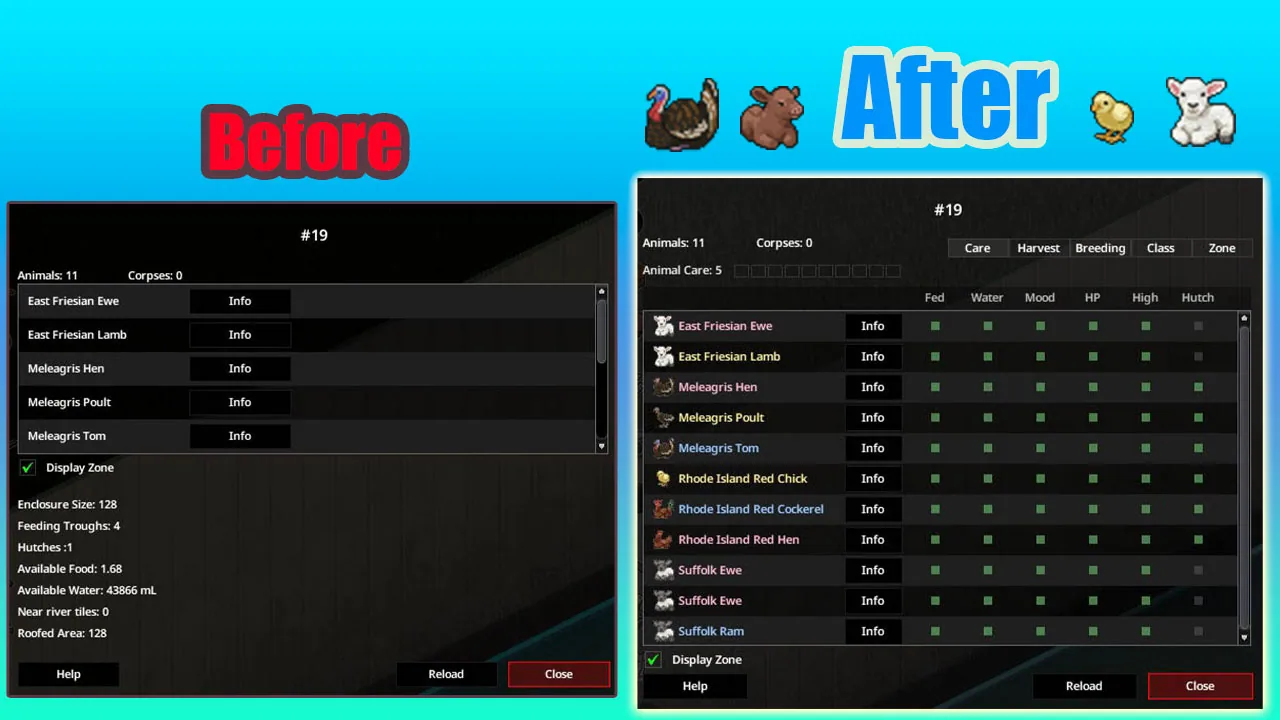
The mod expands the existing livestock zone window. Right-click inside a zone and select Check Zone to access the table.
See what needs your attention
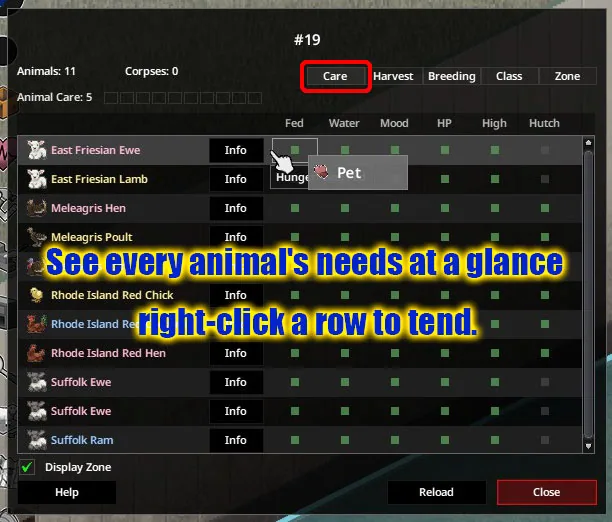
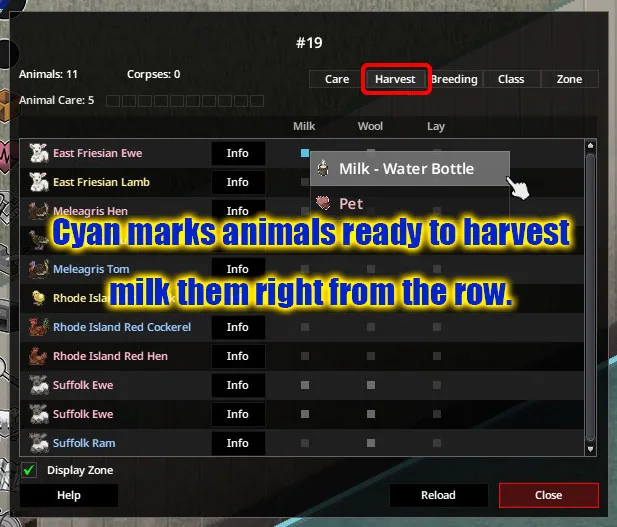
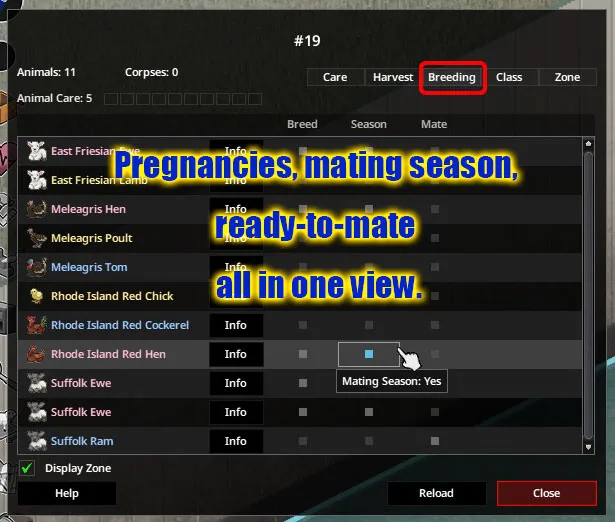
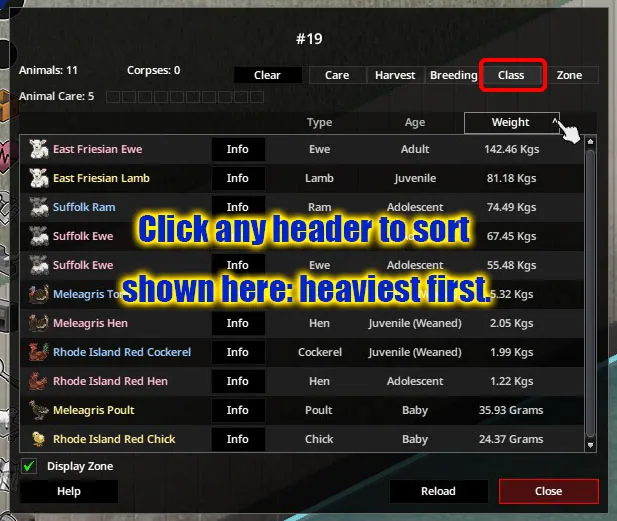
Animal information is organised into tabs for care, harvesting, breeding, and classification, with a separate tab for the zone itself.
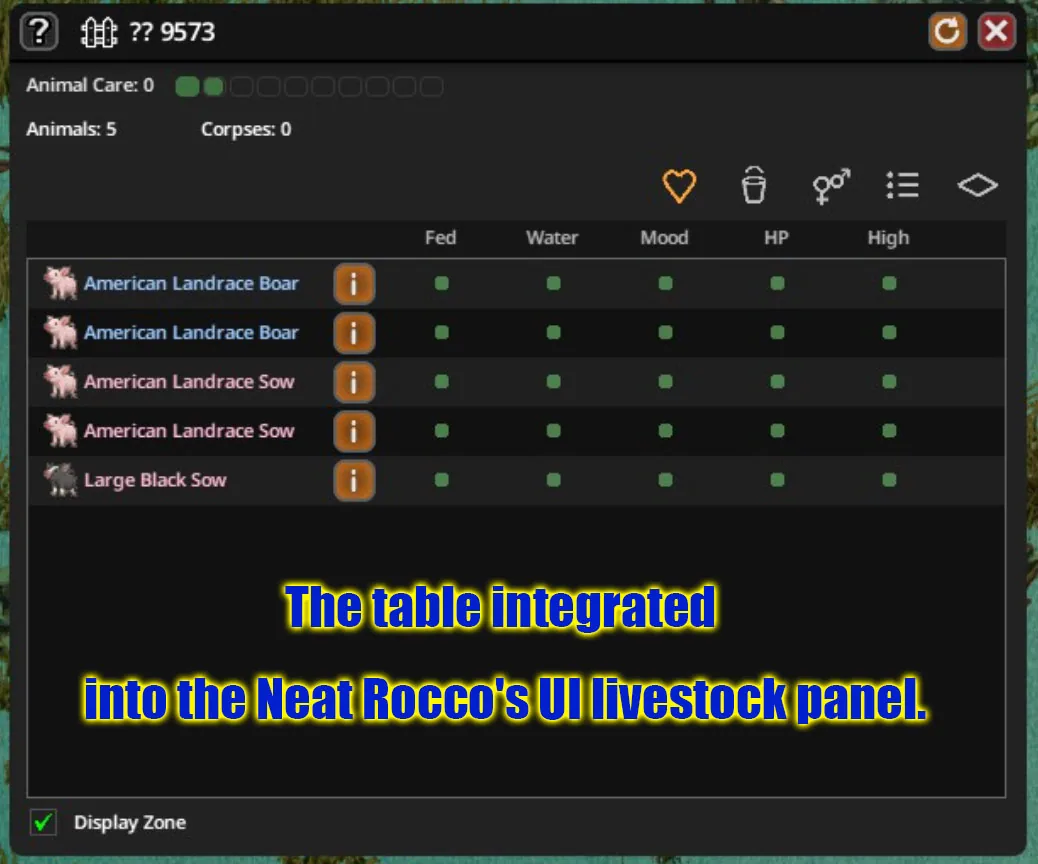
Coloured status dots make the table easier to scan. They distinguish healthy conditions, developing problems, urgent needs, and harvesting opportunities. Tooltips provide the details, and individual colours can be adjusted in Mod Options.
The table respects your character’s knowledge. It does not reveal information hidden by the Animal Care skill. As that skill improves, additional details and more precise condition stages become available, just as they do in the vanilla Animal Info window.
Turn a long list into a useful overview
Click a column heading to sort animals with the worst conditions first. Click again to reverse the order, or a third time to reset it.
Selecting a cell filters the table to animals sharing that value. This makes it easier to focus on a particular condition without searching every row.
The default order groups livestock by species, breed, and then male, female, or young. An option restores sorting by name.
Start care actions from the table
Right-click an animal’s row to access available actions such as feeding, watering, petting, milking, and shearing.
These commands still follow normal gameplay rules. Your character walks to the animal, and the usual requirements determine whether an action is available. Feed and Give Water are also added to the animal radial menu opened by holding V.
Check the farm as well as the animals
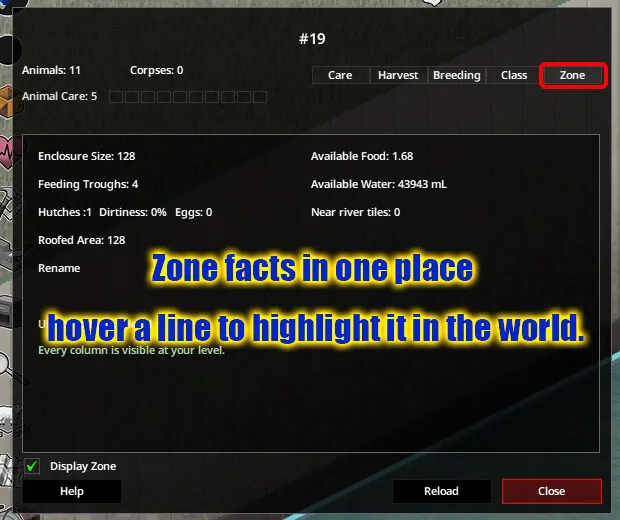
The Zone tab collects information about hutches, eggs, dirt, and composters. It also counts dung and eggs lying on the ground, including how many of those eggs are fertilised.
Hovering over a row highlights the corresponding objects in the world. Trough and hutch entries offer a command to walk to them, and the zone can be renamed from this panel.
Optional inspection-based tracking
For players who prefer to check animals personally, an optional mode keeps condition details hidden until the animal has been inspected or tended.
After you leave the zone, recorded conditions appear faded to show that they may be outdated. The information is forgotten after a configurable interval of 1–24 in-game hours. This mode is disabled by default.
Other useful additions
- Inventory egg markers distinguish fertilised and unfertilised eggs once vanilla reveals that information.
- Animal Care XP can appear above your character in single-player.
- Controller navigation is supported.
- Optional integration places the table inside Neat Rocco’s UI.
- The table adjusts to its contents and your font-size setting.
Compatibility and update notes
Livestock Panel Plus is designed for Project Zomboid Build 42 and can be added to or removed from existing saves. It supports several languages, including English and Russian.
Multiplayer testing has been carried out on a co-op host. Floating XP feedback is single-player only, while egg markers remain provisionally supported in multiplayer due to limited testing.
As of version 1.16, rooster sounds are provided separately through Rooster Crow. Install and enable that mod if you want to keep the crowing feature.
Screenshots 7

Comments 0
No comments yet — be the first.
Log in or sign up to leave a comment.