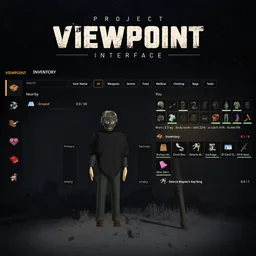

Viewpoint UI adapts Project Zomboid’s everyday interactions to **Project Viewpoint**. Loot containers through the crosshair, organise equipment around a 3D character preview, place objects where you are looking, and access crafting, health, and vehicle information through a unified interface.
Contents
Viewpoint UI — A Survival Interface for First- and Third-Person Play
Viewpoint UI adapts Project Zomboid’s everyday interactions to Project Viewpoint. Loot containers through the crosshair, organise equipment around a 3D character preview, place objects where you are looking, and access crafting, health, and vehicle information through a unified interface.
It is a separate add-on: Project Viewpoint is still required.
Interact with what you see
Aim at an object to display its available actions beside the crosshair. Scroll to select an action and press E to perform it. Common actions, such as opening a door or entering a vehicle, receive priority.
Nearby containers and bodies show their contents without immediately opening the full inventory. You can inspect stacks, weights, and your projected carrying load before collecting anything.
Alternative interaction modes let you hold the key for an action list or retain vanilla controls. Actions supplied through other mods’ context menus can also appear, including supported NPC interactions.
Radial menus use mouse direction while their key is held. Raising a weapon clears the interaction display from your aim.
Inventory built around your character
The inventory places nearby loot on the left, a 3D character preview in the middle, and your equipment and belongings on the right.
Drag clothing onto the character to wear it, move items between bags and containers, or use highlighted equipment slots to find a valid destination.
Search, category filters, sorting, and adjustable item sizes help manage larger collections. Stacks distinguish relevant differences such as condition and loaded magazines. Keyboard shortcuts support quick transfers, equipping, selection, and dropping.
Craft, build, and place
Crafting and construction screens provide search, categories, favourites, material requirements, and batch crafting. Mod-added recipes are supported.
Building previews show the intended position and rotation, with colours indicating whether placement is possible, materials are missing, or the location is blocked.
Furniture and individual items can also be positioned through the first-person view, including on suitable surfaces.
Health, equipment, and vehicles
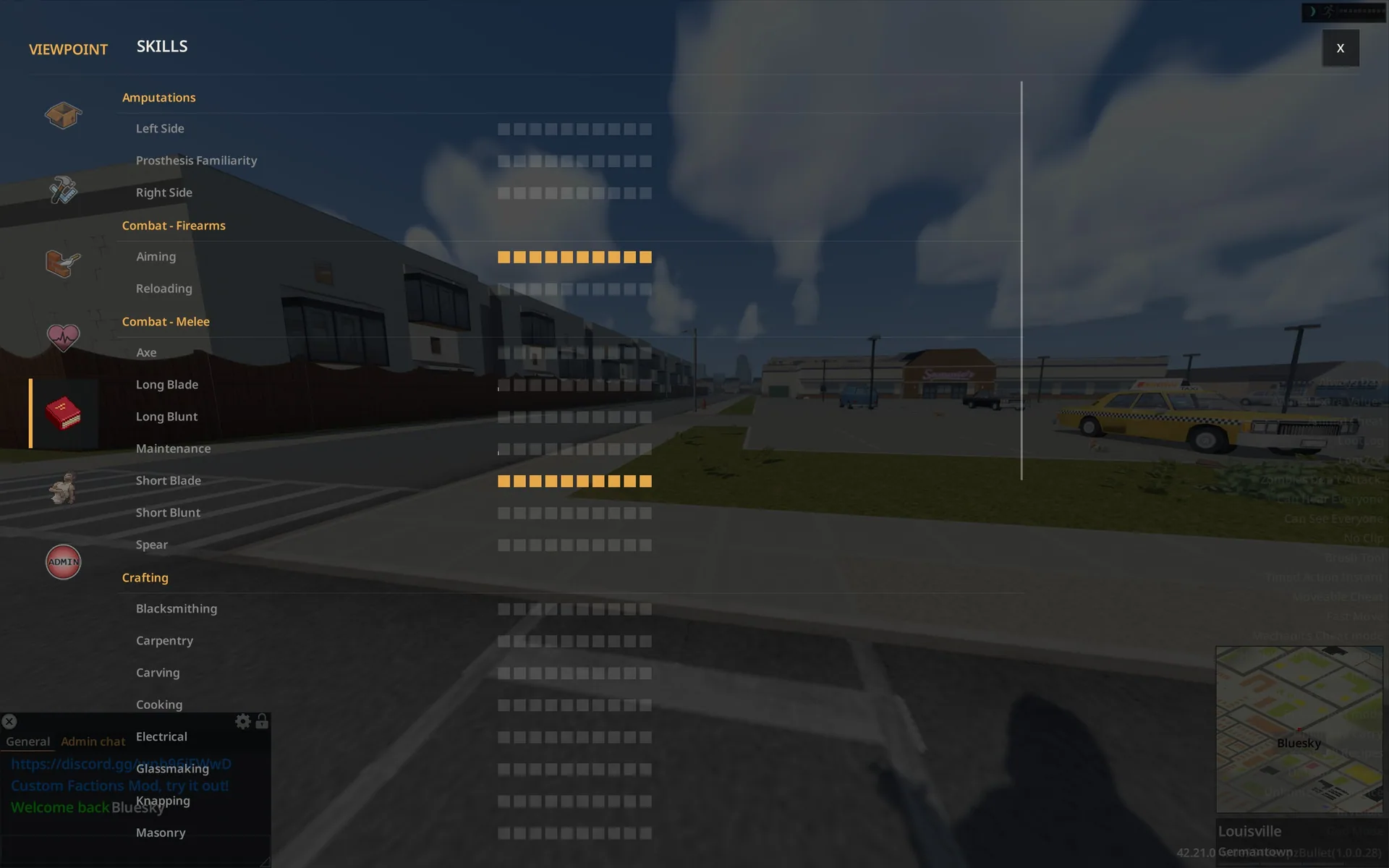
A shared hub brings together injuries and treatment, skills and XP, traits, protection, and temperature.
The HUD includes situational health and stamina bars, moodles, equipment shortcuts, firearm information, and action progress. Vehicle controls cover seats, storage, condition, fuel, and access to mechanics.
Administrative tools remain restricted by the game’s normal permissions.
Controls and interface options
| Screen or action | Default key |
|---|---|
| Interact | E |
| Inventory | I |
| Crafting | B |
| Building | K |
| Health | H |
| Skills | L |
| Character | J |
| Admin tools | F7 |
Settings are under Options → Mods → Viewpoint Interface. You can adjust the HUD, chat, minimap, radial menus, and compact layout.
Compatibility options retain the game’s inventory windows, sidebar, or moodles. Allow legacy UI restores access to vanilla windows without uninstalling the add-on.
Requirements and multiplayer
- Project Zomboid 42.21
- Project Viewpoint
- ZombieBuddy, configured as required by Viewpoint
Load Viewpoint UI after Viewpoint and approve its Java component when ZombieBuddy prompts you.
Actions use the game’s existing systems and server checks. Placement previews are local, and the add-on generates no separate network traffic.
Screenshots 1

Comments 0
No comments yet — be the first.
Log in or sign up to leave a comment.