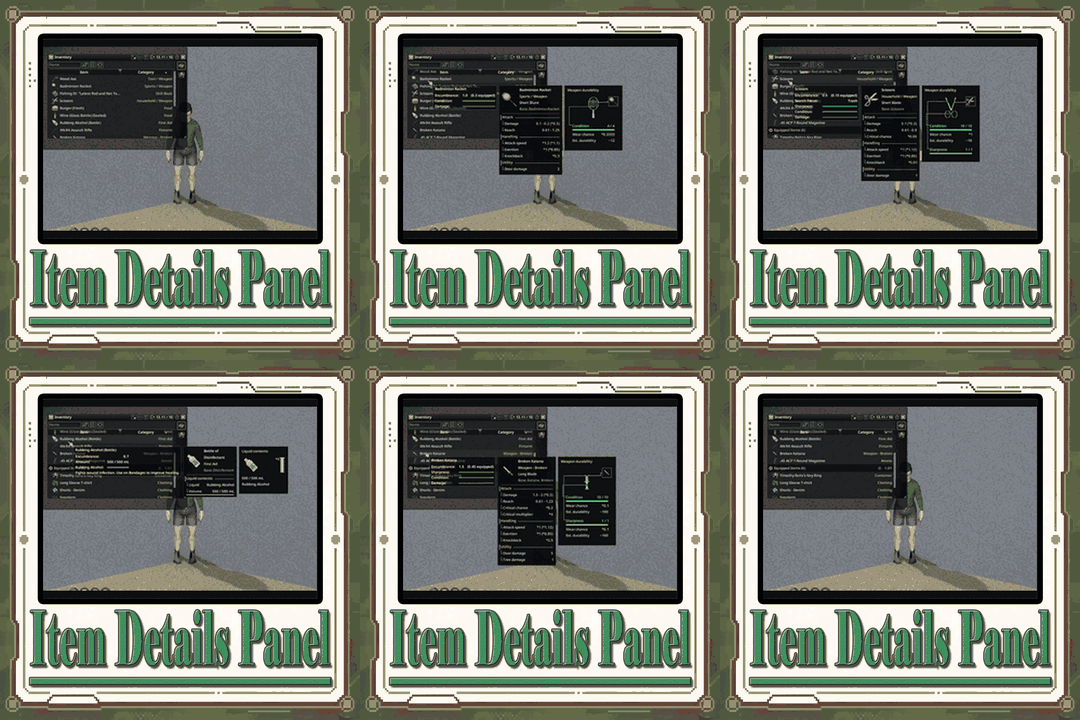

Item Details Panel enhances Project Zomboid with detailed visual information about weapons, firearms, clothing, food, containers and liquids. Check durability, ammunition, protection, nutrition and capacity through interactive-looking diagrams and customizable panels. Includes appearance presets, a live editor, extension API, multiplayer support and compatibility with TooltipLib. Requires Build 42.20+.
Contents
Item Details Panel expands the inventory interface in Project Zomboid by providing detailed visual information about equipment, weapons, food, liquids and other belongings.
Instead of replacing the game's original tooltips, it adds independent panels alongside them. Important characteristics are displayed using diagrams, colored indicators, gauges and numerical values.
This makes it easier to evaluate an item's condition, understand its properties and compare equipment without navigating through additional menus.
The interface is highly customizable, with an appearance editor, reusable presets and support for information supplied by other mods.
Detailed Weapon Durability
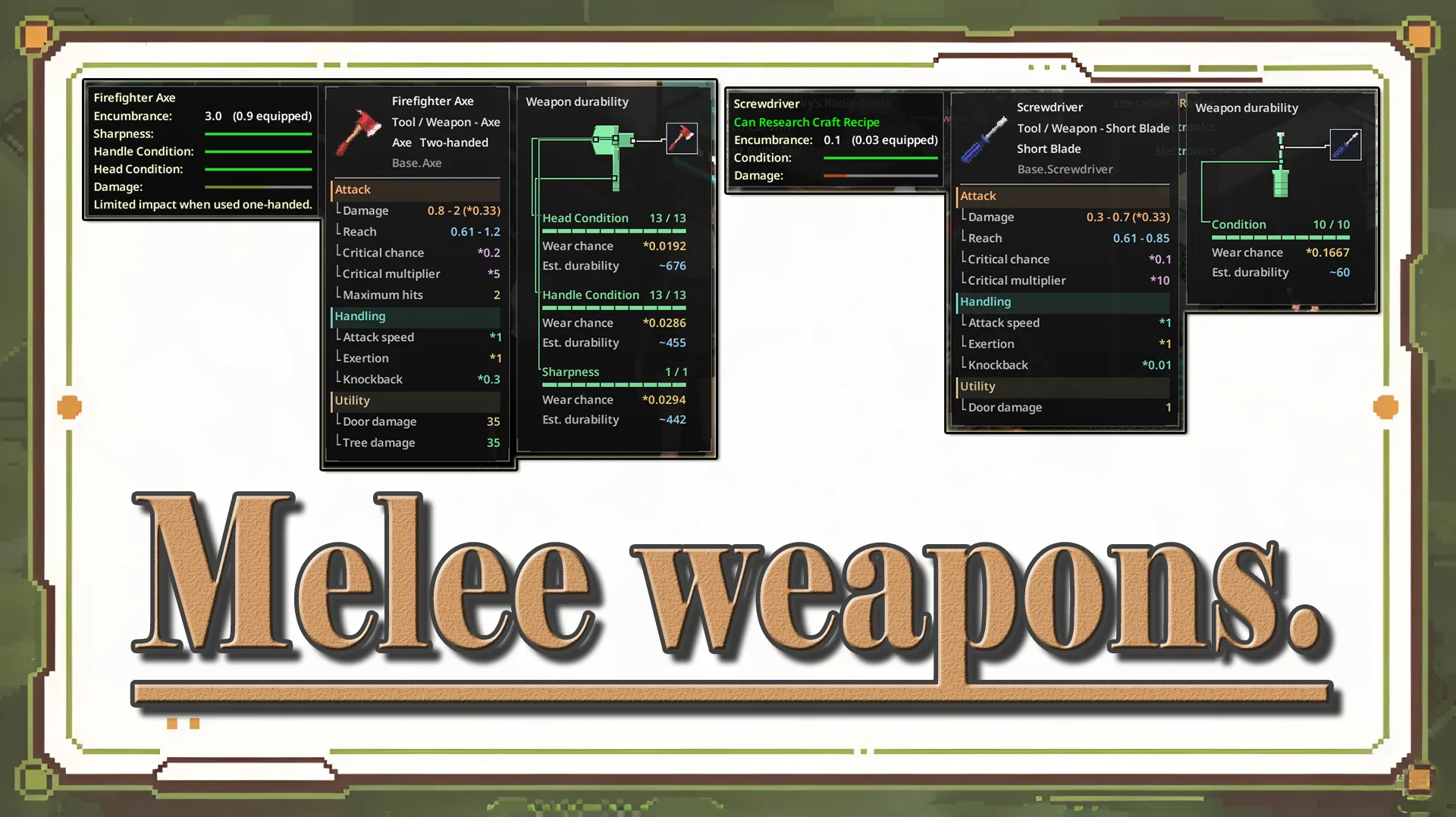
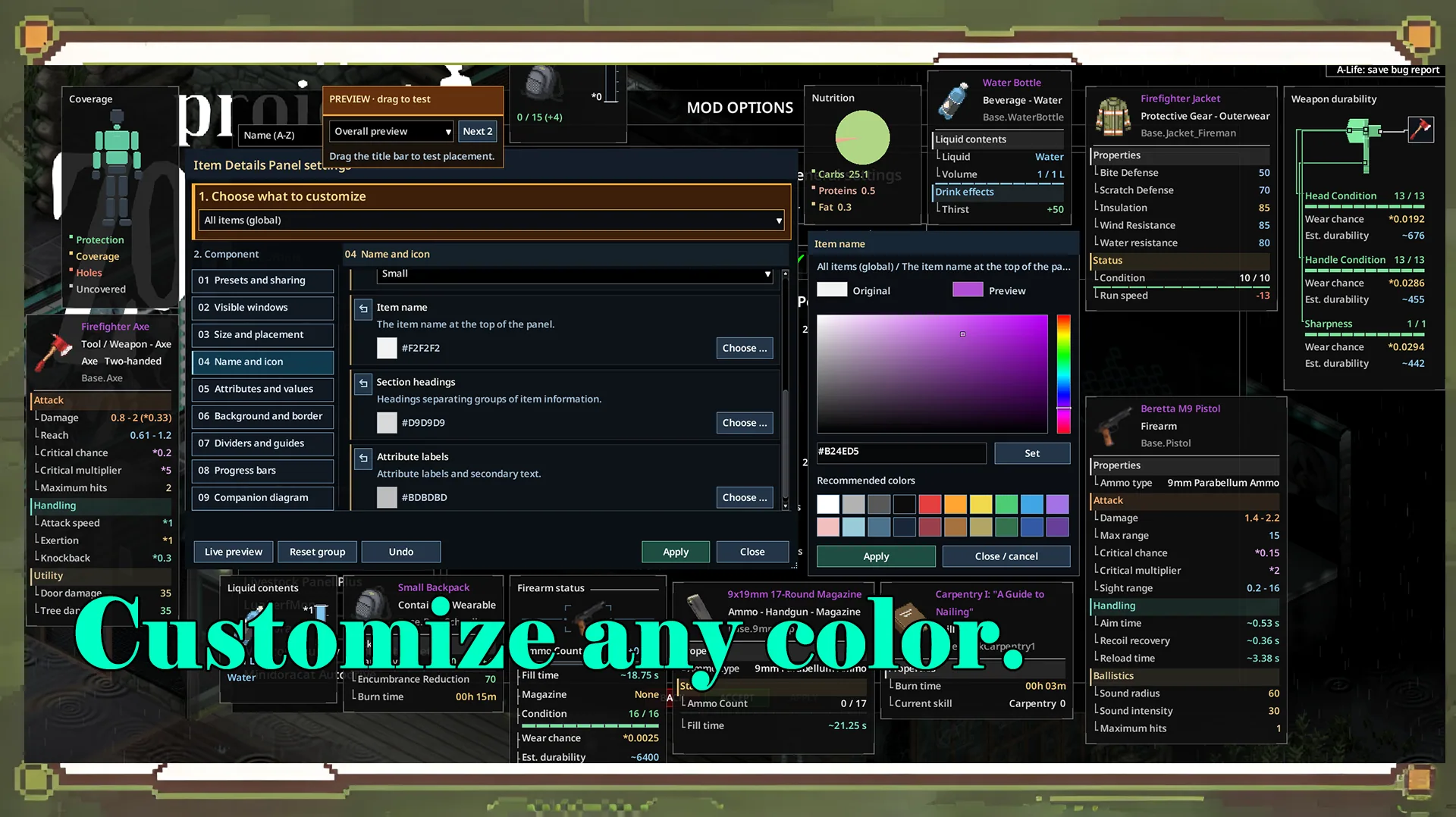
Melee weapons receive visual diagrams showing the condition of their individual components.
Depending on the weapon, available information may include:
- Head condition: Durability of the weapon's striking component.
- Handle condition: Wear affecting the handle.
- Sharpness: Blade condition where supported.
- Wear probability: Information about the chance of durability loss.
- Estimated durability: Additional condition estimates.
Colored bars help identify damaged components at a glance.
The diagrams are adapted to different melee weapon types, so only relevant attributes are displayed.
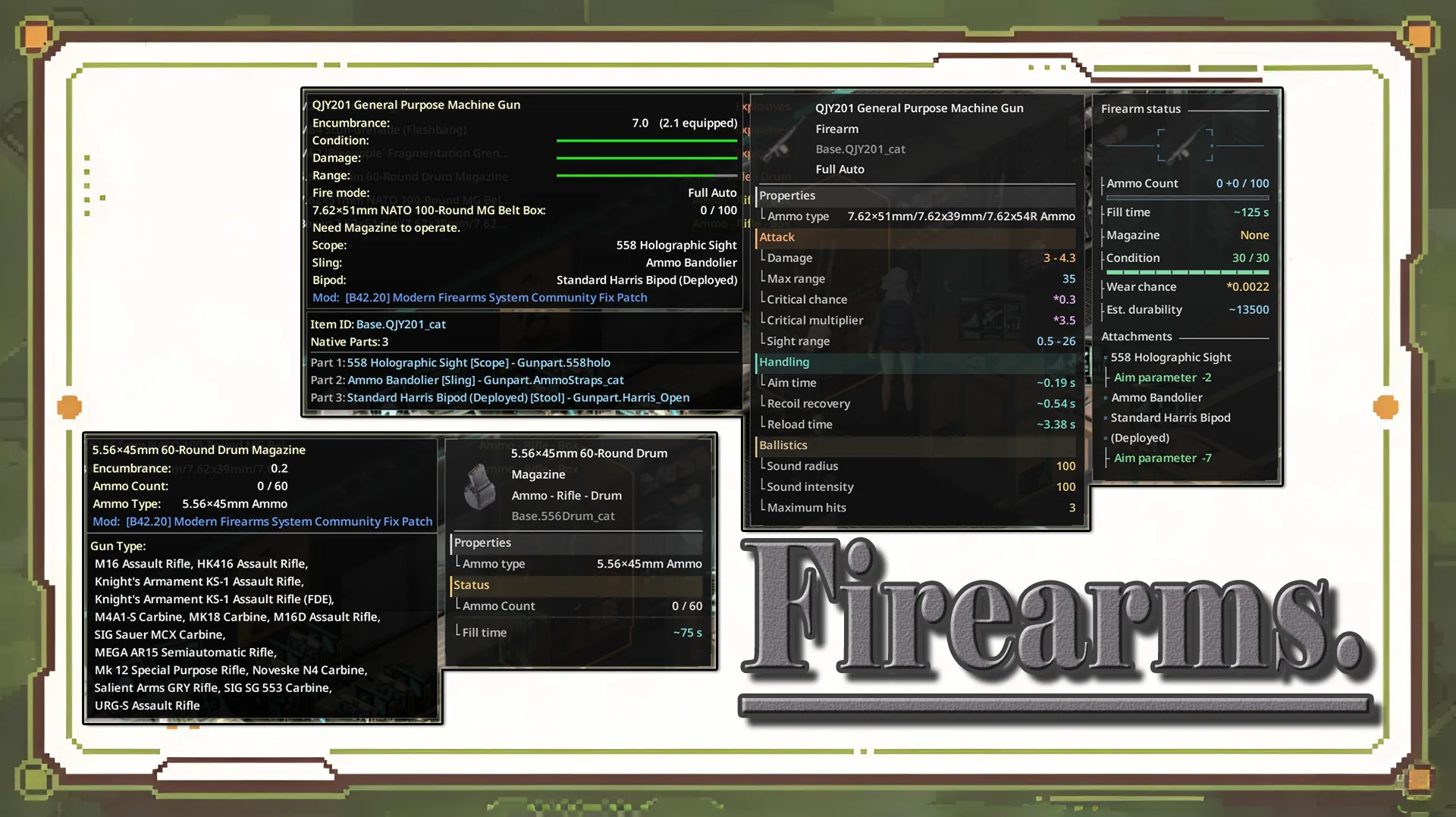
Firearm Information and Ammunition
Firearms receive a dedicated status display that brings several important details together.
You can inspect:
- Current ammunition count.
- Rounds loaded into the chamber.
- Inserted magazine and its capacity.
- Time required to fill the magazine.
- Weapon durability.
- Installed attachments.
An ammunition gauge accompanies the numerical values.
Chambered ammunition is displayed separately, allowing formats such as:
7 +1 / 15
This example distinguishes ammunition in the magazine from an additional chambered round.
Clothing Protection and Body Coverage
Clothing receives a body diagram that illustrates which areas are covered or protected.
Different visual markings identify:
- Covered body regions.
- Protected areas.
- Holes in clothing.
- Applied patches.
- Repaired holes.
A color-coded legend explains the indicators.
This presentation is especially useful when assessing damaged protective equipment or deciding which clothing pieces to replace.
Food, Containers and Liquids
The mod also introduces specialized displays for several other item categories.
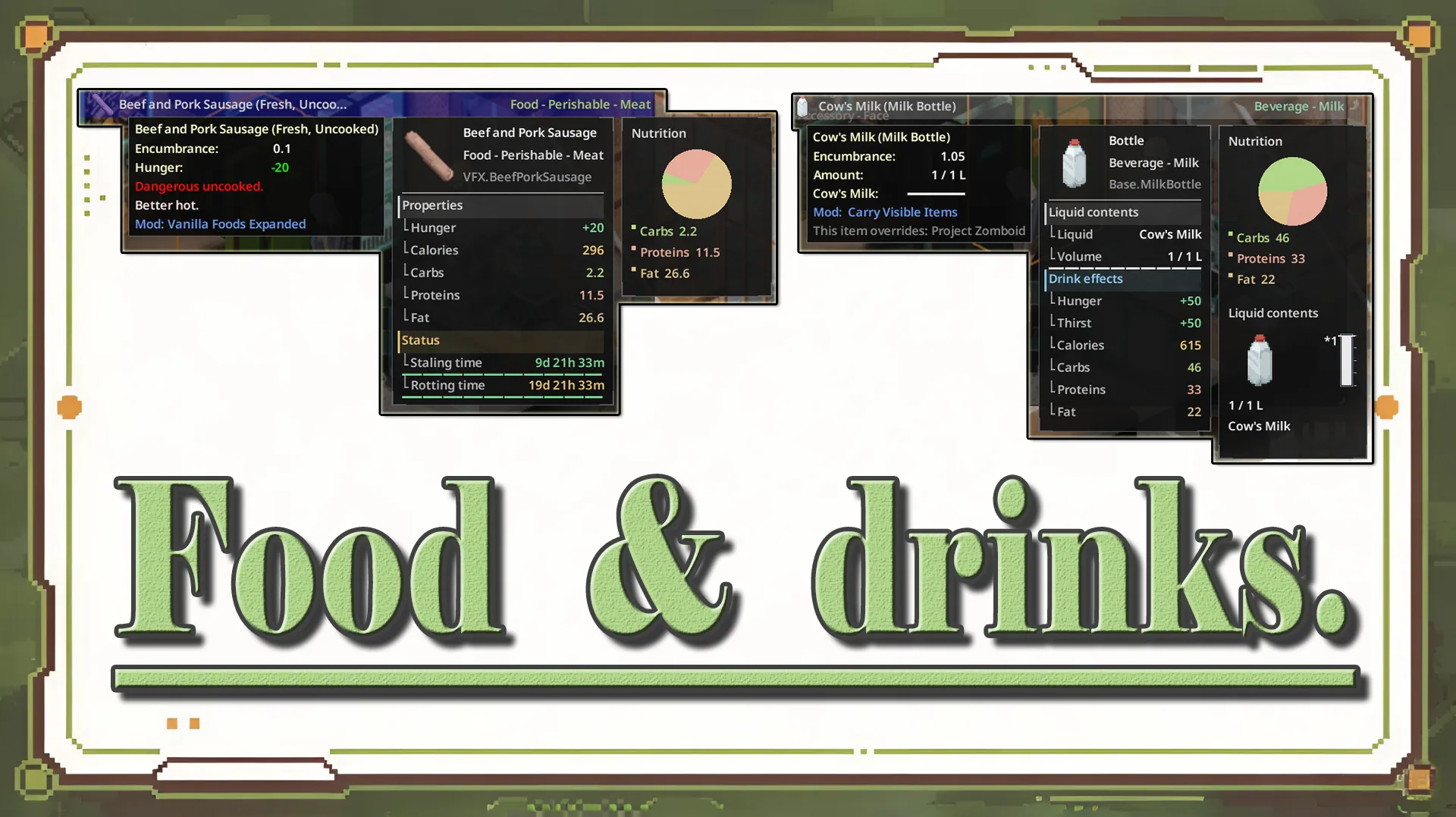
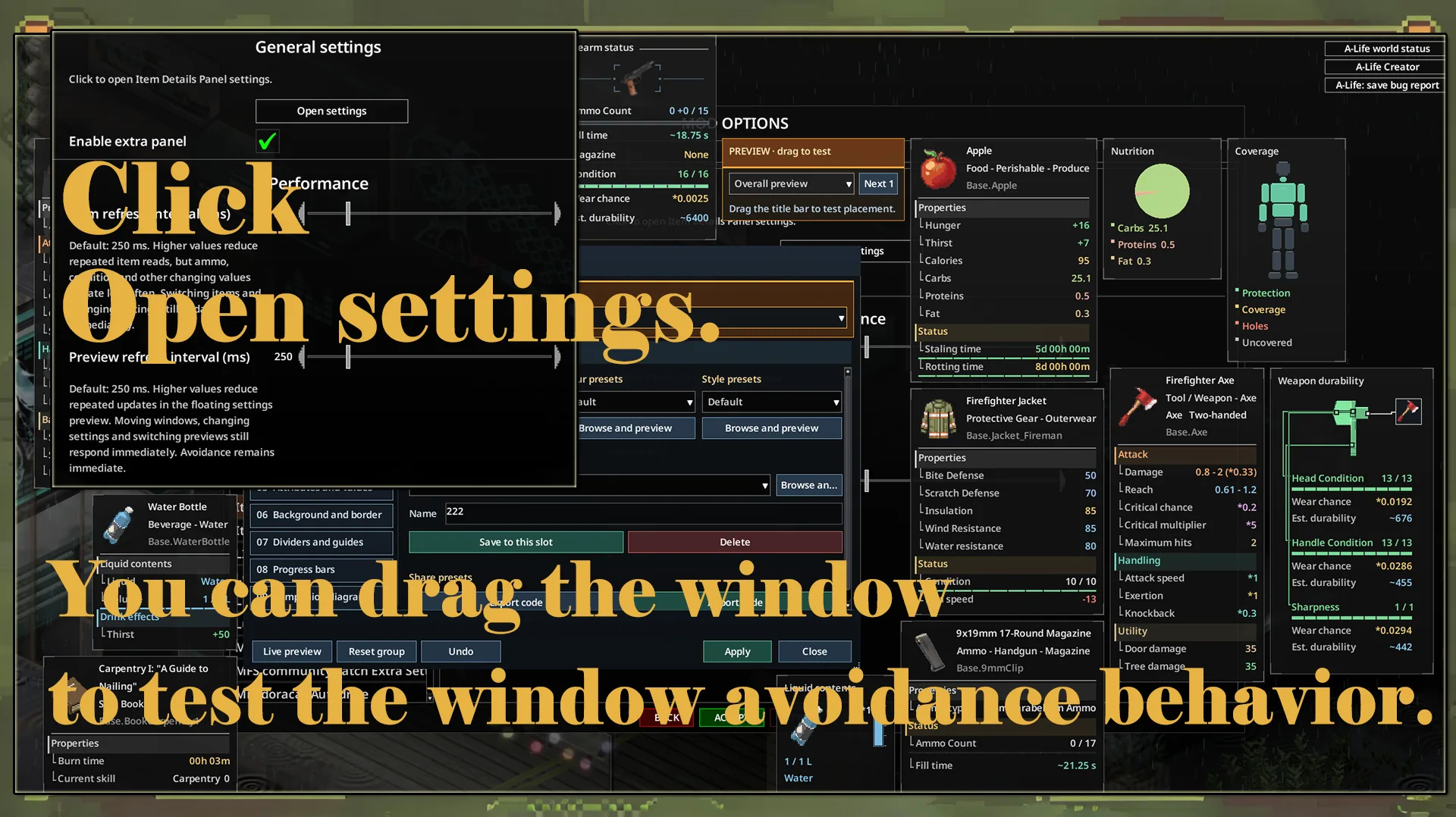
Food Nutrition
A pie chart visualizes the proportions of three macronutrients:
- Carbohydrates.
- Protein.
- Fat.
Matching colors in the legend make the nutritional composition easier to interpret.
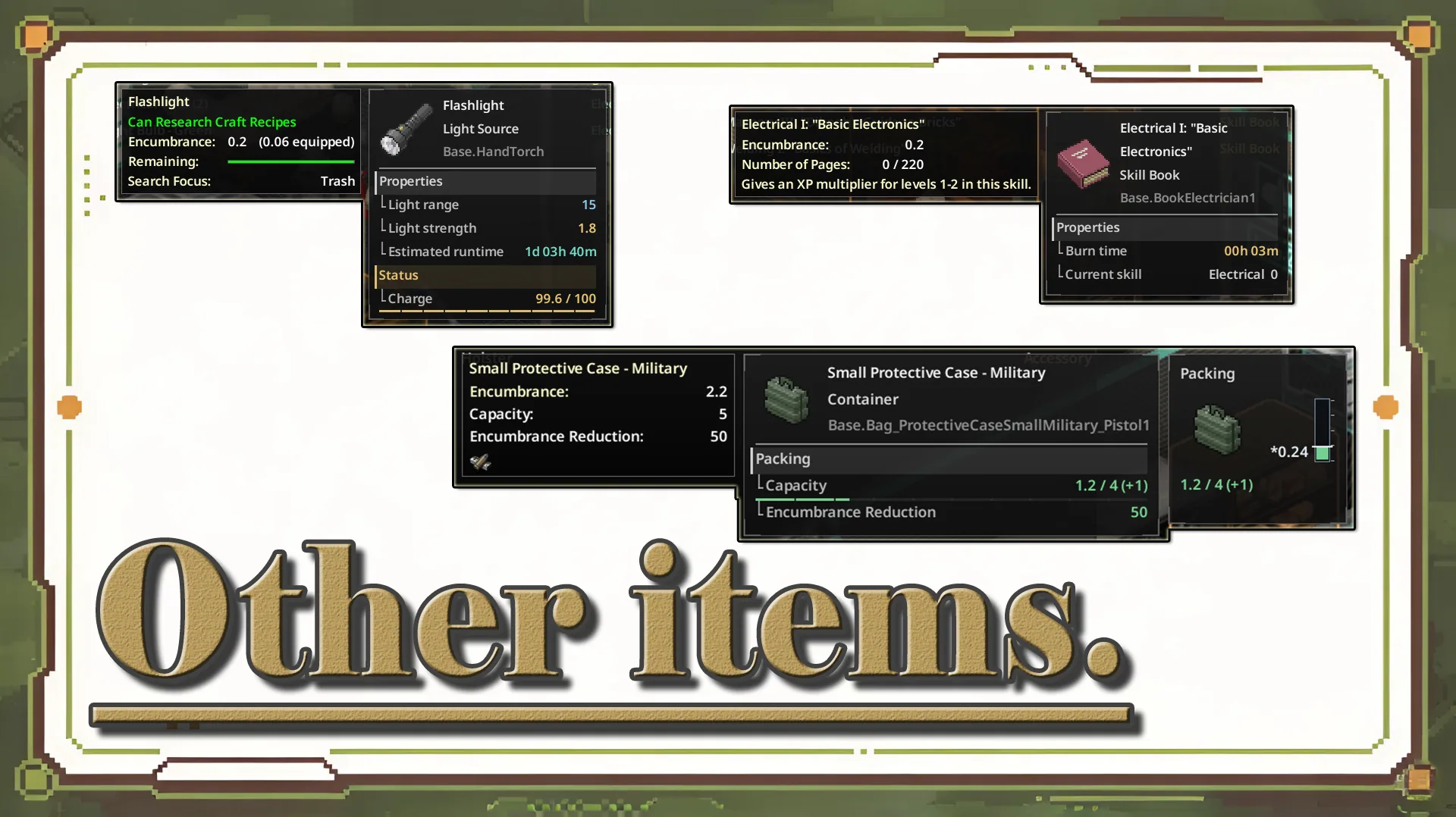
Container Capacity
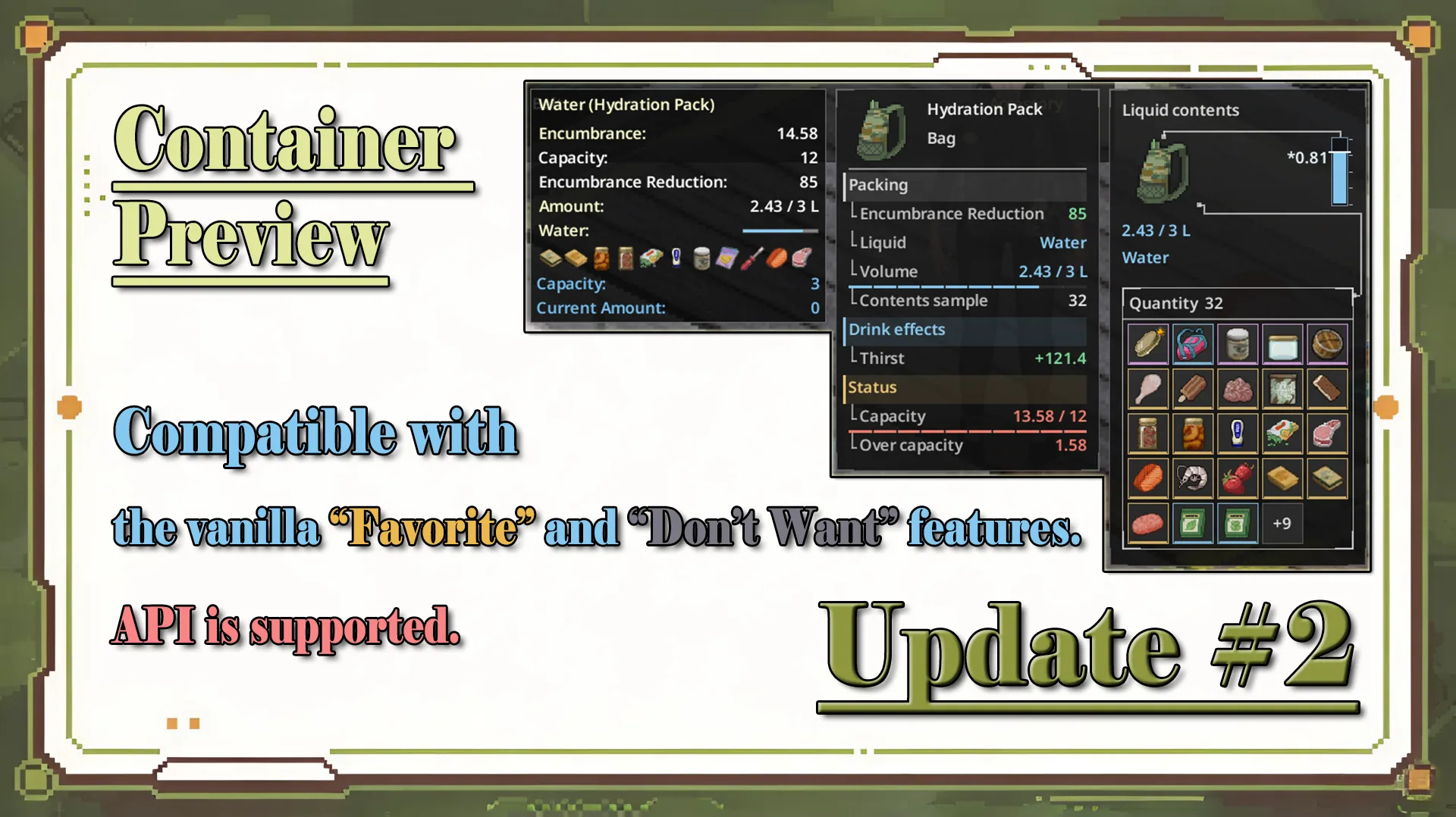
Backpacks and other storage items receive a capacity diagram showing occupied space and related values.
This provides a quick overview of how much storage is already in use.
Liquid Composition
Containers holding liquids can display:
- Current liquid levels.
- Measurement markings.
- Contents and their proportions.
- Individual components of liquid mixtures.
Colors are associated with the corresponding liquids, including entries in the legend.
Not every item displays every visualization. Panels appear according to the properties supported by the selected object.
Customizable Interface and Appearance Editor
One of the main advantages is the extensive control over how information appears on screen.
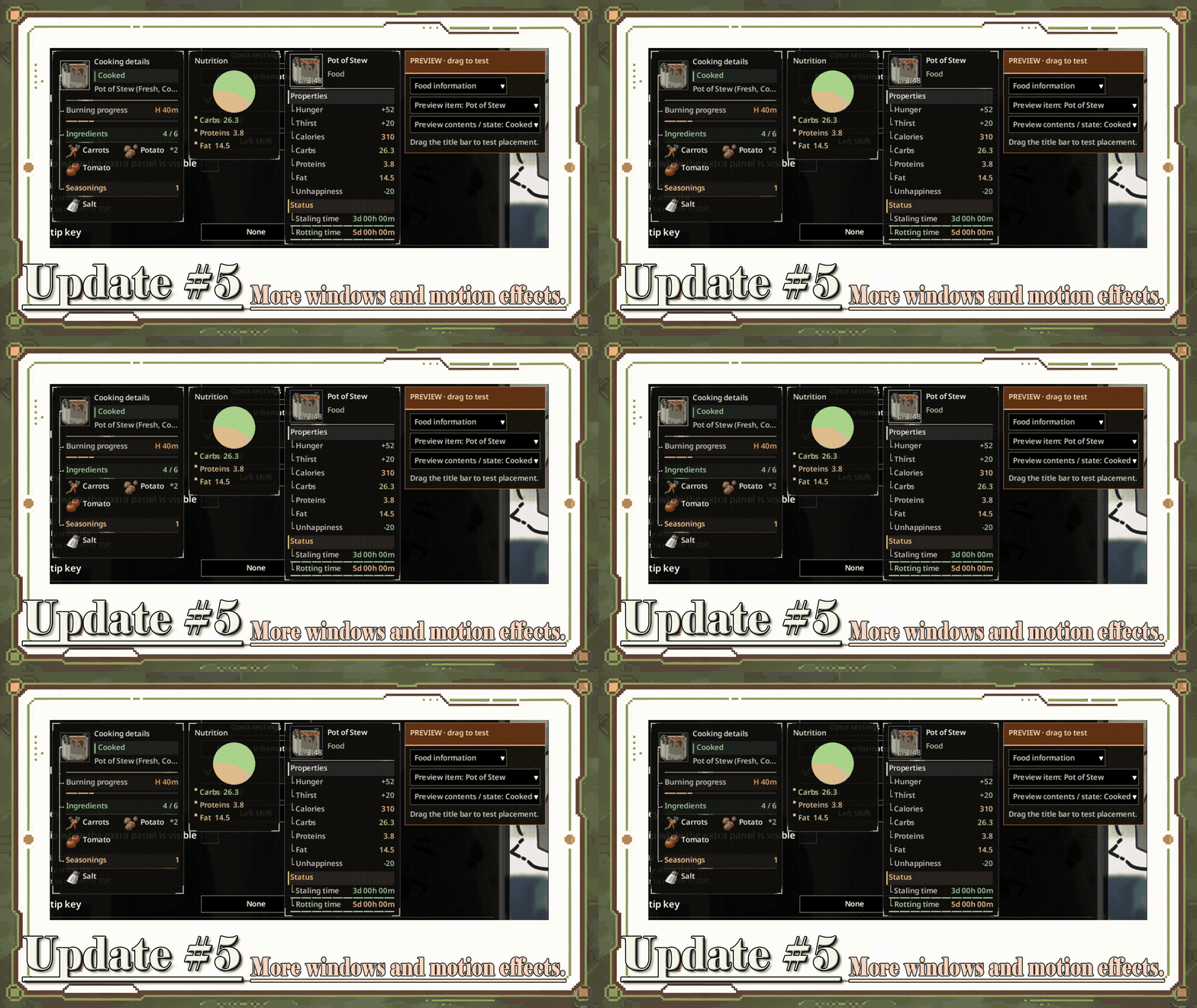
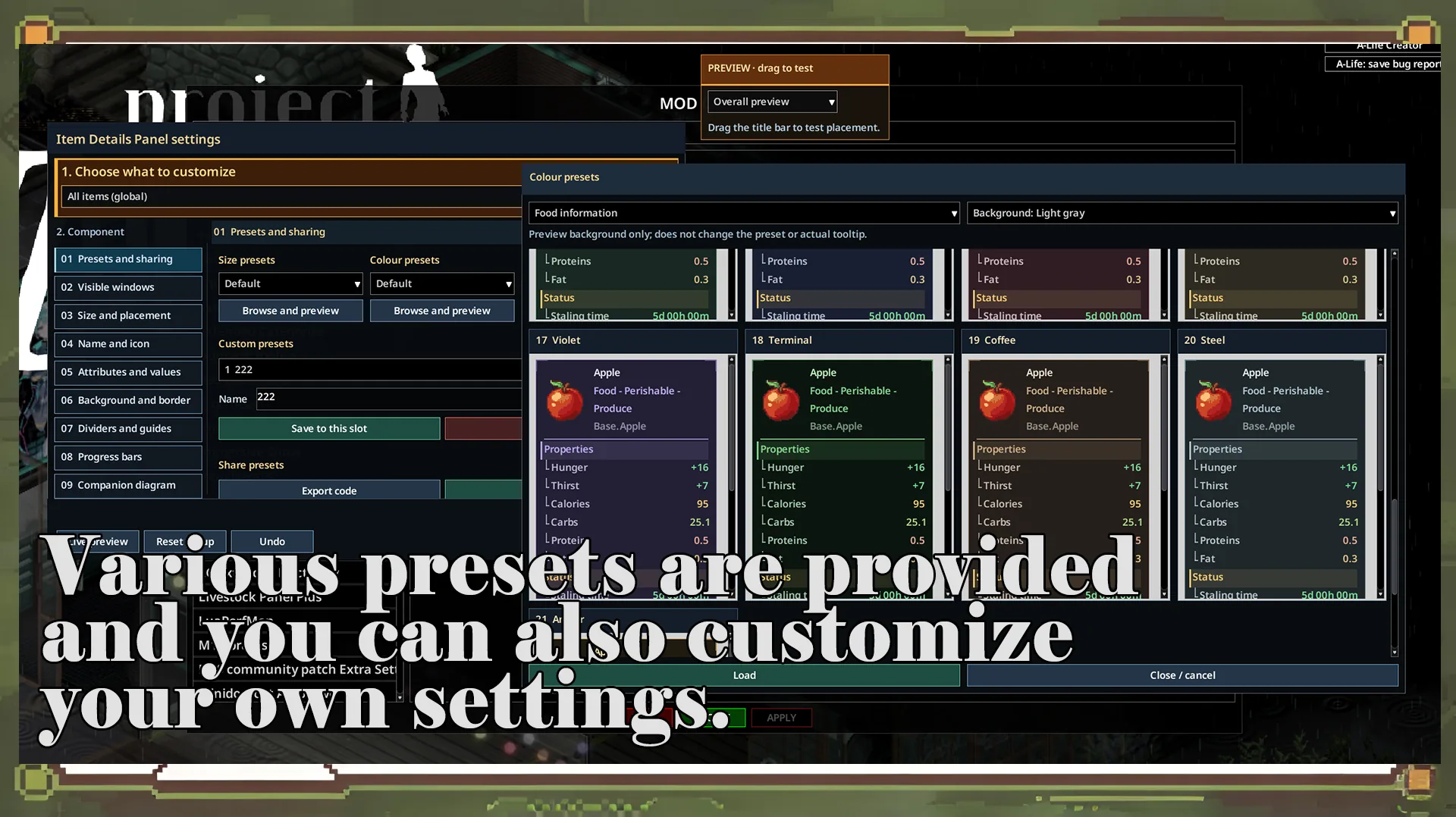
An independent appearance editor provides live previews, allowing players to experiment with different layouts before applying their changes.
Available customization options include:
- Fonts and text appearance.
- Icon sizes.
- Row and panel spacing.
- Borders and separators.
- Guide lines and gauges.
- Attribute and comparison colors.
- Diagram colors and visual styles.
Global preferences can be applied throughout the interface, while individual item categories can use their own configurations.
A category can also inherit the global appearance.
Presets and Configuration Sharing
The preset gallery supports simultaneous previews with selectable sample items and backgrounds.
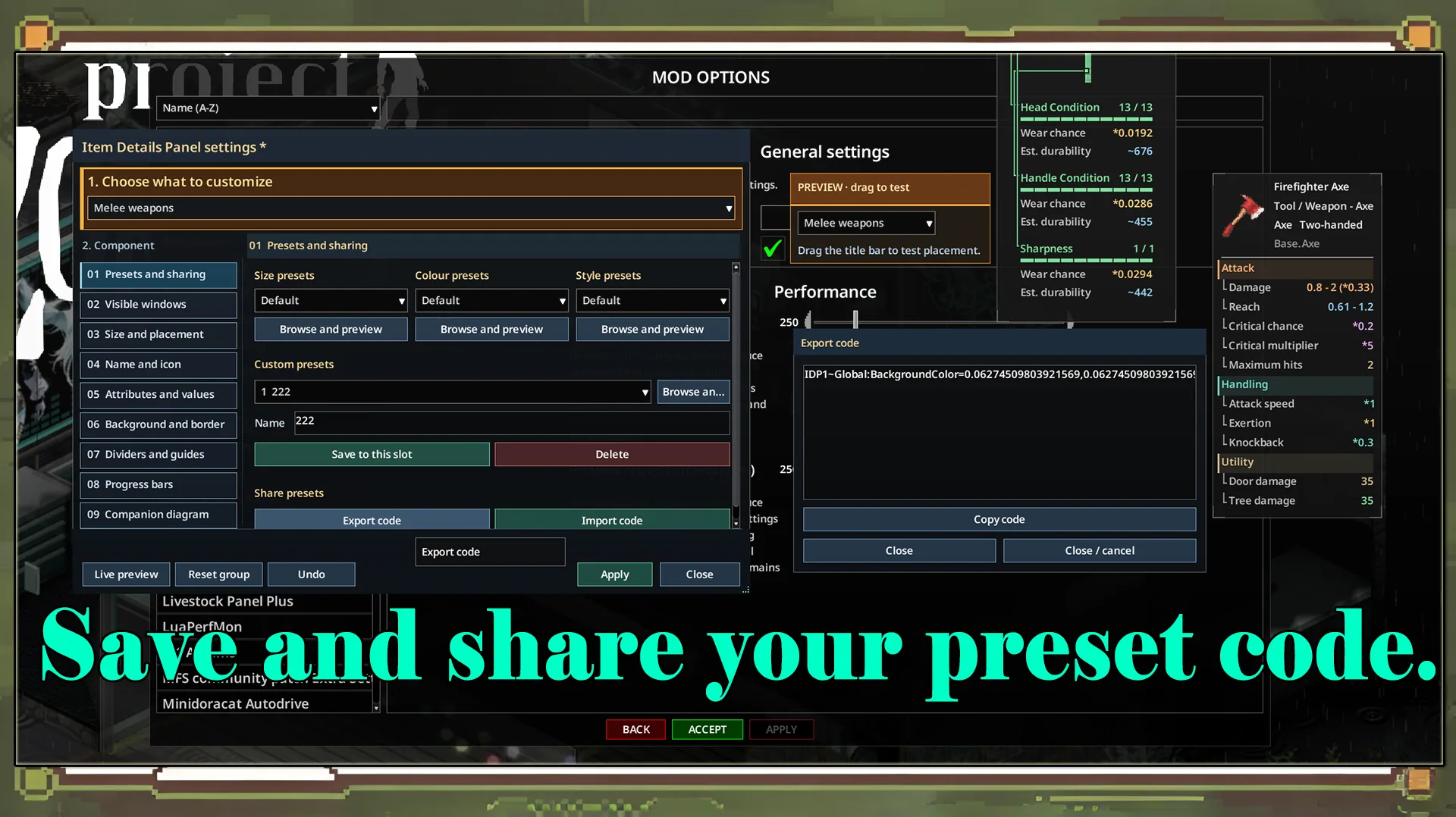
Players can combine size, color and style presets independently.
Custom configurations can be saved and shared using export and import codes.
The settings window and floating previews can also be dragged separately to test panel positioning.
Additional panels automatically adjust their placement around nearby interface windows.
How to Use Item Details Panel
No additional hotkeys are required.
- Enable the mod in Project Zomboid.
- Open your inventory.
- Hover over an item.
- Review the additional information beside its original tooltip.
To customize the interface:
- Open the game's mod settings.
- Find Item Details Panel.
- Launch the appearance editor.
- Select the global settings or a specific item category.
- Choose the visual component you want to modify.
- Adjust its appearance and preview the result.
- Click Apply to save your configuration.
Compatibility with Other Mods
Several integrations are specifically supported.
| Mod | Integration |
|---|---|
| Extended categories - Better Hoarding! | Category text follows the mod's colors and tint strength |
| TooltipLib | Imports supported item information into an independent extension panel |
| VorpallySauced - Weapon Mastery System | Displays weapon mastery information provided through TooltipLib |
Extended categories requires no separate compatibility patch.
For TooltipLib-based modifications, custom drawing may not be reproduced exactly, although supported information can still appear in the extension system.
Multiplayer is supported.
Extension API for Mod Developers
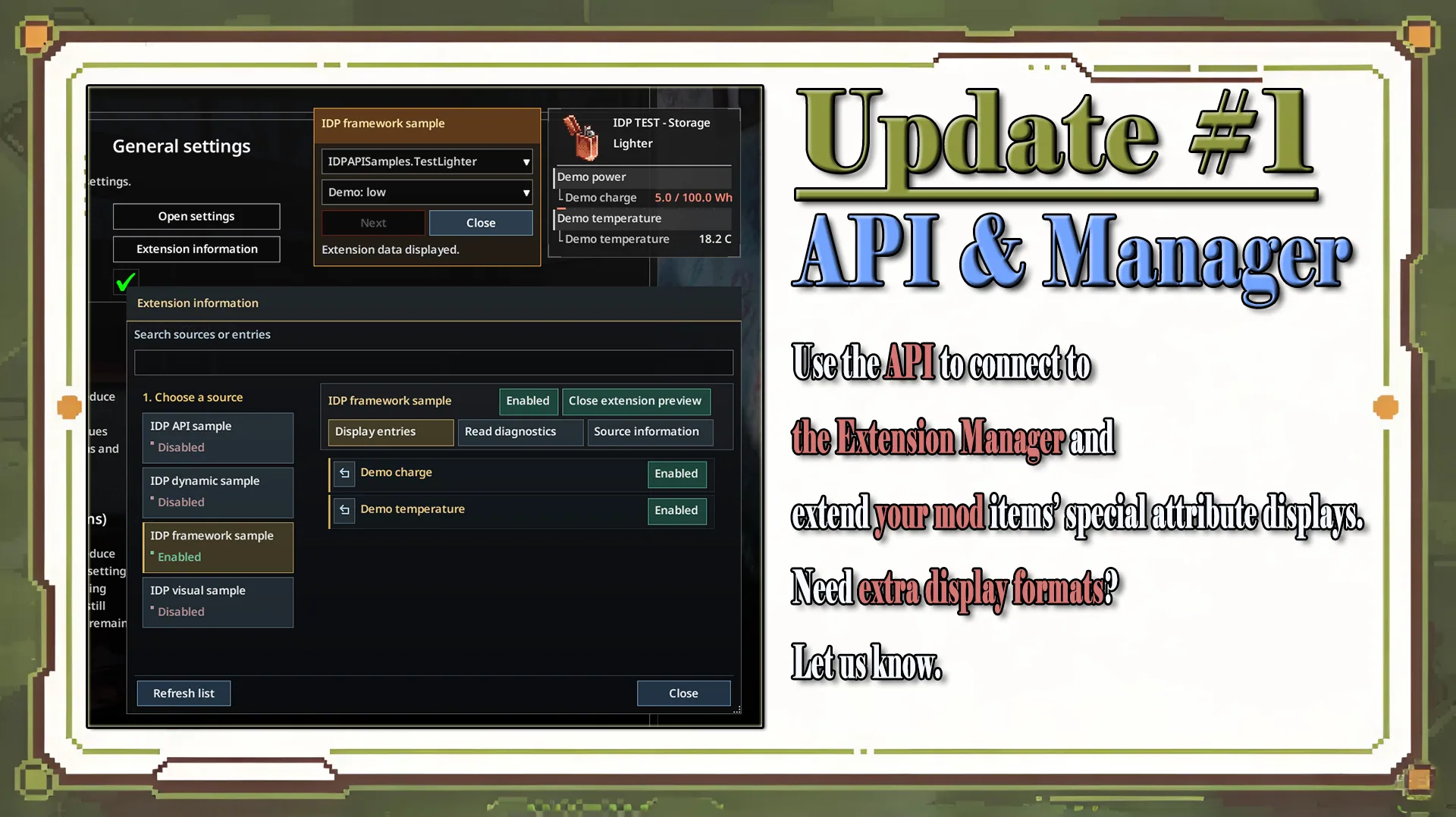
A public client-side API allows developers to integrate their own item information without creating additional tooltip windows.
Supported extensions can provide:
- Custom text and numerical properties.
- Charge, quality and remaining-time indicators.
- Gauges and grouped information.
- Additive bonuses, multipliers and comparison differences.
- Visual representations of parts, mixtures and storage.
- Translated descriptions and hover help.
Players can inspect registered extensions through Extension Information Management, disable individual fields, restore defaults and preview information.
These display preferences are saved locally and do not modify item properties.
API Limitations
The integrating modification remains responsible for gameplay mechanics, data calculations and multiplayer synchronization.
Custom properties are not detected automatically.
The current API supports declarative information rows and predefined visual templates. More advanced layouts, such as clickable controls or lists of content-item icons, require additional framework functionality.
Integration guides, examples and testing instructions are included in the DeveloperAPI folder, with documentation in English and Chinese.
Requirements and Languages
- Game: Project Zomboid.
- Required version: Build 42.20 or newer.
- Multiplayer: Supported.
- Additional hotkeys: Not required.
Available interface languages:
English, Simplified Chinese, Traditional Chinese, German, Spanish, French, Japanese, Korean, Polish, Brazilian Portuguese, Russian, Turkish and Ukrainian.
Item Details Panel is particularly useful for survivors who want clearer equipment statistics, visual durability tracking and greater control over their inventory interface without replacing the original tooltip system.
Screenshots 12

Comments 0
No comments yet — be the first.
Log in or sign up to leave a comment.