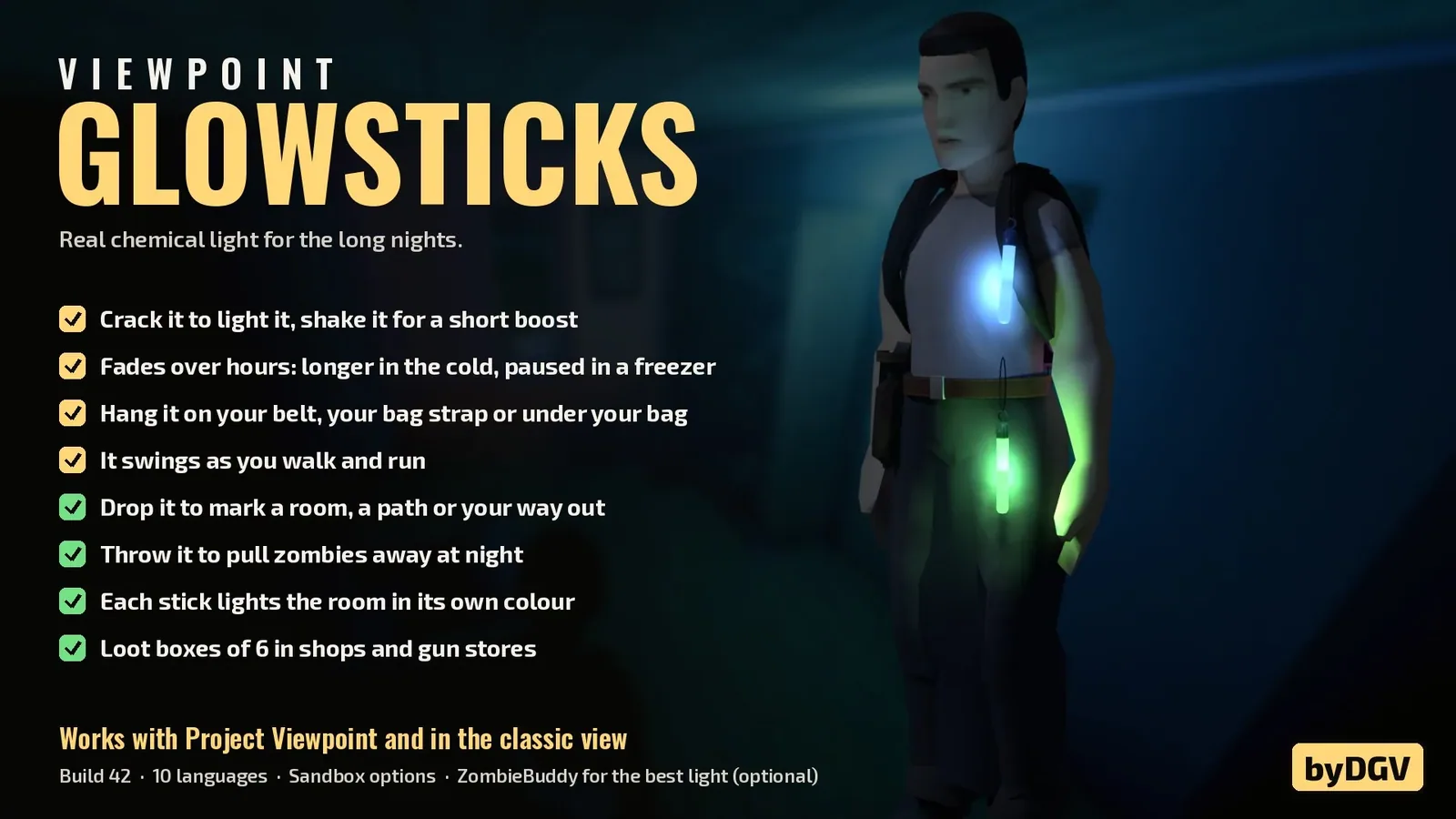

Glowsticks 3D adds realistic chemical light sticks to Project Zomboid. Crack, shake, carry, drop or throw them to illuminate dark areas and distract zombies. Discover six standard colors, rare multicolor variants and long-lasting military models. Features temperature-dependent glow, animated belt attachments, multiplayer support and optional Project Viewpoint integration.
Contents
Glowsticks 3D introduces functional chemical light sticks to Project Zomboid, providing a portable alternative to flashlights during nighttime exploration. These small light sources can be activated, attached to equipment, left on the ground or thrown to distract nearby zombies.
Unlike ordinary electric lighting, chemical glowsticks gradually lose their brightness as the reaction inside them fades. Temperature affects their lifespan, while different variants produce distinctive colors and illumination levels.
The modification works in the classic isometric view without additional dependencies. Players using Project Viewpoint can also enjoy its features from a first-person perspective.
How Chemical Glowsticks Work
Activation is handled through the regular inventory context menu.
To use one:
- Find an unused glowstick in your inventory.
- Right-click it and select the activation action.
- Your character takes it into their hand.
- A bending animation plays, accompanied by a snapping sound.
- The chemical light begins glowing.
Once activated, it provides illumination without requiring batteries or electricity.
Shake for Extra Brightness
An active glowstick can be shaken to temporarily increase its brightness.
The boost lasts 30 seconds, making it useful when you need additional visibility for a short period.
Afterward, the light continues its normal gradual fading.
Temperature Affects Lifespan
Chemical reactions respond to environmental conditions.
- Cold temperatures: Slow the reaction and extend the glow.
- Warm conditions: Accelerate consumption, reducing its lifespan.
- Powered freezer: Pauses the chemical reaction while the item remains inside.
This introduces a practical reason to consider storage conditions rather than activating every light source immediately.
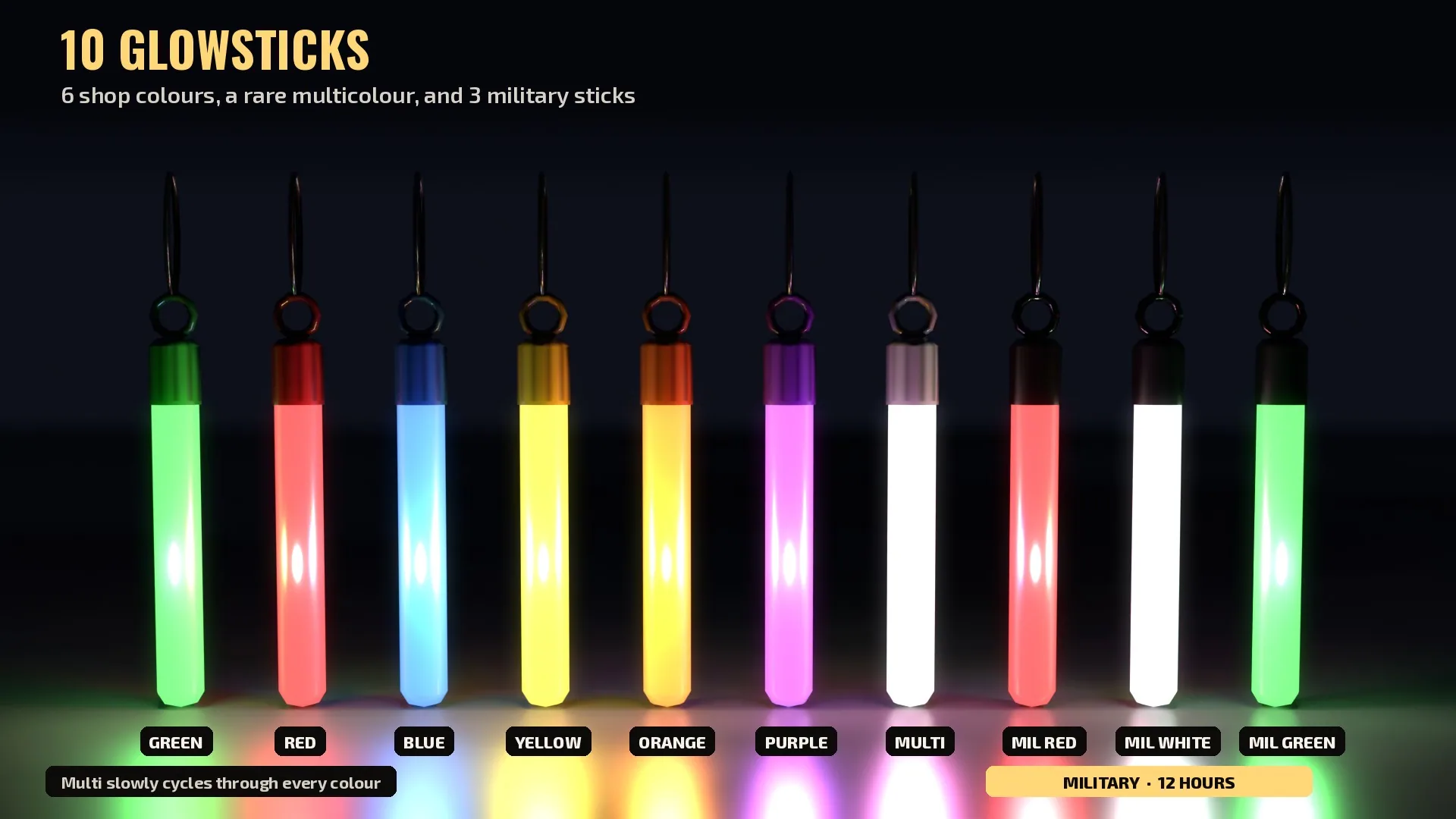
Available Colors and Variants
There are several types of glowsticks with different appearances and characteristics.
| Type | Colors | Special Properties |
|---|---|---|
| Standard | Green, red, blue, yellow, orange, purple | Gradually fading chemical light |
| Rare multicolor | Changing colors | Slowly cycles through multiple colors |
| Military | Red, white, green | Brighter illumination and 12-hour duration |
The military versions are particularly useful for extended nighttime activities, while ordinary models offer more color choices.
Colored lighting can also help distinguish different locations during exploration.
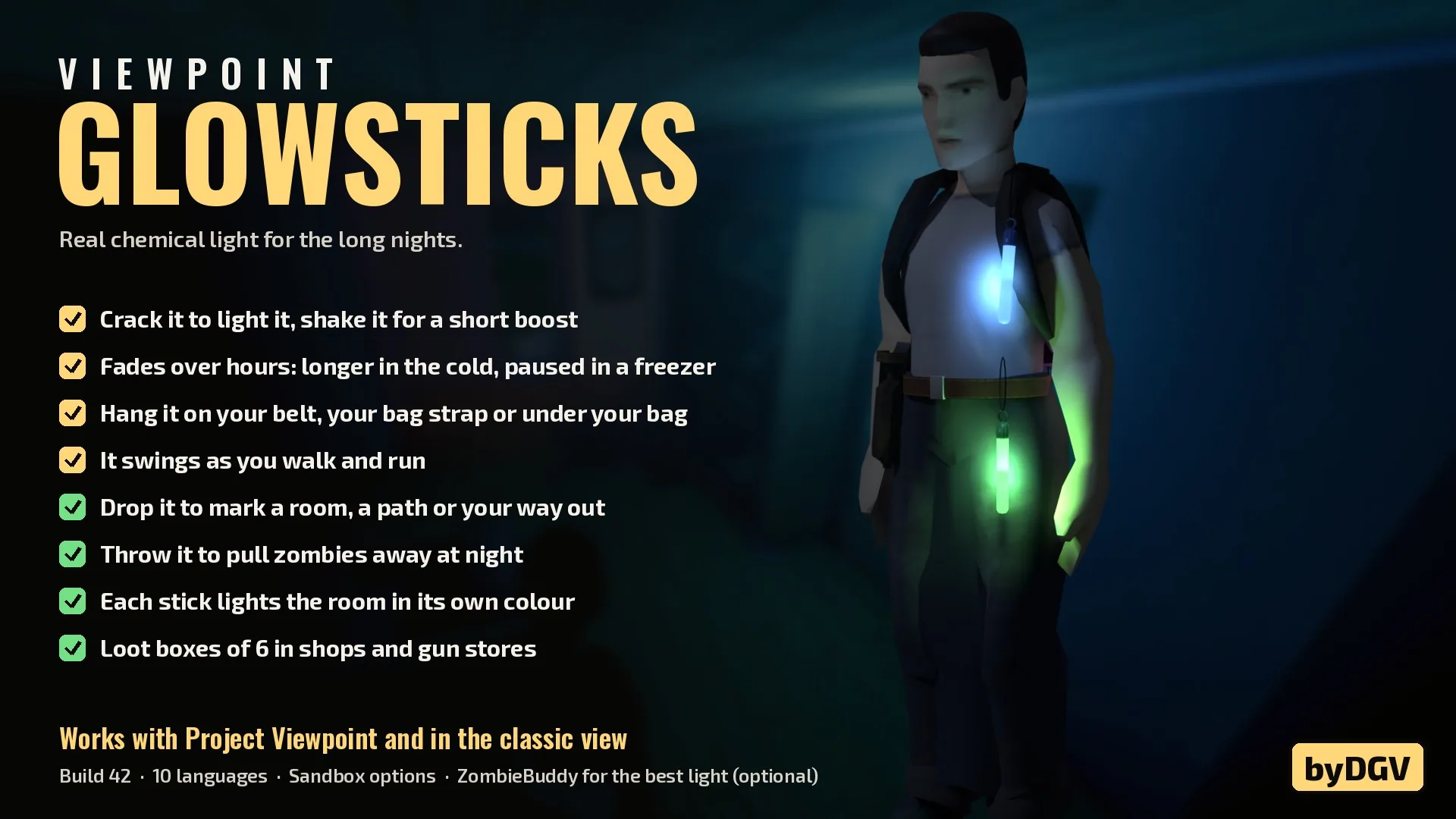
Attach Glowsticks to Belts and Backpacks
You do not need to hold a chemical light in your hand to use it.
Activated items can be attached to several equipment positions:
- Left side of the belt.
- Right side of the belt.
- Backpack shoulder strap.
- Beneath the backpack, where the light hangs freely.
The models move naturally when your character walks, runs or turns.
While attached, they continue illuminating the surrounding area.
Backpack attachment slots only appear in the hotbar when a glowstick is actually hanging there, preventing unnecessary interface clutter.
Better Holsters & Belts 3D Compatibility
For a more detailed equipment setup, the modification is recommended alongside Better Holsters & Belts 3D.
This combination allows holsters, tools and chemical lights to appear together on the character's equipment.
The additional mod is optional.
Drop Lights to Mark Important Locations
Glowsticks can be placed on the ground to create temporary colored markers.
This is useful for navigating dark buildings or remembering where you have already explored.
Possible uses include:
- Marking cleared rooms.
- Identifying corridors and exits.
- Highlighting paths through buildings.
- Providing temporary illumination during looting.
- Distinguishing locations through different light colors.
An activated stick continues fading after being dropped.
The resulting light is temporary, so it cannot replace permanent electrical lighting indefinitely.
Throw Glowsticks to Distract Zombies
Chemical lights can also function as distractions.
To throw one, hold it and right-click the ground to select the corresponding action.
When using Project Viewpoint with Advanced Throwables, the designated Throw key can also be used.
Only glowsticks lying on the ground attract zombies through this mechanic.
A light carried in your hand or attached to your equipment does not increase zombie detection in the same way.
This distinction allows you to travel with a chemical light while reserving thrown sticks for deliberate distractions.
Customize Zombie Attraction
Sandbox settings allow players to adjust the distraction system.
Available options include:
- Enable or disable zombie attraction.
- Configure the attraction range.
This makes the mechanic suitable for different survival preferences.
Where to Find Glowsticks
The items can be discovered in several types of stores:
- Sporting goods shops.
- Party supply stores.
- Camping shops.
- Gun stores.
Standard glowsticks can be found in boxes containing six pieces.
Unused sticks can also be placed back inside an empty box, making them easier to organize and transport.
Optional ZombieBuddy Integration
ZombieBuddy enhances the colored lighting system but is not required.
When installed, it enables more accurate light colors for held glowsticks and colored illumination from dropped sticks in Project Viewpoint.
Without this dependency, the modification continues functioning through the game's existing lighting system.
ZombieBuddy also provides the lighting behavior associated with the distinction between carried and dropped glowsticks described above.
Multiplayer, Languages and Save Compatibility
The modification supports both solo and multiplayer gameplay.
With ZombieBuddy installed, other players can see the appropriate colors of your active chemical lights.
Compatibility overview:
- Vanilla Project Zomboid: Supported.
- Project Viewpoint: Optional.
- ZombieBuddy: Optional, recommended for enhanced colored lighting.
- Better Holsters & Belts 3D: Recommended, not required.
- Multiplayer: Supported.
- Existing saves: Safe to add.
The exact minimum Project Zomboid build is not specified in the provided description.
Available Languages
English, French, Spanish, German, Brazilian Portuguese, Italian, Polish, Turkish, Russian, Simplified Chinese and Traditional Chinese.
Glowsticks 3D gives survivors a versatile way to illuminate dark environments without relying entirely on battery-powered equipment. Whether marking a safe route, exploring an abandoned building or distracting infected with a thrown light, chemical sticks offer several practical uses while remaining visually integrated with your character's gear.
Screenshots 2

Comments 0
No comments yet — be the first.
Log in or sign up to leave a comment.