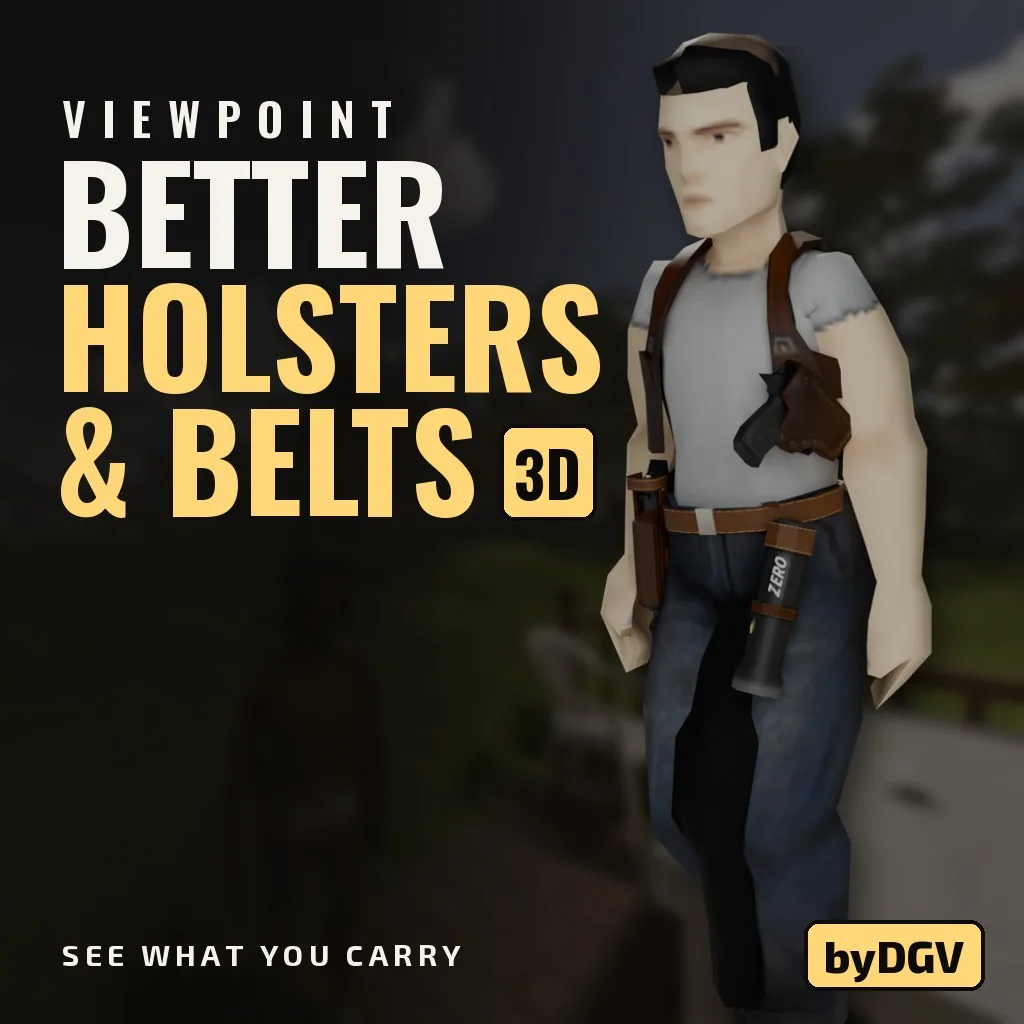

Better Holsters & Belts 3D improves equipment visuals in Project Zomboid. Pistols, knives, tools and flashlights appear on your character with realistic positioning and animations. Features functional holster flaps, concealed carry, adjustable belt attachments and multiplayer synchronization. Works without Project Viewpoint and supports Tomb's Player Body Overhaul.
Contents
Better Holsters & Belts 3D improves how carried equipment appears on characters in Project Zomboid. Pistols, knives, hammers, screwdrivers and flashlights are displayed in appropriate positions, making your survivor's gear feel like part of their clothing rather than a collection of floating objects.
The modification introduces detailed holster models, animated equipment attachments and options for concealed carry. It also improves how accessories interact with jackets, trousers and character movement.
Project Viewpoint is not required. Everything works in the standard isometric perspective, with additional first-person compatibility available when Viewpoint is installed.
Realistic Pistol Holsters
Pistol holsters receive lightweight 3D models designed to fit male and female character bodies.
One of the most noticeable details is the moving flap, which changes depending on whether a weapon is present.
- Pistol equipped: The flap remains closed.
- Empty holster: The flap opens.
- Right hip: Standard right-side placement.
- Left hip: Alternative position selected through the Wear menu.
- Double holster: Equipment can be carried on both hips.
These visual changes make it easier to recognize whether a holster contains a firearm.
Shoulder and Ankle Holsters
The mod also corrects equipment positioning around clothing.
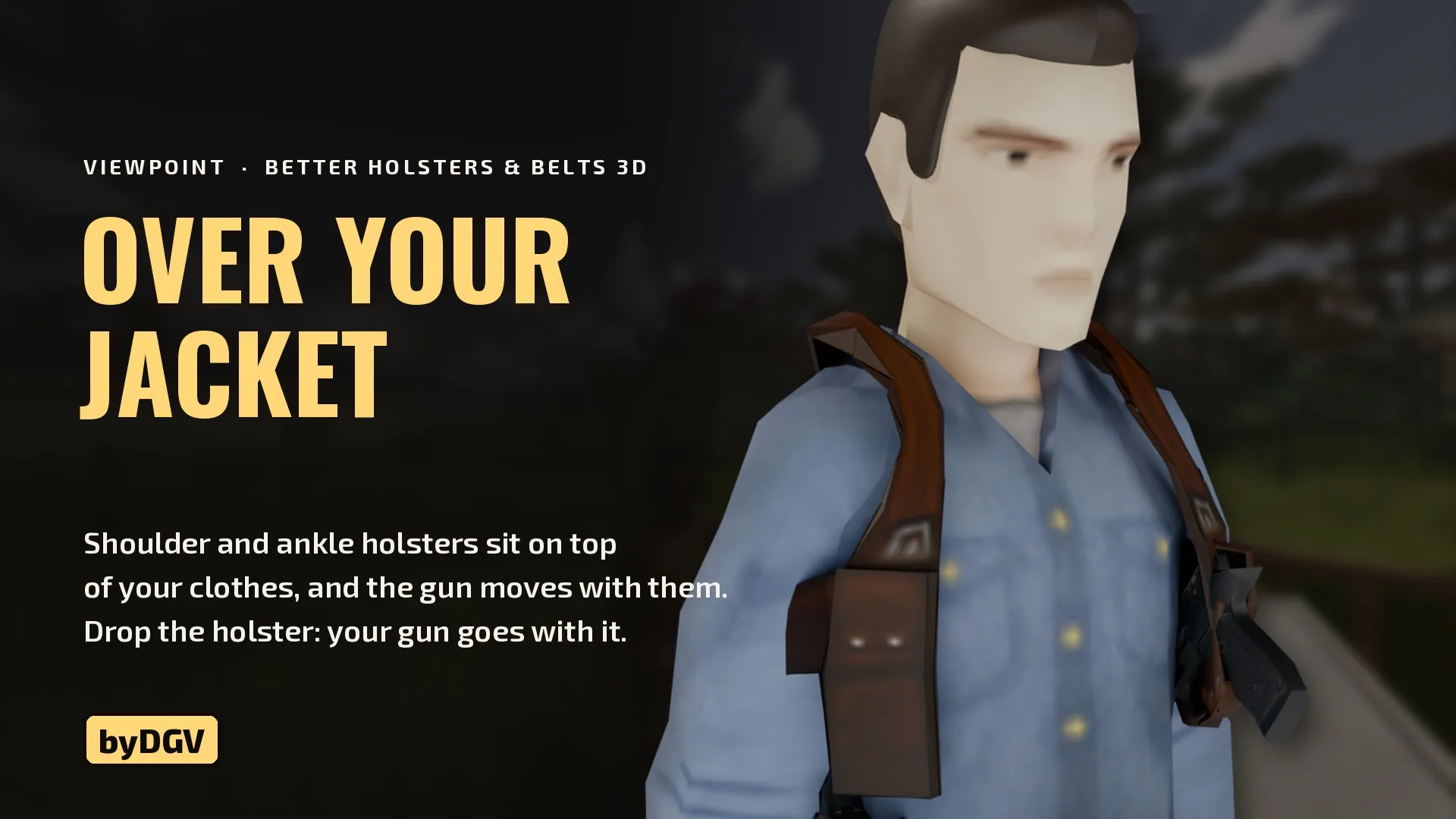
Shoulder holsters appear over jackets, while ankle holsters fit over trousers when worn visibly. Weapons move with their corresponding attachments instead of clipping through clothing.
This helps maintain a consistent appearance across different outfits.
Concealed Carry - Under or Over Clothing
Holsters and belts can be worn visibly or concealed beneath clothing.
Right-click the relevant item to select its placement.
Available modes:
- Over clothing: Equipment remains visible.
- Under jacket: The holster and its firearm are hidden while a jacket covers them.
- Under trousers: Ankle holsters can be concealed beneath trousers.
These options allow players to customize their survivor's appearance without replacing existing clothing items.
The selected presentation is also synchronized in multiplayer.
Weapons Stay Attached to Their Holsters
A useful improvement concerns how equipped firearms are handled when removing their holsters.
Previously, gear presentation could become inconsistent when an attachment was moved between inventories.
Now the weapon stays associated with its holster.
For example, you can:
- Remove a holster containing a pistol.
- Drop it on the ground or place it in storage.
- Transfer it to a crate or vehicle trunk.
- Pick it up again.
- Equip it to restore the previous weapon placement.
The firearm remains with its attachment throughout these interactions.
Improved Belts and Tool Attachments
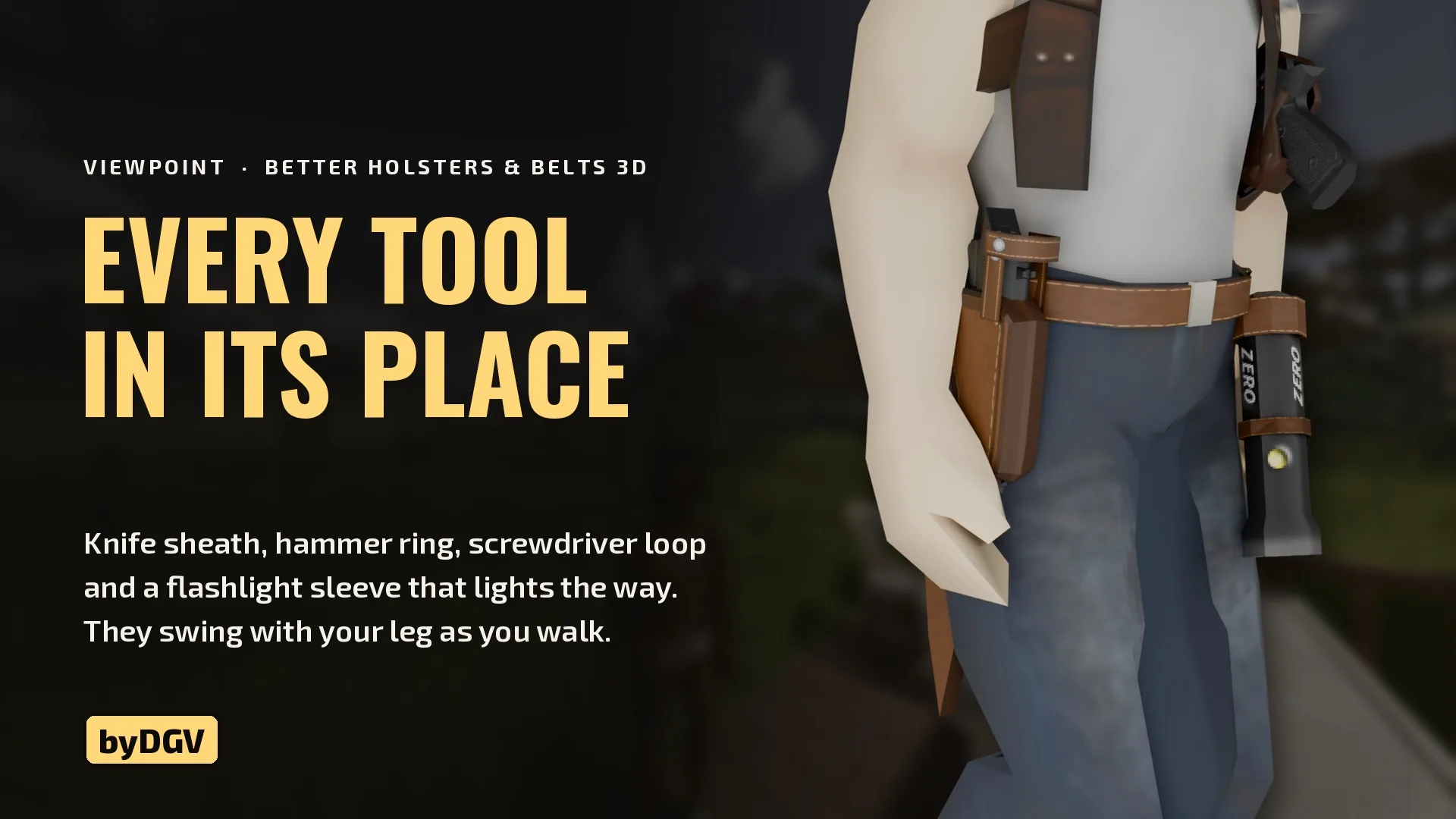
Leather and rope belts receive additional visual details according to the equipment they hold.
Hammers can hang from a metal ring, while screwdrivers use a dedicated loop.
Flashlights are positioned near the front of the hip, pointing downward.
Belt improvements include:
- Visible attachments for carried tools.
- Flashlights that illuminate the surroundings when switched on.
- Improved positioning alongside pistol holsters.
- Equipment movement synchronized with walking and running.
- Reduced clipping through the character's legs.
- Convenient left-to-right repositioning.
Tools are placed slightly farther back, preventing a pistol holster on the same side from covering them.
Move Equipment Between Sides
You can change the position of a carried item directly from its right-click menu.
If the opposite attachment slot is already occupied, the two items swap positions.
This eliminates unnecessary manual unequipping when rearranging your equipment.
Sandbox Settings
Several appearance options are available through the game's sandbox configuration.
| Setting | Function |
|---|---|
| 3D Belts | Enable or disable visible belt models |
| Default Placement | Choose whether equipment appears over clothing or beneath a jacket |
| Player Choice | Allow or prevent players from changing their preferred placement |
Disabling 3D belts restores their invisible vanilla-style appearance, while pistol holsters remain three-dimensional.
The new models also apply to zombies and other survivors wearing compatible equipment.
Multiplayer and Existing Saves
The modification supports multiplayer, including synchronization of:
- Holster flap states.
- Visible equipment and tools.
- Concealed or exposed placement.
- Character equipment appearance.
It can be added to an existing save without starting a new world.
Important before uninstalling: Move any holsters worn on the left hip back to the right side.
This precaution is specifically recommended before removing the mod from a save.
Compatibility with Other Mods
Project Viewpoint
The first-person camera modification is optional.
Better Holsters & Belts 3D works independently in the classic isometric view.
When Project Viewpoint is installed, the equipment models can also be used in first person.
Tomb's Player Body Overhaul
Additional compatibility is available for players using Tomb's Player Body Overhaul.
Enable the supplementary module:
Better Holsters & Belts 3D - Tomb's Body fit
This adjusts belts, tools and hip holsters to the modified character body and trousers provided by Tomb's compatibility patch.
Visible Holster
Not compatible with Visible Holster (Workshop ID: 2901552077).
Both modifications change the same holster system and should not be used together.
Additional Information
- New loot items: None. Existing belts and holsters receive the improved models.
- Multiplayer: Supported.
- Project Viewpoint: Optional.
- Existing saves: Supported, with the uninstall precaution described above.
- Character models: Supports male and female characters.
Available languages: English, French, Spanish, German, Brazilian Portuguese, Italian, Polish, Turkish, Russian and Simplified Chinese.
Better Holsters & Belts 3D is particularly useful for players who enjoy detailed survivor customization and want carried equipment to look natural during exploration, combat and everyday movement.
The improved attachments, concealed carry options and synchronized animations make existing clothing and weapons feel more visually connected without introducing additional loot or replacing the game's inventory system.
Screenshots 2
Comments 0
No comments yet — be the first.
Log in or sign up to leave a comment.