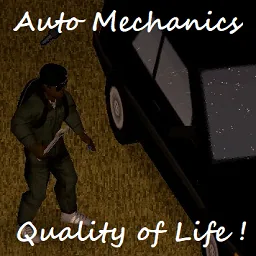

Auto Mechanics automates vehicle maintenance and Mechanics skill training in Project Zomboid Build 42. Train by removing and reinstalling car parts, resume interrupted sessions, uninstall all components or inflate every tire with one click. Includes configurable failure limits, multiplayer settings and compatibility with existing saves.
Contents
Auto Mechanics simplifies vehicle maintenance and Mechanics skill training in Project Zomboid Build 42. Instead of repeatedly removing and reinstalling individual components, survivors can automate routine mechanical work through a convenient action in the vehicle mechanics menu.
The modification is particularly useful for players who want to improve their Mechanics skill without performing the same interactions manually dozens of times.
It also introduces tools for mass part removal, tire inflation and resuming interrupted maintenance sessions.
How to Train Mechanics Automatically
Before starting, prepare the necessary equipment and find a suitable vehicle.
Required tools:
- Screwdriver.
- Wrench.
- Lug Wrench.
- Jack.
You should also read the appropriate vehicle mechanics book to learn how to work with the selected vehicle type.
Starting a Training Session
- Gather the required tools.
- Read the mechanics book associated with your vehicle.
- Find a car you can use for practice.
- Open the vehicle mechanics interface.
- Right-click any installed component.
- Select Train Mechanics.
Your character will begin performing mechanical actions automatically.
Training can be interrupted and resumed later without having to start the entire process again.
Important: Repeating training on the same car more than once per in-game day is generally unnecessary for earning Mechanics XP.
Additional Vehicle Maintenance Actions
Auto Mechanics provides several useful functions beyond skill training.
| Action | Description |
|---|---|
| Train Mechanics | Automates mechanical training actions |
| Continue Train Mechanics | Resumes an interrupted session |
| Uninstall All | Attempts to remove all vehicle components |
| Inflate All Tires | Inflates every tire with one action |
| Retry Install/Uninstall | Repeats vanilla actions until successful |
These tools reduce repetitive interactions when maintaining vehicles or dismantling cars for spare parts.
Removing All Components
The Uninstall All command allows players to dismantle a vehicle without selecting every component separately.
Parts that are successfully removed can be collected, while broken components are discarded.
Some items may remain in place if another damaged or missing component prevents their removal or reinstallation.
Tire Inflation
The Inflate All Tires action simplifies tire maintenance by processing all the vehicle's tires through a single command.
Mod Options
The modification provides several settings for controlling automated actions.
| Setting | Function |
|---|---|
| Waiting Timer | Adds a delay between mechanical actions |
| Failure Threshold | Limits removal attempts based on breakage risk |
| End-of-Action Pause | Controls pauses after automated sequences |
| Retry Vanilla Actions | Repeats installation and removal attempts until successful |
| Verbose Logging | Enables detailed debugging logs |
Failure Threshold
The default value is 100, meaning no restriction is applied.
Lower thresholds can prevent the system from attempting actions considered too risky.
This helps protect valuable components when the character's Mechanics skill is still low.
Waiting Between Actions
A configurable timer introduces pauses between mechanical operations.
This option is particularly useful for hosted multiplayer games and dedicated servers.
You can also adjust whether the system pauses at the end of a sequence, which may be convenient when increasing the game's time speed.
Verbose logging should normally remain disabled, as detailed debug output can significantly reduce performance.
Multiplayer and Server Configuration
Server administrators can enforce a failure threshold through Sandbox Options.
When both client and server values are configured, the lowest and most restrictive value is used.
The server threshold also defaults to 100.
An optional client wait-cycle enforcement addon is available for administrators who want additional control over automated action timing.
Troubleshooting and Compatibility
| Feature | Status |
|---|---|
| Project Zomboid Build 42 | Supported |
| Build 41 and earlier | Not supported |
| Automated Mechanics training | Supported |
| Interrupted session recovery | Supported |
| Multiplayer settings | Available |
| Existing saves | Safe to add or remove |
Training Gets Stuck
Automated maintenance depends on character pathfinding.
If the survivor cannot reach a particular component, the process may stop progressing.
Leave plenty of free space around the vehicle and remove obstacles that could interfere with movement.
Errors When Selecting Vehicle Parts
Some vehicle mods contain invalid repair or fixing recipes.
These may trigger errors such as:
attempted index: isEmpty of non-table: null
The issue can originate from another modification rather than Auto Mechanics itself.
Tidy Up Meister Compatibility
When using Tidy Up Meister, disable its automatic re-equipment feature before selecting Train Mechanics.
This helps prevent unwanted interference with automated maintenance.
Auto Mechanics is a practical quality-of-life addon for survivors who frequently repair, dismantle or restore vehicles. It reduces repetitive work while retaining the game's original Mechanics skill requirements and component interactions.
Comments 0
No comments yet — be the first.
Log in or sign up to leave a comment.