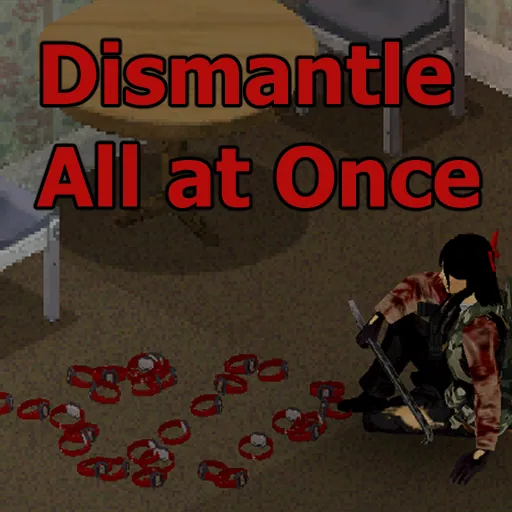

Dismantle All at Once improves inventory management in Project Zomboid by allowing players to dismantle entire item stacks with a single command. Recycle multiple watches, radios and other items without repetitive clicking. Supports different crafting recipes, workbench requirements, accurate item counts and multiplayer. Uses vanilla multi-crafting mechanics.
Contents
- Dismantle Entire Item Stacks with One Click
- How to Dismantle Multiple Items
- Support for Different Crafting Recipes
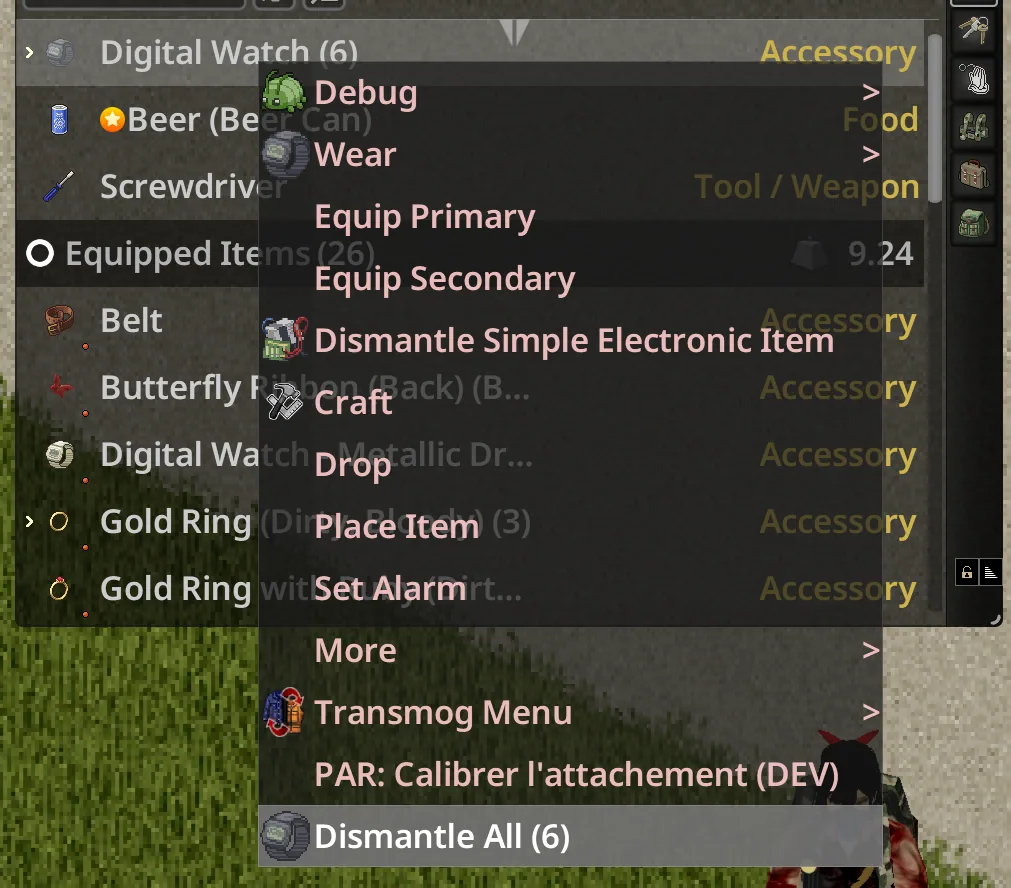
- Improved Inventory Context Menu
- Workbench and Tool Requirements
- Vanilla Multi-Crafting System
- Multiplayer Improvements
- Bug Fixes and Quality-of-Life Improvements
- Compatibility and Gameplay
Dismantle All at Once is a quality-of-life mod for Project Zomboid that allows players to dismantle, recycle, and process entire stacks of items using a single interaction. Instead of repeatedly clicking the same dismantling option for every individual object, survivors can process multiple identical items through one convenient command.
The modification expands the standard inventory context menu while relying on Project Zomboid's existing multi-crafting system, preserving the familiar crafting mechanics and resource requirements.
Whether you are dismantling dozens of digital watches, recycling portable radios, or processing other stackable items, Dismantle All at Once makes inventory management significantly more convenient.
Dismantle Entire Item Stacks with One Click
The main feature of Dismantle All at Once is the ability to process multiple items from the same inventory stack.
In the original game, dismantling large quantities of equipment often requires repeatedly selecting the same action.
For example, imagine returning from a supply run with 35 digital watches.
Instead of dismantling them individually, you can use a single bulk action.
Main features include:
- Bulk dismantling: Process an entire stack through one menu command.
- Automatic item counting: The menu displays how many items can be processed.
- Multiple recipe support: Choose between different valid recipes when available.
- Vanilla crafting integration: Uses the game's existing multi-crafting system.
- Workbench detection: Identifies recipes that require a nearby crafting surface.
- Multiplayer improvements: Corrected item handling for multiplayer clients.
- Better interface information: Displays appropriate recipe names, icons, and tooltips.
The mod is not limited to literal dismantling. It can also handle other suitable stackable crafting recipes.
How to Dismantle Multiple Items
Using Dismantle All at Once is straightforward.
Step-by-step instructions:
- Open your character's inventory.
- Find a stack containing multiple compatible items.
- Right-click the item group.
- Look for the available bulk crafting or dismantling action.
- Select the desired recipe.
- The game begins processing the selected stack using its normal multi-crafting mechanics.
Example:
If your inventory contains five portable radios, the stack may appear as:
Portable Radio (5)
Right-clicking it can provide a bulk dismantling option for all five items.
If multiple recipes are available, the mod displays a submenu where you can choose the desired result.
This eliminates the need to repeat the same interaction for every radio.
Support for Different Crafting Recipes
Although the mod focuses on dismantling, its functionality extends to other compatible recipes.
The context menu now displays the actual crafting recipe name instead of always using a generic Dismantle All label.
Depending on the item and recipe, available actions may include:
- Dismantling equipment.
- Reclaiming materials from compatible items.
- Processing multiple objects through a crafting recipe.
- Other stackable operations supported by the game's multi-crafting system.
Examples of recipe names include:
Reclaim Sling BagSaw
This makes it easier to understand exactly which action will be performed.
Multiple Possible Dismantling Results
Some items can be processed through more than one recipe.
Dismantle All at Once supports these situations by displaying a submenu with the available options.
This follows the behavior of Project Zomboid's regular single-item crafting menu.
Players can select the appropriate recipe rather than being forced into one predefined result.
Improved Inventory Context Menu
The modification also fixes a problem involving expanded inventory stacks.
Normally, right-clicking the header row of an already expanded item stack can fail to display a context menu.
Dismantle All at Once corrects this behavior, making it easier to access actions regardless of whether a stack is collapsed or expanded.
Additional interface improvements include:
- Correct recipe names in context menus.
- More reliable item counts for grouped items.
- Recipe result icons matching the vanilla crafting interface.
- Detailed tooltips showing required ingredients and tools.
- Information about the resulting items.
- Clear indications when a crafting surface is required.
The interface remains familiar while providing more useful information.
Workbench and Tool Requirements
Dismantle All at Once does not remove crafting requirements.
If a recipe requires particular tools, ingredients, or a nearby workbench, those conditions still apply.
Recipes requiring a crafting surface are marked with:
(Requires Workbench)
This helps players recognize why an action may not be available in their current location.
The mod also corrects a bug involving tools that are preserved by a recipe.
For example, a hammer used as a tool for dismantling other objects should not be incorrectly offered as the item being dismantled.
The updated recipe handling distinguishes between items being processed and tools required to process them.
Vanilla Multi-Crafting System
Rather than introducing a separate crafting engine, Dismantle All at Once uses Project Zomboid's existing multi-craft functionality.
This preserves the game's normal handling of:
- Available ingredient quantities.
- Required tools.
- Multiple-item processing.
- Partial stacks.
- Crafting results.
- Recipe requirements.
For example, if your inventory contains more items than the available resources allow you to process, the system follows the same rules as the vanilla Craft x N functionality.
The modification simplifies access to bulk actions without bypassing the crafting system.
Multiplayer Improvements
Dismantle All at Once includes a fix for a multiplayer issue where bulk crafting actions could silently fail for clients.
The updated implementation transfers the relevant items into the player's own inventory before processing them.
This matches the behavior of the game's existing bulk-crafting system.
Multiplayer improvements include:
- More reliable execution of bulk actions.
- Correct handling of items during processing.
- Improved consistency between inventory state and crafting behavior.
These changes help make the modification more dependable when playing on multiplayer servers.
Bug Fixes and Quality-of-Life Improvements
In addition to introducing bulk processing, Dismantle All at Once addresses several inventory and crafting menu issues.
Included fixes:
- Fixed missing context menus on expanded stack headers.
- Fixed incorrect or inconsistent stack item counts.
- Fixed errors when comparing recipe identities.
- Fixed preserved tools appearing as dismantling targets.
- Fixed multiplayer bulk actions silently failing.
- Improved recipe icons and mouse-over tooltips.
- Added visible workbench requirement labels.
These improvements make the mod useful even beyond its main bulk dismantling feature.
Compatibility and Gameplay
Dismantle All at Once integrates with Project Zomboid's existing inventory and crafting systems.
The mod does not introduce a separate dismantling mechanic or remove standard crafting requirements.
Instead, it provides a faster way to access compatible multi-item crafting actions.
Key characteristics:
- Uses vanilla multi-crafting functionality.
- Supports multiple valid recipes for the same item.
- Preserves ingredient and tool requirements.
- Handles partial stacks using standard crafting rules.
- Includes multiplayer-specific fixes.
- Improves inventory context menus and crafting tooltips.
The exact supported game build and compatibility with other inventory overhaul mods are not specified in the source description.
Dismantle All at Once is an excellent addition for players who regularly collect electronics, dismantle equipment, recycle materials, or process large quantities of loot.
It removes unnecessary repetitive clicking while keeping Project Zomboid's original crafting mechanics intact.
Screenshots 1

Comments 0
No comments yet — be the first.
Log in or sign up to leave a comment.