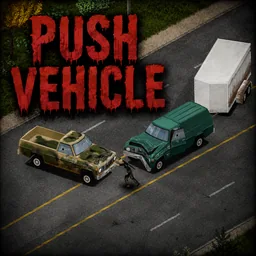

Push Vehicle adds the ability to push stationary cars, vans, trucks and trailers by hand in Project Zomboid Build 42. Move vehicles forward or backward, turn them from the sides and clear blocked roads without driving. Pushing power depends on your Strength, vehicle weight and stamina. Features customizable Sandbox settings, controller support and synchronized multiplayer.
Contents
Push Vehicle is a gameplay modification for Project Zomboid Build 42 that allows survivors to physically push stationary vehicles using their own strength. Whether a car is blocking the road, a vehicle needs repositioning, or you simply want to move it without driving, this mod introduces a practical solution.
Instead of requiring a working engine to reposition every vehicle, players can push cars forward or backward and gradually turn them by applying force from different sides.
The mechanic is designed to fit naturally into Project Zomboid's survival gameplay, taking character Strength, vehicle weight, and stamina consumption into account.
Push Cars and Clear Blocked Roads
The main feature of Push Vehicle is the ability to move stationary vehicles through direct physical interaction.
Main features include:
- Forward and backward movement: Push vehicles from the front or rear.
- Vehicle turning: Push near the front or rear section of either side to gradually rotate a vehicle.
- Strength-based pushing: Stronger survivors apply more force.
- Vehicle weight simulation: Heavy vehicles are more difficult to move.
- Stamina consumption: Moving vehicles requires physical effort.
- Trailer support: The mechanic also works with trailers.
- Natural animations: Uses Project Zomboid's original shove animation.
The mod only affects stationary vehicles and preserves the game's normal vehicle physics and collision behavior.
How to Push a Vehicle
Push Vehicle introduces a straightforward interaction system that works with keyboard and mouse or a controller.
Keyboard and Mouse Controls
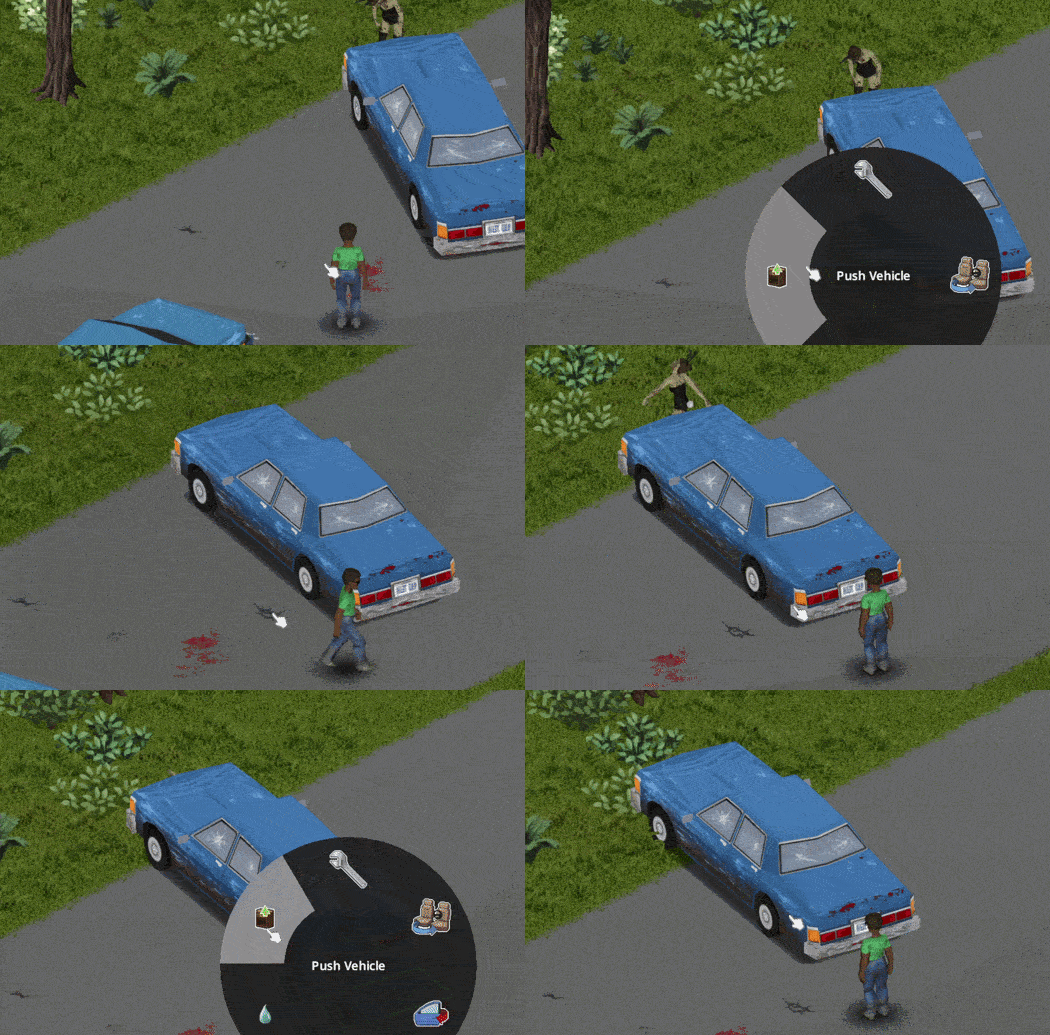
- Approach a stationary vehicle.
- Stand at its front or rear to push it straight.
- Alternatively, stand near the front or rear section of either side to turn it.
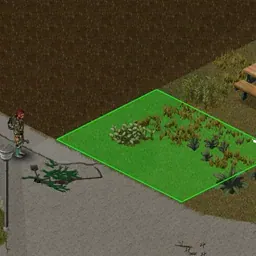
- Move close enough for the green interaction square to appear.
- Right-click the vehicle and select Push Vehicle.
You can also assign a dedicated keyboard shortcut through:
Options > Key Bindings > Push Vehicle
Controller Controls
The modification supports controllers through the standard vehicle radial menu.
- Approach the front, rear, or appropriate side of a stationary vehicle.
- Press D-pad Up to open the vehicle interaction menu.
- Select Push Vehicle.
The same vehicle movement mechanics apply to controller users.
Character Strength and Vehicle Weight
One of the most important features of Push Vehicle is its integration with the existing Strength skill.
A survivor's physical strength directly affects how much force they can generate when pushing a vehicle.
Approximate pushing power by Strength level:
| Strength Level | Pushing Power |
|---|---|
| 0 | 60% |
| 5 | 130% |
| 10 | 200% |
Stronger survivors can move vehicles more effectively, while weaker characters have a harder time handling heavy machinery.
The weight of the vehicle also matters.
For example, a lightweight passenger car requires considerably less effort to move than a heavy van or truck.
Pushing consumes stamina, so repeatedly moving vehicles comes at a physical cost.
Vehicle Turning and Side Pushing
Push Vehicle allows players to do more than simply move vehicles in a straight line.
Pushing near the front or rear section of either side gradually changes the vehicle's orientation.
This is particularly useful when repositioning a vehicle in a confined area or adjusting its direction.
Side pushing is enabled by default but can be disabled through Sandbox settings.
Customizable Sandbox Settings
The modification includes several options for adjusting difficulty and gameplay balance.
Available settings:
- Allow Side Pushing: Enables or disables the ability to turn vehicles by pushing from the sides. Enabled by default.
- Stamina Cost Multiplier: Changes how much stamina pushing consumes. Default:
1.0x. - Push Cooldown: Adjusts the delay between pushes. Default:
1.0 second. - Maximum Pushable Weight: Sets the maximum vehicle weight that can be pushed. Default:
0, meaning no weight limit.
These options allow players to adapt the mechanic to their preferred level of realism and difficulty.
In multiplayer, the settings are enforced by the server.
Multiplayer and Controller Support
Push Vehicle fully supports singleplayer and multiplayer.
Vehicle movement is synchronized between connected players, ensuring that everyone sees the vehicle changing position.
Multiplayer features include:
- Multiple survivors can take turns pushing the same vehicle.
- Vehicle movement is synchronized between players.
- Keyboard, mouse, and controller users can play together.
- Server administrators can configure pushing restrictions and stamina costs.
All settings are available under:
Sandbox Settings > Push Vehicle
Compatibility and Requirements
Push Vehicle is designed for Project Zomboid Build 42.
The mod integrates with the game's existing vehicle systems and uses the vanilla shove animation.
Compatibility information:
- Build 42: Supported.
- Singleplayer: Supported.
- Multiplayer: Supported and tested.
- Controllers: Fully supported.
- Trailers: Supported.
- Vehicle physics: Standard collision and physics behavior remains unchanged.
- Stationary vehicles: Only stationary vehicles can be pushed.
The modification provides a useful alternative for repositioning vehicles without replacing the game's normal driving mechanics.
Screenshots 1

Comments 0
No comments yet — be the first.
Log in or sign up to leave a comment.