
Clothing compatibility patch for Tomb's Player Body Overhaul in Project Zomboid Build 41 and Build 42 Stable. Fixes clothing clipping by replacing vanilla and supported modded clothing meshes with improved, properly fitted models. Supports Boots Expanded, Spongie's Clothing, Vanilla Gear Expanded and other popular clothing mods. Safe for existing saves. Requires correct load order and a game restart.
Tomb's Player Body Overhaul - Clothing Compatibility
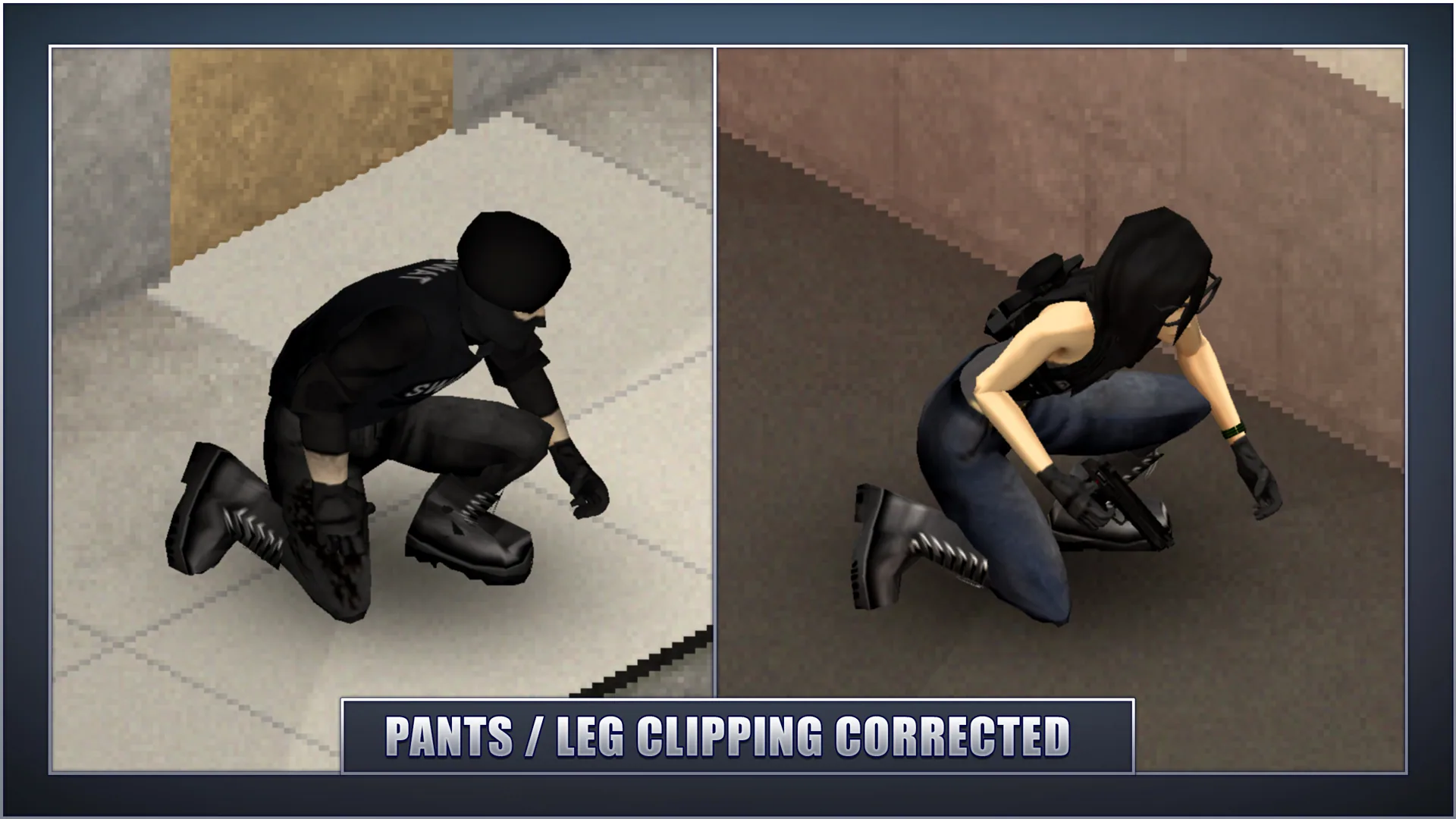
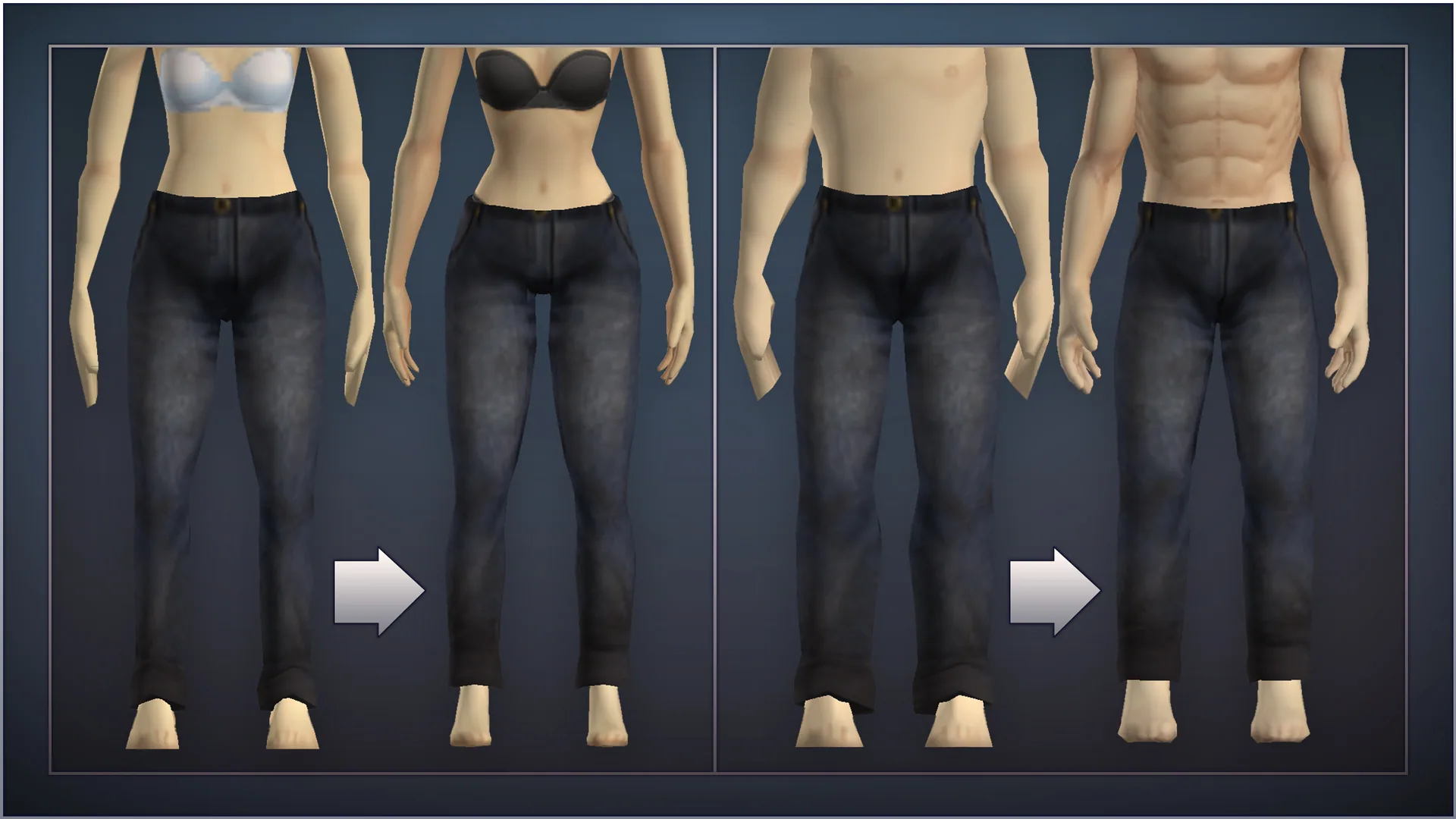
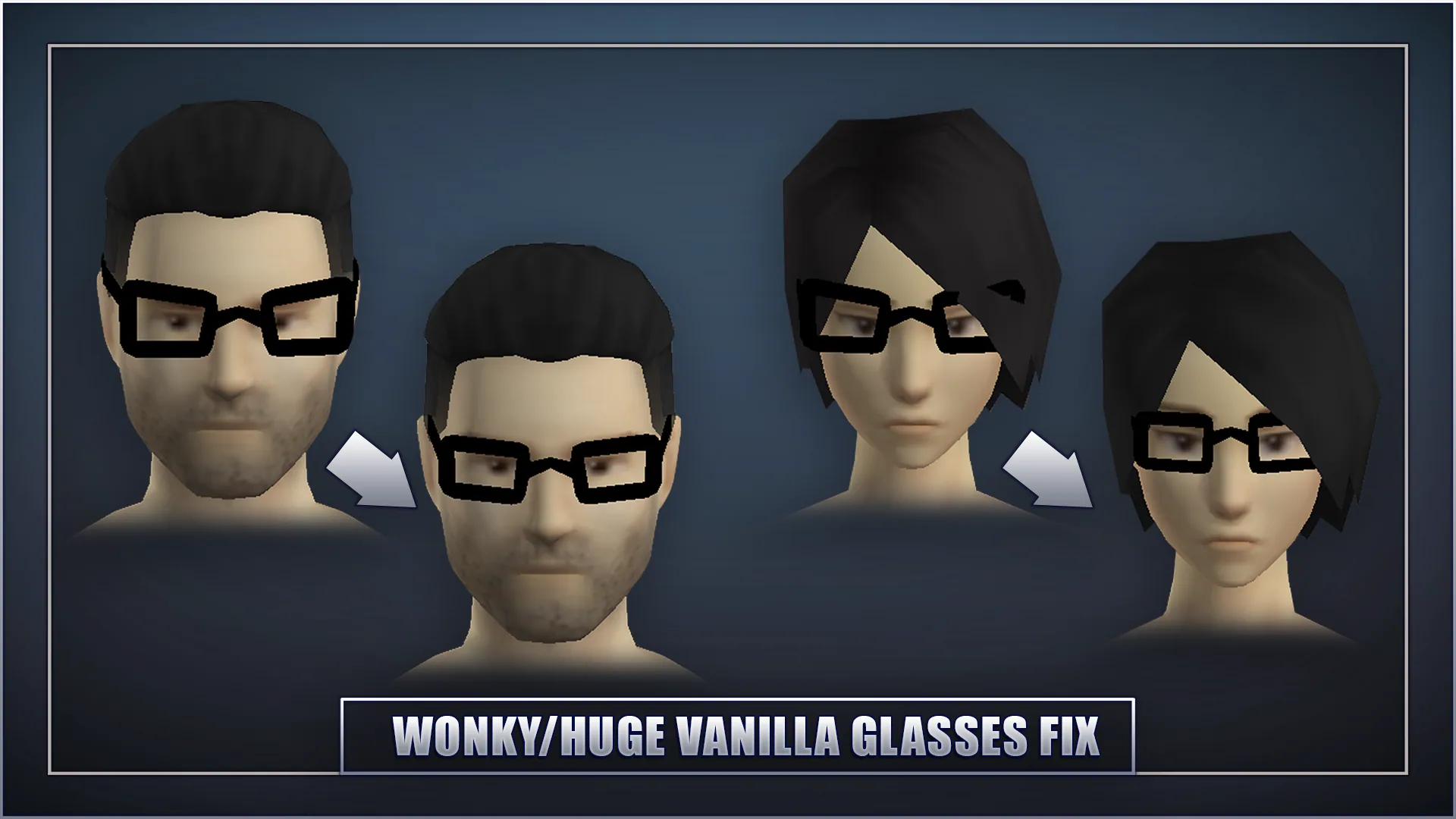
Tomb's Player Body Overhaul - Clothing Compatibility improves clothing compatibility with the redesigned character bodies in Project Zomboid. It replaces selected clothing meshes to reduce clipping, floating parts and other visual issues.
The updated models offer slightly more detail while preserving the original game's appearance.
Features
- Improved clothing fit for Tomb's Player Body Overhaul.
- Fixes for clipping between clothing and character models.
- Updated vanilla clothing meshes.
- Compatibility adjustments for supported clothing mods.
- More detailed clothing models in the original visual style.
- Support for Project Zomboid Build 41 and Build 42 Stable.
Included Modules
- Vanilla+ - Covers vanilla clothing meshes and mods that reuse them. No additional dependencies. Recommended for all users.
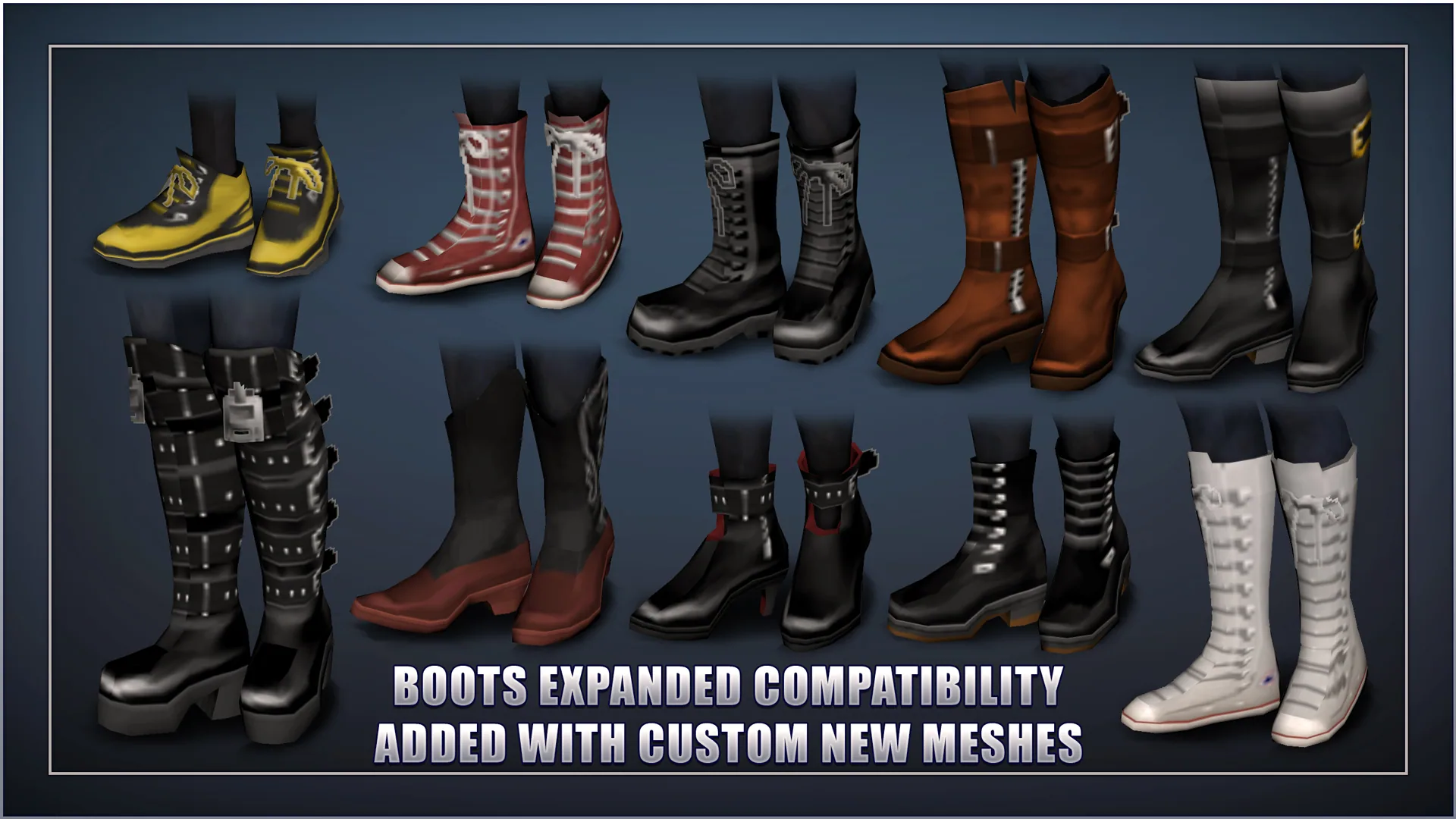
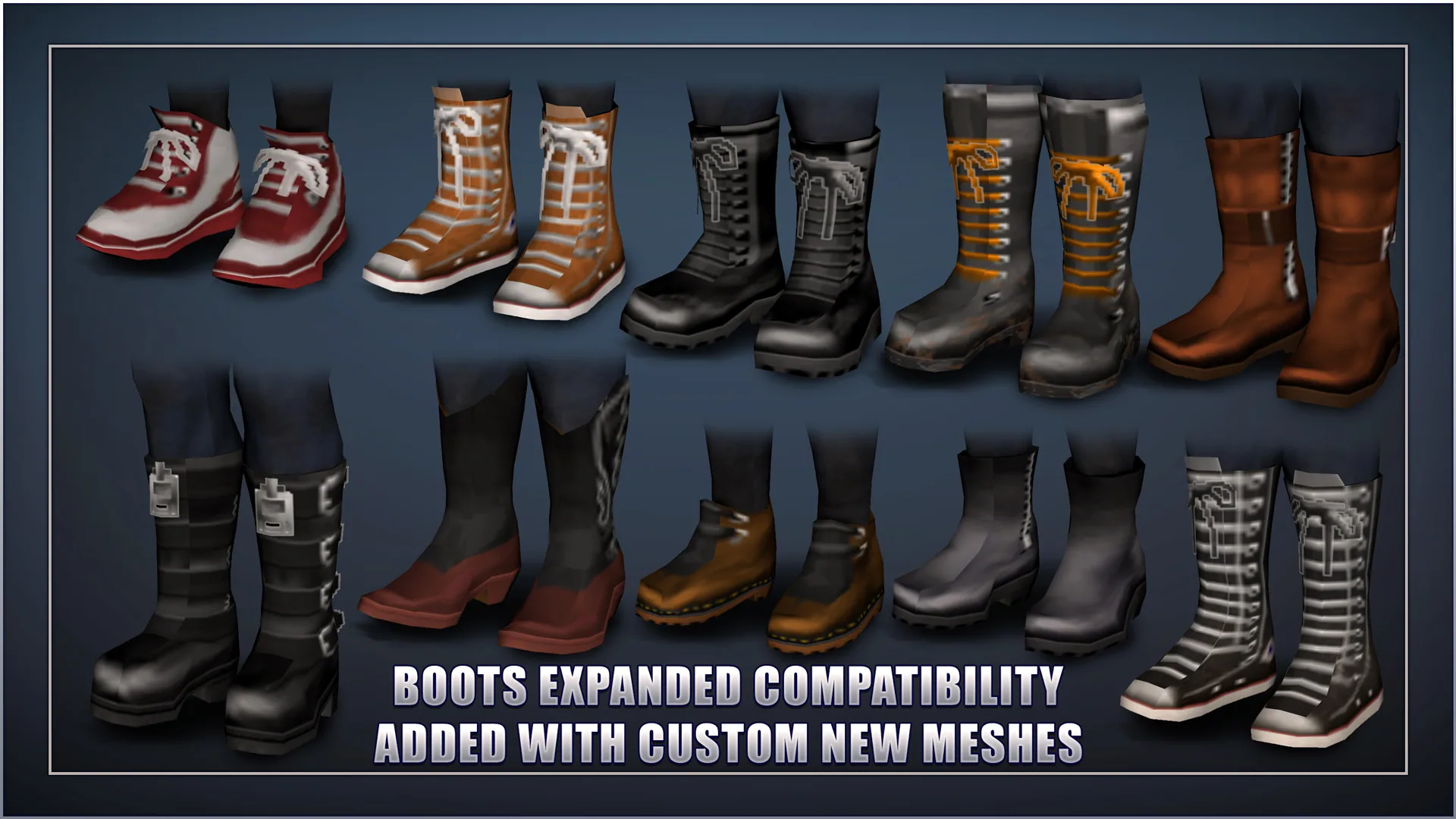
- Boots Expanded - Additional compatibility fixes requiring the Boots Expanded mod.
Supported Mods
The patch includes compatibility adjustments for:
- Boots Expanded
- Spongie's Open Jackets
- Spongie's Clothing
- Vanilla Gear Expanded
- Vanilla Clothing Expansion
- Frockin Splendor (versions 1-5)
- KATTAJ1 Clothes Core
- H.E.C.U
- Lillie's Enhanced Militaria
- Reaper's Hair + Beard
Vanilla clothing and mods using the original clothing models are also supported.
Installation
- Enable the compatibility modules in the main menu.
- Place them below the clothing mods they modify in the load order.
- For best results, move the compatibility modules to the bottom of the mod list.
- Restart Project Zomboid to load the replacement models.
When adding the patch to an existing save, enable it in both the main menu and the save's mod configuration.
If you enable another clothing mod afterwards, restart the game again to ensure the replacement meshes load correctly.
Compatibility Notes
- Safe to add to existing saves. Backups are recommended.
- The Vanilla+ module has no additional dependencies.
- The Boots Expanded module requires Boots Expanded.
- Some unsupported clothing may still experience clipping or floating meshes.
This patch focuses on visual compatibility and does not change clothing statistics or gameplay mechanics.
Screenshots 5
Comments 0
No comments yet — be the first.
Log in or sign up to leave a comment.