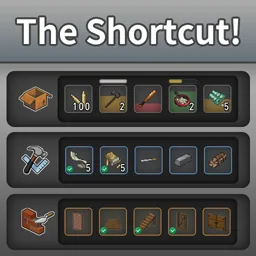

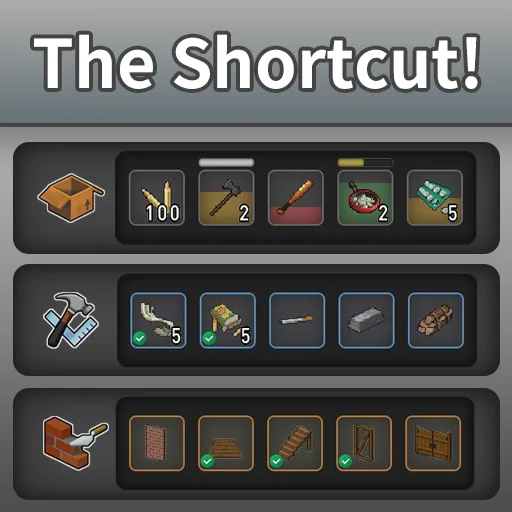
The Shortcut adds a customizable quick access bar to Project Zomboid Build 42. Create shortcuts for inventory items, crafting recipes and building projects. Use items, craft equipment or start construction with a double-click. Supports multiple pages, grids up to 16x16 slots, adjustable transparency, hotkeys and Russian localization. Compatible with singleplayer and multiplayer. Requires NeatUI Framework.
Contents
The Shortcut - Customizable Quick Access Bar for Project Zomboid
The Shortcut adds a customizable shortcut panel to Project Zomboid Build 42, providing quick access to frequently used items, crafting recipes and construction projects.
Instead of repeatedly searching through inventory and crafting menus, players can organize their favorite actions into convenient shortcut pages.
Main Features
- Item Shortcuts - Drag inventory items directly into shortcut slots.
- Crafting Shortcuts - Save frequently used recipes for quick crafting.
- Building Shortcuts - Access construction projects without navigating the Build menu.
- Double-Click Actions - Use items, craft recipes or begin construction when possible.
- Context Menus - Right-click shortcuts to access their original game menus.
- Multiple Pages - Switch between shortcut pages using the mouse wheel.
- Customizable Layout - Configure grids from compact bars up to 16x16 slots.
- Visual Indicators - Display item conditions, available recipes and construction requirements.
- Persistent Shortcuts - Keep assigned slots even when items are temporarily unavailable.
Shortcut Types
Items
Drag an item from your inventory into an empty slot.
Double-clicking can perform supported actions such as eating, drinking, smoking or reading. Right-clicking opens the standard item context menu.
Crafting Recipes
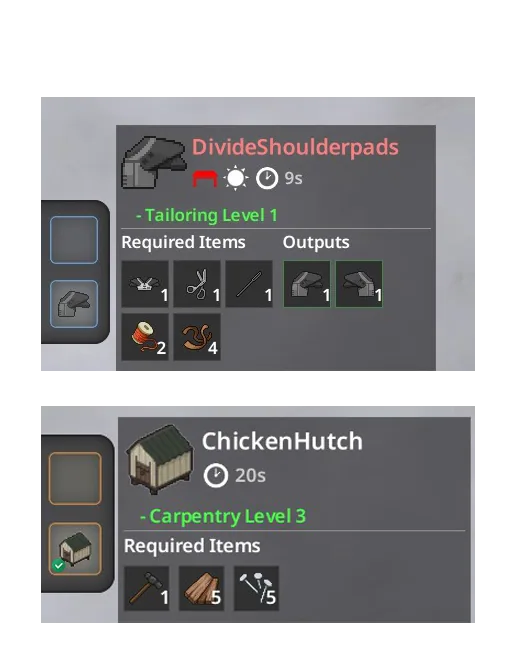
Add recipes using the + button in the crafting interface.
- Double-click - Craft when the required materials are available.
- Green checkmark - Recipe requirements are satisfied.
- Right-click - Open the crafting menu with the recipe selected.
Building Projects
Add construction projects using the + button in the Build interface.
Double-clicking starts placement when construction is possible. A green checkmark indicates available requirements, while a red preview indicates an unavailable project.
Controls and Settings
- TAB - Show or hide the shortcut panel.
- Mouse wheel - Switch between shortcut pages.
- Double-click - Perform the assigned action.
- Right-click - Open the corresponding context menu.
Players can customize rows, columns, slot size, transparency, panel position, widget direction and hotkeys.
Compatibility and Requirements
- Game version: Project Zomboid Build 42.12.3 and newer.
- Build 42.21: Reviewed for compatibility.
- Singleplayer: Supported.
- Multiplayer: Supported.
- Russian localization: Included.
- Gamepad navigation: Not currently supported.
Required dependency: NeatUI Framework.
Load order:
- NeatUI Framework
- The Shortcut
The mod does not add permanent world data, items or recipes.
Very large layouts may increase UI rendering costs. Smaller grids are recommended for systems with limited performance.
The Shortcut simplifies inventory management, crafting and base construction by keeping frequently used actions within easy reach.
Screenshots 7







Comments 0
No comments yet — be the first.
Log in or sign up to leave a comment.