

Every Texture Optimized improves Project Zomboid performance by optimizing vanilla textures while preserving visual quality. Choose between Well Balanced for a balance of graphics and FPS or Maximum Performance for weaker PCs, laptops and Steam Deck. Includes optimized Transparent Glasses textures. Supports multiplayer, existing saves and safe removal.
Contents
Every Texture Optimized - Performance and Texture Optimization
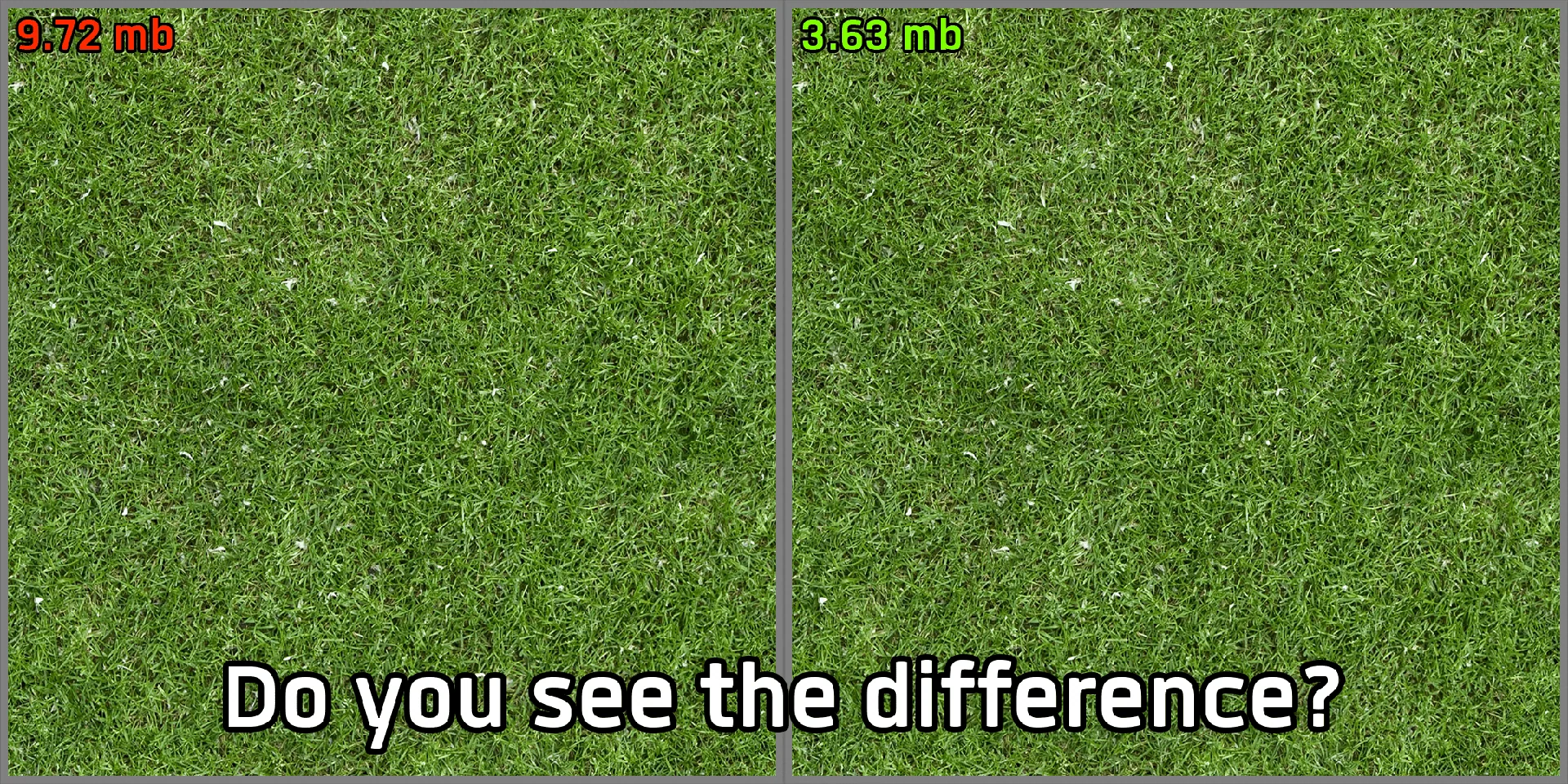
Every Texture Optimized is a graphics optimization mod for Project Zomboid designed to reduce texture resource usage while preserving as much visual quality as possible.
It optimizes the game's original textures and improves some of them, making it particularly useful for players experiencing performance issues in areas with large numbers of zombies, dropped items and environmental objects.
Main Features
- Optimized Textures - Reduces the resource requirements of vanilla textures.
- Improved Performance - Aims to reduce graphics-related load and improve FPS.
- Two Optimization Presets - Choose between balanced visuals and maximum performance.
- Visual Improvements - Enhances selected original textures.
- Transparent Glasses Integration - Includes optimized textures from Transparent Glasses.
- Multiplayer Support - Can be used in multiplayer sessions.
- Existing Saves - Safe to enable during an ongoing playthrough.
- Safe Removal - Can be disabled without affecting save data.
Available Optimization Modes
Well Balanced
Recommended for most players.
- Preserves more of the original texture quality.
- Balances visual fidelity and performance.
- Suitable for PCs with moderate hardware specifications.
Maximum Performance
Designed for systems with limited graphics resources.
- Prioritizes performance over texture detail.
- Intended for laptops, Steam Deck and low-end PCs.
- May cause a noticeable but controlled reduction in visual quality.
Important: Enable only one optimization mode. The mod prevents both variants from being activated simultaneously.
Installation and Compatibility
- Enable the mod in Project Zomboid's mod menu.
- Select either Well Balanced or Maximum Performance.
- Place the mod above other texture modifications in the load order.
This allows other texture mods to override its files when necessary.
The mod is generally compatible with other modifications, although overlapping texture replacements may take priority depending on load order.
Planned Features
Future updates may introduce:
- HD Textures - Improved texture detail with an emphasis on efficiency.
- Project Optimized - Optimization of textures from other Vanilla+ modifications.
- Absolutely Lossless - Resource optimization without changing the original pixel data.
These features are planned and are not part of the current available presets.
Every Texture Optimized offers a practical way to reduce texture-related graphics load, especially on systems with limited hardware resources.
Screenshots 1
Comments 0
No comments yet — be the first.
Log in or sign up to leave a comment.