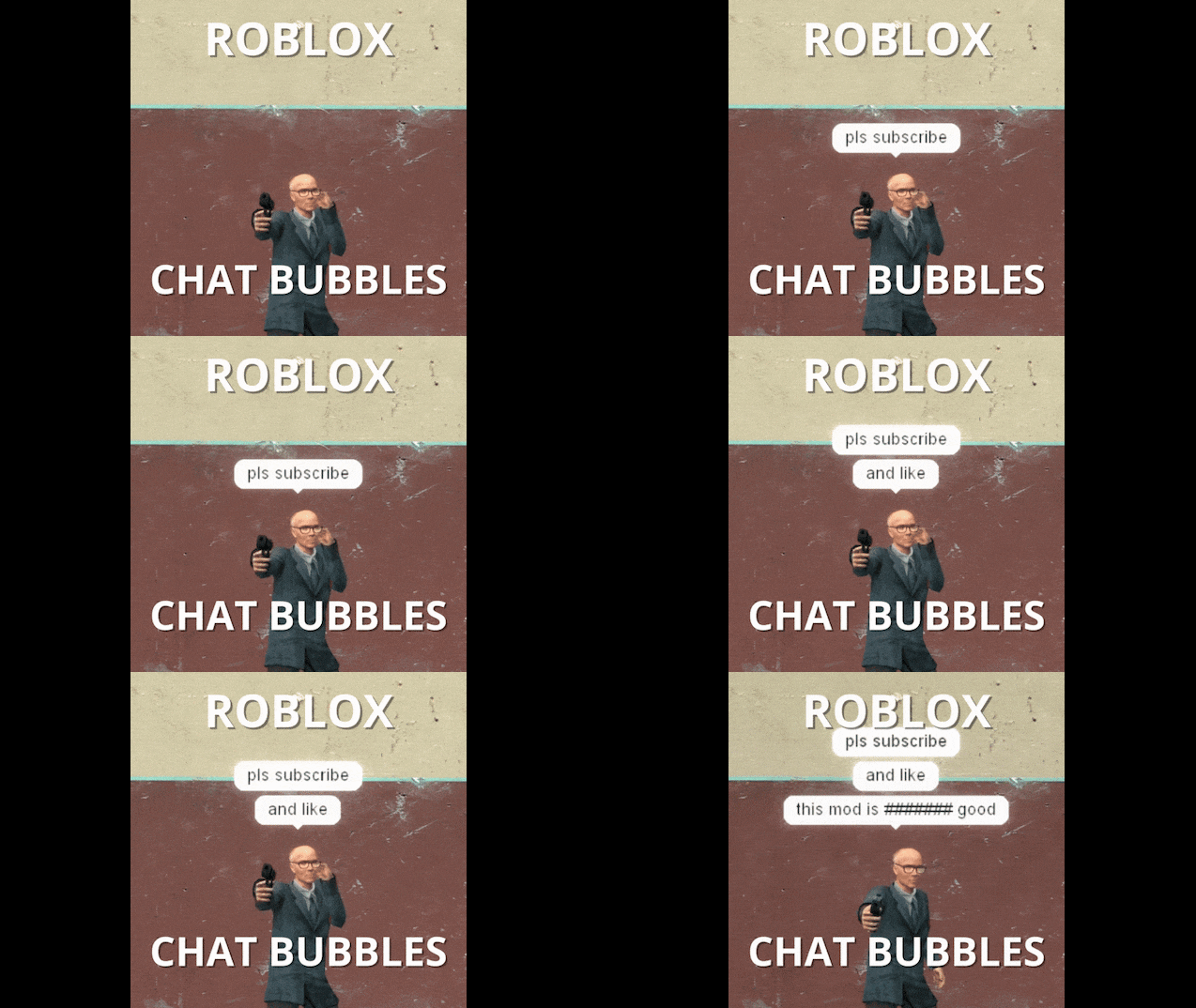

Revolutionize social interaction in Garry's Mod with this immersive addon that introduces floating 3D chat bubbles directly above players' heads. Inspired by the iconic communication style of Roblox, this modification transforms standard text chat into a dynamic visual experience, making conversations more intuitive and engaging. Instead of relying solely on the bottom-left chat log, players can now see messages appear in real-time within the 3D space, enhancing roleplay immersion and multiplaye
Contents
The addon seamlessly integrates with the existing chat system, requiring no complex setup or additional keybinds. Whenever a player types and sends a message, a stylized bubble instantly renders above their character model. This visual cue ensures that dialogue is always associated with the correct speaker, eliminating confusion in crowded servers or large-scale roleplay scenarios. The bubbles are designed to be clear and readable, featuring adjustable fonts and backgrounds that contrast well against various map environments.
Enhanced Social Immersion and Roleplay
For roleplay communities, this feature is a game-changer. It adds a layer of realism and immediacy to interactions, allowing players to engage in natural conversations without breaking character to check a text log. Whether you are negotiating a trade, coordinating a strategy, or simply chatting with friends, the 3D bubbles make the exchange feel more personal and direct. This is particularly useful in first-person perspectives, where seeing the source of the voice or text helps maintain spatial awareness and narrative flow.
The visual design mimics the clean, friendly aesthetic of Roblox, providing a nostalgic yet modern touch to Garry's Mod. The bubbles float smoothly, following the player's head movements and adjusting to their position in the world. This dynamic behavior ensures that messages remain visible even when players are moving, jumping, or looking in different directions. By bringing chat into the 3D environment, the addon bridges the gap between interface and gameplay, creating a more cohesive and interactive social experience.
Technical Performance and Customization
Despite the added visual elements, the addon is optimized for performance. It uses efficient rendering techniques to ensure that multiple bubbles on screen do not cause frame rate drops or lag. The system is lightweight, making it suitable for both low-end hardware and high-performance rigs. Server administrators will appreciate that the addon is client-side focused, meaning it does not burden the server with additional processing tasks.
Customization options allow users to tailor the appearance of the bubbles to their preferences. You can adjust the size, color, and duration of the bubbles to suit your playstyle or server theme. Some versions may also offer settings for transparency and font styles, ensuring that the text remains legible without obstructing the view. This flexibility makes the addon versatile enough for serious roleplay servers as well as casual sandbox sessions.
Installation and Compatibility
Installing the Roblox-Style 3D Chat Bubbles addon is straightforward. Subscribe via the Steam Workshop for automatic updates and easy management, or manually place the files in your garrysmod/addons folder. No dependencies are required, and the addon works out of the box with the base game. It is compatible with most other mods, including those that alter player models or add new UI elements. However, users should be aware that conflicts may arise with other chat-enhancing addons, so it is recommended to disable similar modifications to ensure stable performance.
This addon is ideal for servers that prioritize communication and community interaction. By making chat more visible and engaging, it encourages players to talk more and collaborate effectively. Whether you are hosting a structured roleplay event or just hanging out in a sandbox map, these 3D bubbles add a fun and functional layer to your Garry's Mod experience.
Comments 0
No comments yet — be the first.
Log in or sign up to leave a comment.