











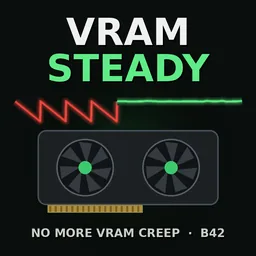



VRAM Steady optimizes GPU buffer management in Project Zomboid Build 42 to prevent excessive video memory fluctuations and related stuttering. Reuses GPU buffers instead of constantly creating new ones, with automatic lag protection, performance monitoring and compatibility with Viewpoint and PZ Optimization. Requires ZombieBuddy.
Contents
VRAM Steady is a performance optimization mod for Project Zomboid Build 42 that addresses excessive video memory fluctuations and the stuttering they can cause.
Instead of constantly allocating new GPU buffers for small drawing operations, the mod reuses fixed-size buffers. This helps keep VRAM usage more stable without changing gameplay or the rendered image.
The optimization is particularly useful for graphics cards with limited video memory.
How VRAM Steady Works
In Build 42, the game can create new GPU buffers for nearly every small drawing batch, potentially performing tens of thousands of allocations per second.
Graphics drivers may release these buffers in large groups rather than immediately. As a result, video memory usage can rise rapidly before dropping suddenly.
According to the developer, this behavior can cause:
- VRAM usage to increase by approximately 1 GB per minute.
- Textures to be displaced from video memory.
- Stuttering during gameplay.
- Periodic hitches when the driver releases accumulated buffers.
VRAM Steady changes how these buffers are managed by reusing existing allocations instead of repeatedly creating new ones.
The mod does not modify game mechanics or visual quality.
Performance Test Results
The developer reports the following measurements:
| Test | VRAM fluctuation |
|---|---|
| Without VRAM Steady | Approximately 1.5 GB |
| With VRAM Steady | Approximately 0.1 GB |
No FPS loss was observed during the reported testing.
These figures represent the developer's measurements, not guaranteed results for every computer. Actual improvements depend on hardware, graphics drivers and the circumstances causing the stuttering.
Automatic Lag Protection
Version 1.1.1 introduces an automatic performance safeguard.
If the mod's processing cost exceeds 250 milliseconds per second for three consecutive seconds, VRAM Steady disables its optimization for the current session.
The game then returns to its standard GPU buffer upload behavior.
This protection is intended to prevent the optimization itself from causing excessive slowdowns on certain systems.
The safeguard can be configured through vramsteady.properties:
guard=off— disables the automatic safeguard.guardMs=...— changes the performance threshold.
The on-screen status also reports the mod's own processing cost in milliseconds per second.
Performance Overlay
Version 1.1 adds a small status indicator in the bottom-left corner of the screen.
It displays:
- The currently active optimization mode.
- The number of GPU buffer uploads saved per second.
- The mod's processing cost in milliseconds per second.
Press Ctrl+Shift+V to show or hide the overlay.
Alternatively, disable it through the configuration file:
overlay=off
Since version 1.1.1, the visibility setting is remembered across game restarts.
The state is stored in:
Zomboid/vramsteady.state
Delete this file to reset the remembered overlay state.
Installation Guide
ZombieBuddy is required for VRAM Steady to function.
- Install ZombieBuddy following the instructions on its Steam Workshop page.
- Subscribe to VRAM Steady.
- Open the game's main menu and select Mods.
- Enable both ZombieBuddy and VRAM Steady.
- For an existing save, open Load → Select Save → More → Mods and enable both modifications.
- Start the game.
- When ZombieBuddy asks for permission to load the Java mod, select Allow.
Verify Installation
Open the game's log file:
%USERPROFILE%\Zomboid\console.txt
Look for a line containing:
mode orphan
This indicates that the default optimization mode has been activated.
Configuration
The configuration file is located at:
%USERPROFILE%\Zomboid\vramsteady.properties
Available operating modes:
mode=orphan— default optimization mode.mode=subdata— alternative mode.mode=off— disables the optimization.
Additional settings control the performance safeguard and on-screen overlay.
Compatibility and Multiplayer
VRAM Steady is designed for Project Zomboid Build 42 and works with:
- Vanilla Project Zomboid.
- Project Viewpoint.
- PZ Optimization.
For multiplayer, the server must include both VRAM Steady and ZombieBuddy in its mod list.
The optimization does not introduce new gameplay mechanics, items or visual changes.
Additional Information
- Required dependency: ZombieBuddy.
- Game branch: Build 42.
- Automatic lag protection: Added in version 1.1.1.
- Performance overlay: Added in version 1.1.
- Source code: Included in the mod folder.
- License: MIT.
VRAM Steady is intended for players experiencing gradually increasing VRAM usage, periodic freezes or stuttering associated with GPU buffer allocation. Its purpose is to stabilize video memory behavior rather than artificially increase frame rates.


Comments 1
Обновление от 12.11.2026
Файл: VRAM Steady - Fix VRAM filling up (B42)
Что изменилось:
Added a performance guard that disables the modified upload path for the session if it becomes too slow.
The overlay now shows the mod’s processing time. Its visibility setting is remembered between restarts.
Log in or sign up to leave a comment.