












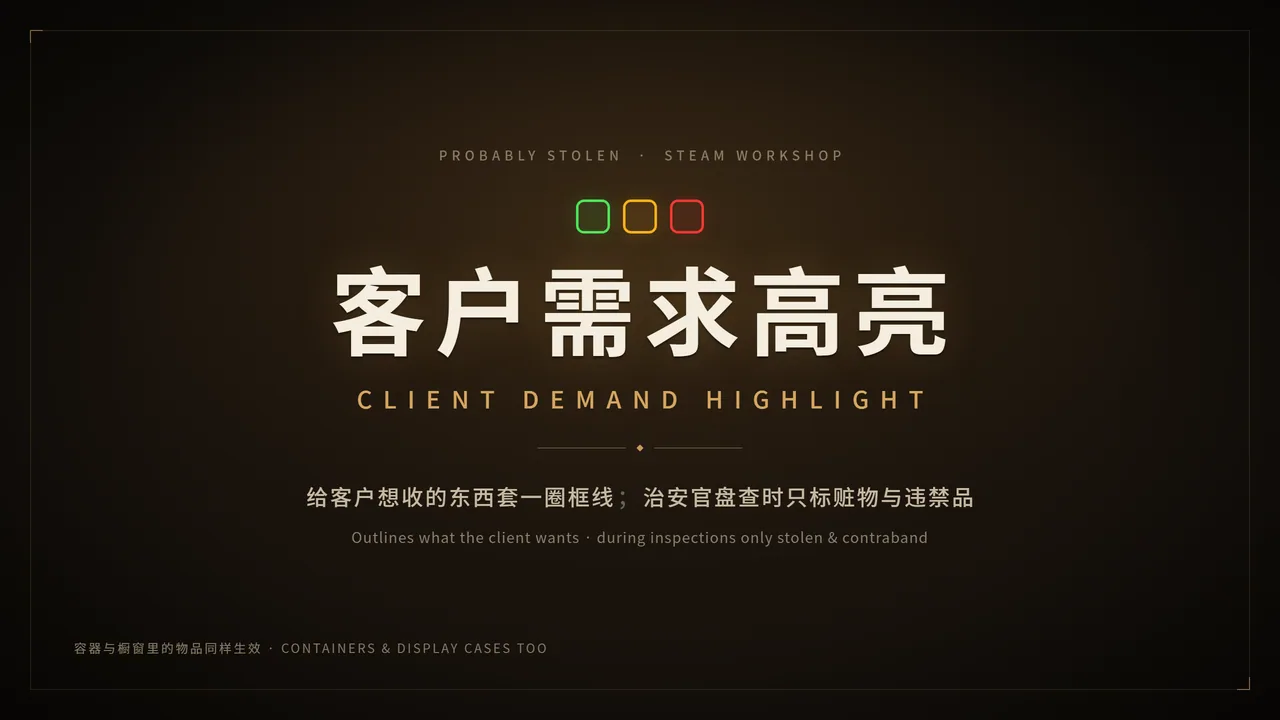



Highlights items in Probably Stolen that the current client wants to buy, using colored outlines. Includes detailed configuration options and hotkey support.
Contents
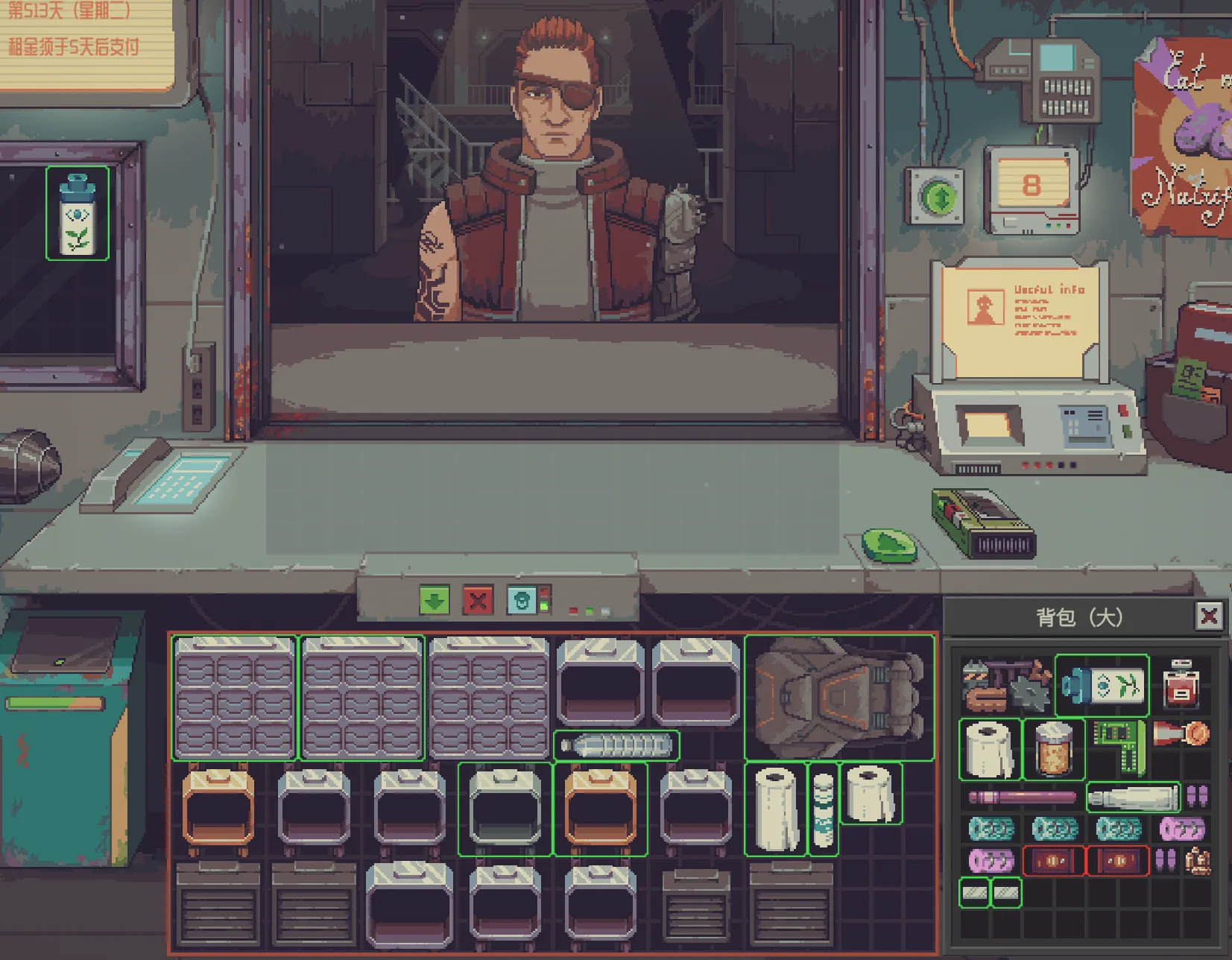
Client Demand Highlight is a mod for Probably Stolen that visually marks items the current client wants to purchase by outlining them in different colors:
- Green: Normal items
- Amber: Stolen items
- Red: Contraband
During inspections, only stolen and contraband items are highlighted. The default hotkey to toggle the display is F5 (can be changed in Options → Keybinds).
Configuration Options
All settings are available in the mod's panel in the following order:
- borderThickness (1-6, default 1): Border thickness in pixels
- cornerRadius (0-12, default 2): Corner radius in pixels
- scanInterval (1-8, default 1): Refresh interval (×0.25 seconds)
- highlightDelay (0-10, default 2): Delay before highlighting (seconds)
- highlightClientGoods (on/off, default off): Highlight contraband and stolen items offered by clients
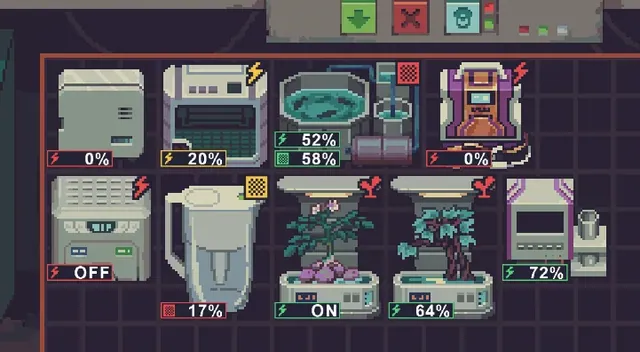
- ignoreMachineContents (on/off, default on): Ignore items currently in use
- ignoreMerchantDemand (on/off, default on): Ignore merchant demand
- ignoreEnergyCells (on/off, default off): Ignore all energy cells
- ignoreModulesNodes (on/off, default off): Ignore all modules and nodes
- ignoreChips (on/off, default on): Ignore all chips
- userIgnoredIds (up to 16): Ignore specified item IDs
The toggle hotkey is not in the mod panel, but in the game's Options → Keybinds (default F5).
Ignored Items and Containers
Fully Ignored (18 units)
Controlled by the ignoreMachineContents setting. The following items and their containers are ignored (except Water Purification Tablets, Water Testing Kit, and Water Pitcher):
- Toolbox
- Cryptographic Desequencer
- Alarm System
- Mirage Projector
- Bottle Printer
- Livestock Feed Dispenser
- Aug Scanner
- Recharger
- Advanced Turbo Booster
- Hypertech Turbo Booster
- Water Purification Tablets
- Water Testing Kit
- Water Pitcher
- Blender
- Heating Plate
- Evaporator
- DNA Manipulator
- Cleaner Robot
Partially Ignored (10 units)
Also controlled by ignoreMachineContents. Only items in the specified keep area are highlighted; all other areas of these machines are ignored. Containers themselves are also ignored.
| Runtime ID | Keep Area | Item |
|---|---|---|
| furnace | out | Furnace |
| fridge | cold | Fridge |
| wine_rack | aging | AgeWell |
| ras | butch | RAS |
| printer | out | 3D Printer |
| chem_finisher | out | Chem Finisher |
| animal_cage | butch | Animal Cage |
| hydroponic | output | Hydroponic System |
| water_purifier | container | Water Purifier |
| moisture_farm | container | Moisture Farm |
Merchant NPC
Merchants are ignored by default via ignoreMerchantDemand. Merchants accept any item except contraband, so their demand is not highlighted. If the client demand list includes ALL_TYPE_EXCEPT_CONTRABAND or ALL_TYPE, highlighting is disabled.
Ignored Item IDs (Default 17)
You can add or remove IDs in the panel. Ignoring an item also ignores its contents.
- Scav Scanner
- UV Lamp
- Gene Scanner
- Composition Spectrometer
- Plant Analyzer
- Flashlight
- AquaScan
- 25ml Graduated Cylinder
- 50ml Graduated Cylinder
- 100ml Graduated Cylinder
- 1ml Dropper
- 5ml Dropper
- Advanced Turbo Booster
- Yeast Bioreactor
- Module Bay Expansion Kit
- Storage Bay Expansion Kit
- Current Converter
How to Specify IDs
Use the item generation mod to find the item's runtime ID (not entry ID). In most cases they are the same, but for some items, use the following runtime IDs:
| Correct ID | Entry ID | Item |
|---|---|---|
| printer | 3d_printer | 3D Printer |
| wine_rack | age_well | AgeWell |
| plant_dna_manipulator | dna_manipulator | DNA Manipulator |
| gene_scanner | genetic_scanner | Gene Scanner |
| vacuum_robot | husbandry_vacuum_robot | Cleaner Robot |
| animal_cage | husbandry_cage | Animal Cage |
Scope: Buyers Only
- Buyers (client wants item → green outline): Affected by all ignore settings and merchant options.
- Inspection (security officer checks for stolen/contraband → red/amber): Never ignored.
Notes
- The mod's hotkey (default F5) may conflict with other mods' hotkeys, potentially causing the display to turn off unexpectedly.
Screenshots 1
Comments 2
Обновление от 20.11.2026
Файл: 客户需求高亮 Client Demand Highlight
Что изменилось:
v1.3.7 增加开启或关闭高亮时提示
Обновление от 22.11.2026
Файл: 客户需求高亮 Client Demand Highlight
Что изменилось:
v1.3.9 增加配置项,忽略固定物品;修复可改装枪械的高亮框不够贴合的问题
Log in or sign up to leave a comment.