












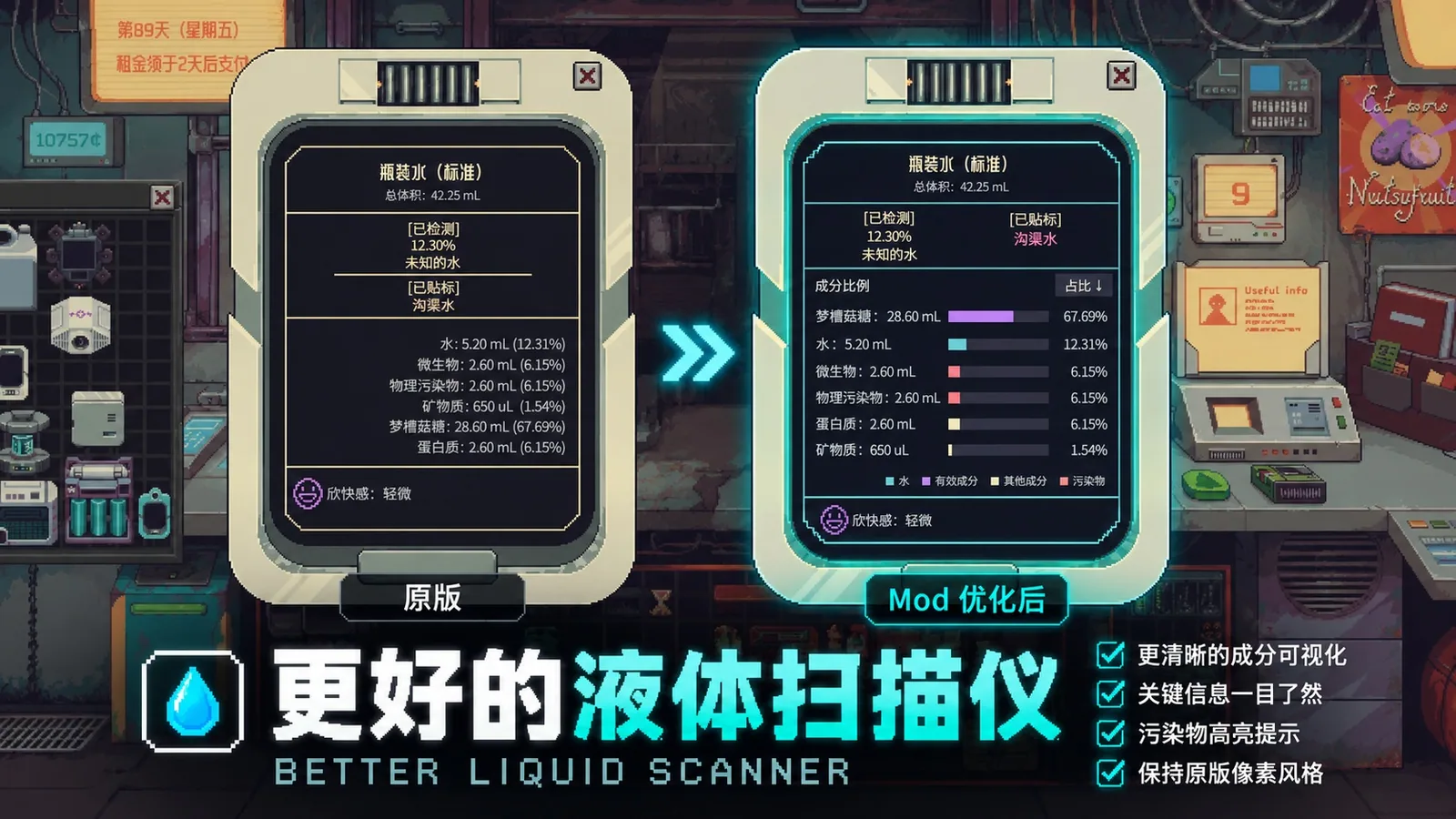


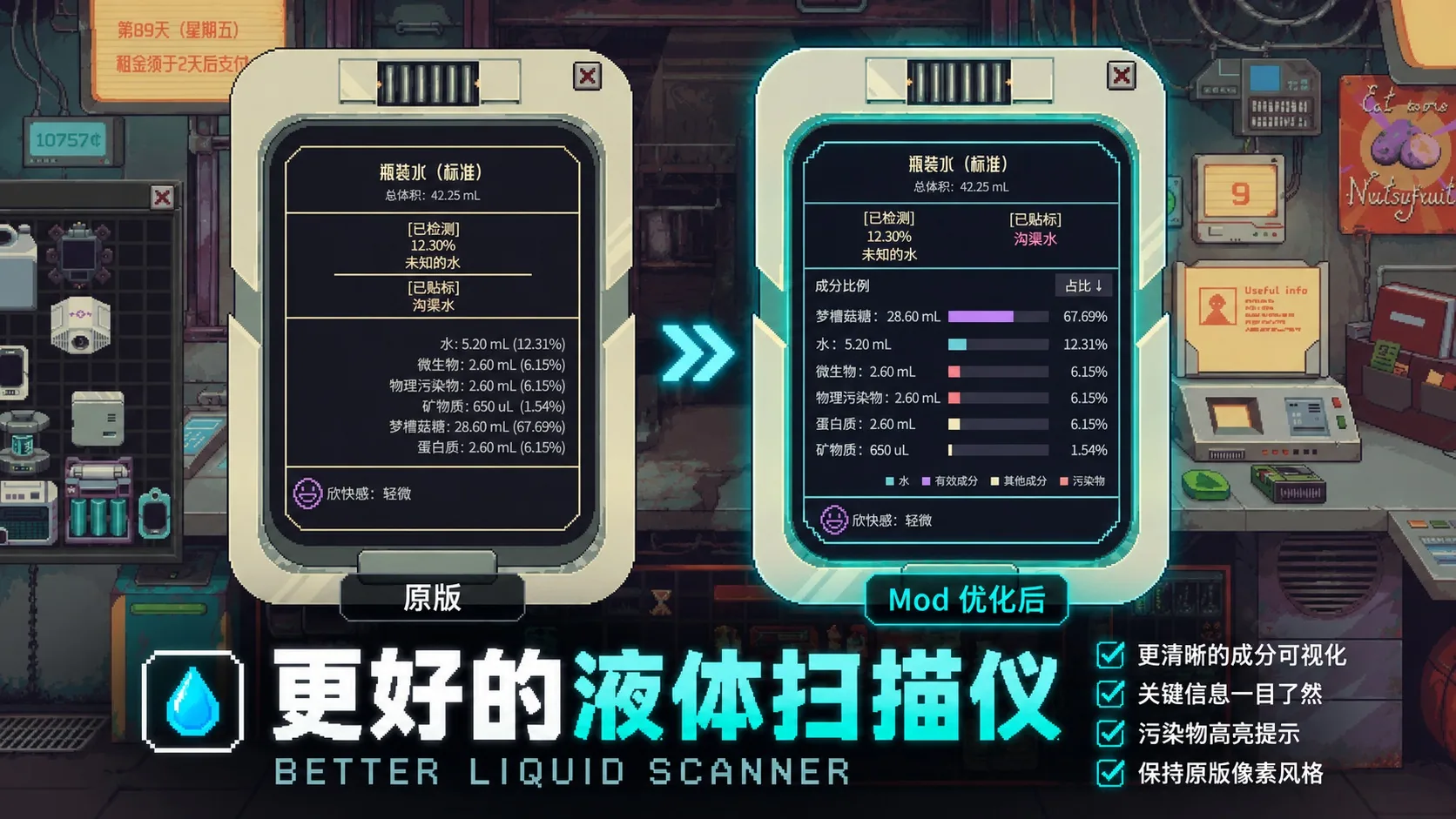
Better Liquid Scanner improves the Chemical Spectrometer and Water Quality Scanner interfaces in Probably Stolen, offering clearer liquid composition breakdowns and customizable display options.
Contents
Better Liquid Scanner enhances the Chemical Spectrometer and Water Quality Scanner in Probably Stolen by providing a clearer and more informative display of liquid compositions. The original device appearance and pixel-art style are preserved, while users gain improved tools for analyzing and comparing liquid components during mixing and reactions.
Features
- Clear composition display: View component names, volumes, percentages, and proportion bars simultaneously. Colors distinguish water, active ingredients, other ingredients, and contaminants.
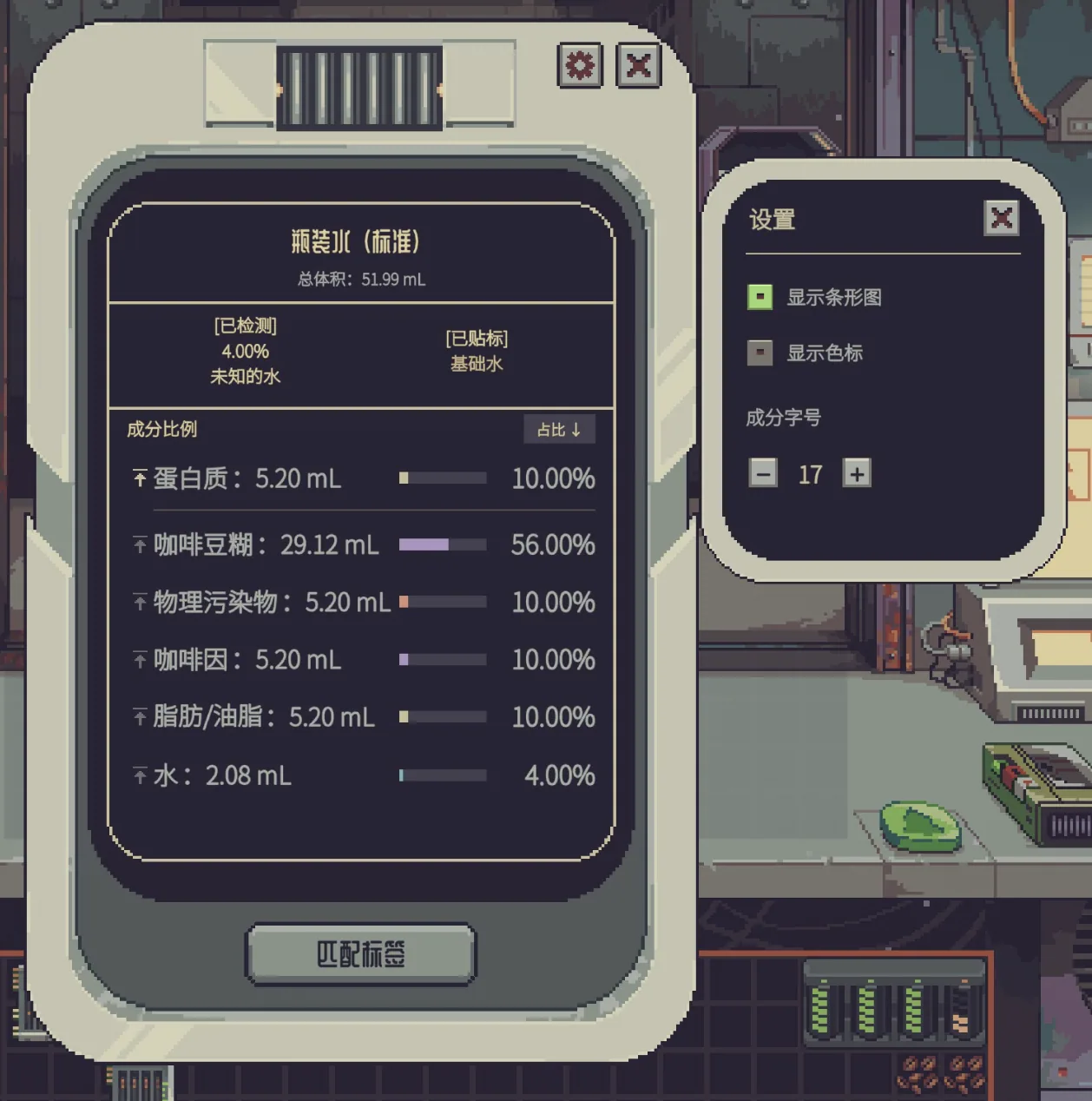
- Sorting and pinning: Browse components by proportion or original order. Pin components to keep them visible for tracking quantity changes.
- Persistent pinning: Pinned components and their order are retained across in-game days and after restarting the game. Components not currently present are shown at zero, allowing tracking of future reactions.
- Customizable display: Adjust font size, row spacing, and panel height. Switch between adaptive or fixed height. Toggle composition bars and the color legend individually.
- Water-quality comparison: Compare detected water quality with existing labels using grade-based color coding.
- Detailed information: Hover to see full component names and precise quantities. Long lists can be scrolled.
Usage
After subscribing, enable the mod in the Mods menu and restart the game. Use the Chemical Spectrometer or Water Quality Scanner as usual. No extra hotkeys or prerequisite mods are required.
- Click the icon beside a component to pin or unpin it.
- Click the button at the top right of the list to switch sorting order.
- Click the gear icon at the top right of the device to adjust display settings.
Display preferences are saved automatically and shared between both scanners. Each scanner has its own pin list. The "Save Pinned Components" feature is disabled by default and can be enabled in settings.
Languages and Compatibility
The new interface displays in Simplified Chinese when the game language is Chinese, and in English otherwise. Component names follow the game's current language. Recognized original item names and water-quality labels are shown in Chinese or English as appropriate, without altering saved file names.
This mod only changes the scanner interface and does not modify liquid compositions, recipes, or detection results. It is currently adapted for Windows and game menu version VERSION 100-REV12. There may be conflicts with other mods that modify the same scanner interfaces.
Screenshots 2
Comments 0
No comments yet — be the first.
Log in or sign up to leave a comment.