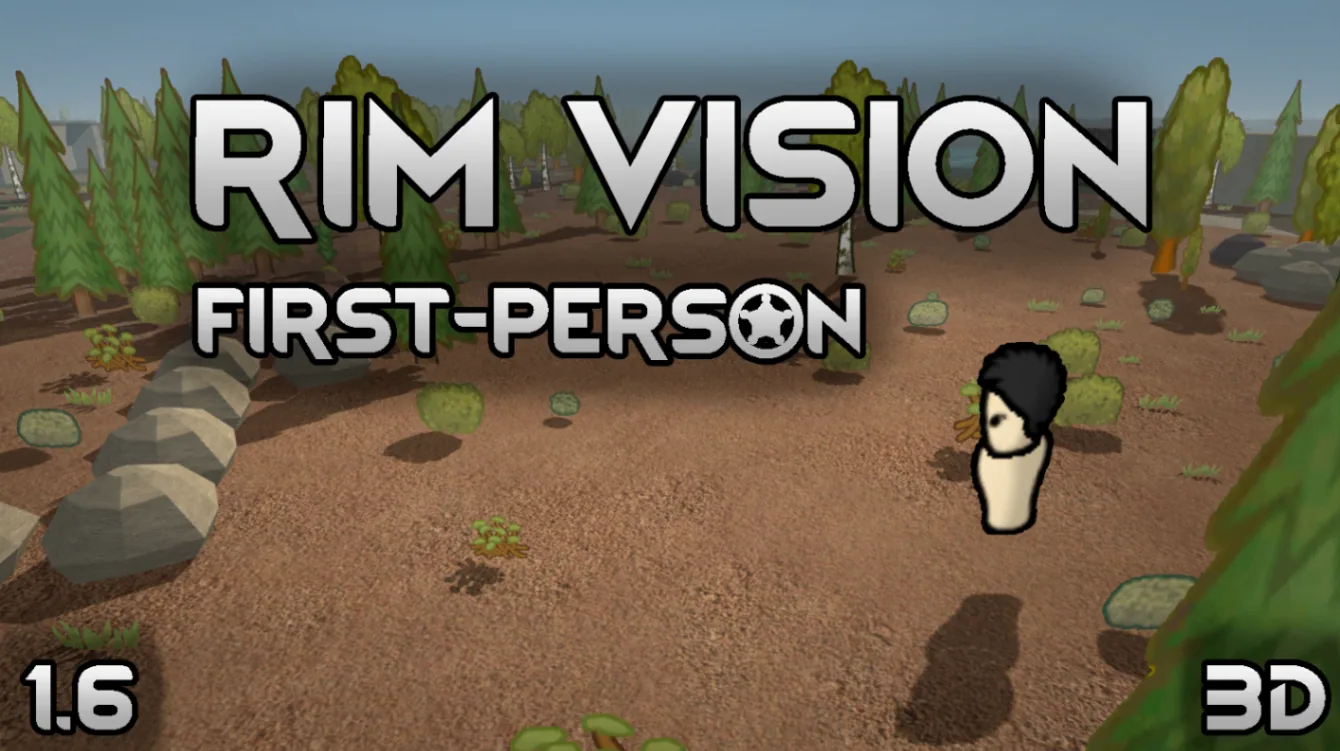

RimVision transforms RimWorld into a 3D game with first-person gameplay and direct colonist control. Explore your colony, fight raiders, construct buildings, haul resources and interact with the world through your character's eyes. Enjoy dynamic lighting, weather effects, realistic environments and customizable graphics. Supports RimWorld 1.6 and requires Harmony.
Contents
RimVision is a graphical and gameplay modification for RimWorld that transforms the traditional top-down colony simulator into a three-dimensional experience with a fully playable first-person mode. Instead of simply observing colonists from above, players can take direct control of a character, explore their settlement, participate in battles, and perform everyday colony activities.
The mod introduces 3D environments, manual character controls, enhanced lighting, weather effects, and interactive gameplay while preserving the underlying mechanics of RimWorld.
Players can freely switch between the familiar colony overview and the new three-dimensional perspective.
First-Person Gameplay and Direct Colonist Control
The main feature of RimVision is the ability to experience colony life through the eyes of an individual colonist.
Available gameplay features include:
- First-person exploration: Walk through buildings, bedrooms, streets, and other areas of your settlement.
- Direct movement: Control a colonist using traditional first-person movement controls.
- Manual combat: Fight enemies using the weapons equipped by your character.
- Object interaction: Interact with items, buildings, and other characters.
- Construction: Build structures and perform construction tasks in first person.
- Resource hauling: Carry resources and perform everyday colony jobs.
- Area designation: Create stockpiles, growing zones, and home areas.
- Inventory management: Equip items, change equipment, and use carried objects.
- Character needs: Eat, sleep, and manage your colonist's daily activities.
- Medical care: Treat your own injuries and provide medical assistance to other colonists.
When controlling a character directly, players must personally move them to the required workplace and resources.
Character skills, needs, work restrictions, and the consequences of actions continue to follow RimWorld's original mechanics.
Three-Dimensional Graphics and Visual Effects
RimVision significantly changes how the game world is displayed.
The mod introduces a three-dimensional environment with additional visual effects designed to make exploration more atmospheric.
Graphical improvements include:
- Fully 3D colony visualization.
- Dynamic lighting and shadows.
- Sky rendering and atmospheric fog.
- Rain and snow effects.
- Water and fire visual effects.
- Gunfire and explosion effects.
- Customizable camera and graphical settings.
Players can switch between the standard overview perspective and first-person gameplay without abandoning the colony management experience.
The modification also supports English and Russian interface languages.
Character Interface and Colony Management
RimVision provides a character menu that allows players to access important information while directly controlling a colonist.
The interface includes:
- Health and medical conditions.
- Character skills.
- Mood and needs.
- Social relationships.
Players can also manage equipment, interact with objects, and perform various colony tasks directly in the 3D environment.
This makes RimVision more than a free-camera modification: it introduces an additional way to play RimWorld.
Controls and Getting Started
After loading a colony, press O to activate the three-dimensional mode.
Use V to switch between the overview camera and first-person perspective.
Default controls:
O- Enable or disable 3D mode.V- Switch between overview and first-person cameras.WASD- Move your character.Mouse- Look around.E- Interact with objects and characters.Right Mouse Button- Open the action menu.F- Toggle combat mode.B- Enter construction mode.Tab- Open the character menu.Q- Cancel the current action.
Additional controls are explained through in-game tooltips.
Multiplayer and Mod Compatibility
RimVision supports multiplayer through the separate RimVision Multiplayer Compatibility modification.
Players who want to use RimVision in multiplayer must install the appropriate compatibility addon.
RimVision Multiplayer Compatibility
Compatibility with other major RimWorld modifications is limited.
Mods that alter combat, character controls, the user interface, or rendering may require dedicated compatibility patches.
Modifications that primarily introduce textures, races, or similar content are more likely to work.
Requirements and Installation
RimVision is designed for RimWorld 1.6 and requires Harmony.
Installation requirements:
- RimWorld 1.6: Supported game version.
- Harmony: Required dependency.
- DLC: No additional DLC is required.
Installation steps:
- Install Harmony and RimVision.
- Enable both modifications in the game's mod list.
- Make sure Harmony loads before RimVision.
- Load your colony and press
Oto enter 3D mode.
RimVision works with both new and existing colonies.
The mod can also be removed from an existing save, although creating a backup before installing or uninstalling it is recommended.
Support for RimWorld 1.7 was announced for a later stable release but is not confirmed in this description.
Development Status and Known Limitations
RimVision is under active development. Players may encounter graphical glitches, limitations involving certain actions, or conflicts with other modifications.
The mod combines graphical rendering changes with direct character control, so compatibility with major gameplay overhauls cannot be assumed.

Comments 0
No comments yet — be the first.
Log in or sign up to leave a comment.