








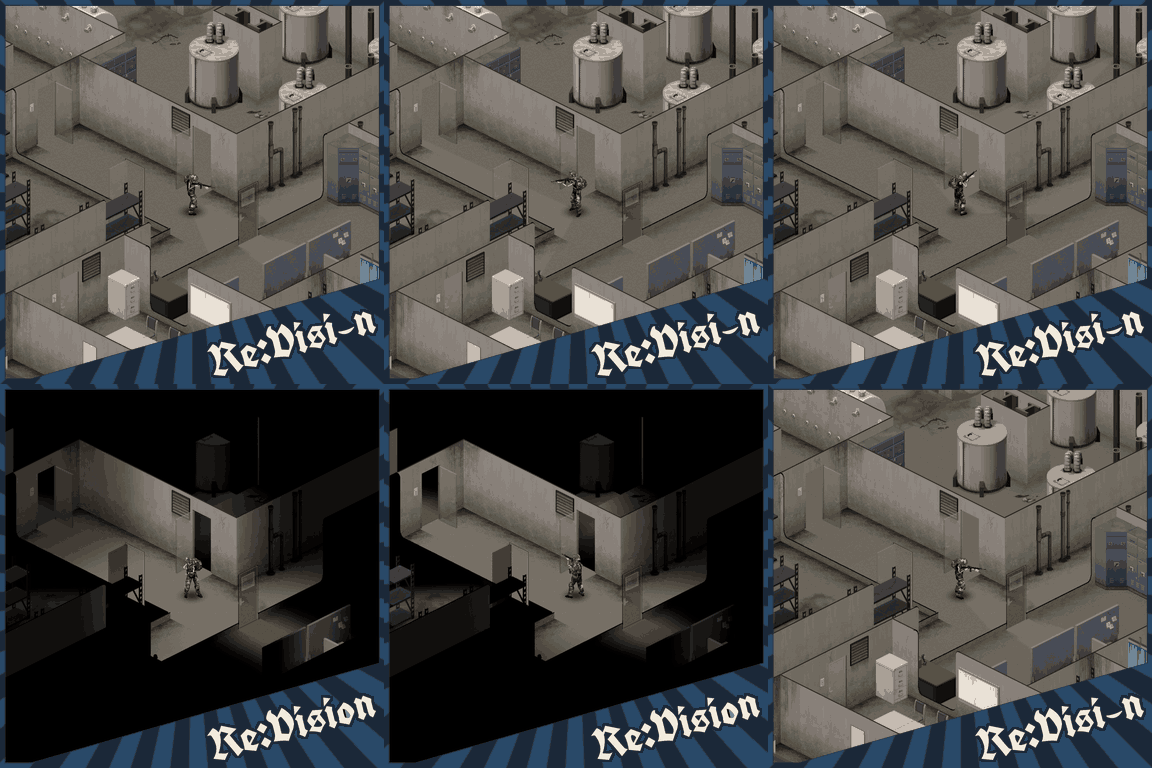



Re:Vision restores Build 41's vision and darkness system in Project Zomboid Build 42, addressing the persistent visibility bug and enhancing immersion. Manual installation required.
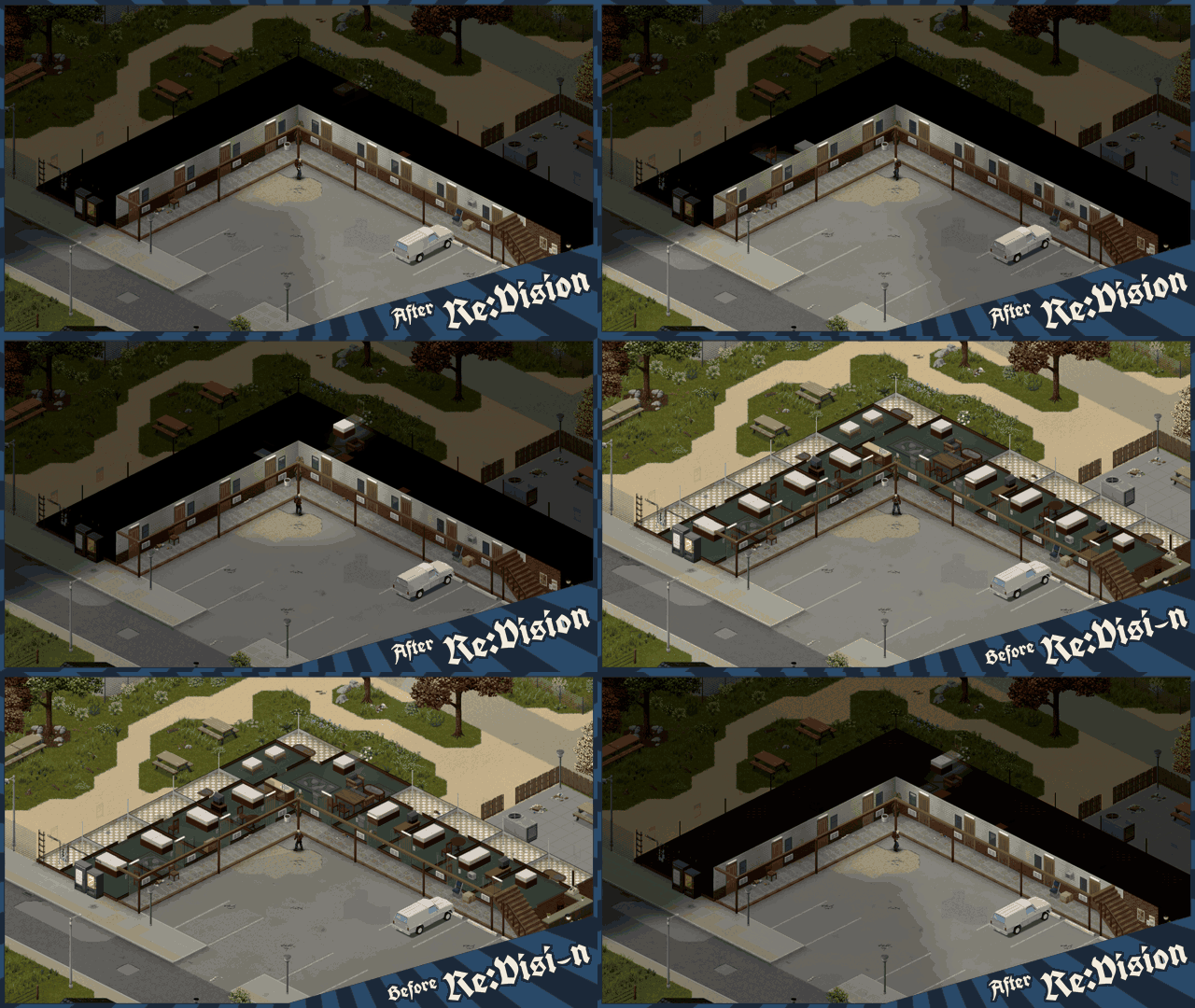
Re:Vision is a Java mod for Project Zomboid Build 42 that restores the vision and darkness system from Build 41, addressing a known bug in Build 42 where previously explored rooms remain visible through walls and outside the player's current view. This bug, sometimes called the "memory system," diminishes immersion and the sense of uncertainty. Re:Vision brings back the mechanic where areas outside your character's perception become dark again, while retaining Build 42's rendering features. The mod is optimized to minimize FPS impact, but fast driving or loading city areas may still cause FPS drops or delayed darkness updates.
Installation
Supported version: Windows x64, Build 42.22.2. Manual installation and activation in the Mods manager are required. Always back up your save before first installing.
Vanilla Installation
- Subscribe and open the mod folder:
steamapps\workshop\content\108600\3840941664\mods\ReVision\CopyToGame
- Close the game. In Steam: Project Zomboid > Manage > Browse local files. Back up ProjectZomboid64.json.
- Copy the contents of CopyToGame into the game folder, replacing files.
PZ_Optimization Installation
- Subscribe and open the mod folder:
steamapps\workshop\content\108600\3840941664\mods\ReVision\CopyToGame-PZ_Optimization
- Close the game. In Steam: Project Zomboid > Manage > Browse local files. Copy the contents of CopyToGame-PZ_Optimization into the game folder.
- Run Install-ReVision-PZ_Optimization.cmd once from the game folder. This installs Re:Vision while preserving your PZ_Optimization settings.
Compatibility with PZ_Optimization was added by request and has not been verified. Bug reports are encouraged.
After installation, launch the game through Steam or your usual shortcut and enable Re:Vision in the Mods manager. To revert to Build 42's default vision, disable Re:Vision in the Mods manager.
FAQ
- FPS impact: Vision calculations run in the background. Fast driving and loading city areas can cause FPS drops or delayed darkness updates.
- Multiplayer: Re:Vision must be installed on each player's client. The server does not require the mod. Split-screen is not supported.
- New save required? No. Back up your save before first installation.
- Zombie detection: The mod does not change zombie detection or physical lighting. Only the visual darkness is altered, following Build 42's rules.
- Uninstallation:
- Vanilla: Close the game, restore your ProjectZomboid64.json backup, and remove the ReVision folder from the game directory.
- PZ_Optimization: Close the game and run Uninstall-ReVision-PZ_Optimization.cmd from the game folder. This restores the previous launcher configuration. PZ_Optimization remains installed.
Screenshots 1

Comments 1
Обновление от 21.11.2026
Файл: Re:Vision - B41 Vision for B42
Что изменилось:
Fixed a compatibility issue with the PZ_Optimization updates
Log in or sign up to leave a comment.