












Farming Zone allows players to register farming zones, manage crops efficiently, and access detailed information about plant care in Project Zomboid.
Farming Zone
v20.11.2026 · ModsFire, 891.6 КБ ·
3 downloads
Contents
Farming Zone
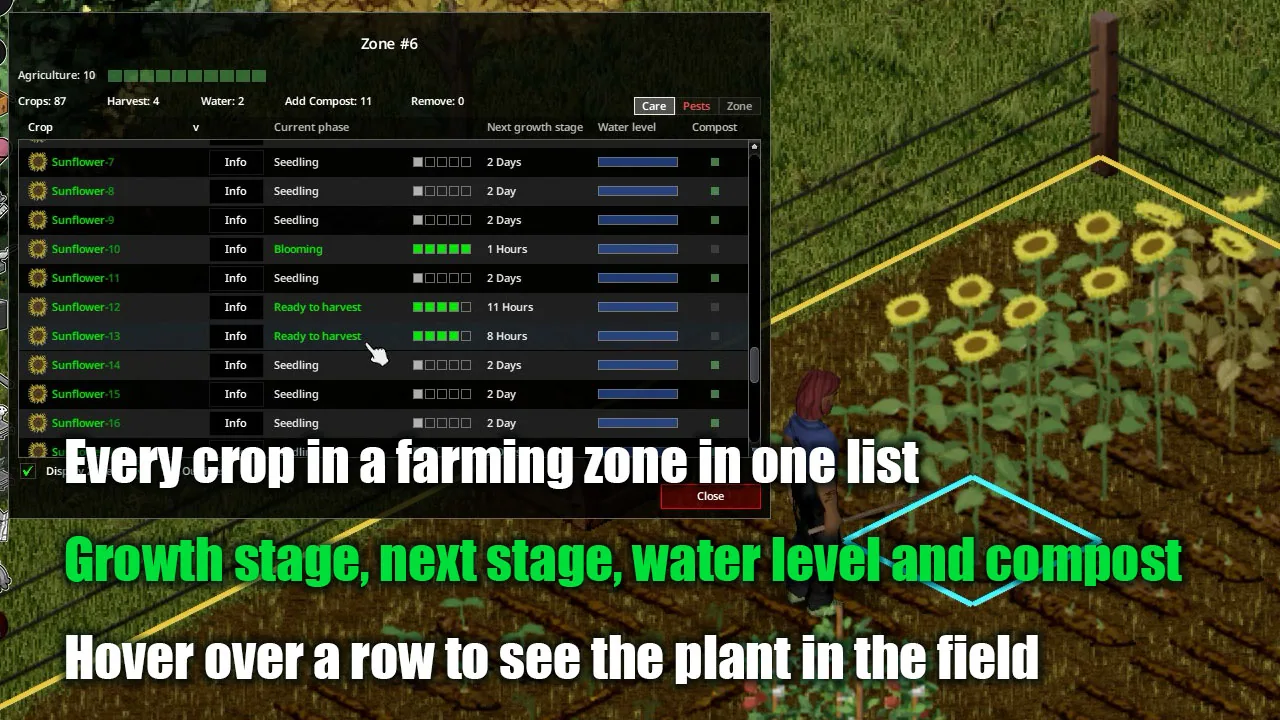
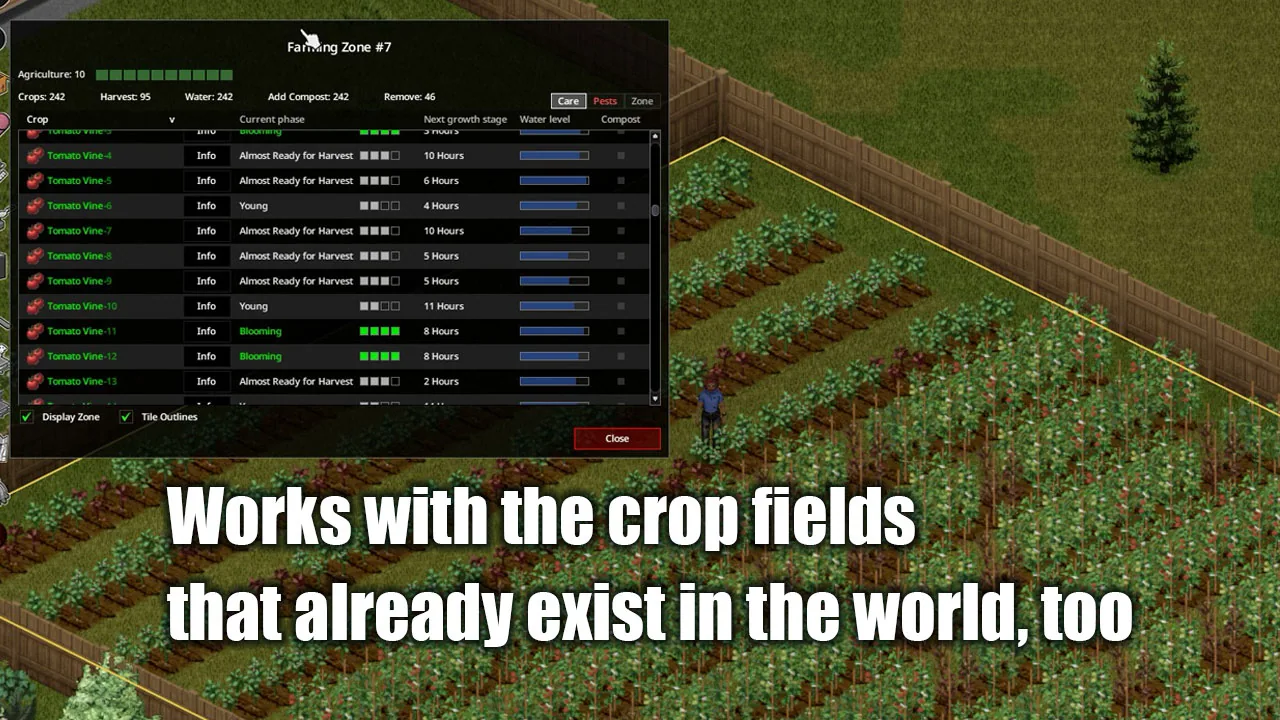
Farming Zone is a mod for Project Zomboid that allows players to register their fields as farming zones. This mod provides a streamlined way to manage crops, enabling players to view every crop in a zone as a single row in a list. Players can water, fertilize, treat, harvest, or remove crops directly from this list, which displays information already available in the vanilla plant info window.
Update v1.0.3
- Added eight display languages: Russian, German, French, Spanish, Italian, Brazilian Portuguese, Simplified Chinese, and Traditional Chinese.
- Growth stage names in the crop list no longer show the trailing hyphen or parentheses that some languages had.
Creating a Zone
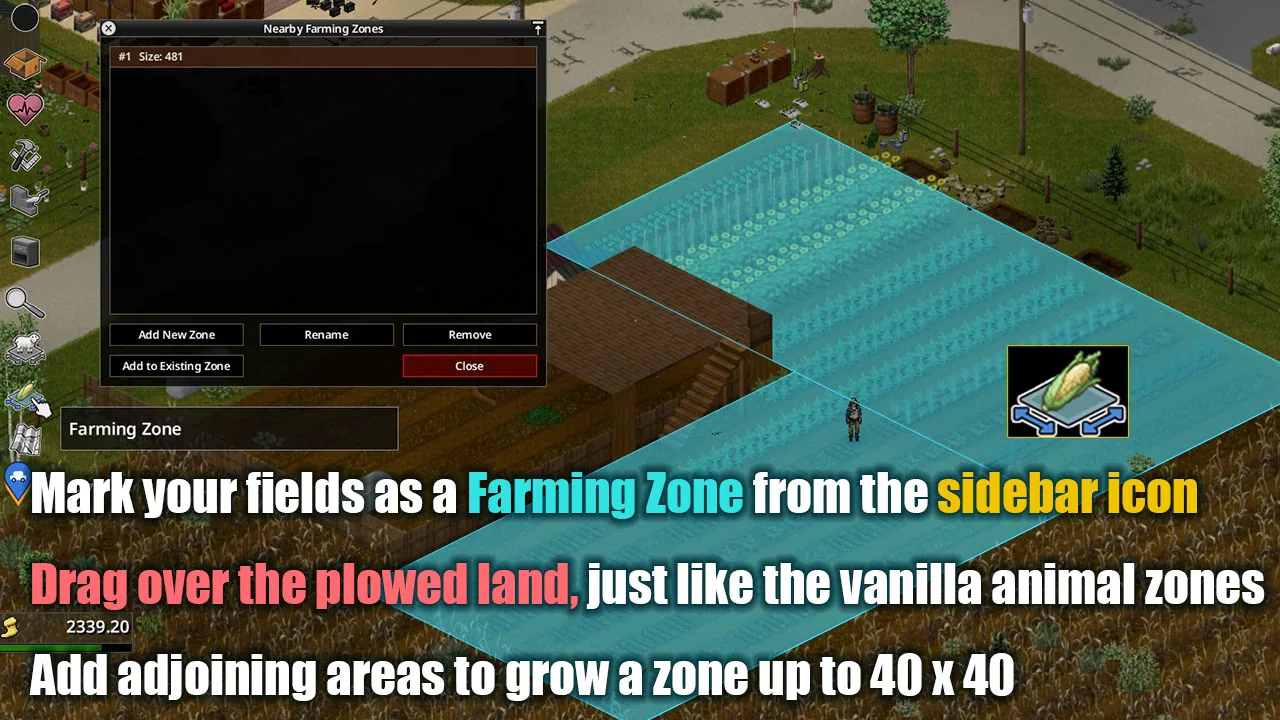
- Click the new icon on the left sidebar (below the livestock zone icon) to open the zone manager.
- Press Add New Zone and drag over your field.
- Only tiles where you can dig a furrow and tiles that already hold a crop become part of the zone.
- A zone can be up to 40×40 tiles. Add to Existing Zone allows adding an adjoining area later (the whole zone must still fit in 40×40).
- Zones may overlap; a crop on an overlapping tile appears in the lists of both zones.
- Zones are drawn in green on the world map.
Crop List
- Right-click anywhere on the field (inside the area you dragged when creating the zone) and choose the zone's name to access the crop list.
- Care tab: current growth stage / next growth stage / water level / compost status.
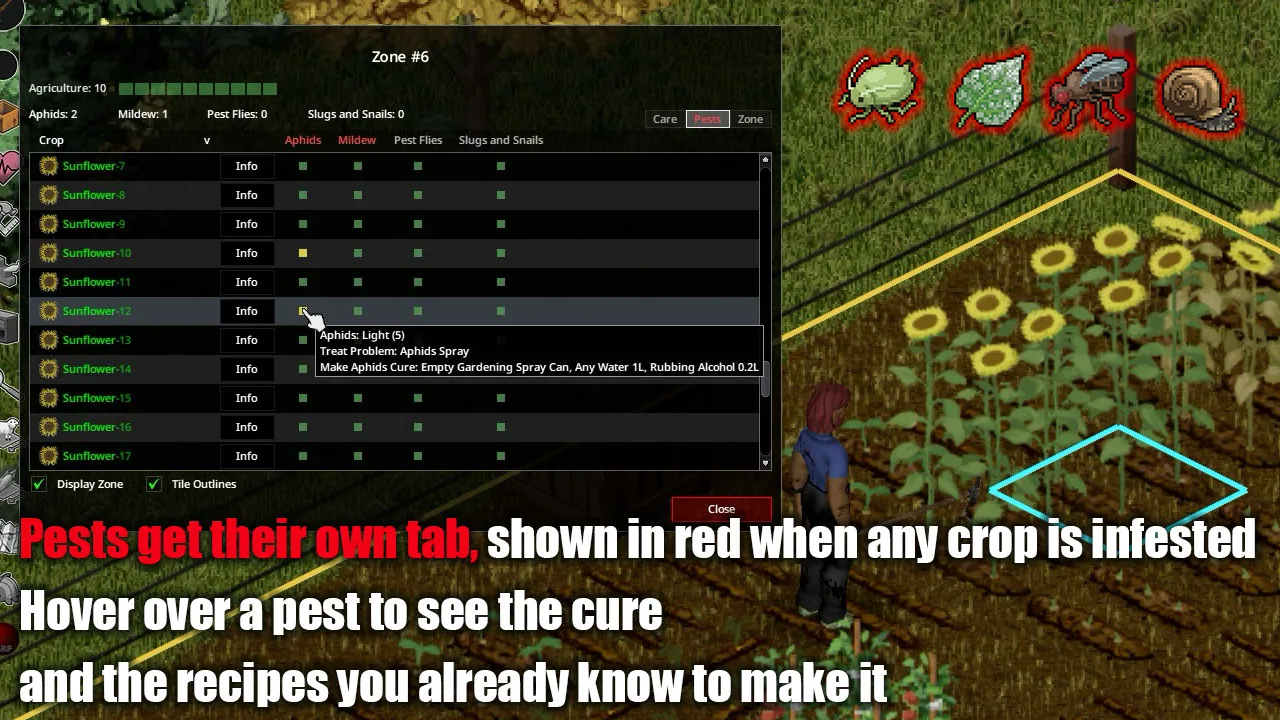
- Pests tab: severity of Aphids, Mildew, Pest Flies, and Slugs and Snails, shown as colors.
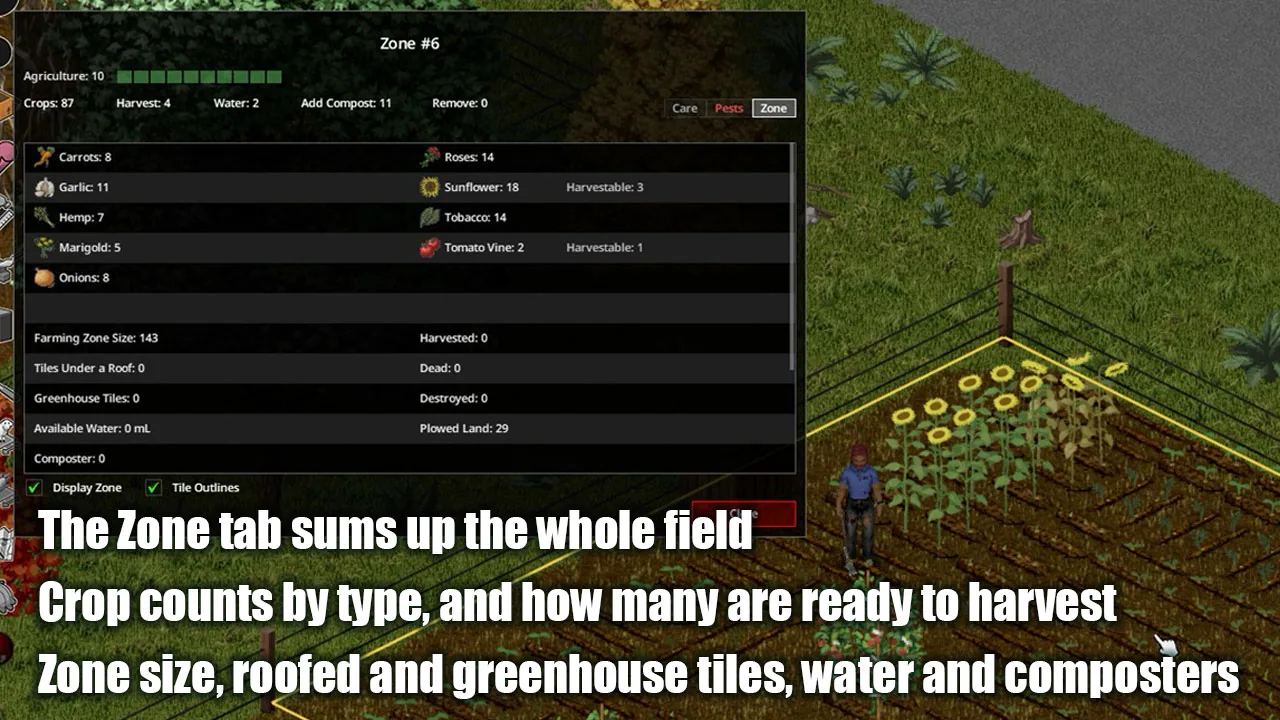
- Zone tab: plant counts per crop, zone size, tiles under a roof, greenhouse tiles, available water, and composters.
- Hovering a row outlines that plant's tile in the world, and hovering a tile highlights its row.
- Left-click a column header to sort; right-click the Crop header to filter by crop type.
- The Info button navigates to the plant and opens the vanilla plant info window.
Working from the List
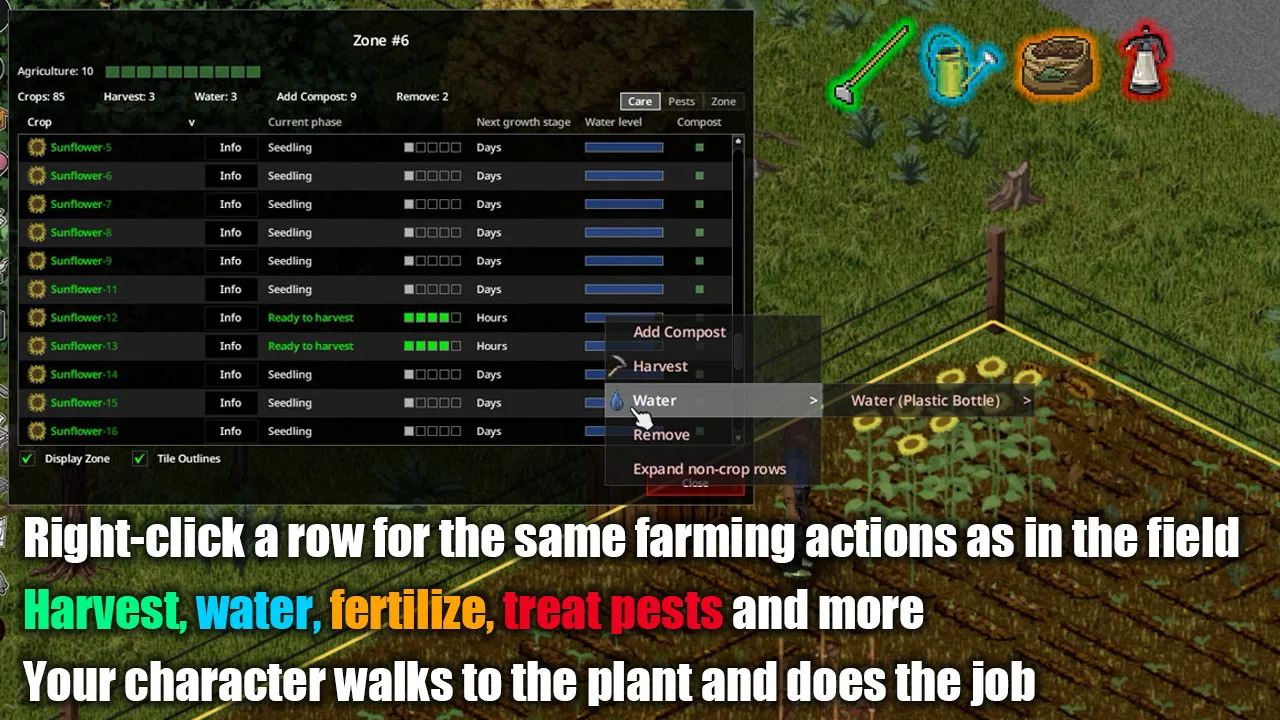
- Right-click a row for actions like Add Fertilizer, Add Compost, Harvest, Sow, Water, Treat Problem, and Remove.
- After watering a plant, the list narrows to those needing water, ordered from the nearest.
- Left-click one of the counts at the top (Harvest / Water / Add Compost / Remove) to show only applicable plants.
- A row disappears once compost is added; it remains after adding fertilizer.
- Treat Problem only offers treatments for visible pests, and if you know a remedy recipe, Craft opens the crafting window.
Changes to Vanilla Farming Actions
- A Backpack Sprayer worn on your back stays on your back; your character takes out the nozzle and sprays.
- Watering with a Watering Can takes longer, making the pouring animation visible.
- Gardening sprays are held up and swung, accompanied by a spraying sound.
- Removes the "Not enough soil to plant here" entry when right-clicking a furrow or plant with a shovel, showing the actual reason you cannot sow instead.
Mod Options
- Show a crop's condition only after checking it (default: off).
- Number crops of the same kind (default: on).
Compatibility
- Compatible with Build 42.
- Supports multiple languages: English, Japanese, Russian, German, French, Spanish, Italian, Brazilian Portuguese, Chinese (Simplified / Traditional).
- Zones are shared in multiplayer, allowing any player to create, change, or remove them.
- Neat Rocco's UI compatibility with the Info button and row highlighting.
- With Seed Season Indicator enabled, hovering a crop name shows its sowing season information.
If you encounter any issues, please let the author know in the comments.
Permissions
Please do not reupload this mod or reuse its code and assets in other mods without permission.
Screenshots 6


Comments 0
No comments yet — be the first.
Log in or sign up to leave a comment.