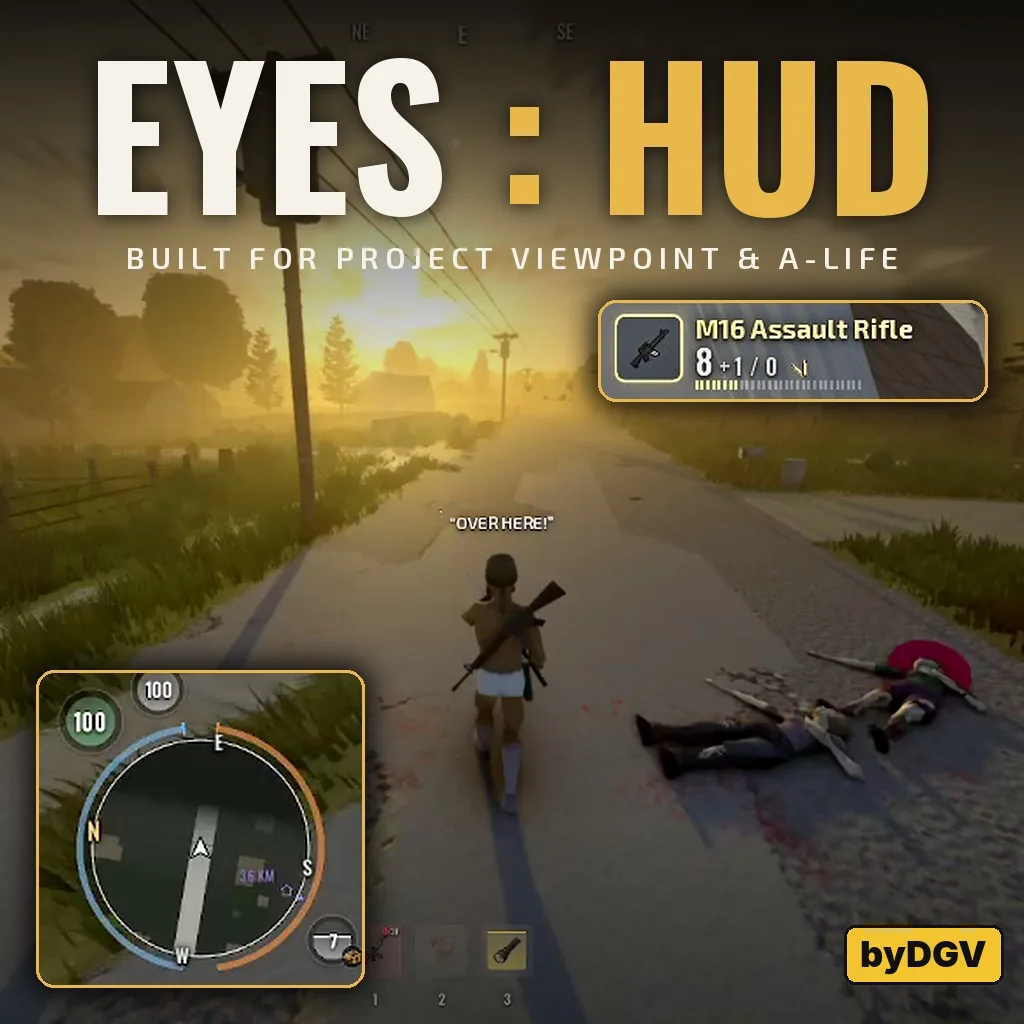

Viewpoint Eyes brings equipment, character status, navigation and communication into a unified interface. Its individual components can be moved, resized or disabled, letting you choose how much information stays on screen.
Contents
Viewpoint Eyes — A Customizable HUD for Project Zomboid
Viewpoint Eyes brings equipment, character status, navigation and communication into a unified interface. Its individual components can be moved, resized or disabled, letting you choose how much information stays on screen.
Designed with first-person play in mind, Eyes supports single-player, multiplayer, keyboard, mouse and controllers. Project Viewpoint, Viewpoint Hands and Project A-Life provide additional integrations, while ZombieBuddy is required.
Equipment and character status
The redesigned hotbar and weapon display show ammunition, chamber state, jams, item condition, battery charge and remaining food or water. Small animations draw attention to changes such as damage, drinking or a failing battery.
An additional shortcut bar holds eight favorite items, accessible through numpad keys 1–8 or a controller wheel.
Health and moodle displays offer several visual styles, severity colors and indicators showing whether a condition is improving or worsening. Other elements track carried weight, XP gains, level-ups and action progress.
Contextual assistance suggests actions for needs and equipment problems. When it is calm, holding F or controller A can perform an offered action: eat, drink, treat a wound, take medication, reload or replace a battery. These prompts stay out of combat.
Navigation and the held map
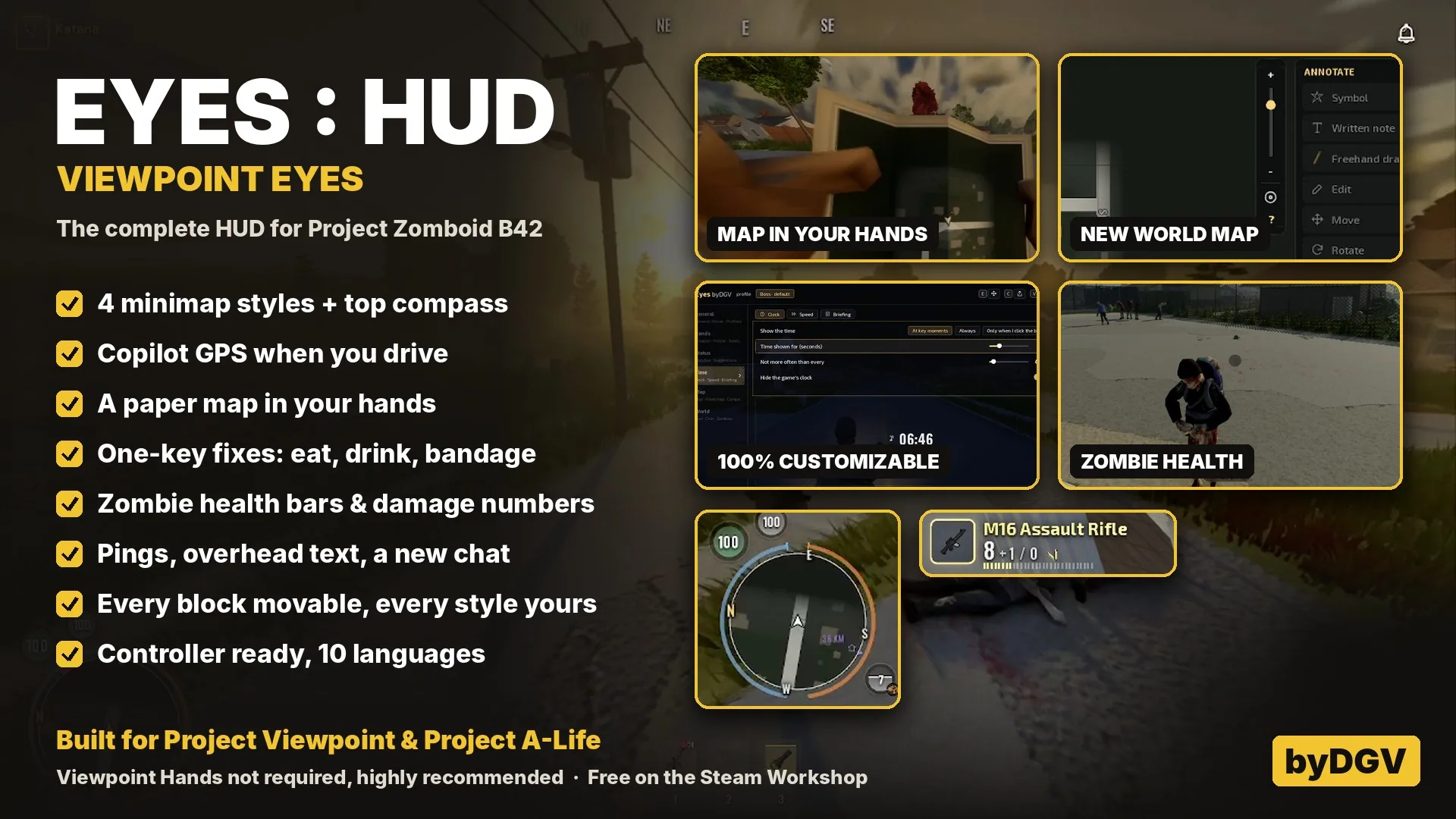
Choose between several minimap and compass layouts, with markers for destinations, faction members, shelter and pings.
Copilot GPS provides a route, remaining distance and turn guidance when you carry a pen and the relevant town map. Passengers can see the route too.
The world map gains drawing tools, organized symbols and alternative visual styles. Writing depends on the pens your character carries.
With Project Viewpoint, tapping M raises a paper map in first person; holding it opens the full map. Nearby players can see the held map. Passengers can read it while travelling, while drivers must stop.
Communication and world feedback
Eyes includes faction pings, restyled chat, overhead speech and optional zombie health bars, damage numbers and target highlighting. Servers can disable zombie combat information.
Project A-Life integration adds conversation cards, survivor prompts, reputation notifications, radio warnings and map contacts, while respecting A-Life’s mystery mode.
A clock, alarm controls, daily survivor briefings and a compact pause menu complete the interface.
Layout and controls
Hold Tab to open the Eyes wheel. A quick tap retains the game’s normal Tab action.
Edit mode lets you reposition and resize interface blocks. Settings provide live previews, component toggles and multiple styles. Layout profiles can be saved and shared as short codes.
Eyes also restyles vanilla radial menus and offers cinematic tools for screenshots. Viewpoint Hands integration supplies additional item and interaction menus.
Requirements and compatibility
- Project Zomboid Build 42
- ZombieBuddy, with approval of Eyes’ Java component
- Optional: Project Viewpoint, Viewpoint Hands and Project A-Life
Safe to add to or remove from existing saves. Russian and English are supported, alongside several other languages.
Screenshots 1
Comments 0
No comments yet — be the first.
Log in or sign up to leave a comment.