



















Find Wallpaper and Ringtone in iFruit Settings, change your home screen and silence incoming calls in GTA 6.
Contents
Wallpaper and incoming call sounds are controlled from inside the iFruit. You can reach both from free roam with the D-pad.
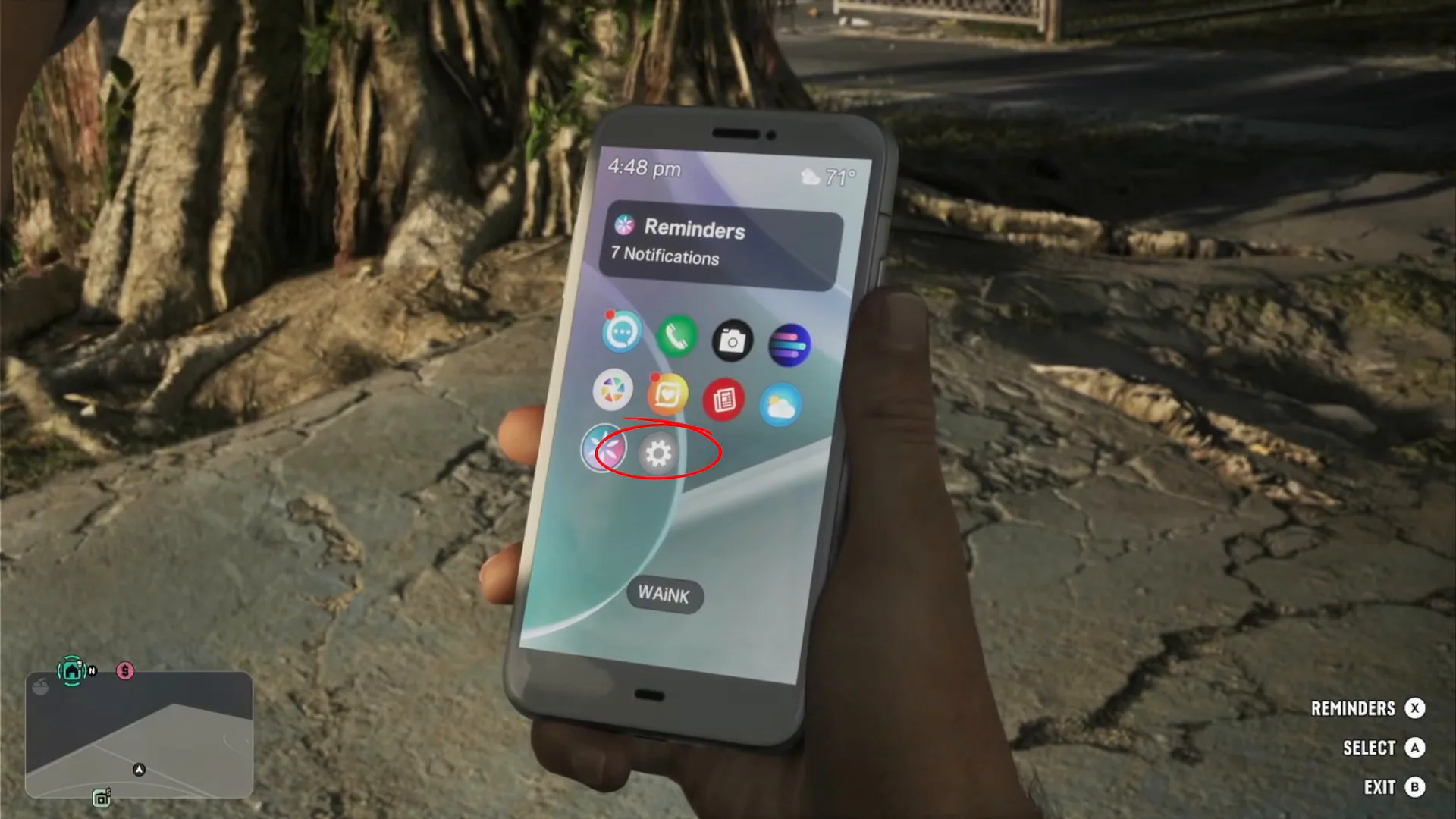
Find the gear icon on the iFruit
Press Up on the D-pad to open the app grid. The Settings gear is on the bottom row. Wallpaper and Ringtone appear as separate entries beneath the character’s name.
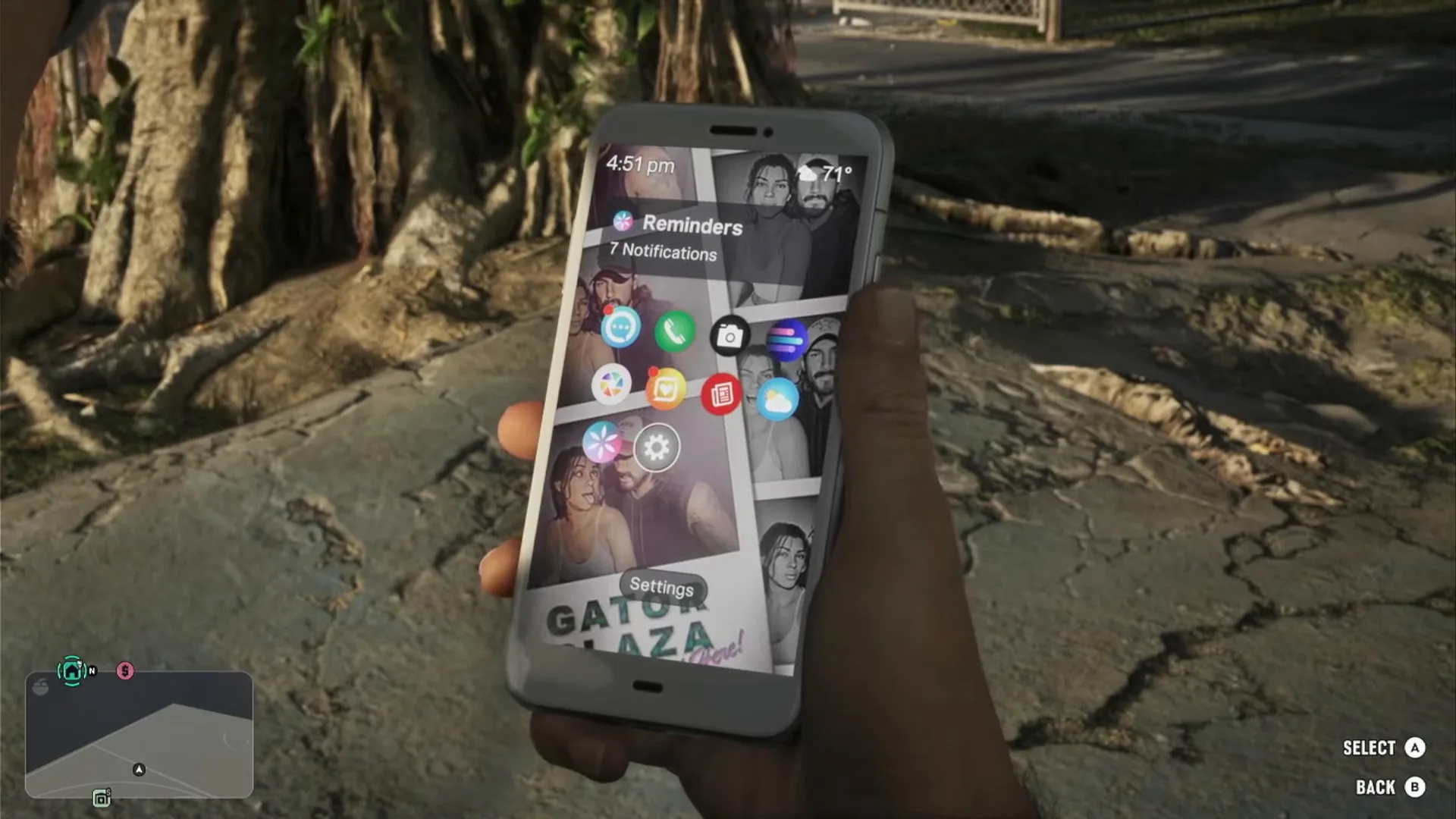
Pick a background and check the app grid
Open Wallpaper, move between the thumbnails and select the image you want. Back out to the app grid to see the background behind its icons. The presentation of the handset itself is controlled separately in the pause menu’s camera settings.
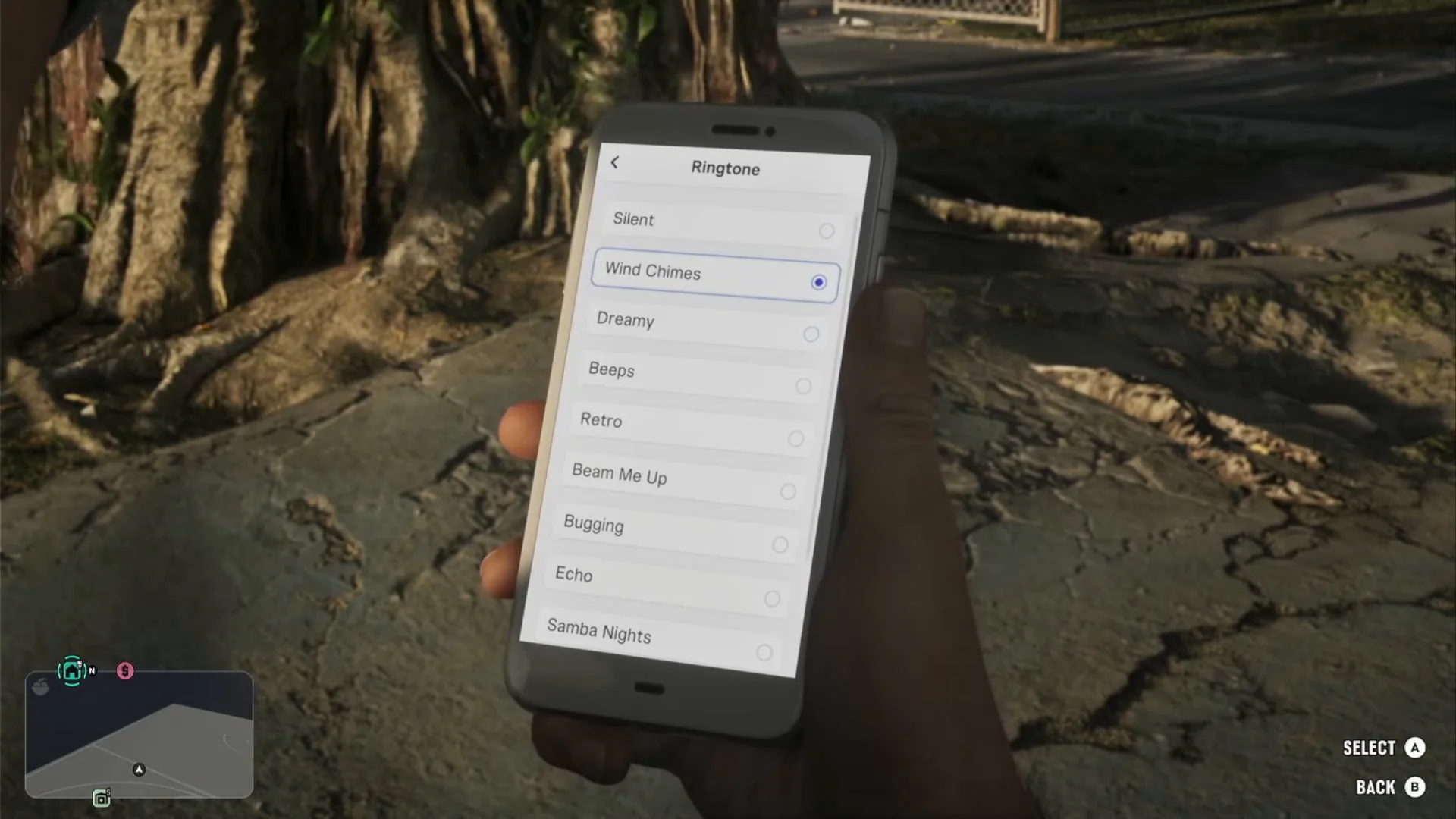
Select a ringtone or silence calls
Open Ringtone and choose an option such as Wind Chimes, Dreamy or Retro. A filled circle on the right marks the active selection. To silence incoming calls, pick Silent at the top and make sure the indicator moves to that row.


Comments 0
No comments yet — be the first.
Log in or sign up to leave a comment.