











Weather Reimagined updates the visuals for weather effects, fire, snow, and shadows in RimWorld 1.7, with extensive customization and compatibility with most mods.
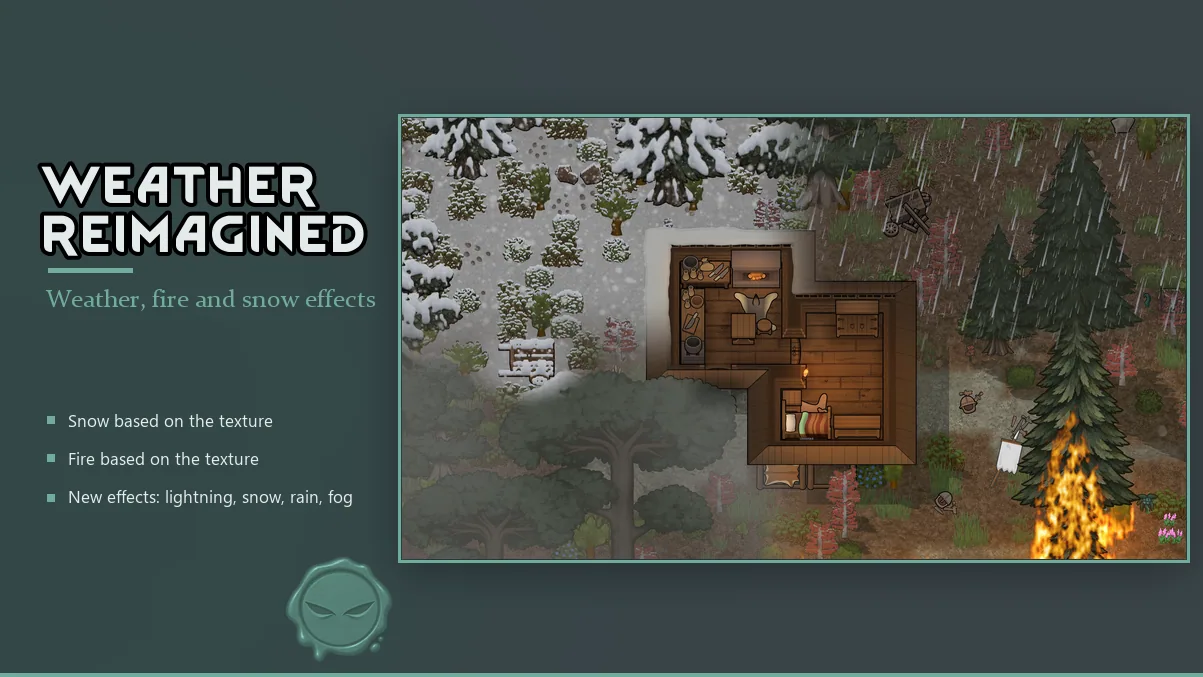
Weather Reimagined is a comprehensive visual overhaul mod for RimWorld 1.7, enhancing the appearance of fire, snow, weather effects, and shadows. Each feature can be enabled or disabled individually through the mod settings, allowing players to customize their experience.
Main Features
-
Weather Effects: Rain, snow, blizzards, fog, auroras, and lightning have new visual effects. The density of each weather effect can be adjusted from 25% to 200%. Weather can be hidden under roofs and, optionally, under mountains. Weather added by other mods, such as Vanilla Expanded, retains its original appearance.
-
Snow: Snow settles on trees, bushes, buildings, and items-including those from other mods-without needing compatibility patches. Snow textures are generated from each object's own texture. Eaves from other mods are the exception and may not display snow correctly. You can choose where snow appears, adjust the number of snow stages for trees and eaves, and control how often snow updates during snowfall or thawing.
-
Fire: Fire visuals follow the shape of the burning object. Trees burn down to their trunks, and flames cover the outlines of pawns and animals. There are three selectable flame styles, or you can revert to vanilla fire. The animation length can be set to 12, 24, or 48 frames. For buildings with open flames (such as furnaces, torches, and candles), flames appear at fixed spots. A fire mask can be used to shape these flames precisely. In the case of Medieval Overhaul, candles, candelabras, and candle stands use the new flame visuals.
-
Shadows: During the day, trees, buildings, items, pawns, and animals cast moving shadows that follow the sun. At night, shadows are cast by light sources like torches, lamps, and campfires. No shadows are drawn indoors. You can choose which objects cast shadows, enable soft shadows, and adjust the length of tree shadows.
-
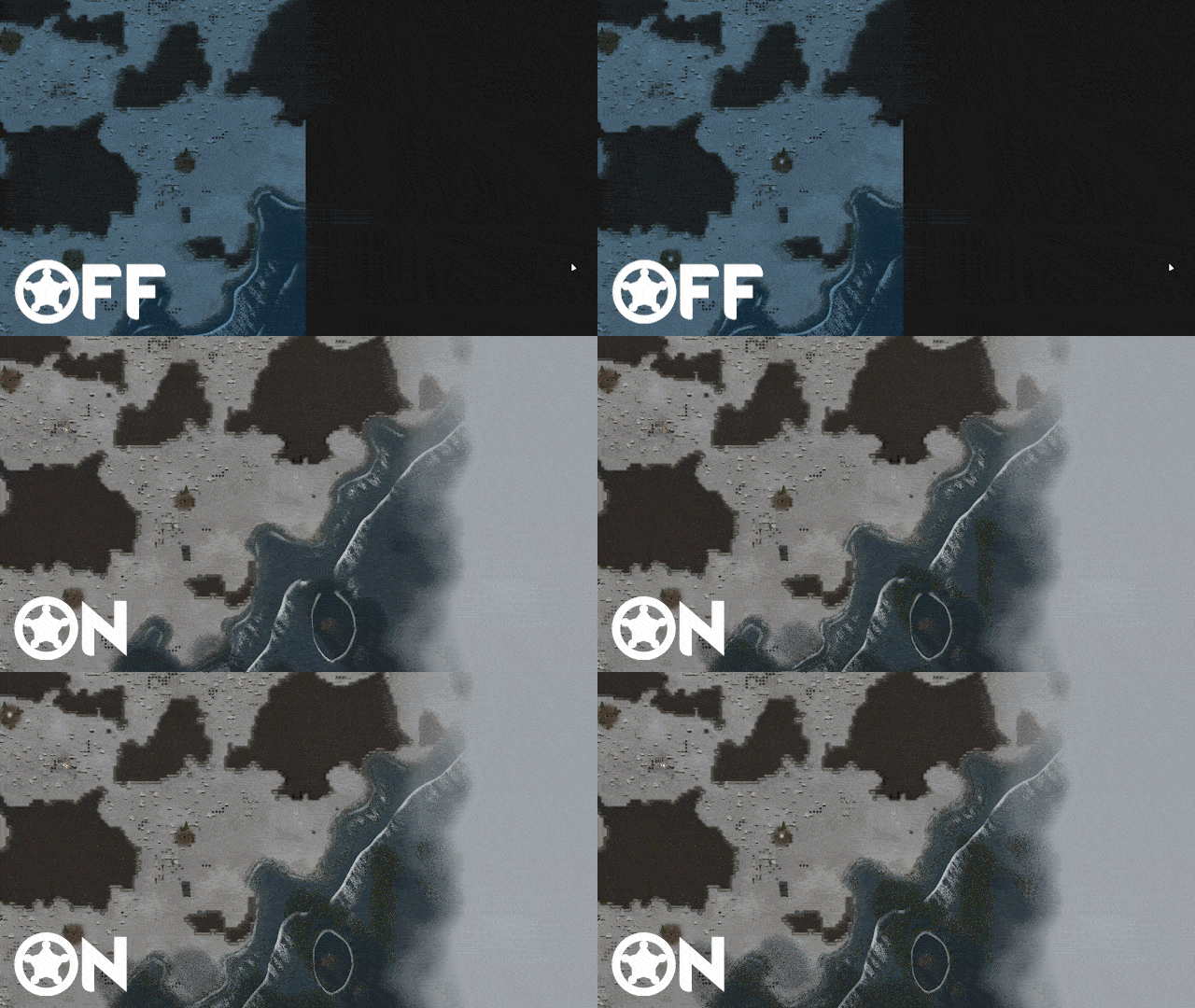
Freezing Water: When temperatures drop below freezing, lakes and other bodies of water freeze from the shore inward. Pawns can walk on the ice or remove it using the "Break ice" command. If Medieval Overhaul is installed, breaking ice provides ice blocks. This feature can be disabled in the settings, and existing ice can be removed.
Settings Overview
The mod provides extensive settings for customization:
- General: Set a size limit for the texture cache, generate snow textures in advance, display a status line during texture preparation, and prepare the map during loading to avoid visual pop-in.
- Fire: Select flame style or vanilla fire, preview styles, set animation length, and choose which burning objects and pawns use the new flames.
- Snow: Configure snow appearance on various surfaces, adjust snow stages for trees and eaves, and set update frequency.
- Weather: Enable or disable individual weather effects, adjust their density, hide weather under roofs or mountains, and manage freezing water.
- Shadows: Choose which objects cast shadows, enable soft shadows, and adjust shadow length.
Performance
Performance testing in a colony running 241 mods showed no significant difference compared to vanilla RimWorld. On first launch, the mod offers to pre-generate snow textures and flames, which can take a few minutes but is optional; missing textures will be generated in-game as needed.
Compatibility
- Snow and flames are compatible with objects and plants from other mods without patches.
- Weather from other mods keeps its original visuals.
- Medieval Overhaul's candles, candelabras, and candle stands use the new flame effects.
- Eaves from other mods may not display snow correctly.
Additional Notes
- For modders, documentation is available on handling eaves, building flames (fire masks and small candle flames), and excluding objects from snow.
- The mod is actively maintained, and the author encourages users to report bugs or conflicts with logs and descriptions.

Comments 1
Обновление от 19.11.2026
Файл: Weather Reimagined
Что изменилось:
Compatibility
*) Celestial Lighting: the compatibility tab in the mod settings now offers a choice of which shadows are shown. Either the shadows of this mod or the shadows of Celestial Lighting are drawn, not both at once. The shadows of this mod are selected by default.
*) Better Mountains: the rocks of Better Mountains now cast shadows from their own textures. The shadows follow the sun and form a continuous soft edge along the mountain wall.
Fire
*) Coloured fires keep their colour again. Darklight torches and the coloured fires of RimFantasy were drawn in plain orange since the fire rework.
Log in or sign up to leave a comment.