









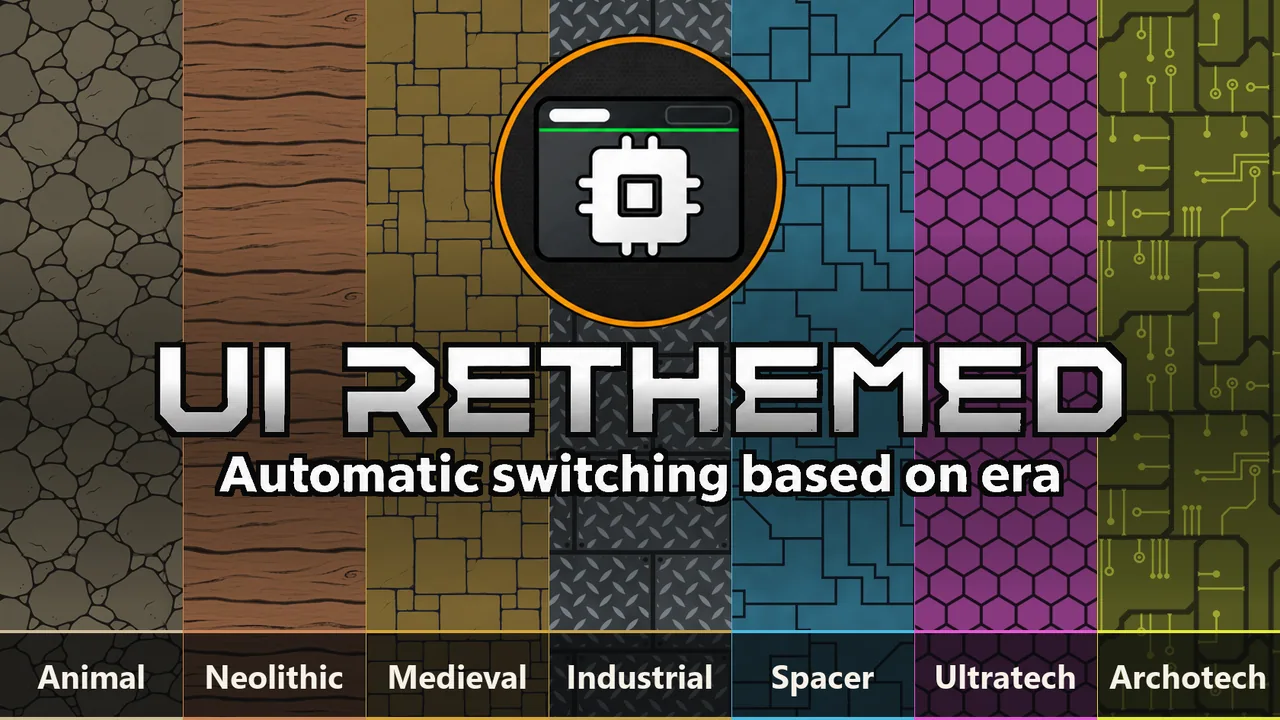



UI Rethemed - Era Looks changes the palette and texture of RimWorld’s interface as your colony advances through seven tech levels.
Contents
UI Rethemed - Era Looks changes the palette and texture of RimWorld’s interface as your colony advances through seven tech levels.
Which UI Rethemed mods change look
The era looks show across the UI Rethemed suite.
- Main Bar, Architect, Colonist Card, Factions, History, Info Card, Inspector Tabs, Notifications, Quests, Relationships, Wildlife and Work get the full look. Ideology gets the palette.
- Animals still carries its own copy of the theme. This mod copies the era's colours and pattern into it until Lazy Friday Studio moves it onto Core.
- If Animals changes how it draws its theme in an update, it keeps its own look until this mod catches up, and the game log names it.
Description
Your tribal colony's interface can look like split wood and fieldstone instead of spacer hexagons.
This add-on for Lazy Friday Studio's UI Rethemed gives each of RimWorld's seven tech levels its own palette and pattern. Each pattern is a plain material texture that suits the level, and it changes as your colony advances. Your own UI Rethemed colours stay saved and come back whenever you turn this off.
Mod version: 0.3.5
Features
- Seven era looks, one per tech level, each a palette and a pattern for UI Rethemed - Core.
- The look follows your colony's tech level and changes the moment research or a mod such as VFE Tribals raises it.
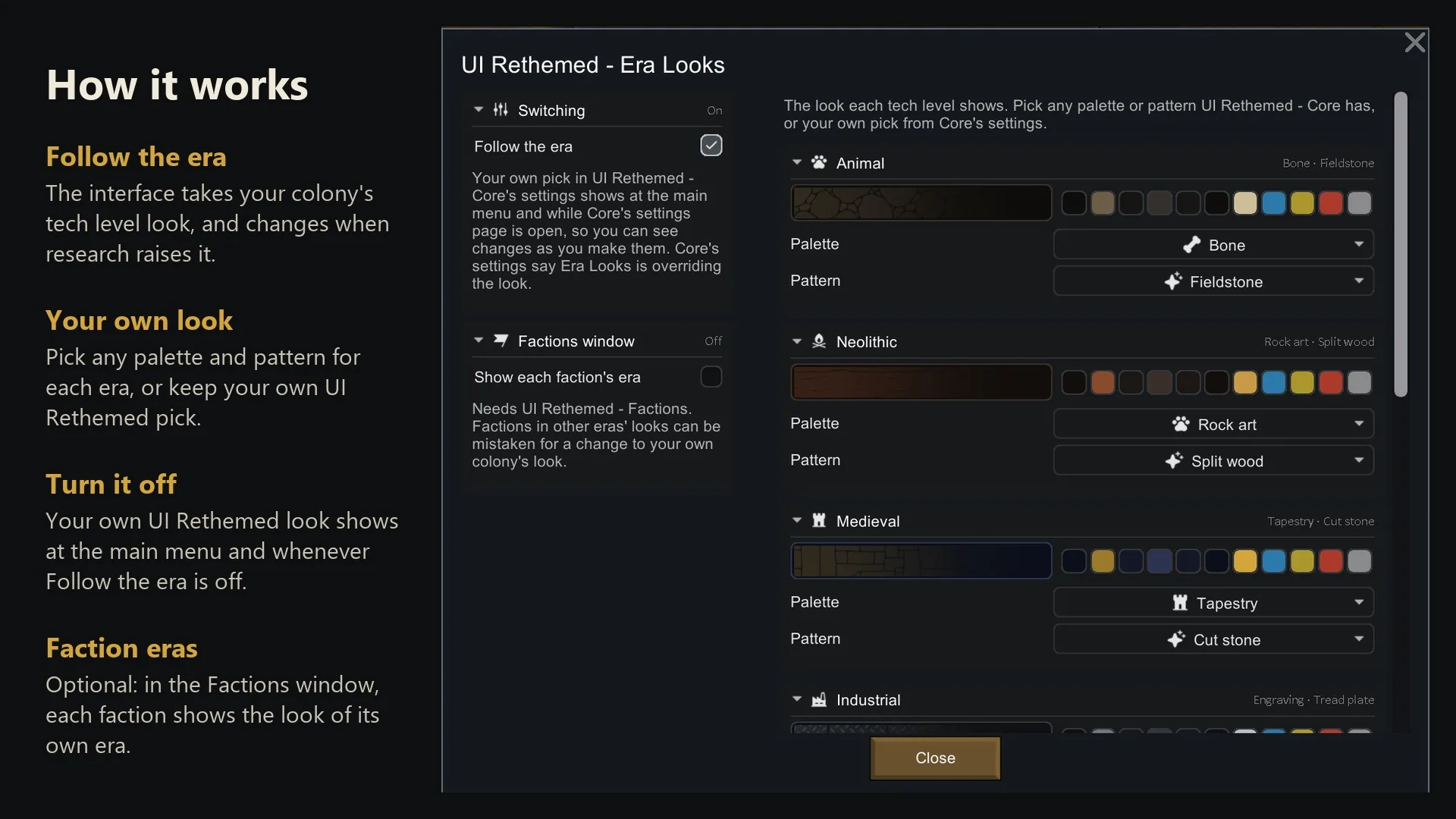
- Your own pick in UI Rethemed - Core is never overwritten. It shows at the main menu and whenever Follow the era is off.
- Optionally, the UI Rethemed - Factions window shows each faction in the pattern for its own tech level.
- Colours that show a state, such as need bars and health, keep the standard green, so a full bar and a half-empty one still look different.
- Items you can't use still show Core's line hatching while an era pattern is on.
- Choose the palette and pattern for each era yourself, from every one UI Rethemed - Core has, or keep your own pick for an era. The settings show a preview and the palette colours for each tech level.
- Four stone wall patterns to choose from as well: castle ashlar, coursed drystone, random rubble and levelled rubble.
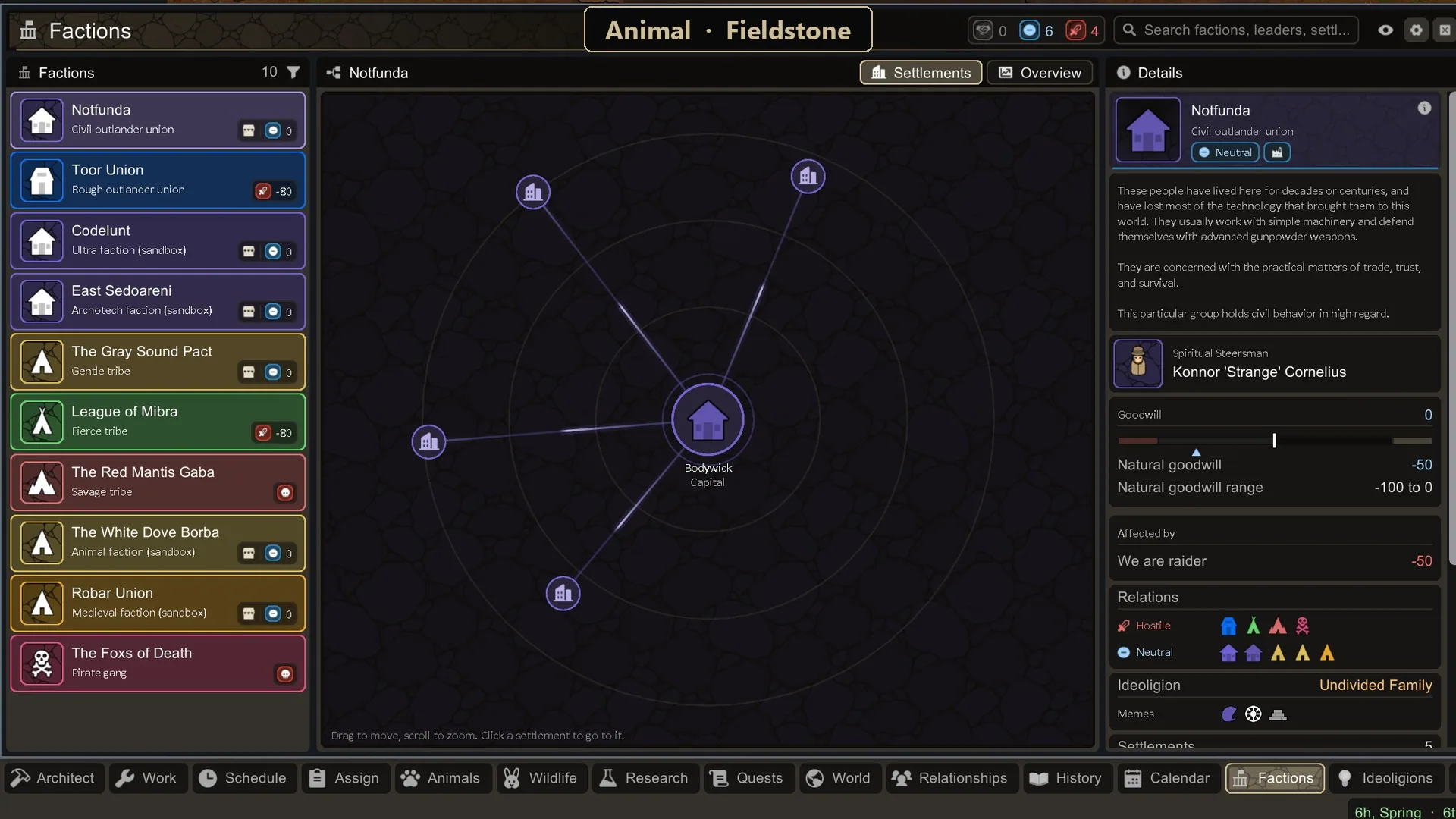
Animal
Fieldstone on charcoal and bone.
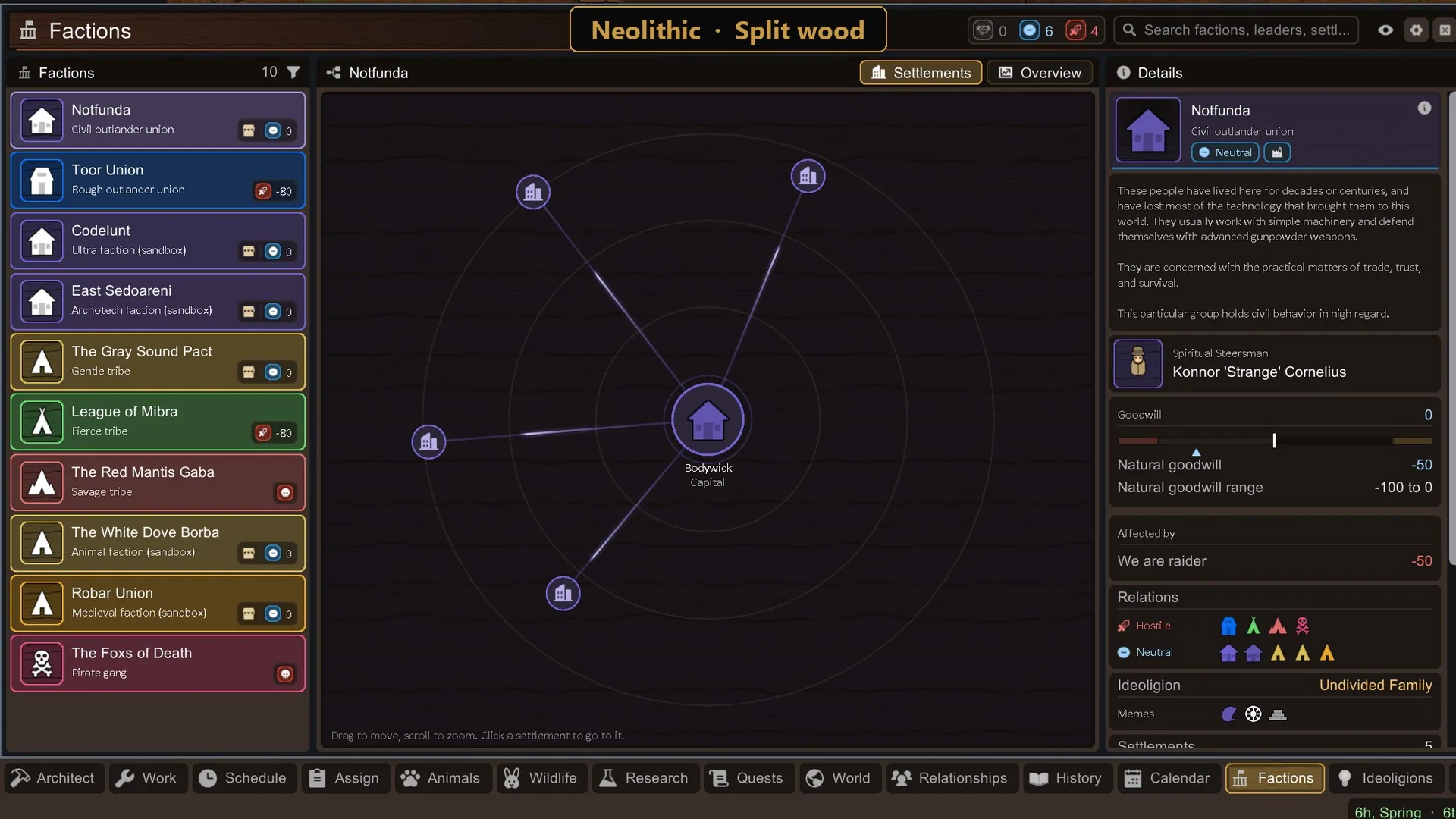
Neolithic
Split wood on dark rock, with red ochre and yellow ochre.
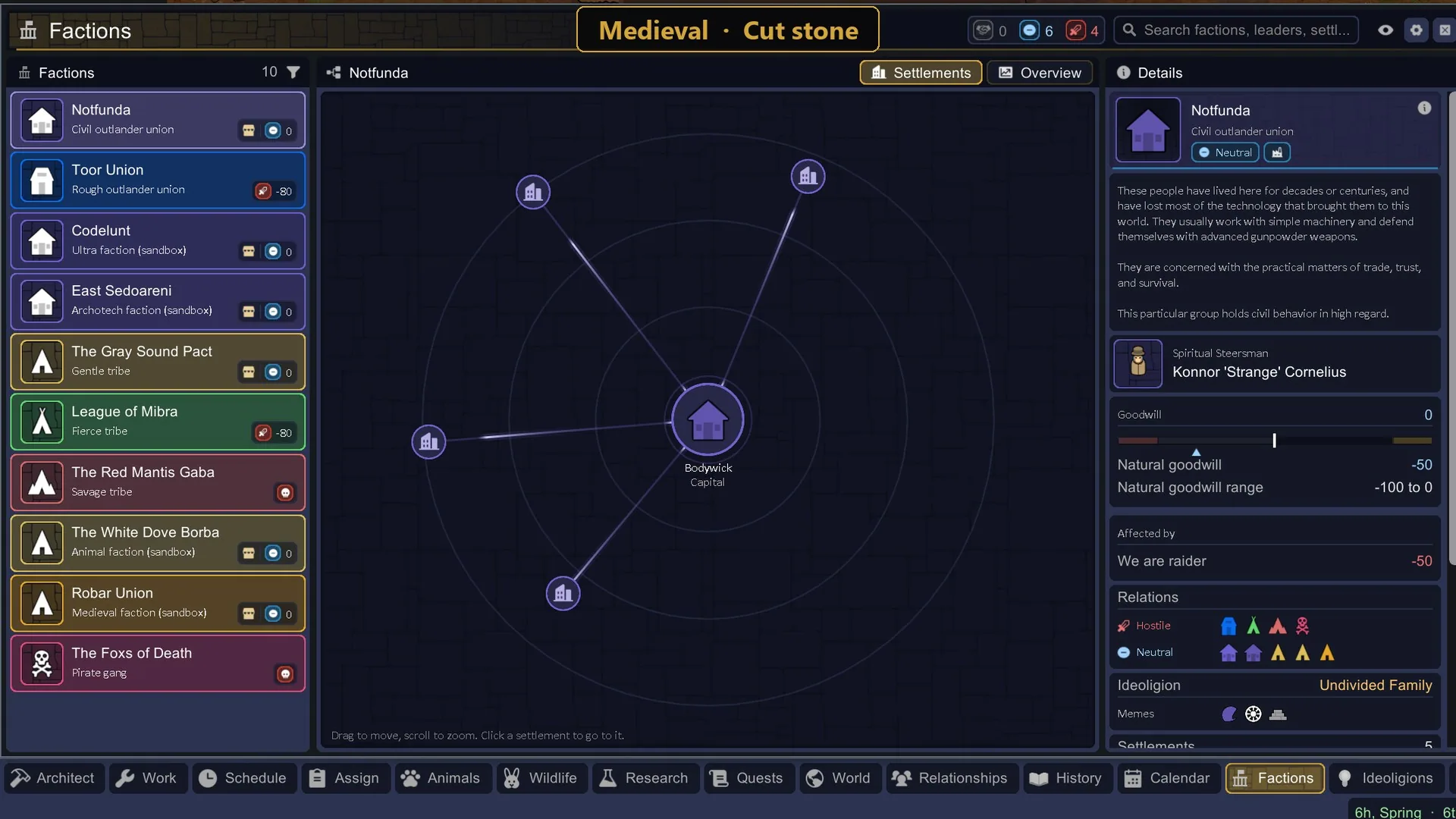
Medieval
Cut stone on lapis blue and gold.
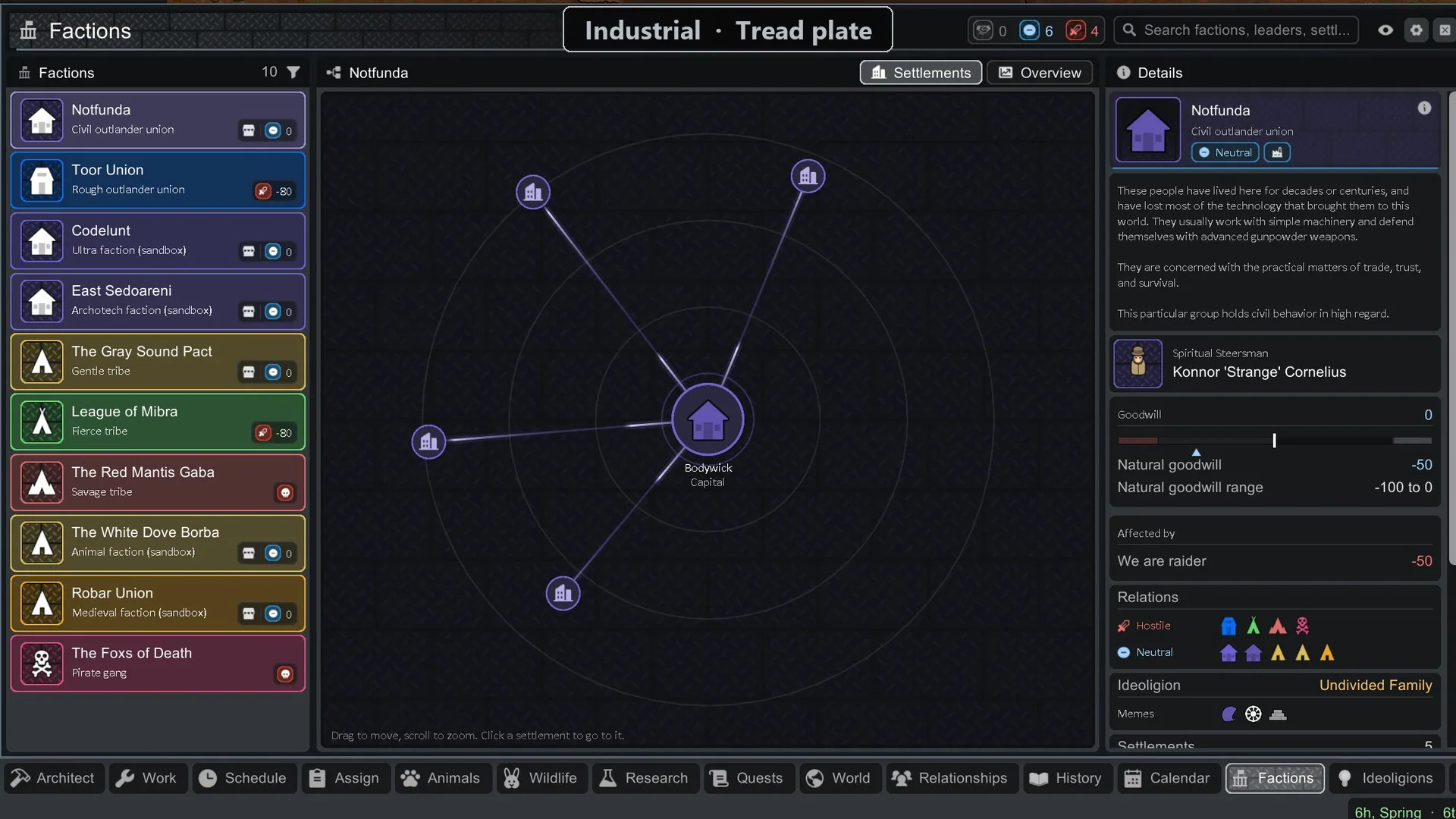
Industrial
Bolted plates of diamond tread plate on iron grey and steel.
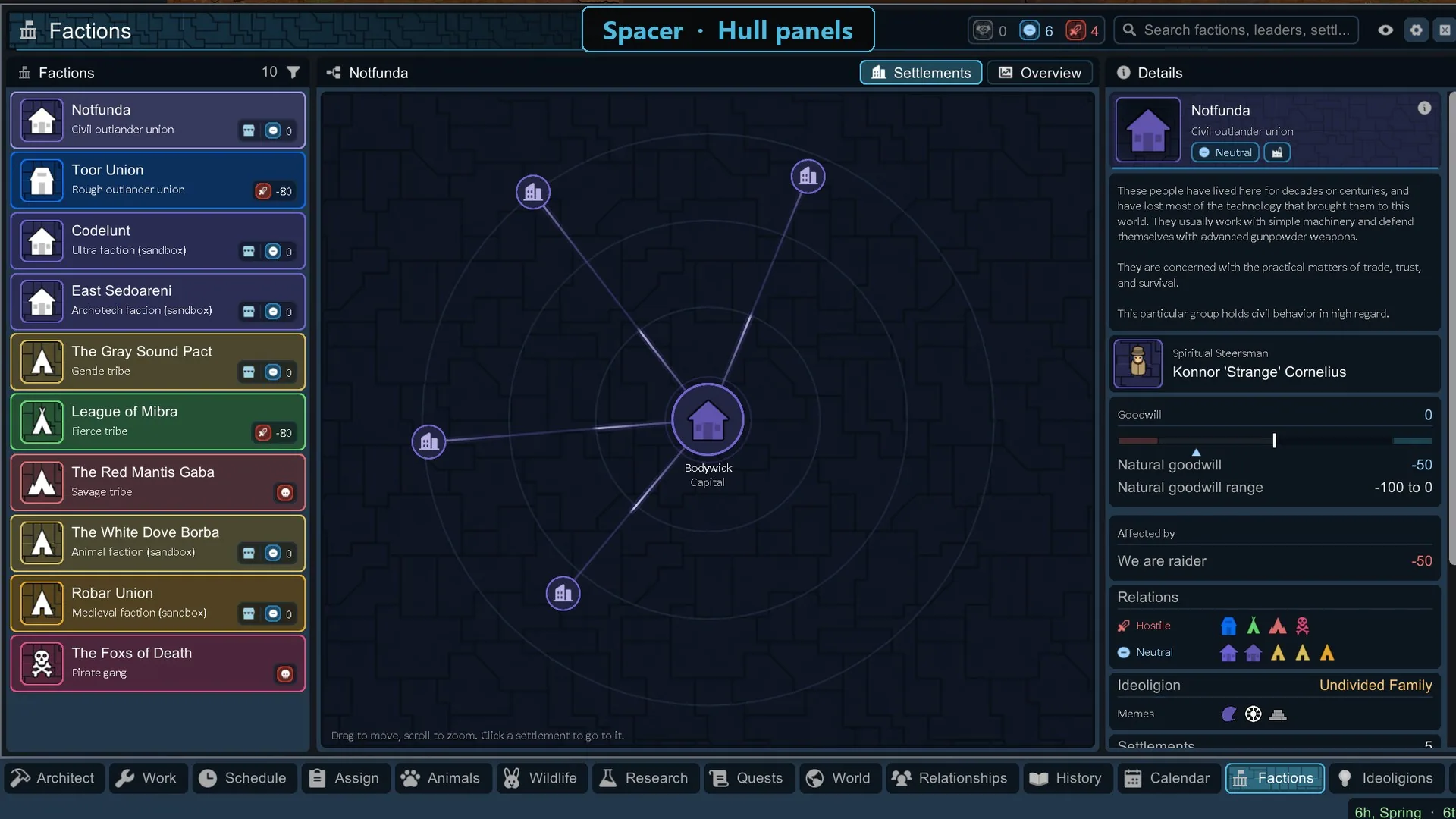
Spacer
Hull panels on deep blue and cyan.
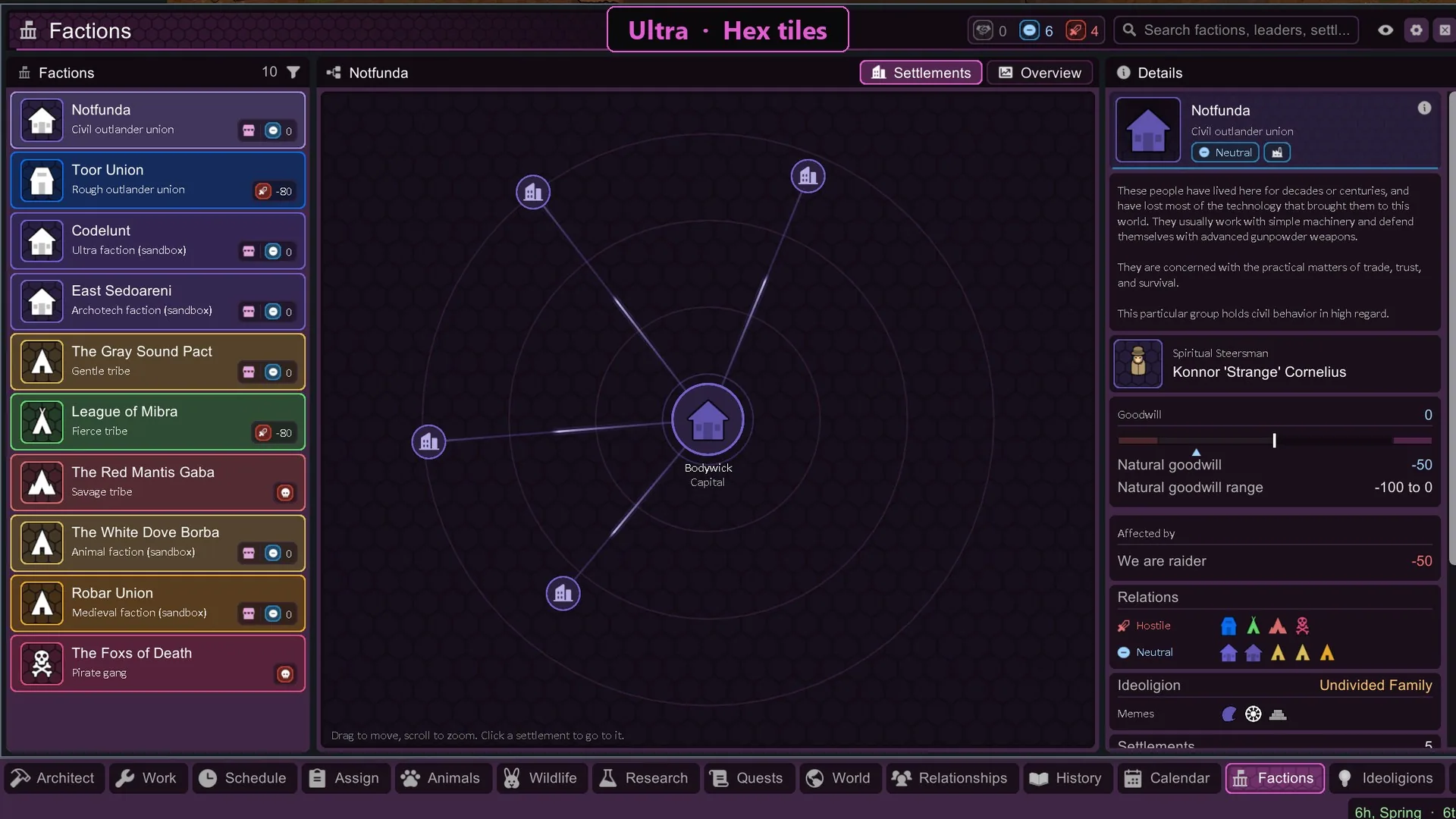
Ultra
Hex tiles on deep plum and magenta.
Archotech
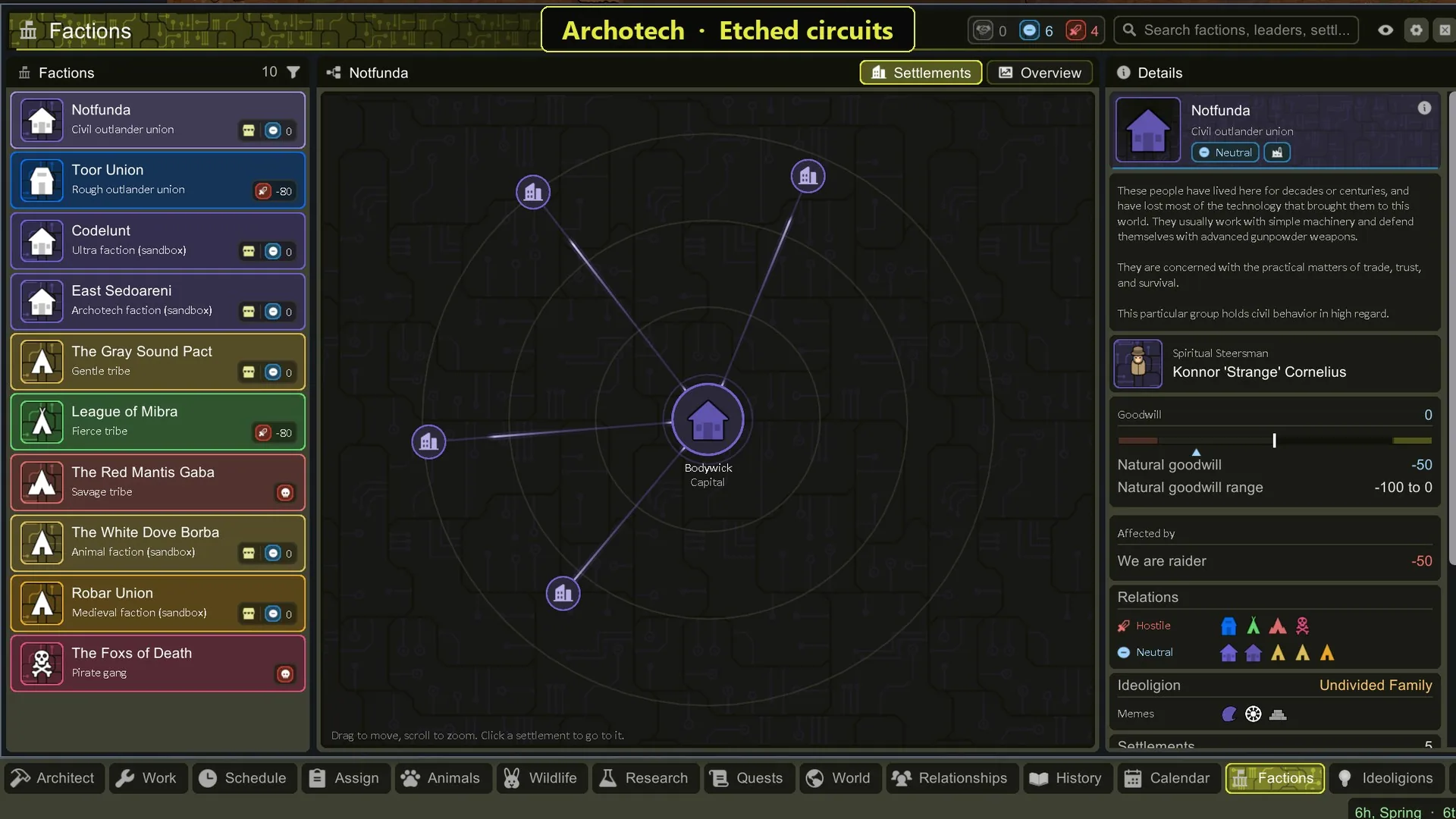
Angled plates with lit circuit traces, on olive grey and lime.
Drawn to stay readable
Each texture is flat, based on the game's own floors and buildings, and drawn in the palette's colours behind text and icons. They drift slowly along title bars when UI Rethemed's animations are on. The older rock art, tapestry and engraving figure patterns are still in the pattern lists if you prefer them.
Each faction in its own era (optional)
Turn on Show each faction's era in this mod's settings, and the UI Rethemed - Factions window shows every faction in the pattern for its own tech level. A tribe's row shows split wood and a pirate gang's shows hull panels, whatever era your colony is in. Select a faction and its header card, graph pages and leader card use its pattern too. Your colony's own look doesn't change.
It's off by default, because a faction in another era's pattern is easy to mistake for your own colony changing era. It needs UI Rethemed - Factions.
How to Use
- Load a save or start a game. The look matches your colony's current tech level straight away.
- Research or an era advance from a mod such as VFE Tribals or Node Research switches it on the spot.
- To pick a look yourself, turn off Follow the era, then choose a palette and pattern in Options > Mod options > UI Rethemed - Core. The era looks sit at the end of each list.
Settings
Options > Mod options > UI Rethemed - Era Looks:
- Follow the era (on by default): while a game is loaded, shows the look for your colony's tech level in place of your own pick.
- Show each faction's era (off by default): shows each faction in the pattern for its own tech level in the UI Rethemed - Factions window, as described above.
- Look for each era: a palette and a pattern for each tech level, animal through archotech. Each opens a list of every palette or pattern UI Rethemed - Core has, plus Your own pick to keep yours for that era. Reset to defaults puts the era looks back.
While UI Rethemed - Core's settings page is open, your own pick shows, so changes you make there appear as you make them. Core's settings say Era Looks is overriding the look.
Auto Mod Config
Supports Auto Mod Config (Continued), so a mod list can ship its own look for each era. The settings file is Mod_3840498215_EraLooksMod.xml (or Mod__EraLooksMod.xml for a local copy), with the class EraLooks.EraLooksSettings. Its keys are followEra (True or False) and a palette and a pattern per era: animalPalette and animalPattern, and the same pair for neolithic, medieval, industrial, spacer, ultra and archotech. Each takes a palette or pattern defName, such as UIRethemedCore_Slate or EraLooks_Tapestry, or OwnPick for the player's own. A key that is left out keeps the era look made for that era.
Requirements
- RimWorld 1.7.
- Harmony.
- UI Rethemed - Core by Lazy Friday Studio, version 1.10.0 or later.
UI Rethemed - Factions is optional. The faction patterns only show when it's loaded.
No DLC is needed.
Compatibility and Save Safety
- The note at the top lists which UI Rethemed mods change look, and how.
- Load after UI Rethemed - Core. RimWorld sorts this for you.
- Safe to add to or remove from an existing save. Nothing is stored in your save; your settings live in the mod settings.
- If you remove the mod while an era pattern is picked by hand, UI Rethemed - Core goes back to its honeycomb. Colours you applied from an era palette stay as your own colours.
- The faction patterns need the UI Rethemed - Factions update from 16 November 2026 or later. With an older Factions, the mod writes one warning to the log and factions show your colony's pattern. If a Factions update changes how it draws its faction list, the rows lose their pattern and the mod writes one warning to the log.
- Not related to combat, so Combat Extended makes no difference.
Credits
UI Rethemed and its Core palette and pattern system are by Lazy Friday Studio. This mod adds to their work and isn't an official part of it.
License
GNU General Public License v3. Commercial use is allowed. Distributed modified versions must remain under GPLv3, with corresponding source available as the license requires.
Screenshots 8

Comments 0
No comments yet — be the first.
Log in or sign up to leave a comment.