












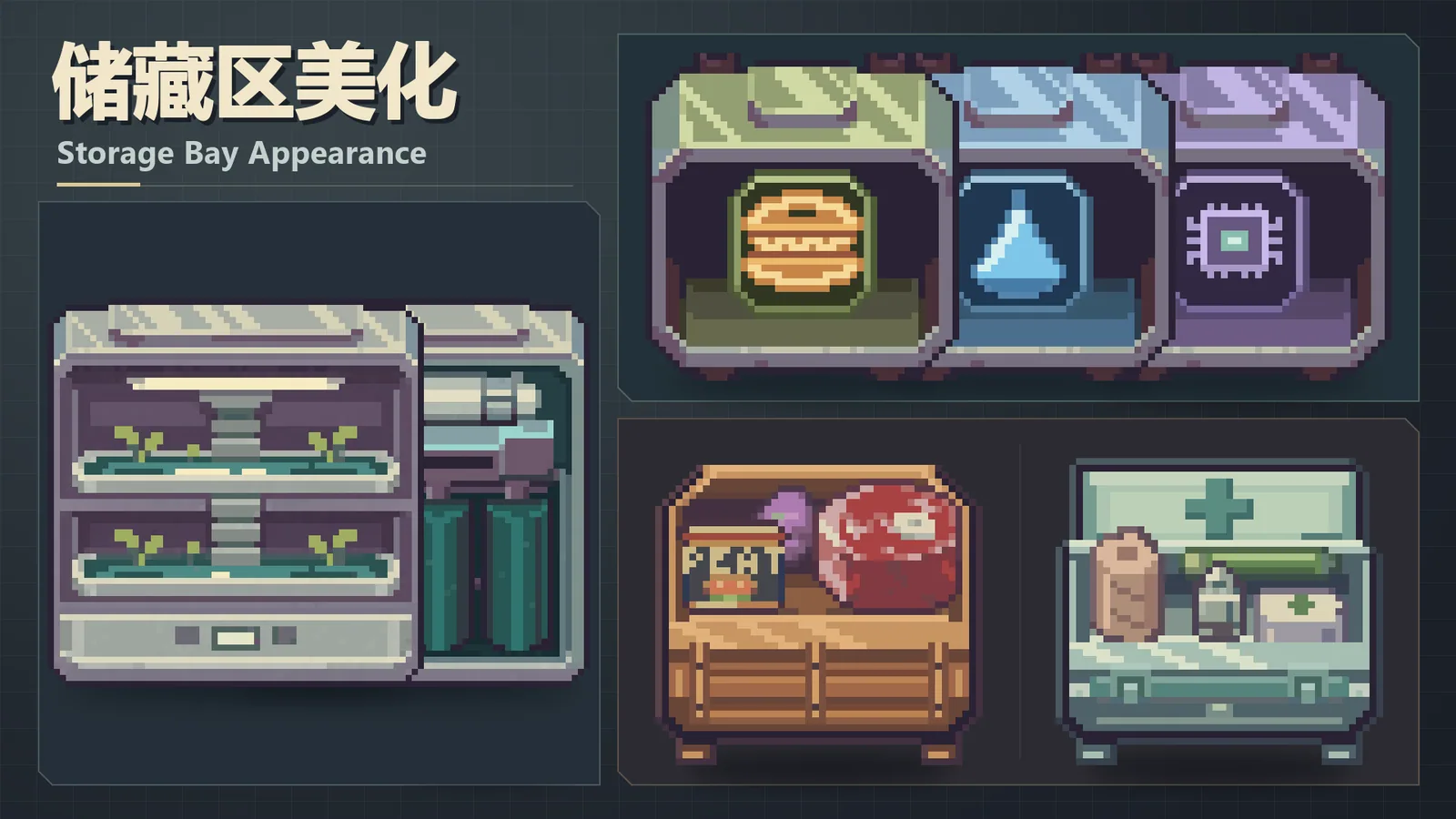



Lets you select and save different appearances for each supported storage container in Probably Stolen. Skins change only visuals; capacity and rules remain unchanged.
储藏区美化 | Storage Bay Appearance
v17.11.2026 · ModsFire, 1.3 МБ ·
6 downloads
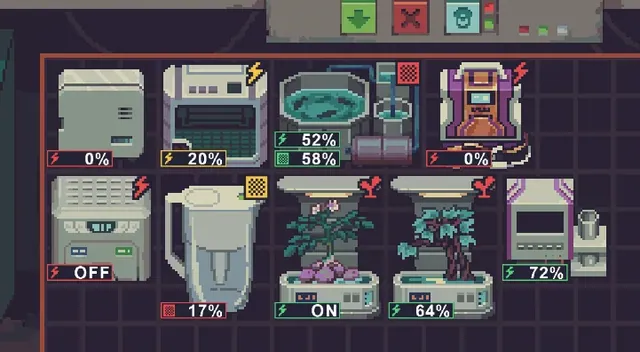
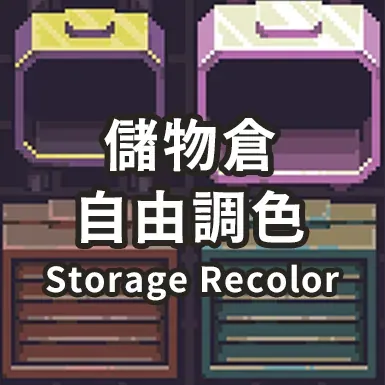
Storage Bay Appearance allows players to individually choose the appearance for each supported storage container in Probably Stolen. The selected skin is saved with the container. Only the sprite changes; container capacity, storage rules, and interactions remain as in the base game.
How It Works
- Hover over a supported container and press F7 (default) to open the appearance window. If another mod changes the right-click menu, F7 still works. The shortcut can be disabled or rebound in Mods → Storage Bay Appearance → Gear settings.
- To customize, right-click a container and select Appearance. Choose a style and click a preview to apply. Select Restore game default to revert to the original sprite.
Features
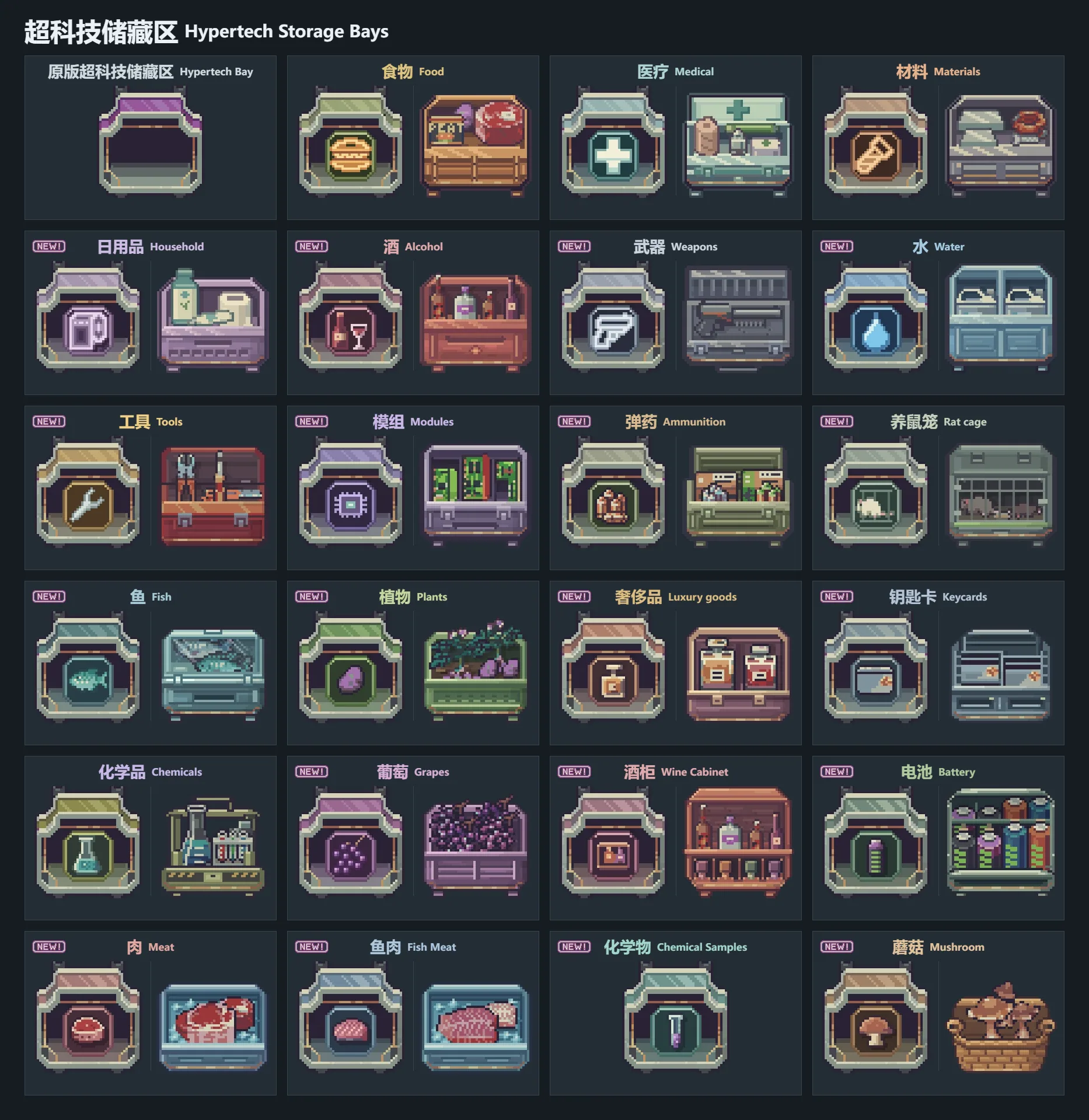
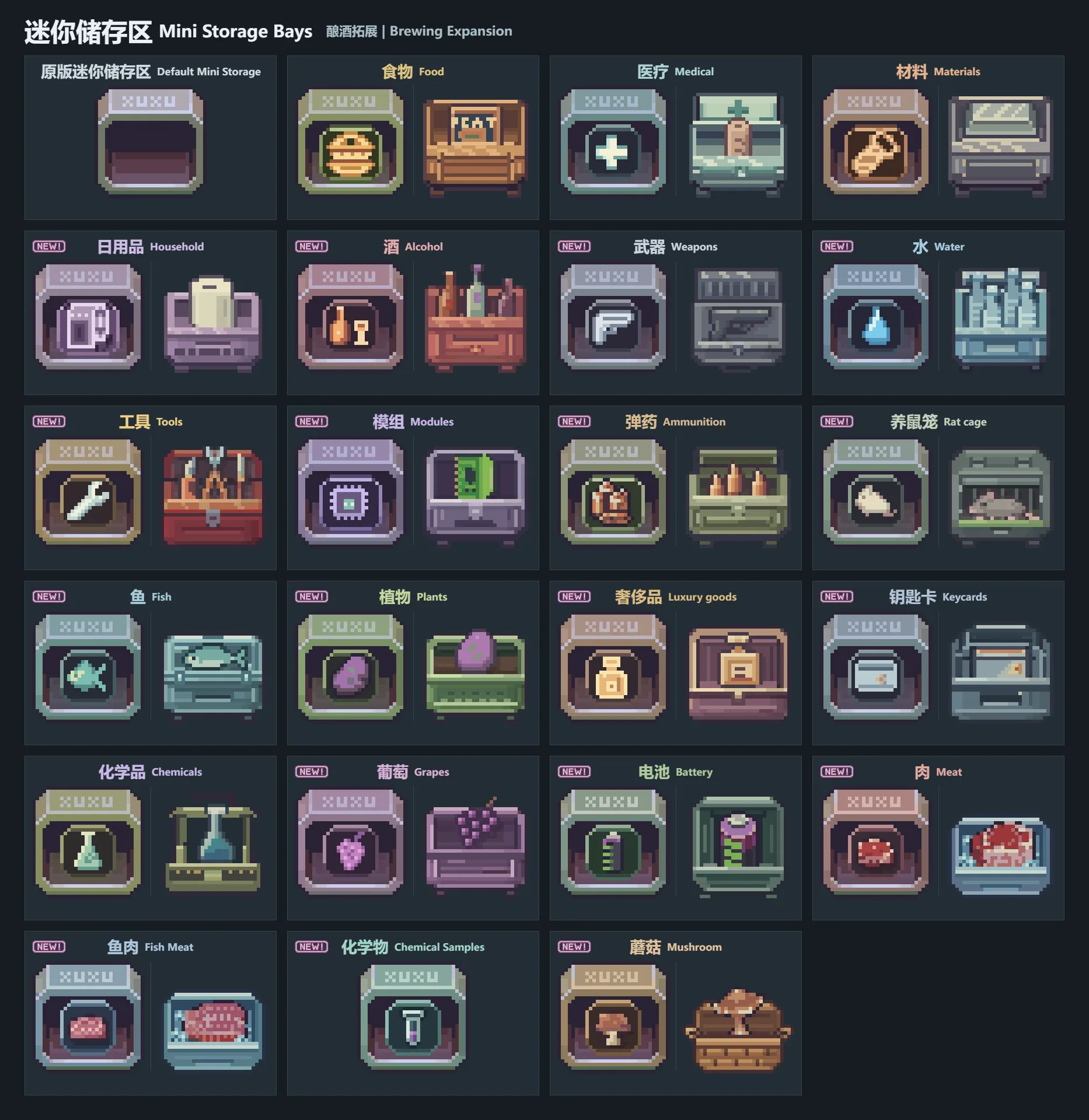
- Choose between Original style and Specialized designs for standard, expanded, and Hypertech Storage Bays.
- Hypertech Storage Bays offer eight machine-themed designs (water purification, manufacturing, chemistry, hydroponics, husbandry, brewing, power, fish farming) with both animated and static style options.
- Use Recommended for designs made for the current container, or Custom to apply skins from other containers with matching sprite sizes. Skins are grouped by source, and choices are saved per container.
- With the optional Brewing Expansion mod enabled, xuxu Mini Storage supports both styles. Brewing Expansion is not required for the main features.
Recent Updates
- Fixed errors with the right-click menu caused by custom menu width handling.
- Added option to disable the right-click Appearance entry in settings. With the shortcut enabled, F7 or your assigned key still opens the window.
- Improved compatibility with older Harmony versions lacking HarmonyPatchCategory.
- Appearance window layout updated: centered title, current appearance, and bottom buttons.
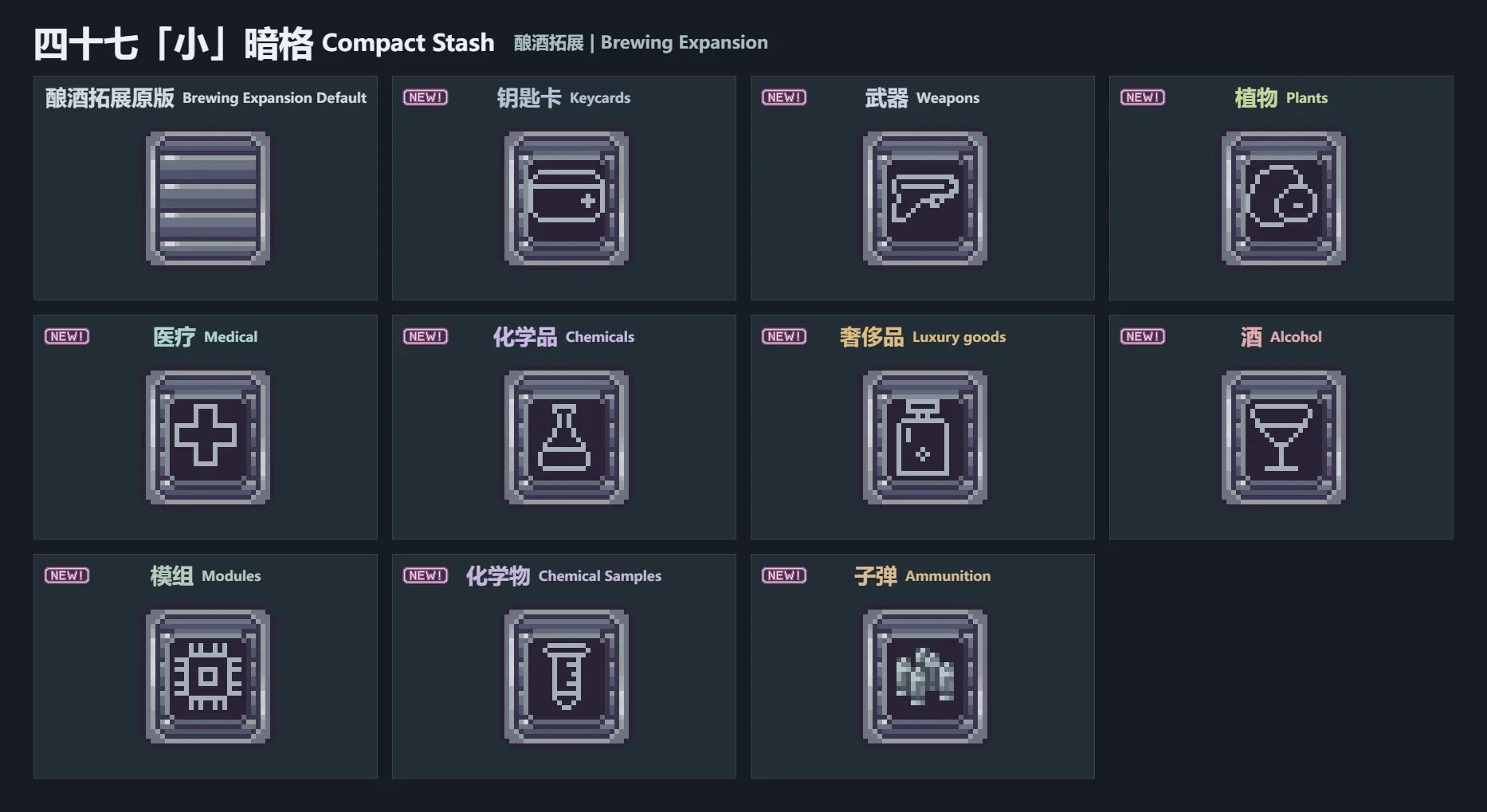
- Added 10 outline designs for Forty-Seven’s Compact Stash with Brewing Expansion.
Compatibility and Languages
- Compatible with game version 0.46D.
- Supports Simplified Chinese, English, French, German, Japanese, Russian, Spanish, and Polish interfaces.
Recommended: For best results, use together with the optional Hide Pin Overlay mod.
Screenshots 3
Comments 4
Отлично, все спрашивают про эту игру в воркшопе, теперь моды на нее тоже будут выкладываться.
Обновление от 15.11.2026
Файл: 储藏区美化 | Storage Bay Appearance
Что изменилось:
1.2.7H3 · 修复调色后点击原版「切换」打不开外观窗口的问题。合并 H2 的原版「切换」与 F7 使用方式,以及 AdvancedOptimization 兼容修复。 / Fixed Toggle failing to open Appearance after recoloring. Includes the H2 Toggle and F7 support and the AdvancedOptimization compatibility fix.
Обновление от 16.11.2026
Файл: 储藏区美化 | Storage Bay Appearance
Что изменилось:
1.2.7H4 · 修复机器区在其他 MOD 替换贴图时的外观识别,改善 F7 快捷键与机器动画和贴图装饰的兼容性。包含 H3 的调色后「切换」修复。 / Fixed Machine Bay detection when other mods replace sprites and improved F7 compatibility with machine animations and decorative sprites. Includes the H3 fix for Toggle after recoloring.
Обновление от 17.11.2026
Файл: 储藏区美化 | Storage Bay Appearance
Что изменилось:
17.11.2026:
1.2.8H2 · 移除高级优化的依赖声明,修复缺少依赖的提示。高级优化启用独立渲染时,外观通过游戏的贴图接口更新。 / Removed the AdvancedOptimization dependency declaration to fix the missing dependency warning. Appearance updates use the game's sprite API when the independent renderer is active.
17.11.2026:
1.2.8H1 · 修复因外部反射权限检查导致的模组启用失败,高级优化兼容改用游戏提供的接口。 / Fixed mod activation being refused by the external reflection check. AdvancedOptimization compatibility now uses the game's supported API.
17.11.2026:
1.2.8 · 新增 8 款原版风格和 3 款专属造型,修复所有已支持容器的「切换」兼容问题。 / Added eight Original Style designs and three Specialized designs. Fixed Toggle compatibility for all supported containers.
Log in or sign up to leave a comment.