












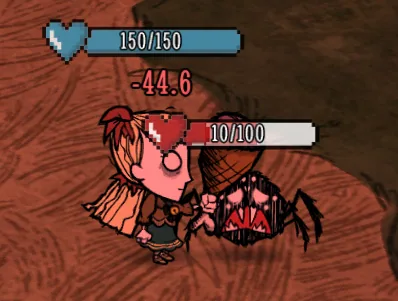



A modern rebuild of the classic Simple Health Bar DST mod for Don't Starve Together, offering customizable health bars for players, creatures, and bosses with advanced settings and improved compatibility.
Contents
Simple Health Bar (Reforged) is a modernized and maintained version of the original Simple Health Bar DST mod for Don't Starve Together. It preserves the original art style and core features while rewriting multiplayer synchronization, health bar rendering, and the settings interface for better compatibility, stability, and usability with current DST versions.
Main Features
- Displays health bars for players, creatures, bosses, walls, and other entities with health.
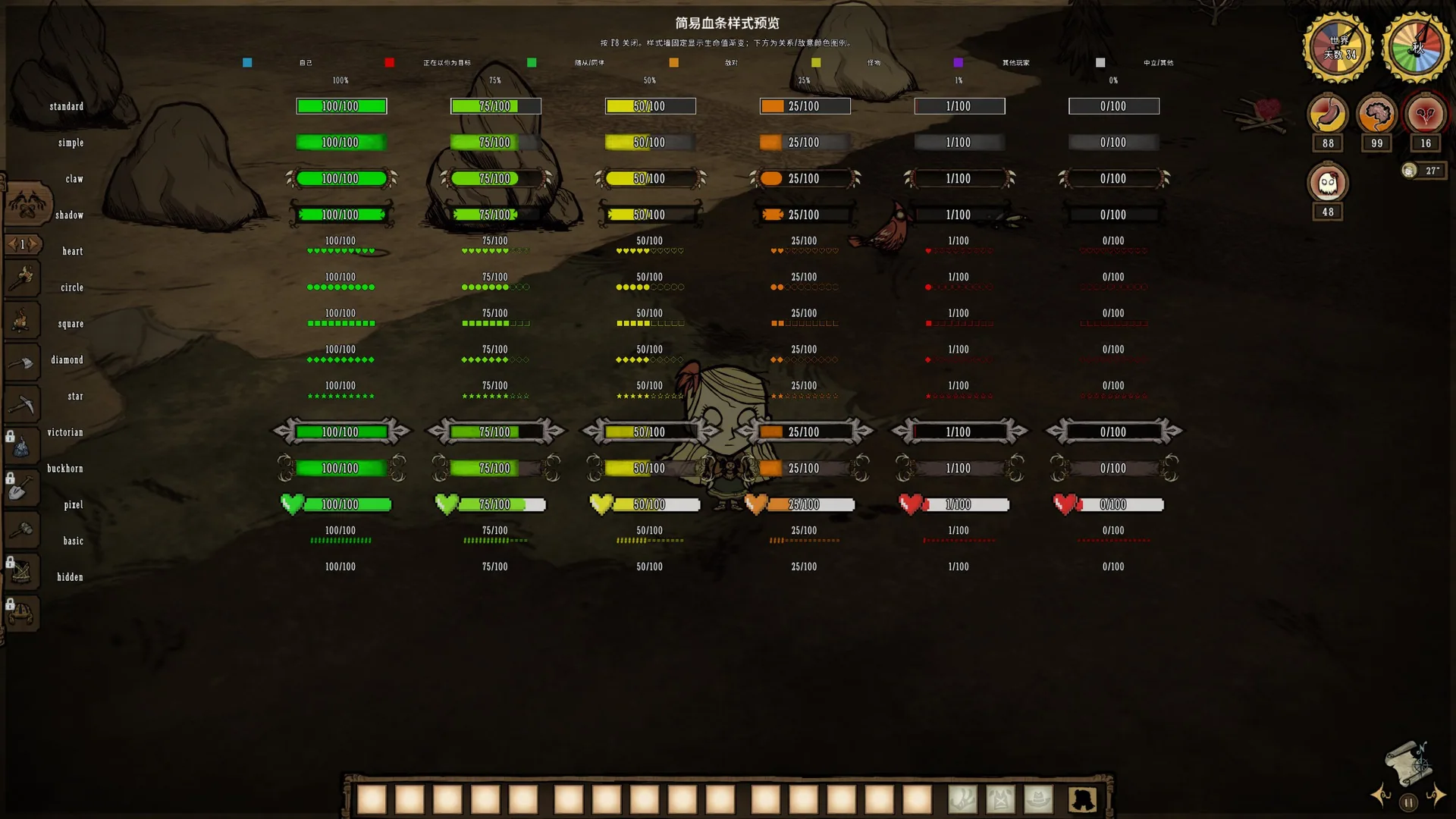
- Offers 14 health bar styles, health-based gradients, relationship/hostility colors, and fixed colors.
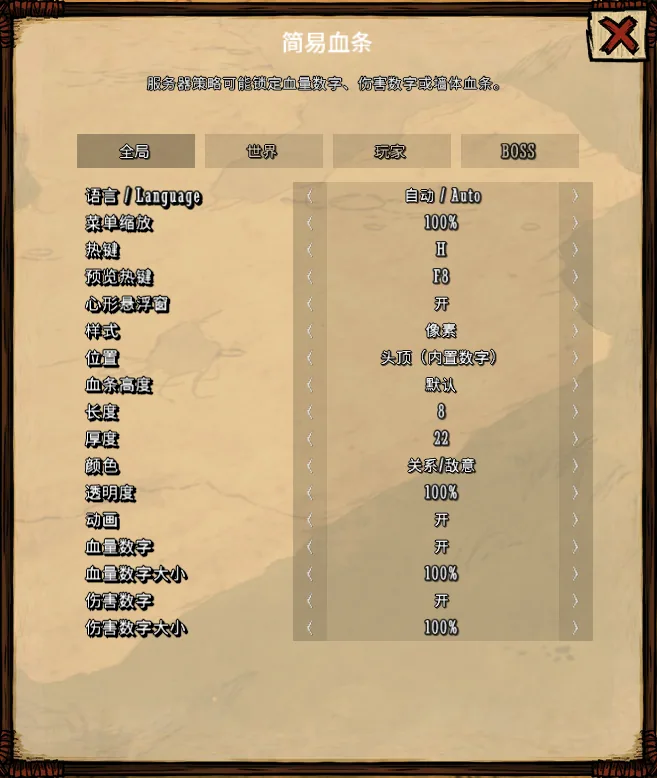
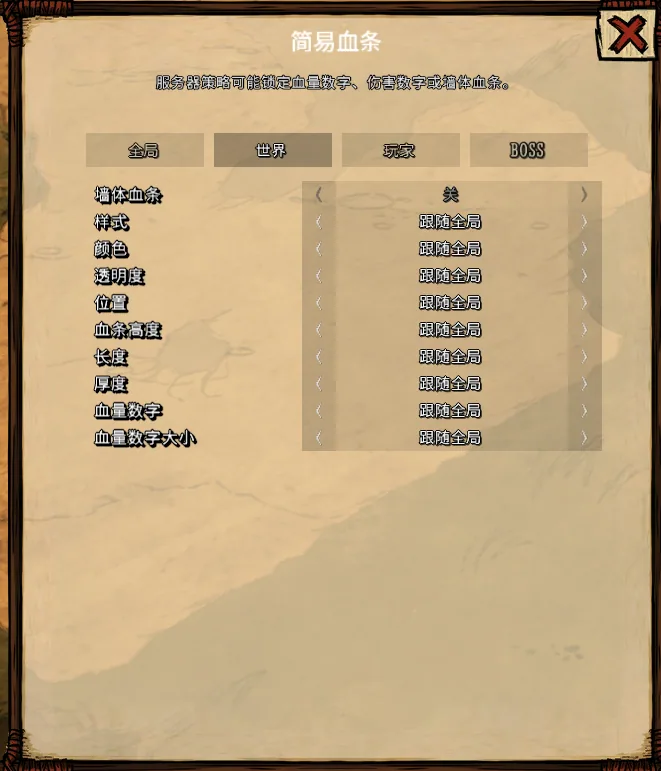
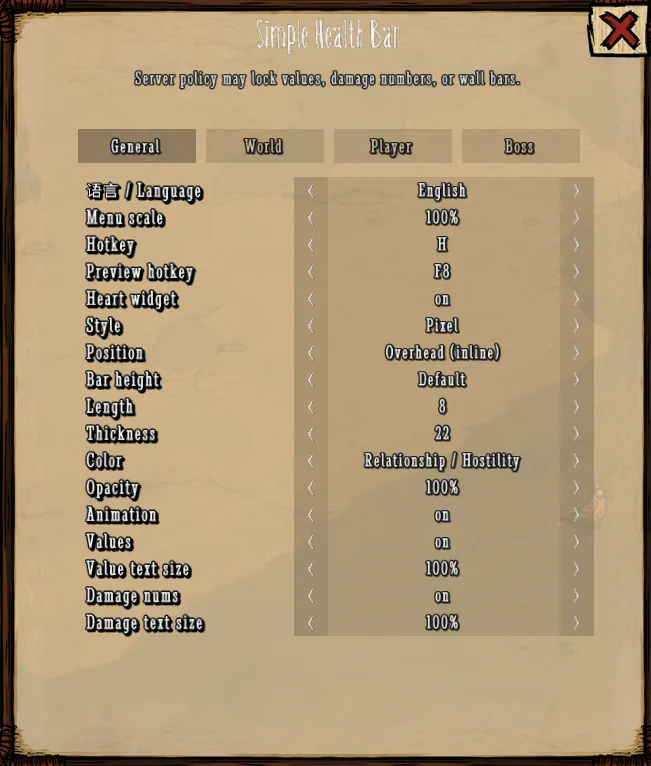
- Four settings categories: General, World, Player, and Boss.
- World, Player, and Boss categories can independently configure style, color, opacity, position, height, length, thickness, and display of exact health values.
- Supports Overhead, Overhead with inline values, and Bottom bar positions.
- Bar length adjustable from 6 to 24; thickness from 10 to 45; offset up to 30 downward and 50 upward.
- Supports exact health values, floating damage/healing numbers, damage trails, and intro animations.
- Includes a draggable heart widget, settings menu, and fullscreen style preview.
- Supports Chinese and English, automatically following each player's DST interface language.
- Server can restrict exact health values, damage numbers, wall health bars, display distance, and the number of visible bars.
Usage Instructions
- Press H (default) to open or close the settings menu.
- Click the floating heart widget to open the settings menu.
- Drag the heart widget to reposition it.
- Drag the title area at the top of the menu to move the menu window.
- Press F8 (default) to open or close the style preview.
- Client display settings apply immediately and are saved locally.
Settings Categories
The H menu contains four tabs: General, World, Player, and Boss.
- General settings serve as the base configuration for all entities.
- World, Player, and Boss follow General by default but can override style, color, opacity, position, height, length, thickness, exact health values, and value text size.
- Category priority: Boss > Player > World.
- Setting a category’s style to Off hides only its health bar and exact health values; floating damage and healing numbers are controlled separately.
Preview Hotkey
- Default preview hotkey: F8 (can be changed or disabled in the H menu).
- Changes take effect immediately and are saved locally.
- Selecting None disables the preview hotkey.
- Fullscreen style preview uses General length and thickness; category-specific sizes must be viewed on actual entities.
- The preview hotkey set in the main menu mod configuration only sets the initial value; changes in the H menu take priority.
Language Settings
- Three language modes in the H menu: Auto, Chinese, English.
- Auto mode follows the player's DST interface language. Simplified Chinese, Traditional Chinese, and Rail Chinese clients use Chinese; all others use English.
- The "Fallback language" in server mod configuration is used only if the client language cannot be detected and does not override the player's local selection.
Additional Notes
- Only supports Don't Starve Together.
- Must be installed on both the server and all clients.
- Some client options may be locked by server policy.
- World, Player, and Boss settings follow General by default.
- Large health bars or text may occupy significant screen space on small entities, near screen edges, or during large battles.
- Health bar placement may be affected by entity models, camera distance, resolution, and other HUD mods.
- Language settings from older versions are preserved; select Auto in the H menu to follow DST interface language.
Resetting Client Settings
To reset local settings:
- Exit the game.
- Go to
%USERPROFILE%\Documents\Klei\DoNotStarveTogether\<numeric account directory>\client_save. - Delete
simplehealthbar_reforged_client_config_v2. - Optionally, delete
simplehealthbar_reforged_client_configif present. - Restart the game to restore default settings.
Do not delete the entire client_save folder.
Bug Reporting
When reporting issues, provide: - Current mod version - Client, Master, and Caves logs - Affected entity or situation - Category, style, position, length, thickness, and height settings used - Relevant screenshots and reproduction steps - Information about other enabled camera, view-distance, interface, or HUD mods
Copyright Notice
This is a non-commercial rebuild and maintained version of "Simple Health Bar DST." The original concept, name, and some art assets belong to DYC and their respective rights holders. This version is intended to support current DST versions, fix issues, and improve usability.
Screenshots 4
Comments 0
No comments yet — be the first.
Log in or sign up to leave a comment.