













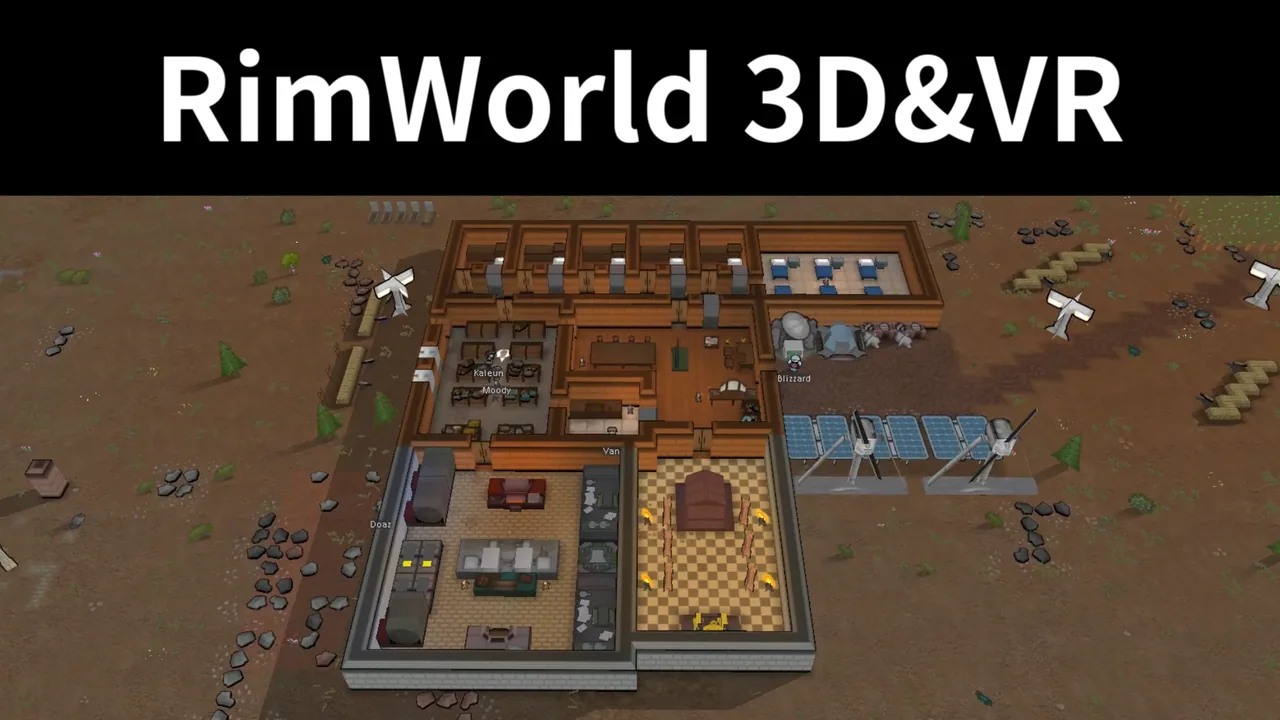



Turns RimWorld into 3D. With a SteamVR headset you can look at it in stereo. Over 400 3D models, plus distant land and a skybox computed from the map.
Contents
Turns RimWorld into 3D. With a SteamVR headset you can look at it in stereo. Over 400 3D models, plus distant land and a skybox computed from the map.
Updated as work goes on.
Desktop Mode
- 3D desktop mode is on by default.
- Q and E turn the camera. With nothing selected, right-drag changes the camera angle.
- Backspace switches to first person. Move with WASD.
- Delete toggles 3D on and off. Keys can be changed under Options > Key bindings > RimWorld 3D&VR.
VR Mode (SteamVR / OpenVR)
- If a headset is connected, the game enters VR Mode on its own at launch.
- Default keys: toggle VR with Backslash or 8, view mode 7, recentre 6, viewpoint height 9 and 0, flat panel 5, lightweight preset Minus.
- Left stick moves, right stick changes the camera angle. Press a stick in to recentre.
- Left hand's lower face button (X on a Quest) toggles first person.
- Trigger for left click, A (the lower face button) for right click. Both can be reassigned.
- Left hand's grip shows or hides RimWorld's interface.
- Squeeze the grip of the right (pointing) hand for the ring menu.
- The world map becomes a solid globe.
Requirements
- RimWorld 1.6, Windows 64-bit, DirectX 11.
- Harmony is required.
- For VR: SteamVR and a headset SteamVR can drive. Tested here on a Meta Quest over Link and Air Link. Desktop 3D mode alone needs nothing extra.
Performance
Desktop Mode is not that heavy, but VR Mode is. 30 fps per eye is a good result. The CPU tends to be the bottleneck, so the larger the colony, the heavier it gets.
- Minus (the lightweight preset). Switches the sky, the distant land and standing plants off together and widens the interface refresh interval, without taking the headset off.
- Widen the interface refresh interval in the mod settings.
- If your GPU is the one falling behind, lower the render scale.
Compatibility
- Writes nothing into save files. Safe to add or remove mid-game.
- Supports RimExodus - Seamless World ( https://steamcommunity.com/sharedfiles/filedetails/?id=3790423611 ).
- Mods that draw with their own shaders, or bypass RimWorld's normal draw path, stay flat or end up at the wrong height.
Languages
English, Japanese, Chinese (Simplified), Korean, Russian.
Known issues
Vanilla water looked wrong in 3D, so the mod draws its own; as a result it looks a little out of place. The 3D models for the ancient (AncientXXX) things are not great. Many things still have no 3D model.
Reporting problems
Crashes have been confirmed with some headsets. A comment with your headset model, GPU and what you were doing at the time helps. Player.log (%USERPROFILE%\AppData\LocalLow\Ludeon Studios\RimWorld by Ludeon Studios\Player.log) helps too. For a crash that leaves nothing in the log, turn on "Record the last graphics call" under the advanced settings and attach Rim3DVR_LastGraphicsCall.txt from the same folder.
For modders
Want your own buildings to show up in 3D? A Blender add-on for making models of them is bundled in the mod folder, under ModdingTools, with a guide (README.md). The models ship inside your own mod and load only when RimWorld3DVR is active, so your mod needs no dependency on it and players without it see no errors.

Comments 0
No comments yet — be the first.
Log in or sign up to leave a comment.