














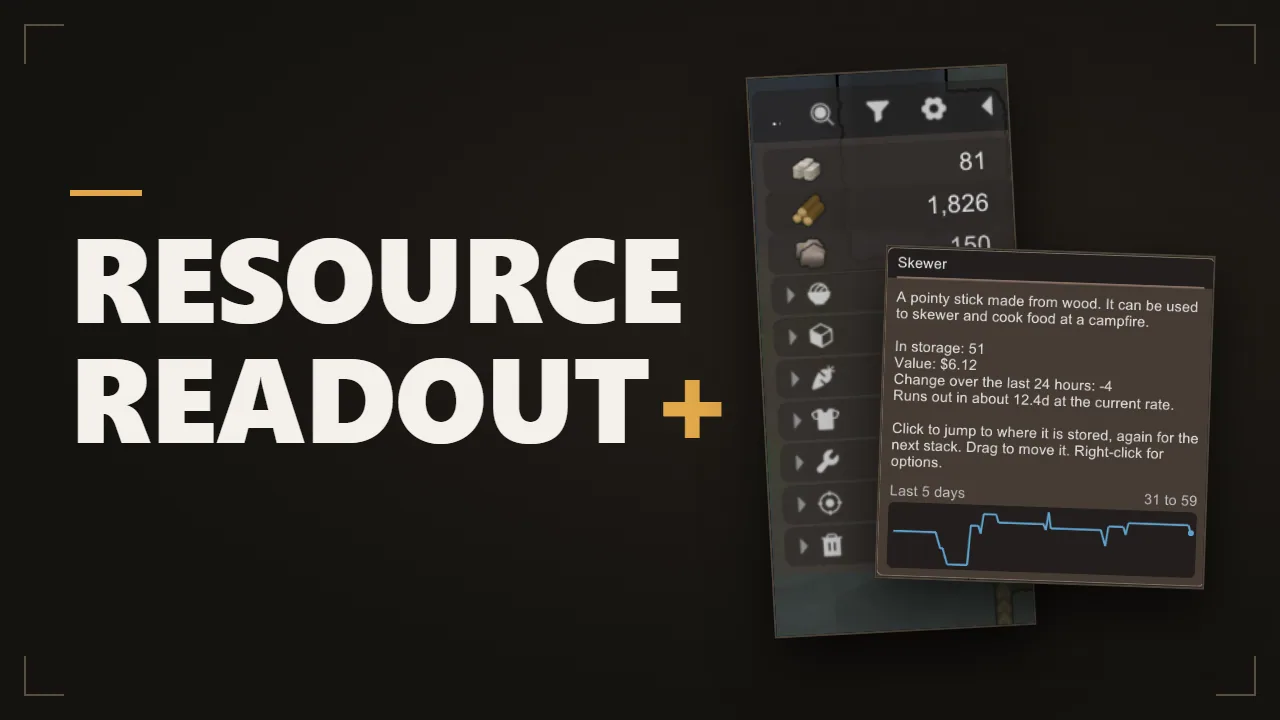



Replaces the map’s resource readout with a collapsible panel that reports stocks, shortages and trends. Requires UI Rethemed — Core.
Resource Readout+
v26.11.2026 · 601.5 КБ ·
0 downloads
Link verified · ShareMods
Contents
Replaces the map’s resource readout with a collapsible panel that reports stocks, shortages and trends. Requires UI Rethemed — Core.
Features
- Groups: Essentials, food (meat and fish, vegetables, animal products, animal feed), meals, medicine, drugs (social, hard, medical, serums and catalysts), textiles, materials, manufactured goods, ammo (mortar shells and any mod ammo), items and waste, each with its total. Click a group to fold it.
- Your own groups: Make groups and subgroups, rename any group, and drag groups into a new order or inside one another, or move a group in or out a level from the organizer or its right-click menu.
- Organizer: A window listing every group and resource. Drag resources into order, hide or show them one by one, search every resource and move it to any group, and bring back anything hidden by mistake.
- Look-alikes combined: Leathers, wools, stone blocks, fish and eggs show as one row with the total, which opens to show each kind. Combine any other category from the right-click menu.
- Three lists: Grouped, simple or the base game's category tree, switched from the cog on the panel's title bar. Every list gets names, tooltips and the features below.
- Names: Each row can show the item's name beside its count, with an adjustable panel width.
- Tooltips: Hover a row for its description, how many are in storage and lying elsewhere on the map, their value and how the count has changed.
- Jump to it: Click a row to jump to where it's stored; click again for the next stack.
- Drag and drop: Drag rows to reorder them, into another group or category, or onto the pinned section.
- Pinned rows: Keep the resources you watch most at the top.
- Minimum stock: Off until you want it: set a minimum on any row, group or category. Below it the row turns red, and an optional alert lists everything running low.
- Trends: Small arrows show what went up or down over the last day (the period is adjustable). Counts are recorded hourly and saved with your game, and each resource's history opens from its menu.
- Charts and run-out estimates: Hover a row for a small chart of its count over the last few days; groups chart their totals. Falling resources say roughly when they'll run out, in the tooltip or beside the count.
- Filter: Show only what's trending, falling, low (or close to its minimum) or new, from the funnel on the title bar or a hotkey you set. Groups open to show what matches, and pinned rows can stay on show.
- Sort by change: Put the resources that moved most at the top of each group.
- New resources: Resources stored for the first time get a mark, and so can ones back in stock after running out. Marks clear themselves after a day (adjustable) or when you click the row.
- Count all on the map: Count everything lying on the map rather than just what's in storage, for a row, category or group, optionally including what colonists carry.
- Hide and search: Hide rows you don't care about, show zero counts, and filter the list with the search box.
- Settings cog and opacity: A cog on the panel switches the list, changes what rows show and opens the settings, where a slider sets how solid the background is. The panel can also stay folded until you point at it, or drop its title bar so only the resources show.
- Fold away: Fold the whole panel to a slim strip when you want the map clear.
- Colors: The low stock, rising, falling and new colors can be changed in UI Rethemed - Core's theme settings.
Compatibility
Safe to add to an existing save. Removing it leaves harmless one-time errors about its saved trend history and new-resource records when the save next loads. Other mods that change the resource list, such as Dubs Mint Menus' pinned resources, are replaced by this mod's own panel.
Credits
Thanks to Lazy Friday Studio for UI Rethemed and permission to build on it.


Comments 0
No comments yet — be the first.
Log in or sign up to leave a comment.