
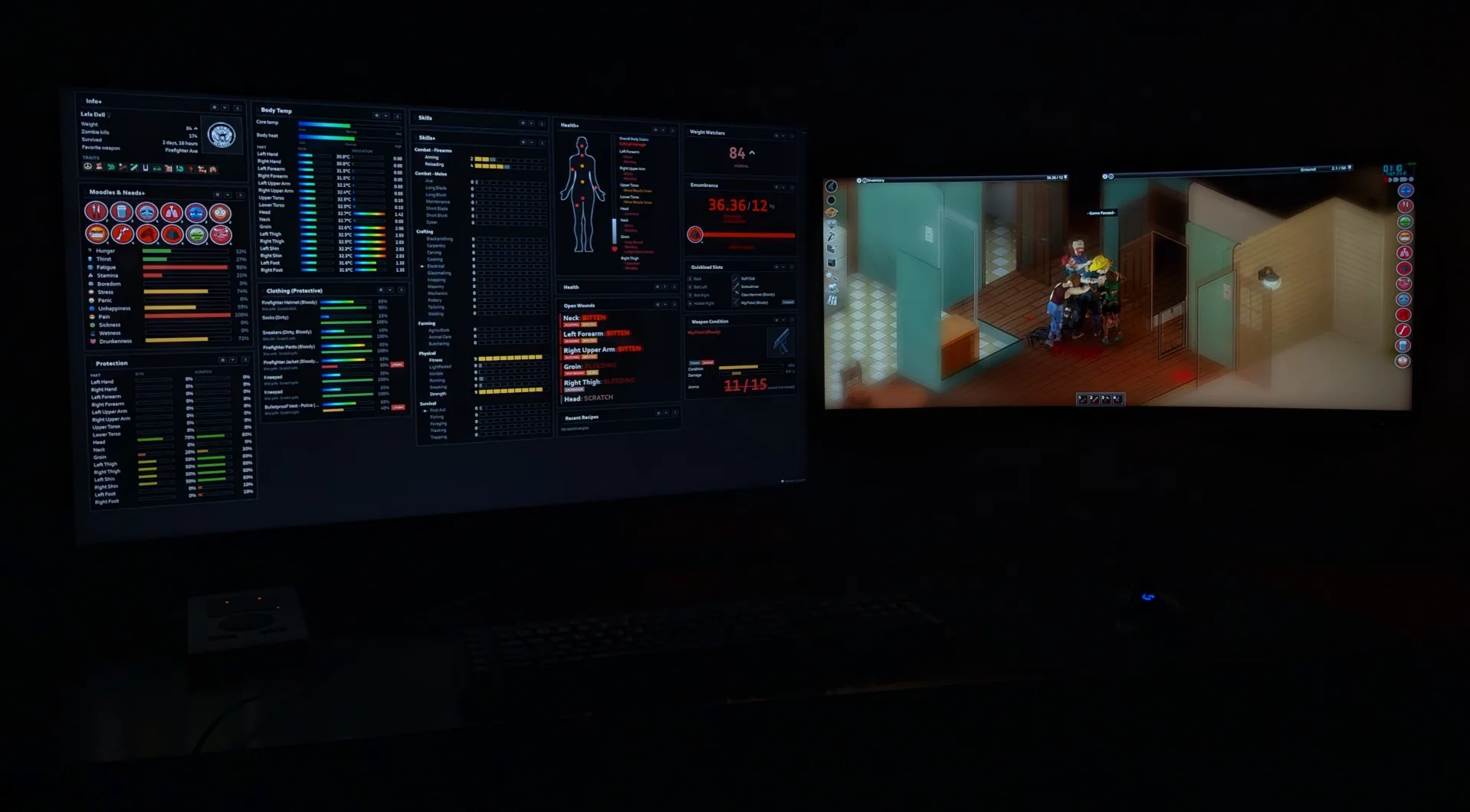
PZ Pulse moves your character’s status information into a separate browser dashboard. Keep it on a second monitor or in a spare window to follow injuries, equipment condition, skill progress, and survival needs without repeatedly opening different in-game menus.
Contents
PZ Pulse — A Live Character Dashboard for Project Zomboid
PZ Pulse moves your character’s status information into a separate browser dashboard. Keep it on a second monitor or in a spare window to follow injuries, equipment condition, skill progress, and survival needs without repeatedly opening different in-game menus.
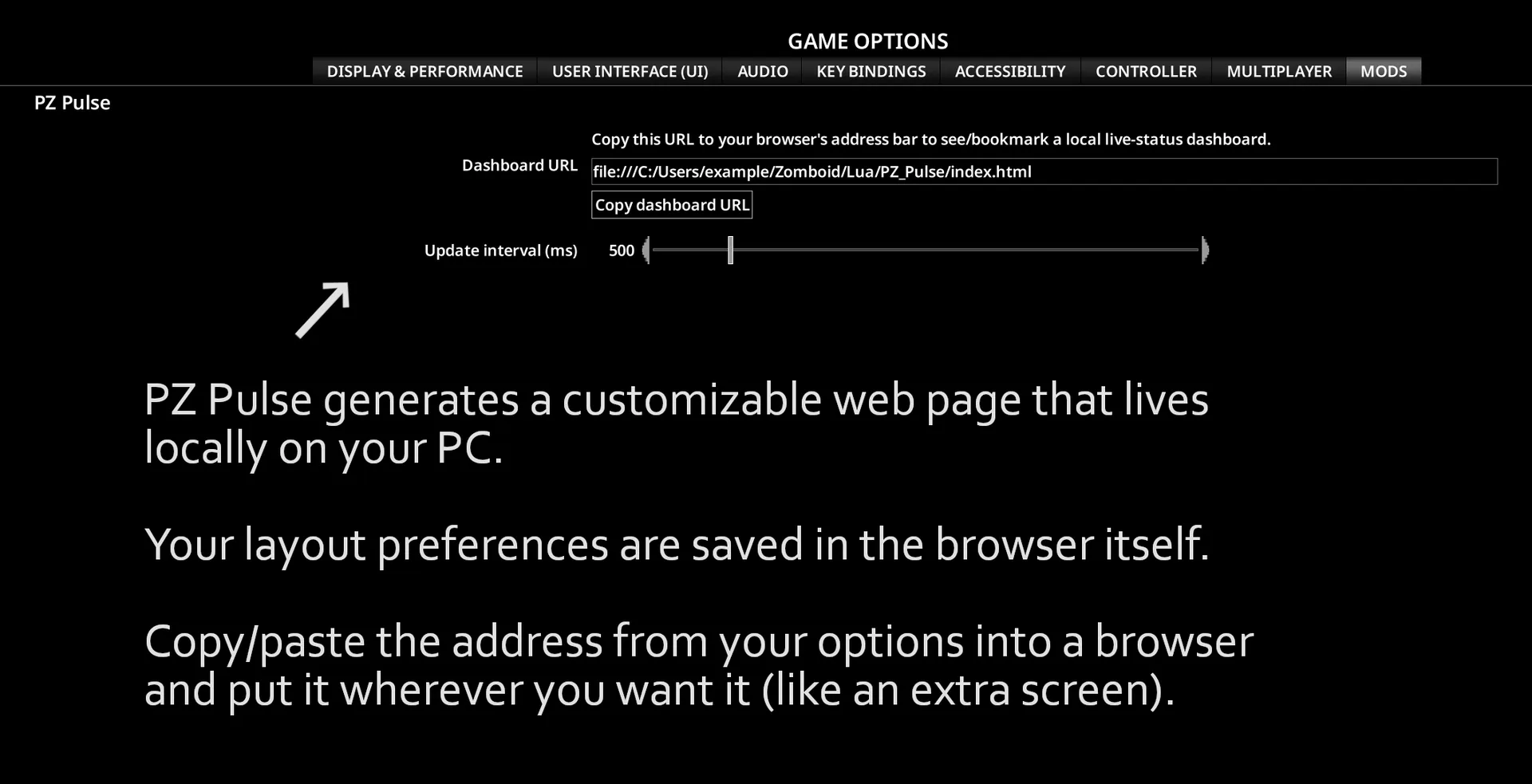
The dashboard updates while you play, with an adjustable refresh rate.
Build your own overview
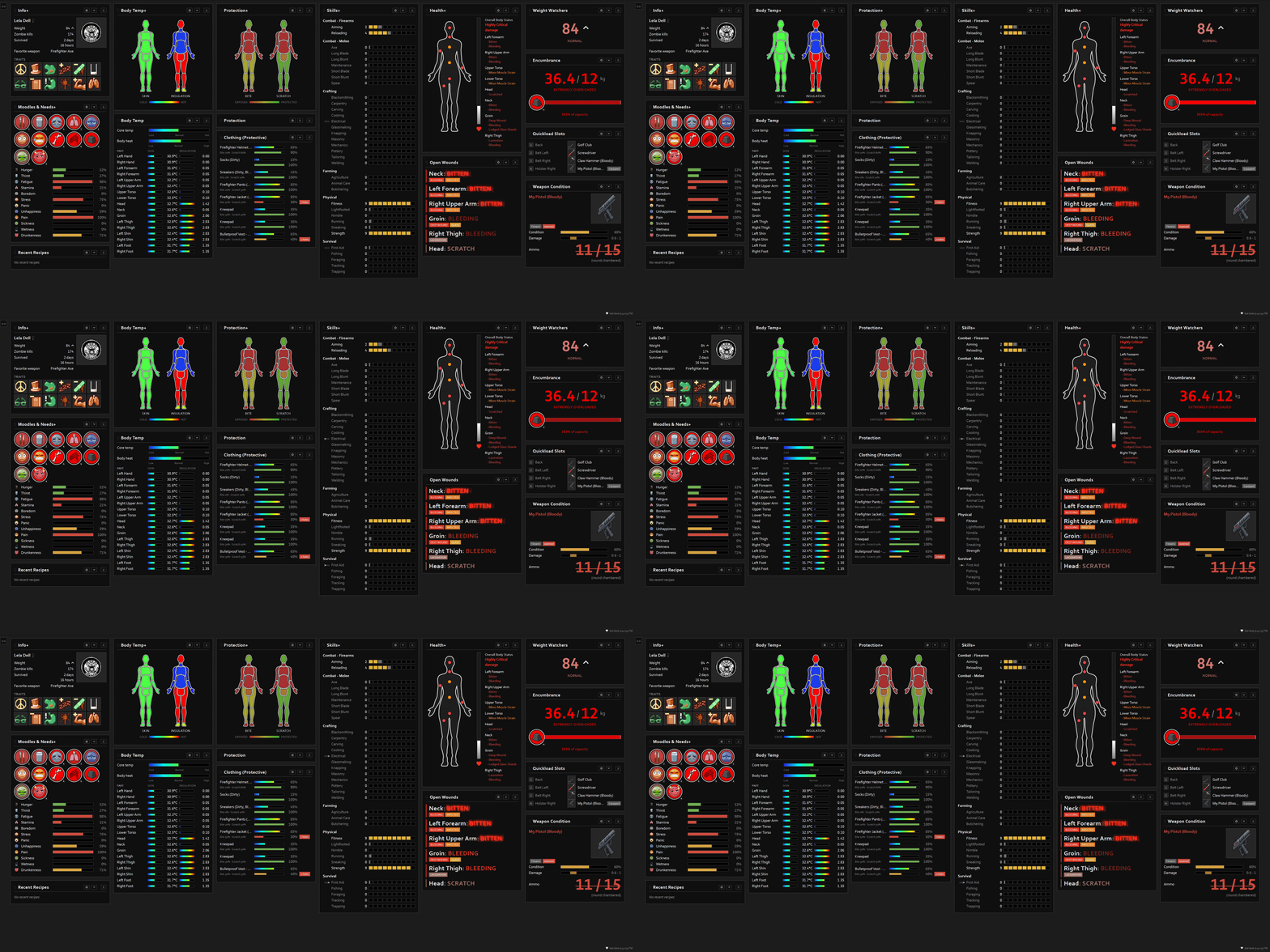
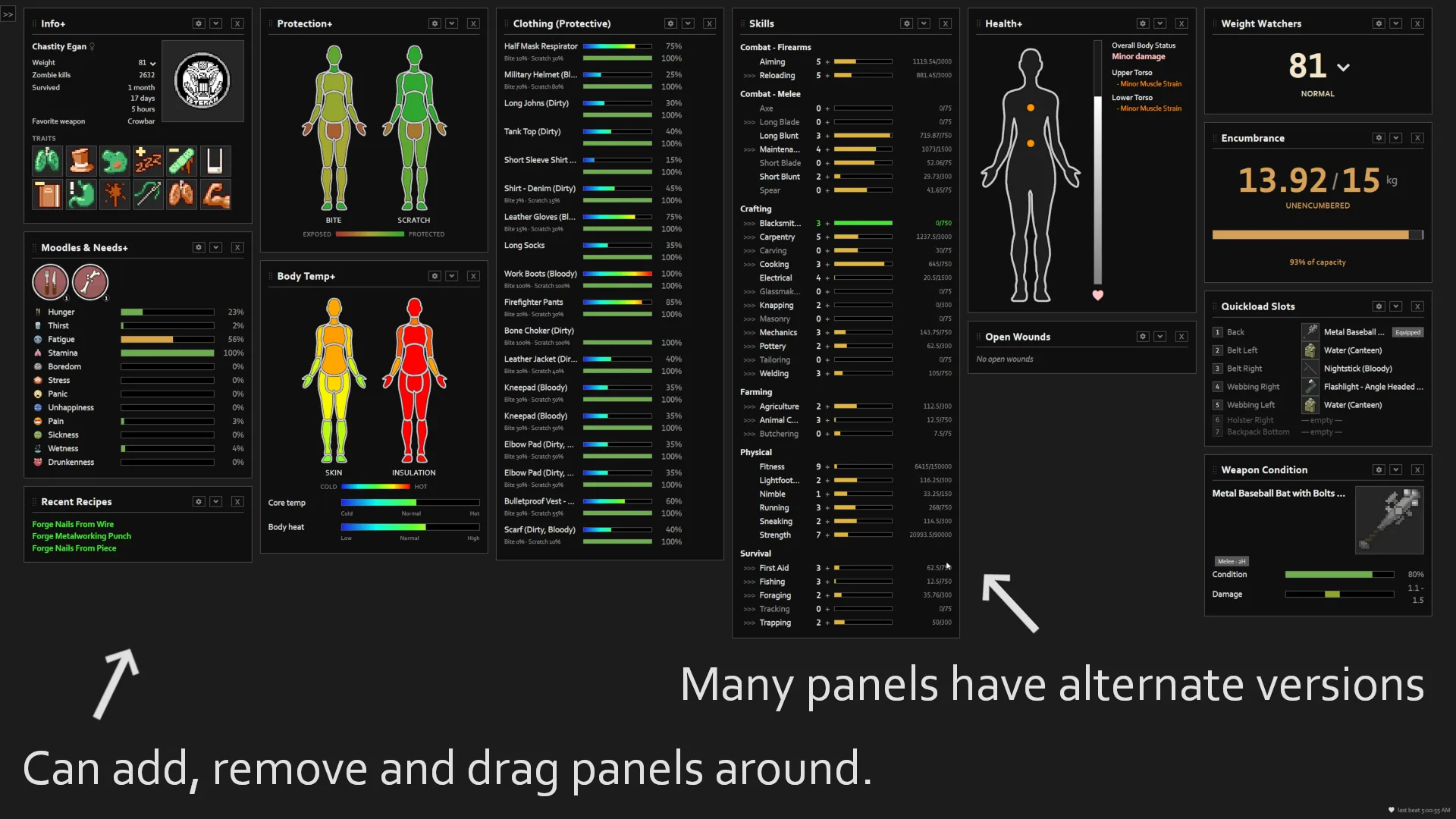
Choose the panels you want to see, from familiar character information to more specialised equipment summaries:
- Character and skills: profession, traits, weight, kills, survival time, skill levels, and XP progress.
- Health: overall condition, injuries by body part, and a separate list that puts the most serious untreated wounds first.
- Needs and temperature: moodles, hunger, thirst, fatigue, stress, panic, core temperature, and body-part temperature details.
- Equipment: weapon durability, sharpness, ammunition, jams, attachments, and hotbar loadout.
- Clothing and protection: garment condition, holes, and bite and scratch defence.
- Carry weight: current load, capacity, and the severity of the Heavy Load moodle.
- New recipes: temporary notifications when your character learns something.
Arrange it for your screen
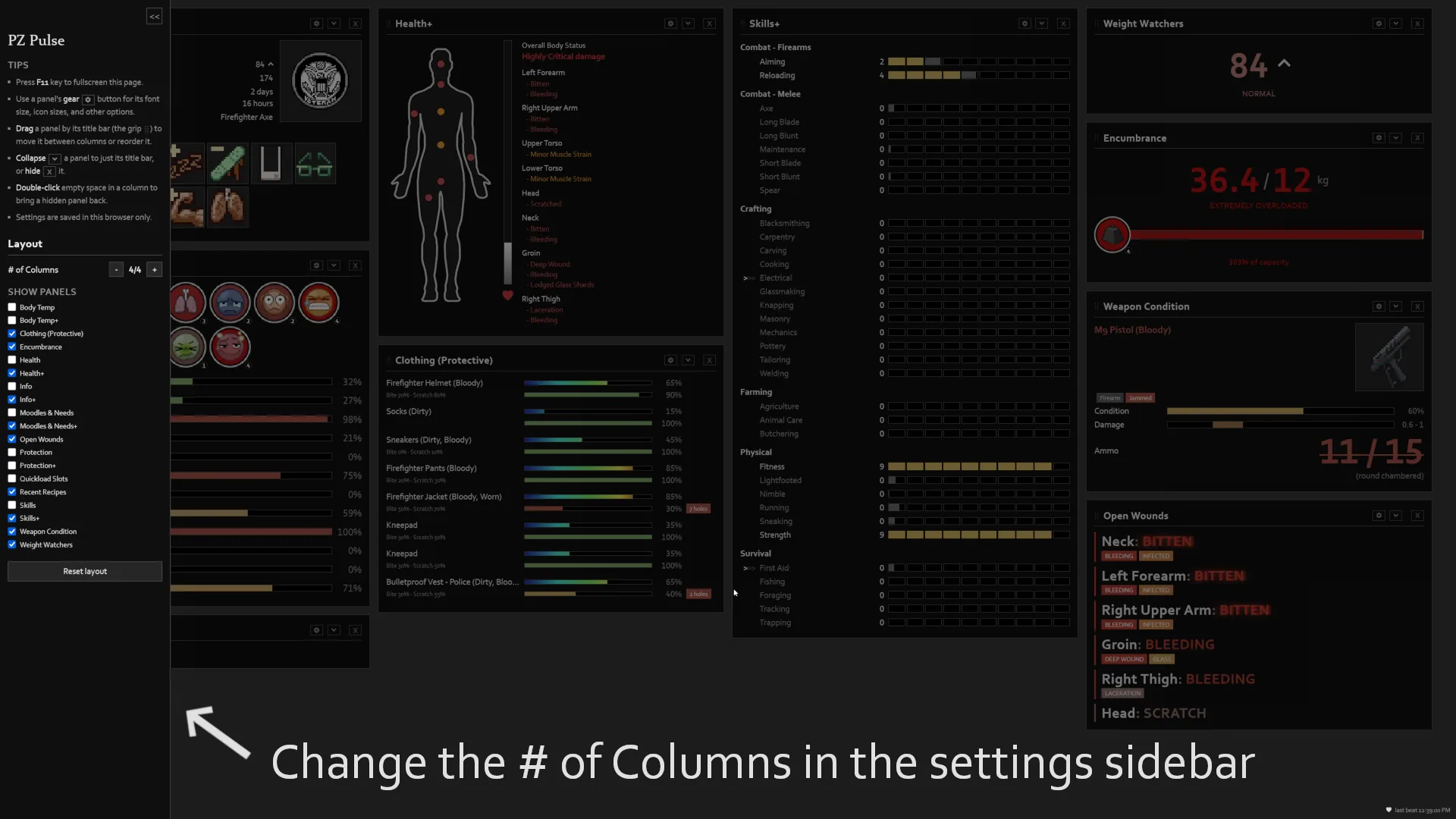
Move panels between columns, change their order, or hide information you do not need. Column count, panel font sizes, icon sizes, and animation settings can be adjusted.
Your layout is saved in the browser, so it remains available for later sessions.
Getting started
- Enable PZ Pulse and load your save.
- Open the mod’s options and select Copy dashboard URL.
- Paste the address into your browser.
- Move the dashboard to your preferred screen or window.
Bookmark the address for quick access. On a second monitor, F11 can switch the browser to fullscreen.
Local by default
The standard dashboard works with files on your computer. Character data is stored in Zomboid\Lua\PZ_Pulse, and the page itself is included in the mod folder. PZ Pulse makes no network connections and contacts no external servers.
Sharing the dashboard with a phone, tablet, another computer, or OBS requires a separate Dashboard Sharing script. That optional setup is intended for private networks.
Support and limitations
- Project Zomboid Build 42 only.
- Supports single-player and multiplayer.
- No required dependencies.
- Read-only: the dashboard displays information but cannot perform in-game actions.
Additional translations are available through the Language Pack. Separate mods can also add panels through the extension API, such as FireBjorne’s Nutrition Panel.
Screenshots 5
Comments 0
No comments yet — be the first.
Log in or sign up to leave a comment.