
Project Cook brings ingredient selection, meal preparation, and nearby cooking appliances into a dedicated interface. It makes everyday cooking easier to organise while staying close to Project Zomboid’s existing recipes and gameplay rules.
Contents
Project Cook — A Dedicated Kitchen Interface for Project Zomboid
Project Cook brings ingredient selection, meal preparation, and nearby cooking appliances into a dedicated interface. It makes everyday cooking easier to organise while staying close to Project Zomboid’s existing recipes and gameplay rules.
The mod supports Build 42.10–42.21.0, in both single-player and multiplayer.
Build meals from available ingredients
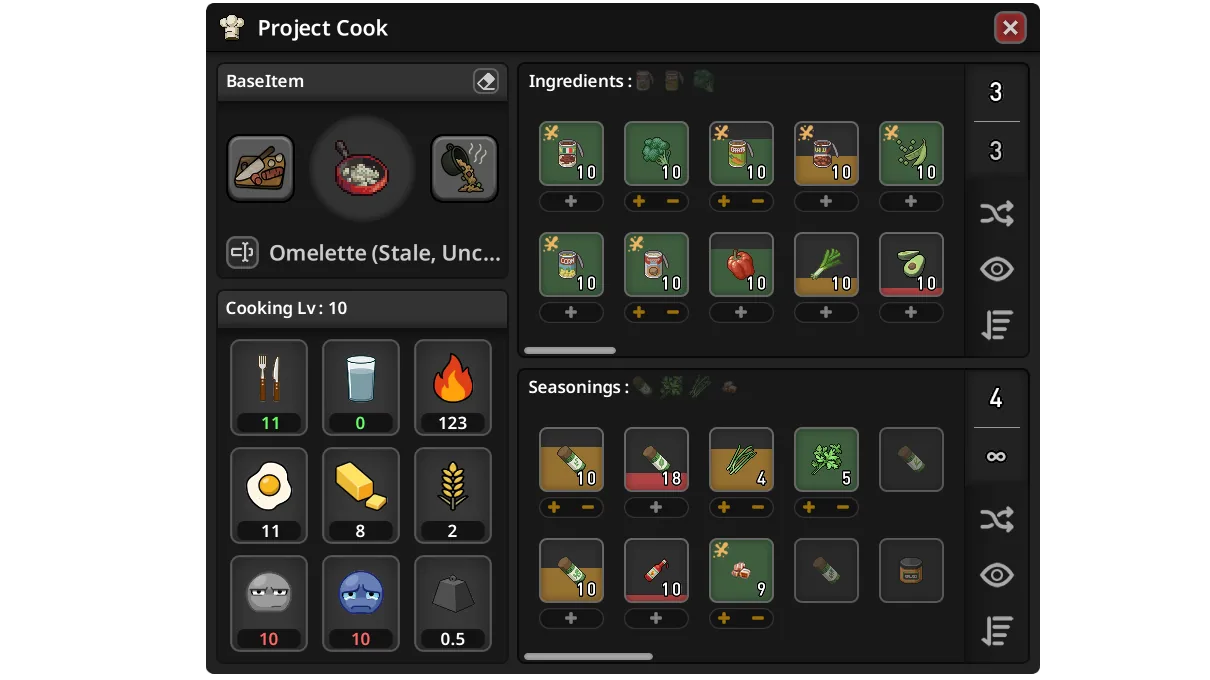
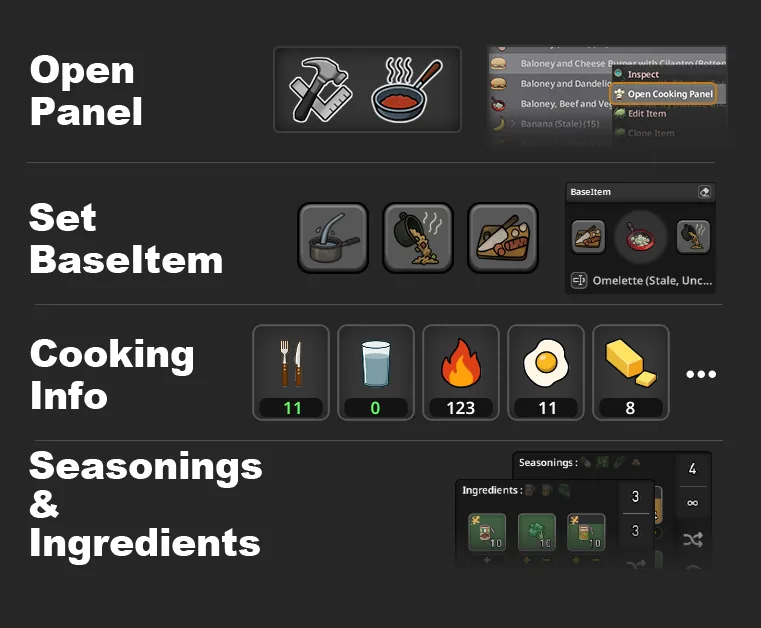
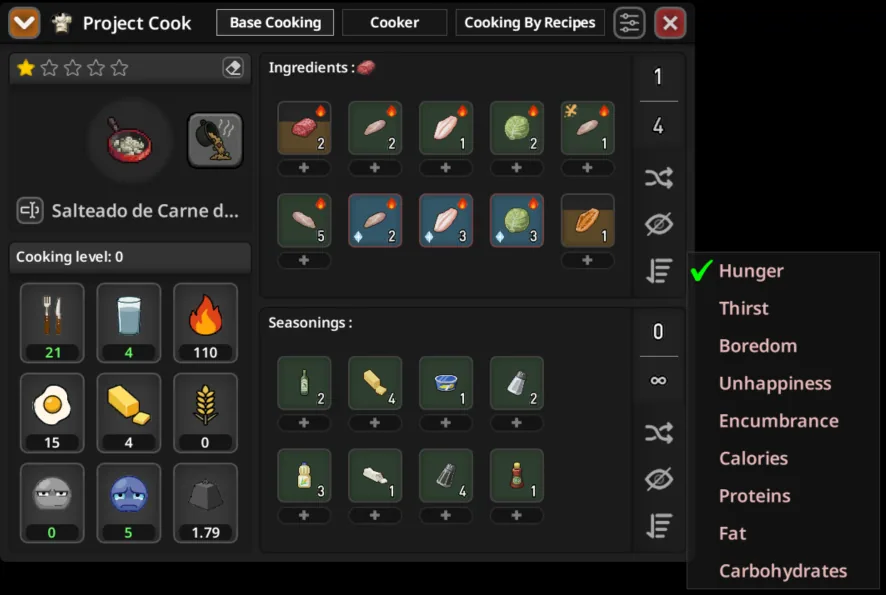
The main Base Cooking tab handles meals assembled around a starting item: soups, stews, salads, sandwiches, burgers, stir-fries, and similar dishes.
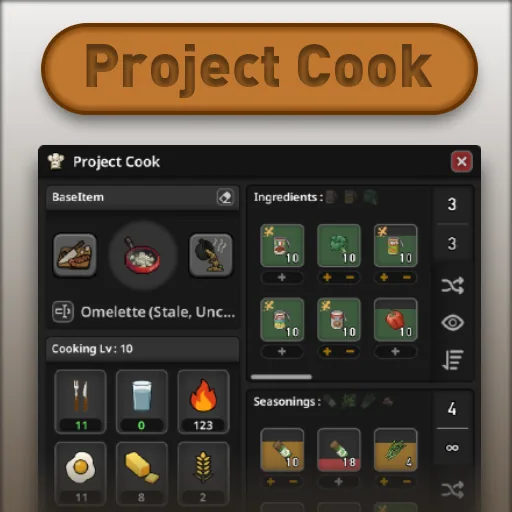
Choose a suitable base, then browse compatible food from your inventory, equipped bags, and nearby containers. Ingredients and seasonings appear separately, and additions can be queued by double-clicking or pressing +.
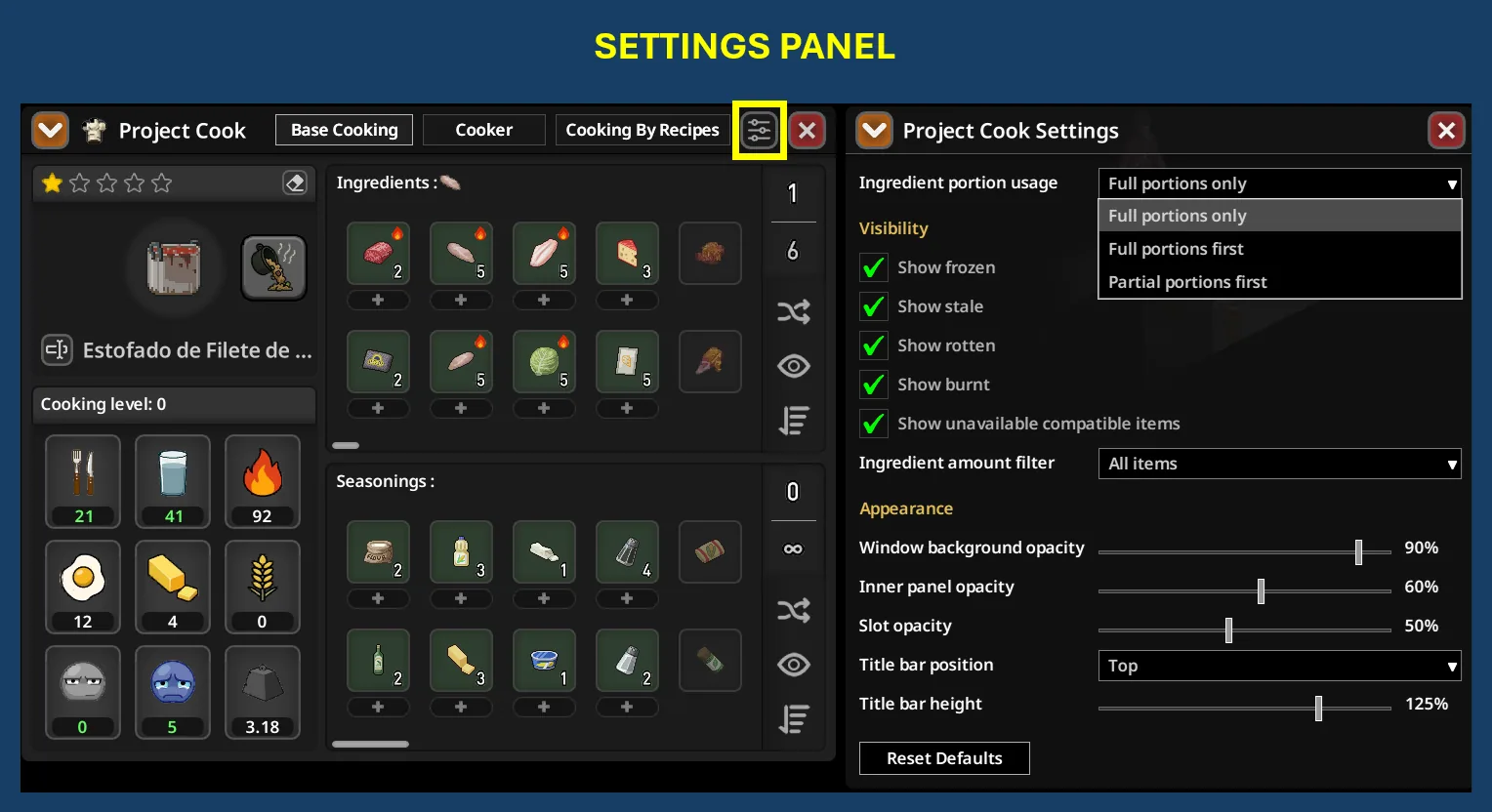
The interface distinguishes food by freshness, cooking state, and whether it is frozen. It also separates complete portions from smaller leftovers. You can prioritise either, or restrict preparation to full portions.
Supported containers can be filled from nearby water sources or emptied for reuse. Finished dishes can also be renamed.
Find the ingredients you want
Filters let you control whether frozen, stale, rotten, burnt, or currently unavailable ingredients appear. Sorting helps compare food by weight, effects on hunger and mood, or nutritional value when your character can assess it.
Nutrition information becomes more precise as Cooking improves:
| Character knowledge | Available detail |
|---|---|
| Cooking 2 | Nutritional categories |
| Cooking 4 | Rough values |
| Cooking 6 | More precise estimates |
| Cooking 8 | Exact values |
| Nutritionist trait | Full nutrition details and nutrition sorting |
An optional sandbox setting allows frozen ingredients in Project Cook’s cooking actions. It is disabled by default and does not thaw the food—it only removes the restriction on using it.
Manage nearby appliances
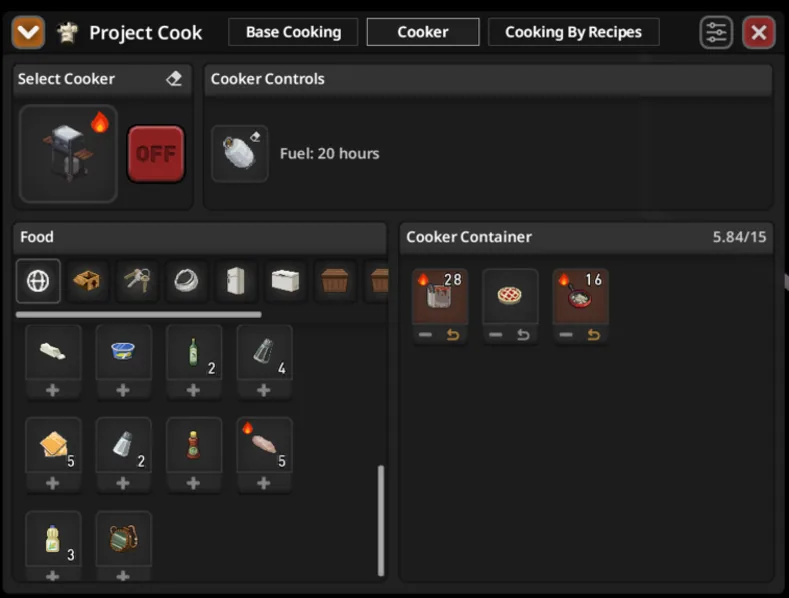
The Cooker tab provides controls for supported ovens, microwaves, barbecues, campfires, fireplaces, and other cooking equipment.
Available actions depend on the appliance. They can include switching it on or off, adjusting settings, adding fuel, handling propane tanks, and transferring food. This section remains a work in progress, and the normal inventory interface is still available.
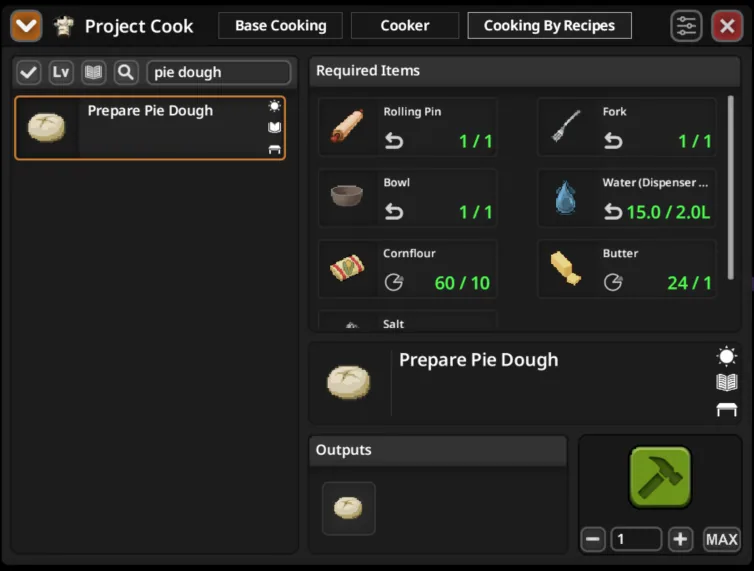
A separate Cooking By Recipes tab handles crafting-style food recipes, such as preparing a saucepan with pasta or rice. It is also under development. These recipes remain accessible through vanilla Crafting or Neat Crafting where applicable.
Requirements and setup
NeatUI Framework is required. Use this load order:
- NeatUI Framework
- Project Cook
- Project Cook Pixel Icon Pack — optional
The optional icon pack must load after the main mod.
Window transparency, title-bar placement, pinning, and automatic collapsing can be adjusted and saved locally. Internal caching reduces repeated scanning of large inventories, nearby containers, and extensive recipe lists.
Ingredients registered through vanilla evolved recipes should normally be recognised automatically. Other cooking recipes may appear in the recipe tab rather than Base Cooking.
Download on Steam Workshop · Guide and FAQ
Original author: Rocco
Maintenance and Build 42 compatibility: Afyrmo
Pixel icon inspiration and assets: ivmakk
Optional icon pack Mod ID: Project_Cook_Pixel_Icon_Pack
Screenshots 7

Comments 0
No comments yet — be the first.
Log in or sign up to leave a comment.