















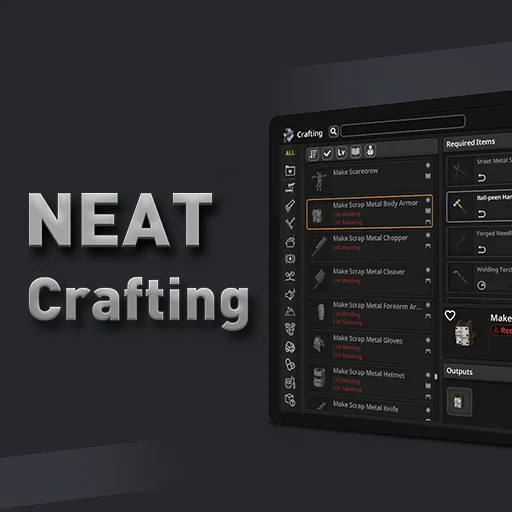
Neat Crafting [B42] replaces the default Project Zomboid Build 42 crafting UI with a flexible, searchable recipe browser, supporting batch crafting, detailed filters, and improved navigation. Requires NeatUI Framework.
Neat Crafting [B42]
v19.11.2026 · ModsFire, 966.4 КБ ·
8 downloads
Contents
Neat Crafting [B42] is a complete replacement for the Project Zomboid Build 42 crafting interface, designed for both vanilla and heavily modded games. It introduces a streamlined recipe browser with advanced search, batch crafting, and detailed ingredient selection.
Requirements
- NeatUI Framework is required and must be loaded before Neat Crafting.
- Optional addons are available for additional features.
Key Features
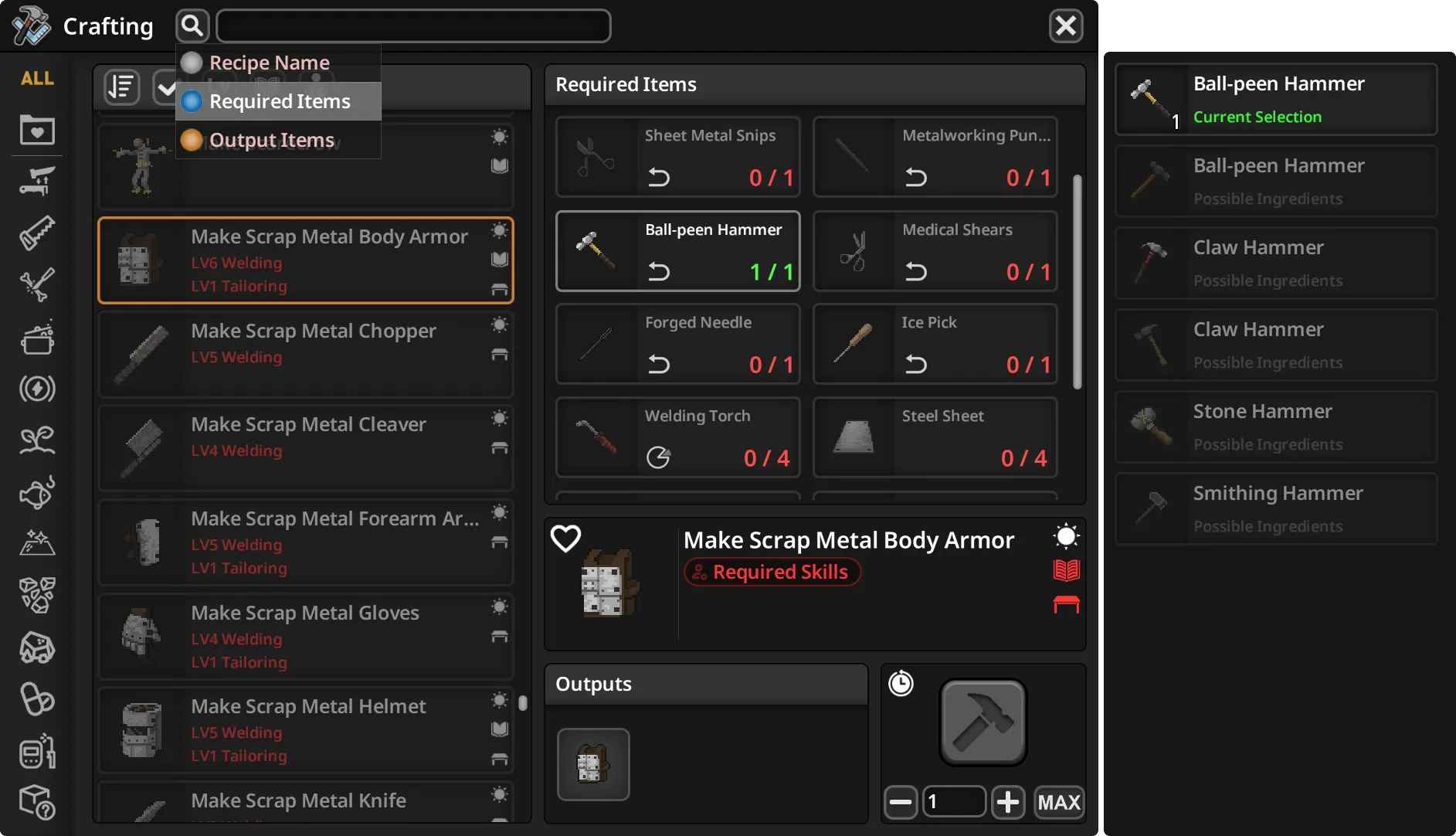
- List and grid recipe browsing with categories, filters, and sorting.
- Search by recipe name, required items, or output items.
- Back/forward navigation for recipes and crafting stations.
- Live refresh of nearby containers while moving.
- Detailed input/output information and an Item Picker.
- Select exact ingredient types and item instances.
- Batch crafting up to 1000 times per queue, exceeding the vanilla 100-craft limit.
- MAX and optional ALL batch crafting modes:
- ALL off (default): Batch uses the selected consumable type throughout.
- ALL on: Switches to other compatible consumables when the selected type runs out (tools and 'keep' inputs excluded).
- Inputs are reevaluated between crafts as needed, including for fluids and items in different containers.
- In-game and real-time crafting time estimates, with per-craft and total-batch breakdowns (hover for details).
- Crafting ↔ Building recipe search shortcuts.
- Entity Craft support for workbenches and stations.
- Resizable and customizable window: adjust opacity, UI scale, text size, title bar position (top/bottom), auto-collapse, and category label direction. Window position and size are remembered.
- Mouse, keyboard, and controller navigation supported across all major controls, lists, filters, and settings.
Inputs, Transfers & Tool Returns
- By default, ingredients and tools are moved from accessible containers to the main inventory before each craft.
- The selected ingredient type is used throughout a batch.
- Eligible tools are returned to their original container after crafting.
- Optionally, enable "Craft directly from accessible containers" (off by default) to avoid moving items.
- Tools originally placed in the world can be restored to their previous position and rotation, including 3D placement adjustments.
- After an interrupted craft, eligible items in the main inventory may offer context menu options to return to their original place or container.
Item Picker & Recipe Navigation
- Inspect alternative ingredients, select exact types or instances, and navigate item groups.
- The Item Picker can search by exact FullType (e.g., !Base.Hammer).
- Left-click follows input/output searches; right-click offers:
- Crafting - Required Items
- Crafting - Output Items
- Building - Required Items
- Building search works with the vanilla Building interface; Neat Building is not required.
Layout, Search & Controller Support
- Customize window appearance and behavior, including opacity, UI scale, text size, title-bar height and position, auto-collapse, and view mode.
- Search starts empty in each new session (Recipe Name mode, category ALL). Search state can optionally be remembered within the session; sorting, filters, and layout have their own remembered states.
- Controller navigation covers all major functions.
Optional Addon: XP & Mod Display
- The optional "Neat Crafting & Neat Building - XP & Mod Display" addon adds recipe XP, XP multipliers, source mod details, and related filters.
Compatibility
- Maintained for Project Zomboid Build 42 (reviewed against B42.22), with compatibility helpers for earlier supported builds.
- Compatible with: Craft and Build Category Translate, The Shortcut, Project Cook.
- Incompatible with: what can i craft, what can i craft addon.
- Mods replacing the same crafting interface may conflict.
- Always load NeatUI Framework before Neat Crafting and its addons.
Existing Saves & Safe Uninstall
- Do not load an existing world that previously used Neat Crafting without either Neat Crafting or its Safe Uninstall Support.
- Build 42 may retain references such as NC_HandCraftPanelLayout.
- To remove Neat Crafting from a save, replace it with the Safe Uninstall Support mod before loading the world. This preserves required references but does not provide the crafting UI.
- Never enable both mods at the same time. Back up your world and server configuration before changing mods.
Multiplayer Setup
- Server and clients must use matching mod files.
- After Workshop updates, fully stop, update, and restart the server before reconnecting.
- Example mod order:
NeatUI_Framework;Neat_Crafting;...
Troubleshooting
- If the interface does not open or behaves incorrectly, restart Project Zomboid, confirm both mods are up to date, check load order, and test with only NeatUI Framework and Neat Crafting enabled.
- For multiplayer, also check Mods=, WorkshopItems=, and Workshop files on the server.
- For bug reports, include PZ build, SP/MP mode, NC version, mod list/load order, steps to reproduce, and relevant logs or screenshots.
Screenshots 6






Comments 1
Обновление от 19.11.2026
Файл: Neat Crafting [B42]
Что изменилось:
Version 1.7.8 — Batch Crafting, Output Destinations & Item Handling
New — Crafted Output Destinations
- Added an output destination selector with four options: main inventory, equipped bags, nearby containers (Smart Store-style routing), and ground.
- Destination preferences are saved between sessions.
- If a selected bag is unavailable or a transfer cannot be completed, crafted items remain in the main inventory.
Batch Crafting Improvements
- Improved handling of explicitly selected ingredients, prioritizing the chosen item instance, including partially used tools and consumables.
- Prevented empty consumables with no remaining uses from being selected for recipes that require usable contents.
- Improved consistency when continuing batches with the selected item types or switching to other compatible consumables in ALL mode.
- Reusable tools and partially consumed inputs remain available throughout a batch instead of being repeatedly returned and retrieved.
- Improved recovery from interrupted batches and cancelled crafting actions.
Tool and Material Returns
- Reworked automatic returns to process items sequentially after crafting, improving reliability in multiplayer.
- Improved restoration of tools to their original containers and world placements, including 3D-placed items.
- Added clearer manual recovery options when automatic returns cannot be completed.
- Improved diagnostic messages for failed world-placement returns.
Recipe Magazine Handling
- Recipe magazines are transferred only when their skill benefit is actually required.
- Prevented unnecessary magazine transfers when the character already meets the recipe's skill requirements, including after gaining a skill level during a batch.
Interface and Search Improvements
- Updated search and item-picker icons to distinguish recipe names, required items, and output items.
- Added search-mode-specific placeholders and clearer item-picker search hints.
- Improved contextual return options with destination names and original ground-tile recovery.
- Updated controller navigation to include the new output destination button.
- Updated translations for the new controls and messages.
Other Fixes
- Improved handling of multiplayer inventory synchronization during crafting and item returns.
- Added safeguards against stalled batches and crafting controls remaining hidden after interruptions.
Log in or sign up to leave a comment.