















A dedicated tool for Project Zomboid to visualize, manage, and resolve conflicts between map mods. Features a cell grid display, dependency checking, preset saving, and export functionality.
Contents
Map Mod Manager is a utility designed to help Project Zomboid players organize and manage map modifications. It provides a visual interface to identify conflicts between map mods and vanilla map areas, making it easier to curate a collection of maps or troubleshoot subscription issues.
Visual Grid and Conflict Detection
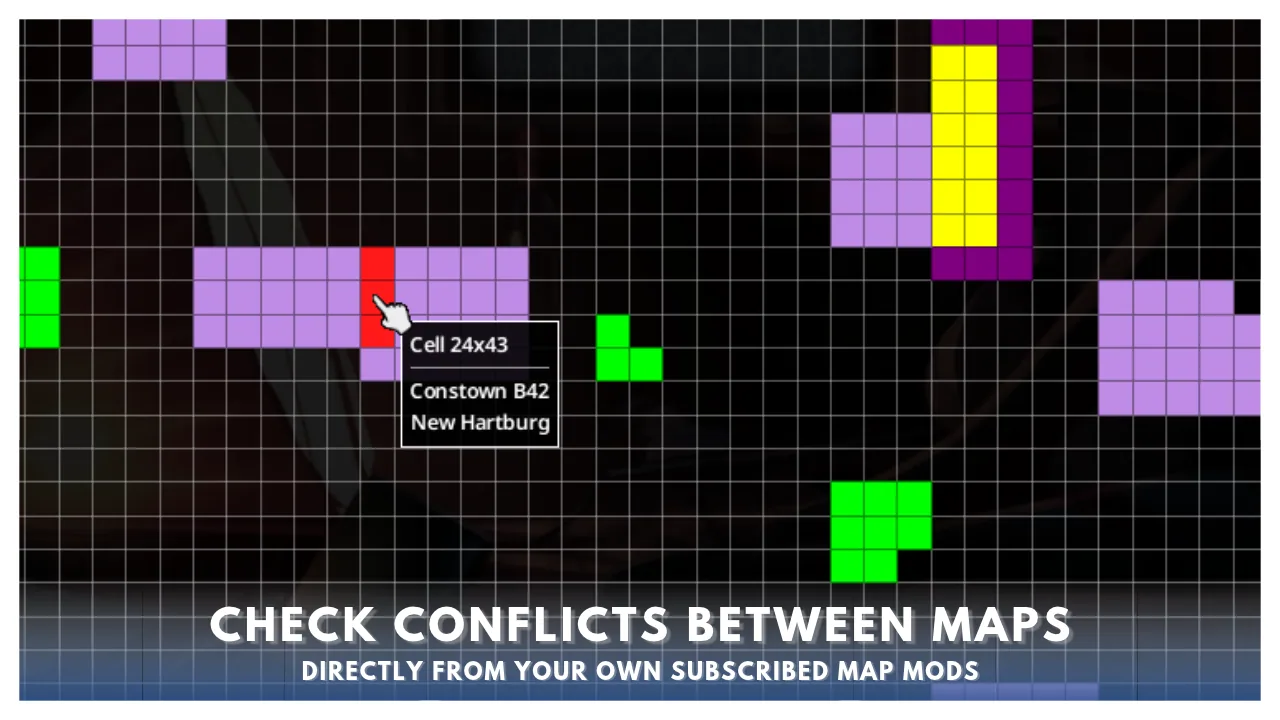
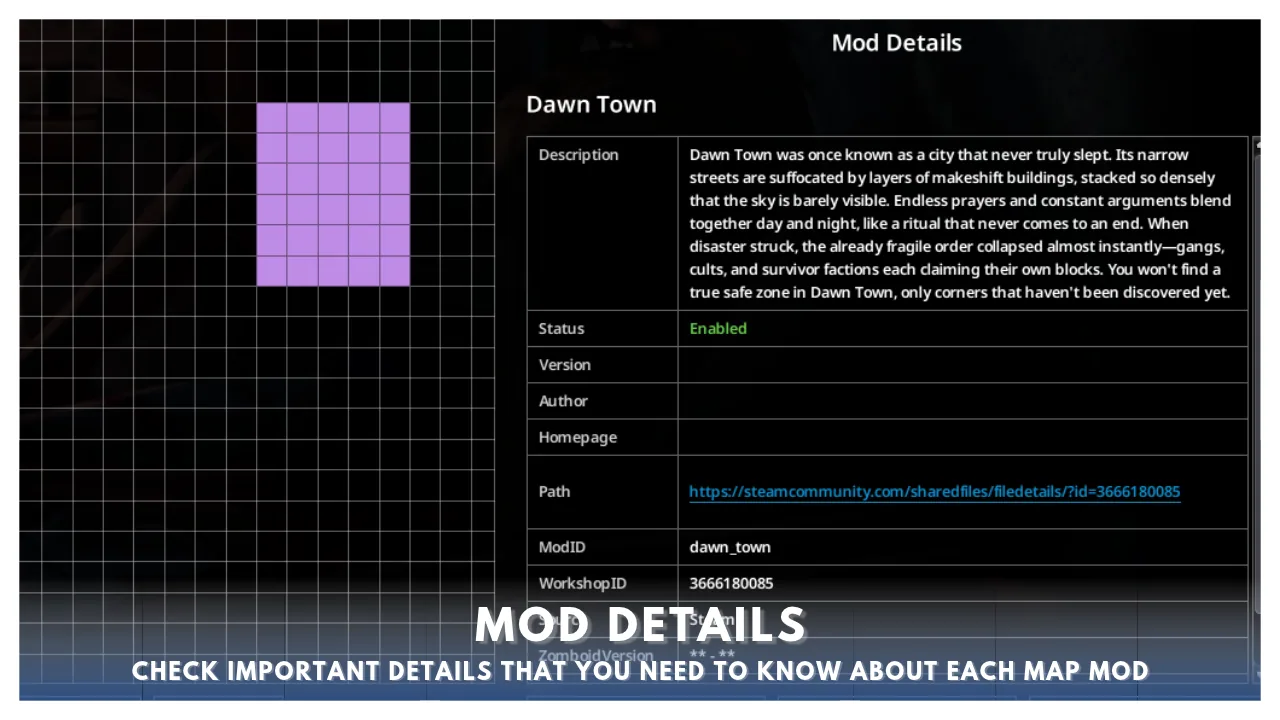
The core feature is a detailed cell grid display that maps out the game world. This grid highlights selected mods to instantly spot conflicts: - Red cells indicate map mods that conflict with each other. - Yellow cells show conflicts between map mods and vanilla map areas. - Purple cells represent map mods without conflicts. - Green and blue cells denote vanilla maps.
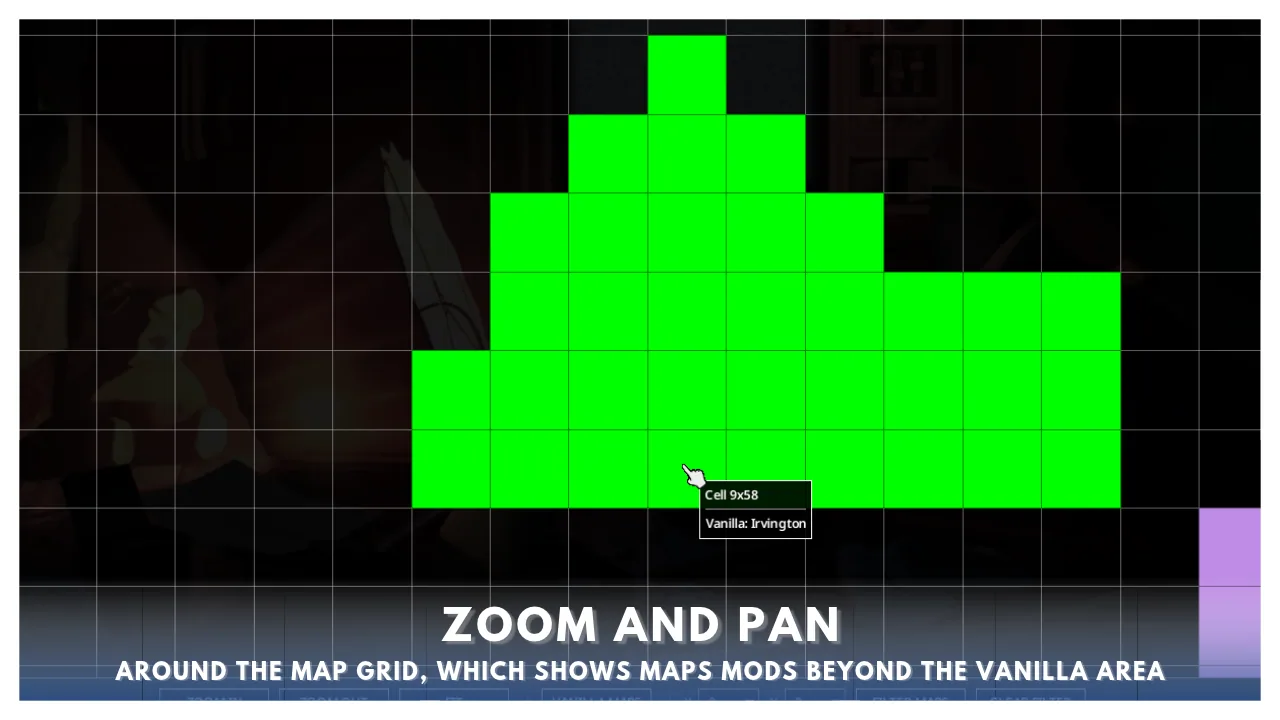
Users can zoom in for a closer look and navigate the grid using the mouse or arrow keys. The grid automatically expands to show map areas beyond the standard boundaries.
Mod Management and Dependencies
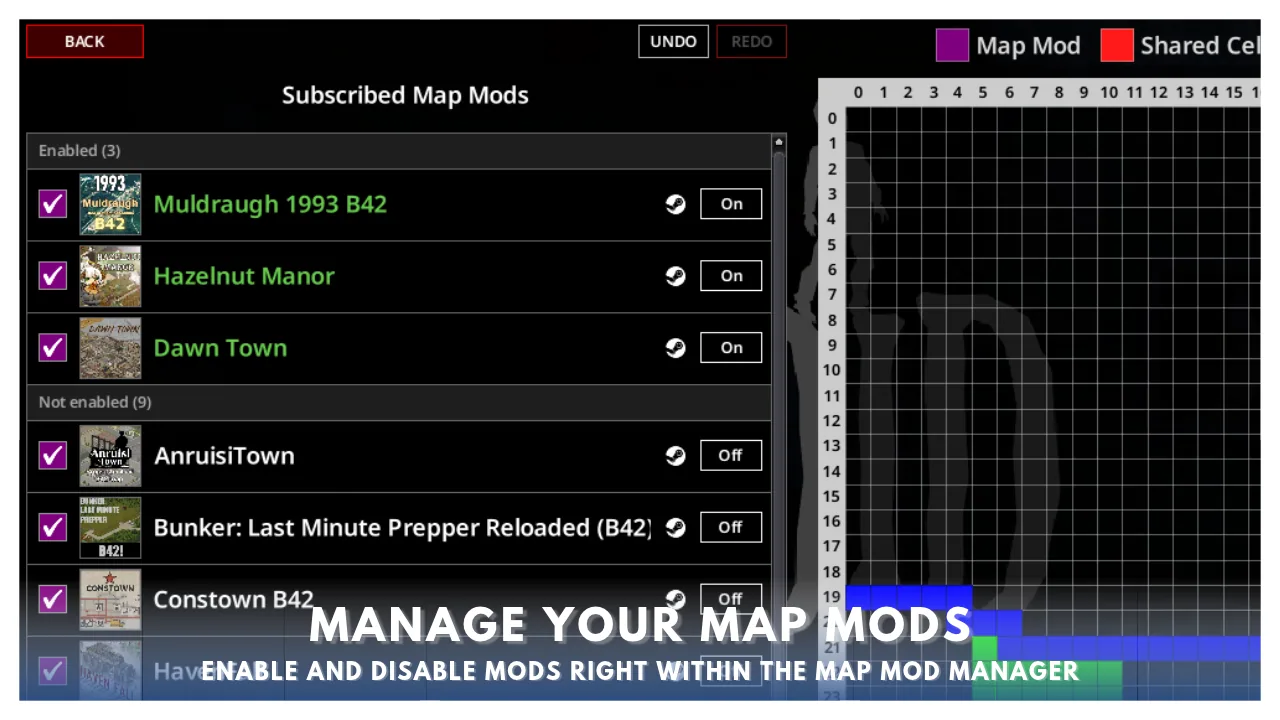
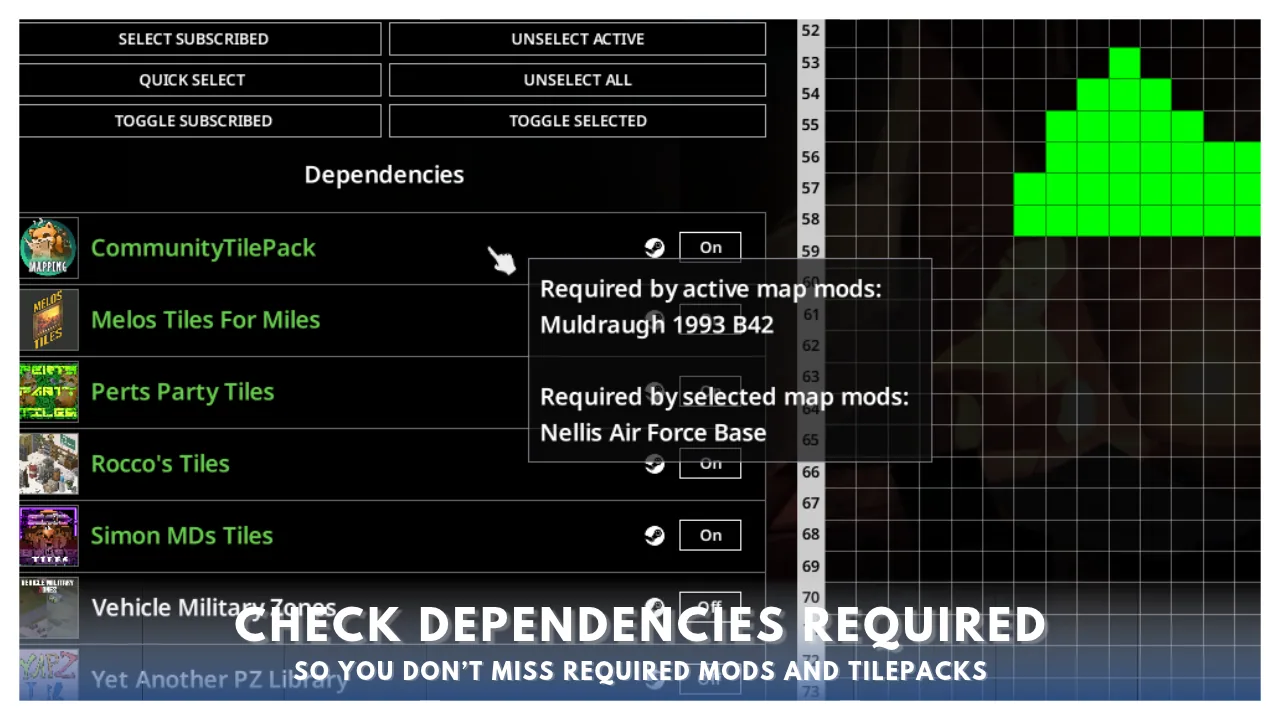
The tool allows for direct management of subscribed mods and their dependencies without returning to the main mods menu: - Enable/Disable: Quickly toggle map mods and their required dependencies on or off. - Dependency View: View required mods for any selected or enabled map. Hovering over a dependency reveals which other maps rely on it, ensuring no essential components are missing. - Reordering: Easily reorder both ModIDs and MapFolders to control load order. - Status Indicators: In the dependency list, active mods appear green, required dependencies that are not enabled appear white, and dependencies you are not subscribed to appear red.
Problem Identification and Filtering
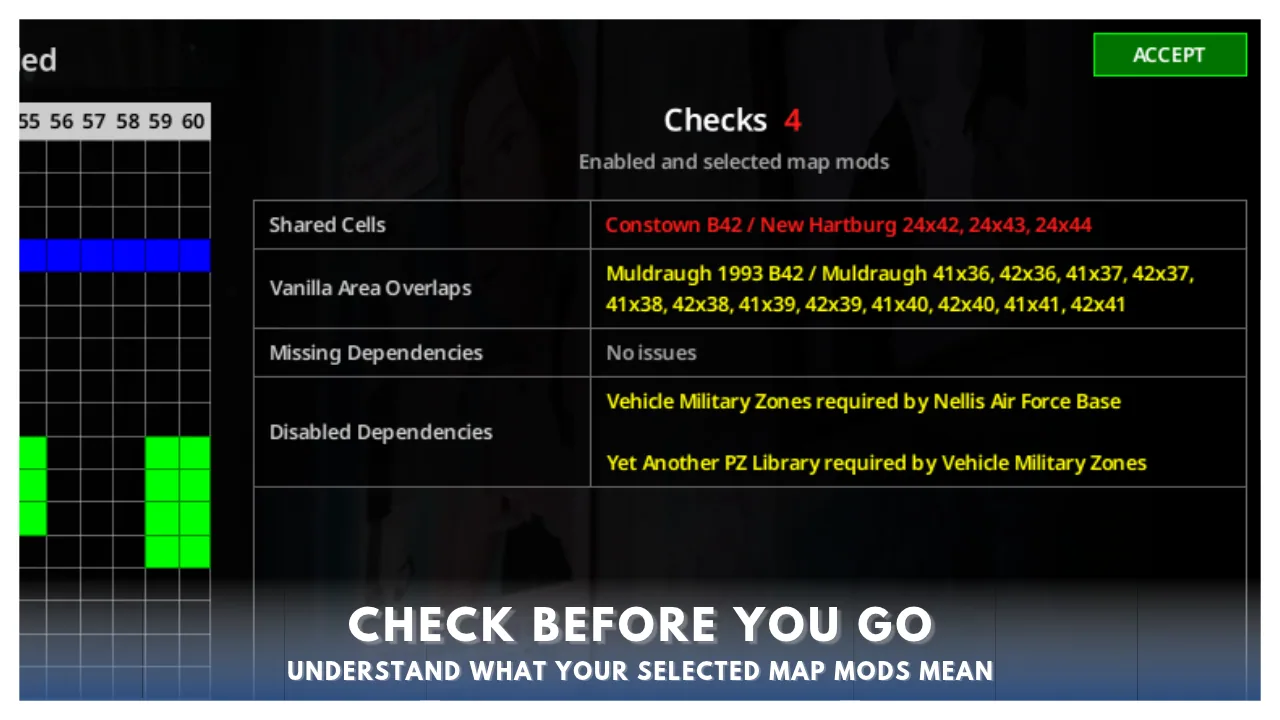
Map Mod Manager consolidates potential issues into a single view: - Shared cells between mods. - Overlaps with vanilla areas. - Missing dependencies. - Disabled dependencies.
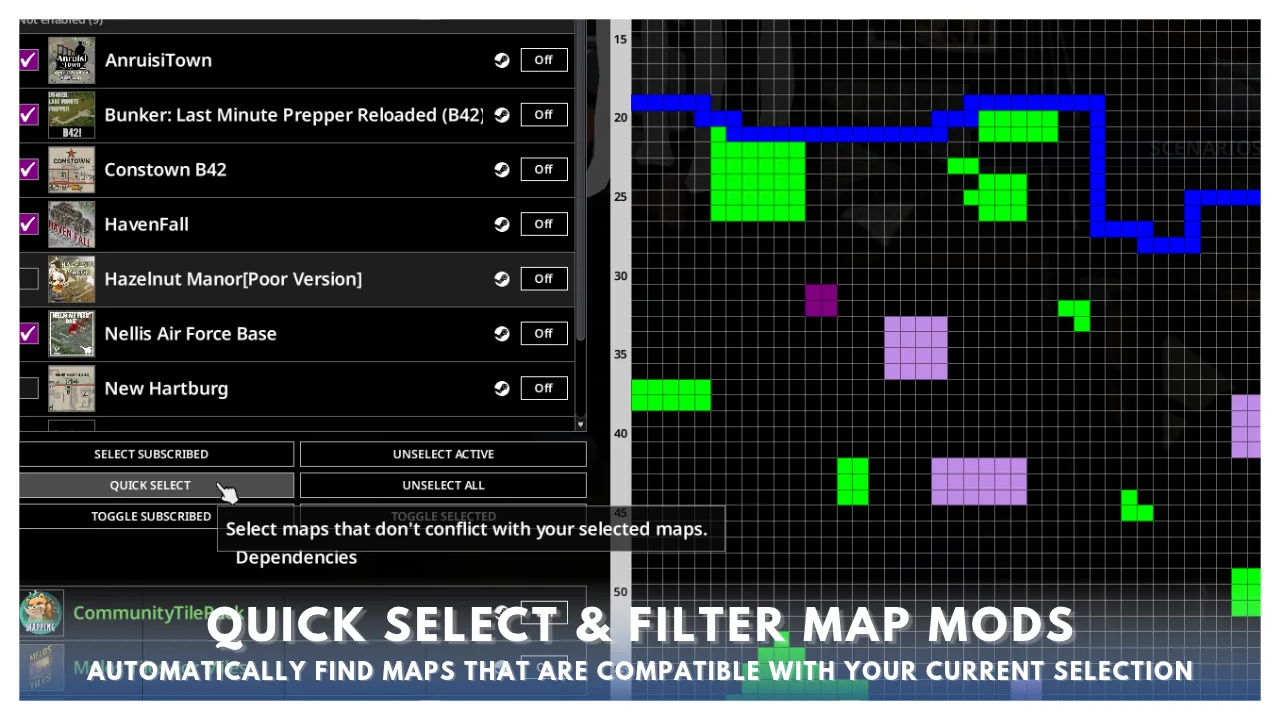
Hovering over a checkmark icon provides details on the specific problem. Users can also quickly select map mods that do not conflict with their current selection or filter by a specific cell to see which mods occupy that area.
Presets and Export
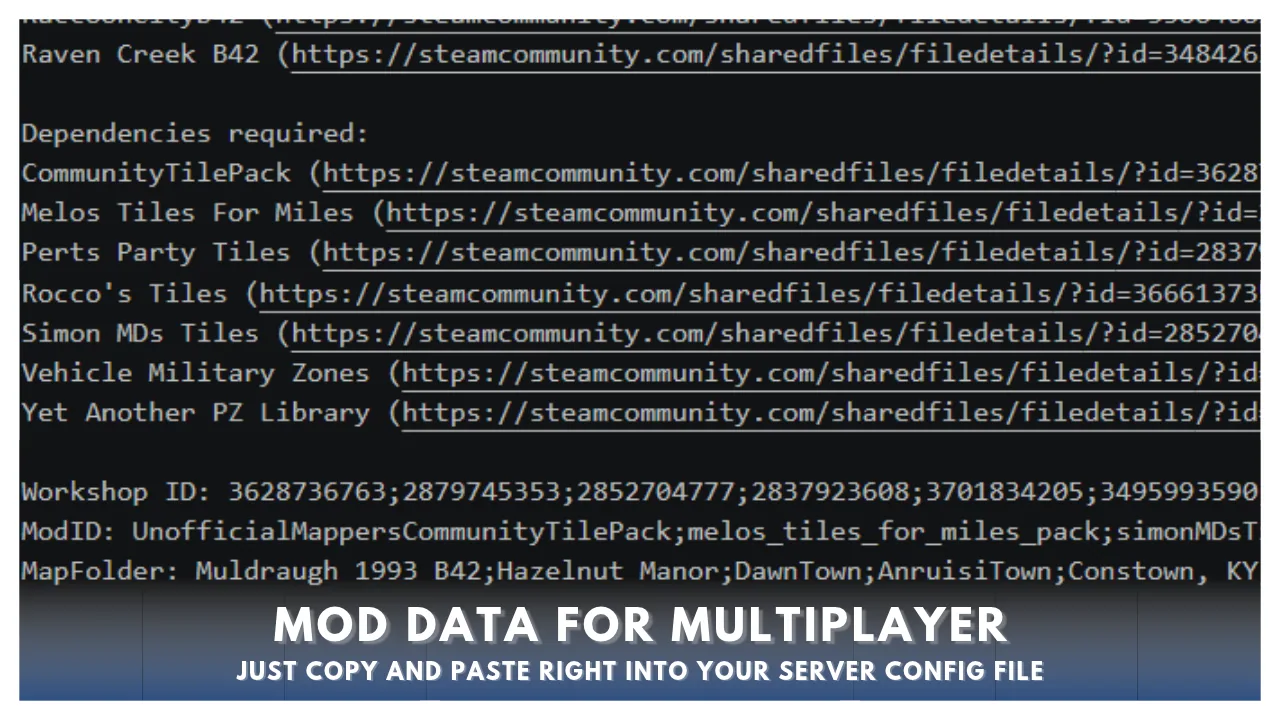
To facilitate sharing and server setup, the mod includes: - Presets: Save enabled map mods, dependencies, load orders, and selected maps as a preset. Presets can be shared and added by other users. - Export: Generate a list of selected maps including URLs, dependencies, and multiplayer data. This allows for quick server setup or sharing configurations with friends.
Usage Instructions
- Enable Map Mod Manager in the mods menu, save, and return to the main menu.
- A button labeled "Map Mod Manager" will appear under the "Quit" button.
- Select maps to display them on the cell grid. Conflicting maps appear red; conflicts with vanilla areas appear yellow.
- Hover over any cell to see which map(s) occupy it.
- Use the Steam link next to any map or dependency to visit the Workshop page. Note that if you subscribe to a new mod, you must quit and reopen the game for it to appear in the Subscribed Map Mods list.
- Changes are saved automatically when the UI is closed.
Known Limitations and Notes
- Font Size: If the game font size is increased, the UI may display incorrectly. Reduce the font size to default while using this mod.
- Mod Packs: The tool detects "mod packs" (Workshop items containing multiple mods). Subscribing to both a mod pack and its individual components simultaneously may cause issues. It is recommended to avoid subscribing to both at the same time.
- Updates: New subscriptions require a full game restart to appear in the list.
Translations
The mod includes community translations for French (Aatheom), Korean (Teray), and Italian (Nycotex).
Screenshots 8

Comments 0
No comments yet — be the first.
Log in or sign up to leave a comment.