












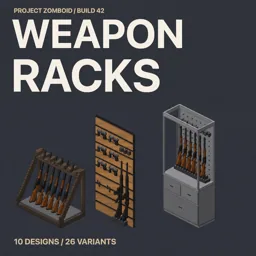



Build weapon racks, wall panels and cabinets in Project Zomboid to display firearms, swords and machetes as 3D models. Choose wooden or metal designs, organize weapons by category and retrieve them individually or all at once. Supports Build 42 and compatible modded weapons.
Contents
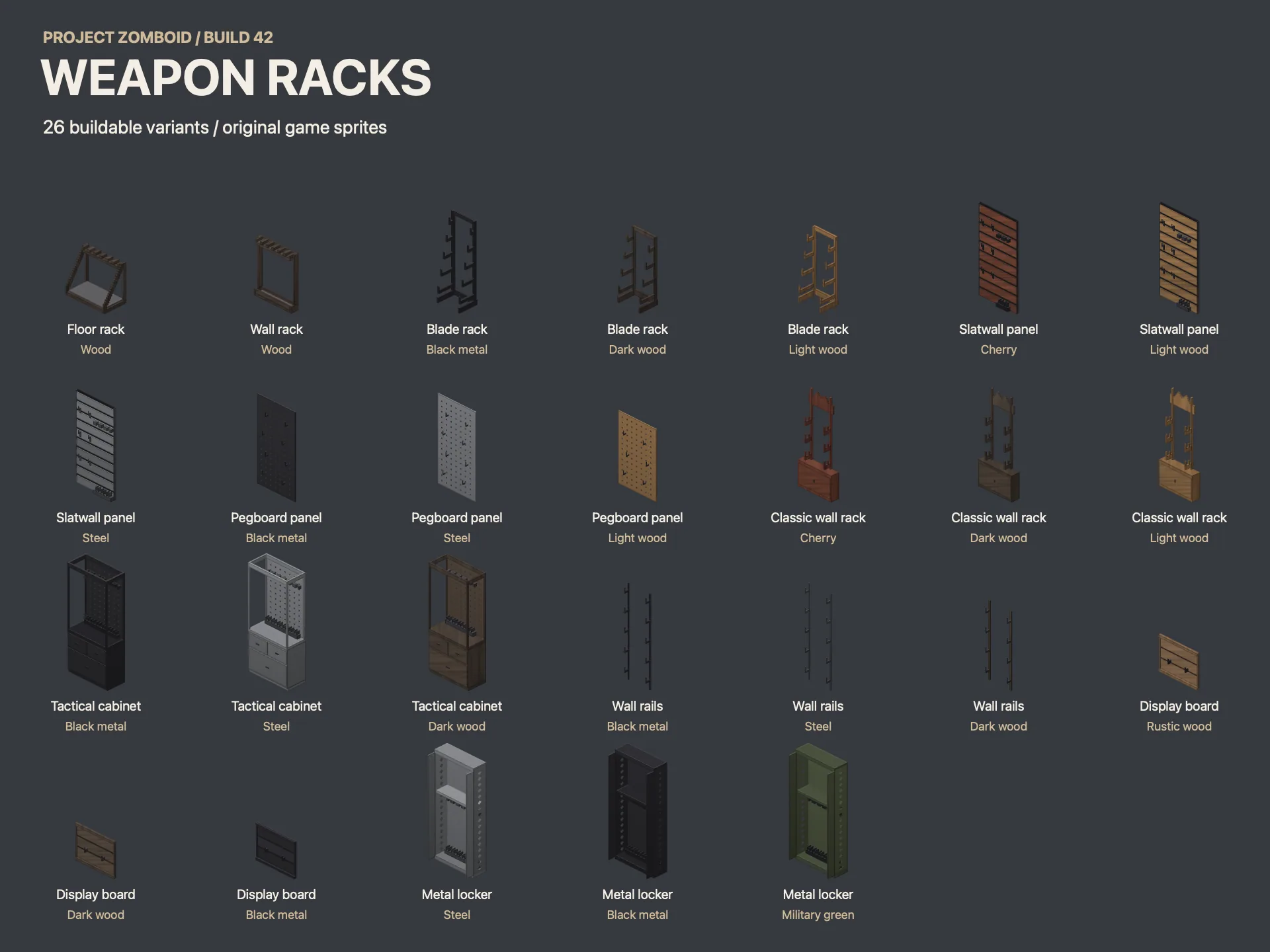
Weapon Racks adds a collection of buildable weapon displays to Project Zomboid, allowing survivors to organize firearms and melee weapons on racks, wall panels, display boards and cabinets.
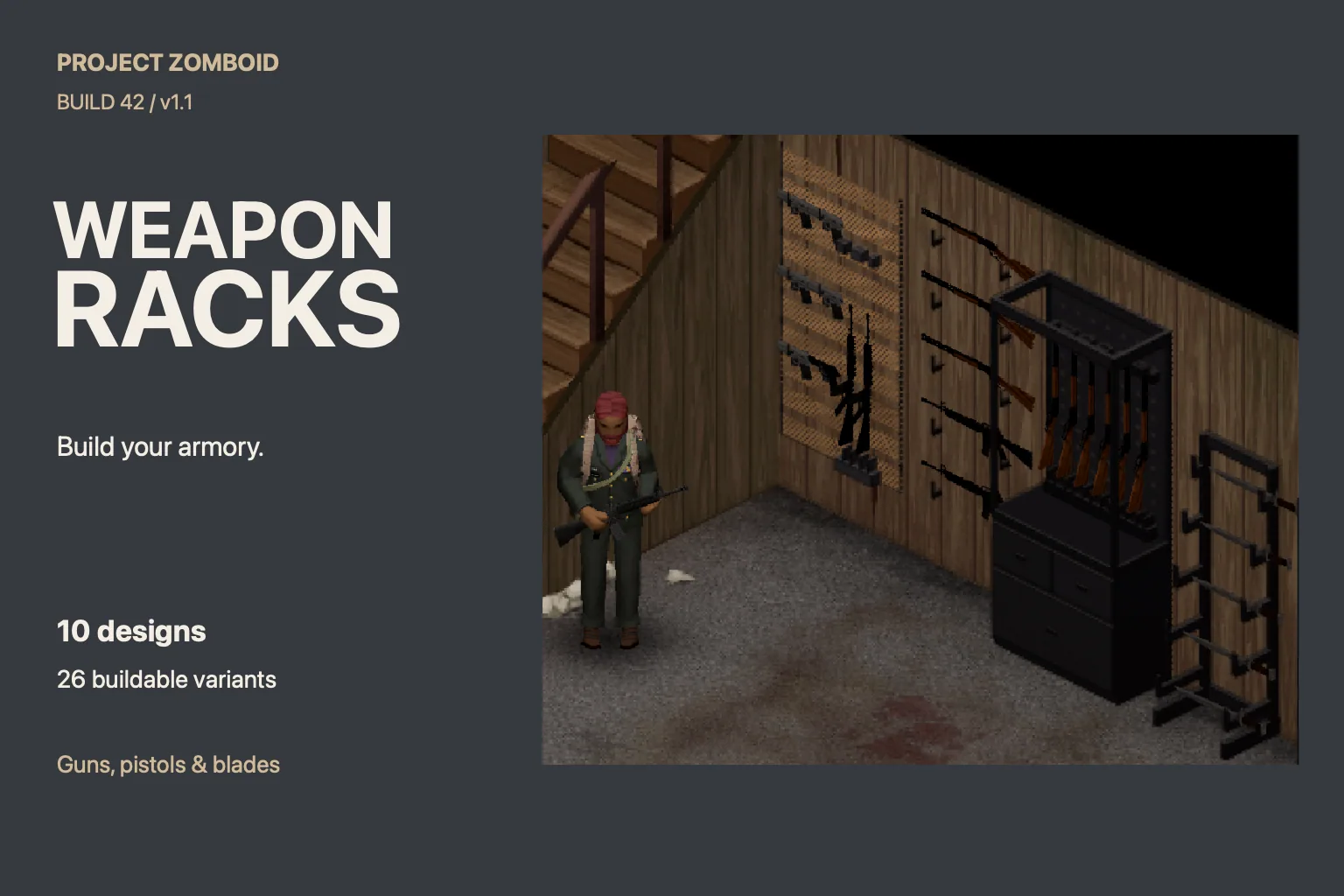
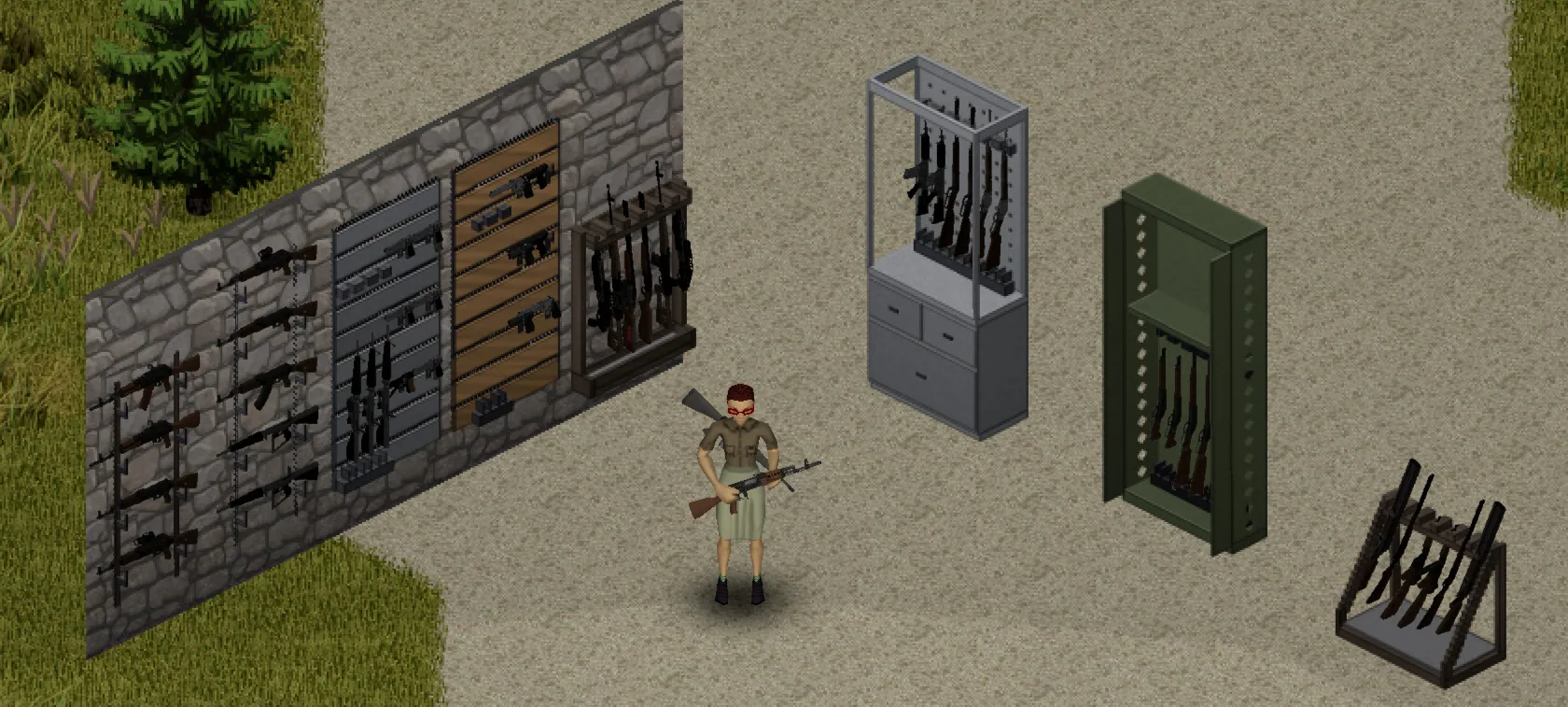
Instead of keeping every gun or blade in ordinary storage, players can create a dedicated armory where weapons are displayed as 3D models. The mod includes multiple designs for different weapon categories, with wooden and metal construction options.
Weapon Racks and Displays
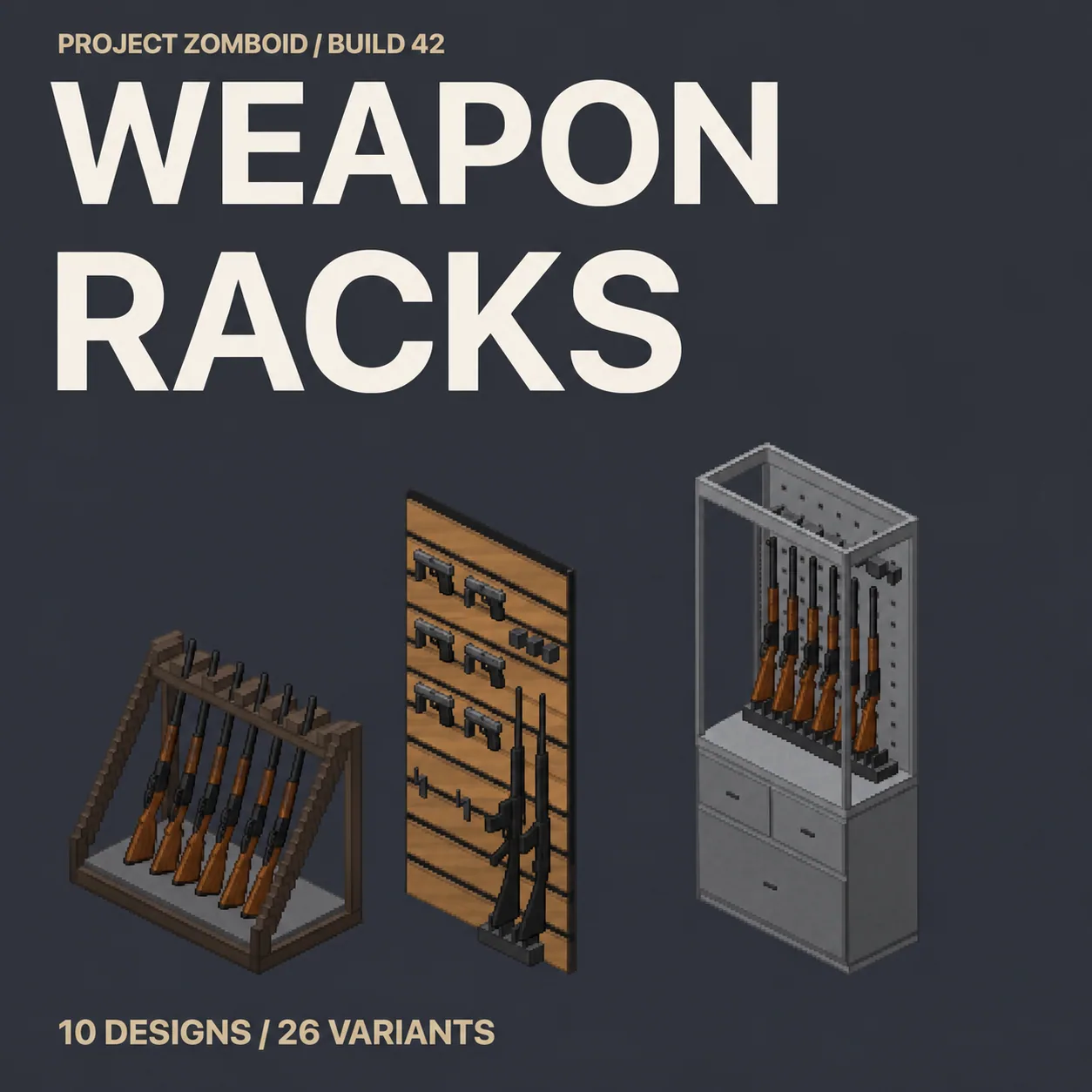
The mod introduces several types of weapon storage and display furniture:
- Floor rifle racks: Freestanding displays for rifles and other compatible long guns.
- Wall rifle racks: Wall-mounted storage for long firearms.
- Blade racks: Displays designed for swords and machetes.
- Slatwall panels: Weapon panels supporting pistols and long guns.
- Pegboards: Additional wall-mounted weapon displays.
- Classic wall racks: Traditional weapon racks with a drawer.
- Wall rails: Alternative wall-mounted weapon storage.
- Single-gun display boards: Individual displays for a single firearm.
- Tactical cabinets: Weapon cabinets equipped with drawers.
- Open steel lockers: Metal lockers with an internal shelf.
Each display uses designated weapon categories, so only appropriate weapons can be placed in its slots.
Wooden and Metal Construction
Most weapon racks are available in wooden and metal versions, providing different construction requirements and storage capacities.
Wooden Racks
- Require Carpentry.
- Cost fewer resources to construct.
- Hold one fewer weapon than their corresponding metal versions.
Metal Racks
- Require Welding.
- Provide one additional weapon slot compared with equivalent wooden racks.
These options allow players to choose between simpler wooden displays and higher-capacity metal constructions.
How to Build and Use Weapon Racks
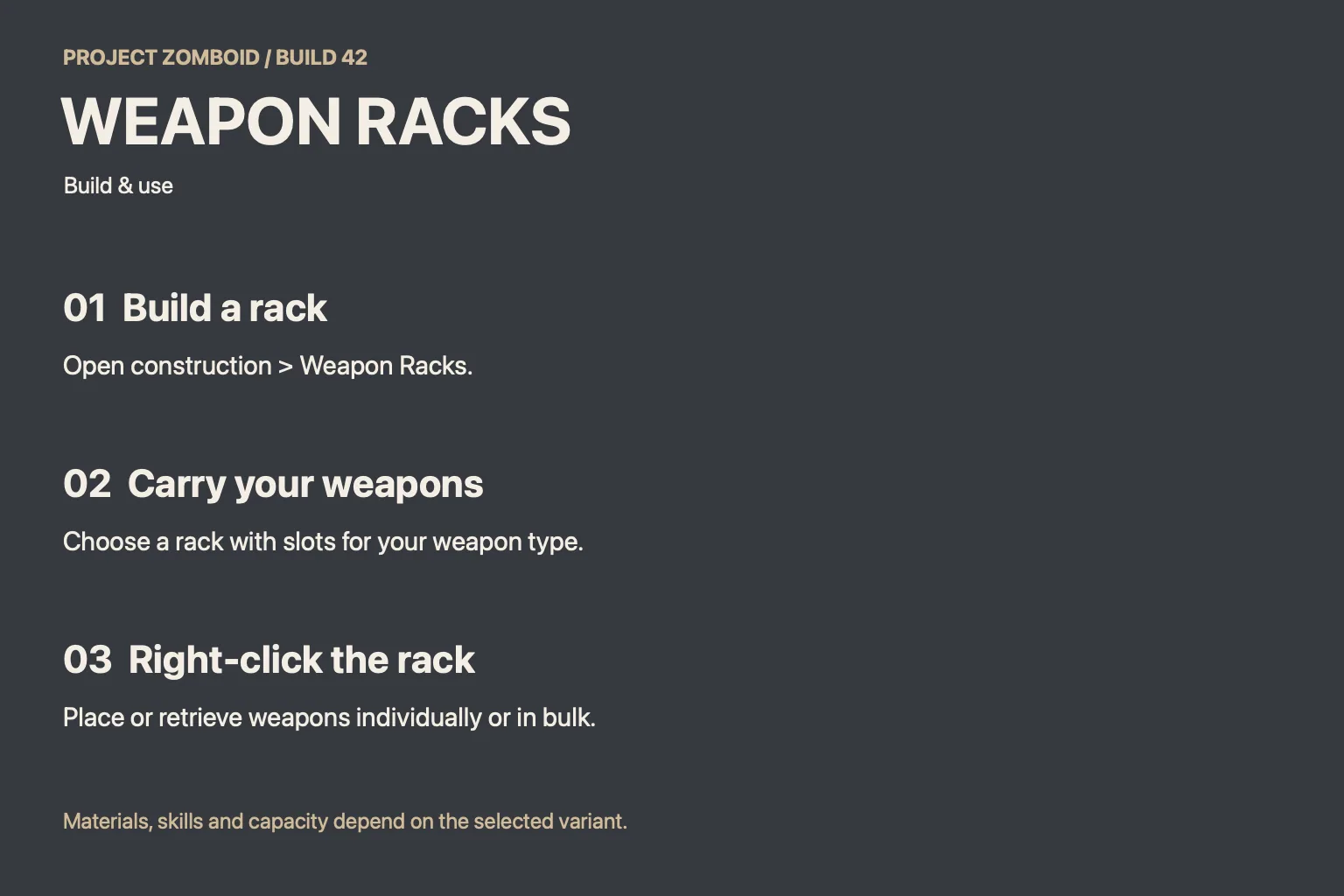
All displays can be constructed through the Weapon Racks tab in the game's construction menu.
To place weapons on a rack:
- Build the desired rack, panel or cabinet.
- Keep the weapons in your character's main inventory.
- Right-click the display to open its interaction menu.
- Select the weapons you want to place on the rack.
Weapons can be retrieved individually or all at once through the same interaction system.
Each slot accepts only its designated weapon category. For example, blade displays are intended for swords and machetes, while other racks are designed for firearms.
Compatibility with Modded Weapons
Weapon Racks identifies compatible equipment by weapon category, rather than relying on a fixed list of supported modifications.
This means weapons from other mods may work if they meet two conditions:
- They belong to the category supported by the selected slot.
- They have a functional 3D world model.
The author has tested the mod with weapons from Guns of Marz.
However, weapon placement and alignment can vary between individual models. Compatibility with every firearm or melee weapon from every modification is not guaranteed.
Project Viewpoint is not currently supported.
Save Compatibility
The mod can be added to existing Project Zomboid saves.
According to the author's testing, adding and removing it did not cause problems or item loss. This reflects the reported test results rather than a guarantee for every modded setup.
Requirements and Languages
- Game version: Project Zomboid Build 42 only.
- Languages: English and Brazilian Portuguese.
- Modded weapons: May be supported when their categories and 3D models are compatible.
- Project Viewpoint: Not currently supported.
Weapon Racks is a useful addition for players who want to build organized armories, display collected firearms and blades, and give their survival bases more detailed weapon storage areas.
Screenshots 5


Comments 3
Обновление от 11.11.2026
Файл: Johnson's Weapon Racks
Что изменилось:
Update 1.2 is out!
Bat racks, a tool panel and a hammer shelf for bats, crowbars, pipes, hammers, wrenches and two-handed axes
Workshop tool cart in six colors: 4 slots on top (pickaxes too) and 100 storage for weapons and tools
Tactical cabinet, metal locker and classic wall rack now store weapons and ammo (100 metal / 80 wood)
Placing and taking weapons is more reliable: an interrupted action keeps the weapon, and the rack tells you when something fails
Simplified Chinese and Russian
Racks you already built keep their weapons. Restart the game after updating so the new furniture loads.
Multiplayer is still not fully tested. If you play on a server, let me know how it goes.
简体中文:1.2 版已更新,新增球棒架、工具板、锤子架和工具车,并加入简体中文。
Русский: вышла версия 1.2: стойки для бит, панель для инструментов, полка для молотков, тележка для инструментов и русский язык.
Обновление от 19.11.2026
Файл: Johnson's Weapon Racks
Что изменилось:
- Added Project Viewpoint support: https://steamcommunity.com/sharedfiles/filedetails/?id=3842220650
- Guns no longer hide behind the slatwall, pegboard, rail and display board panels. Weapons placed before this update: take them out and place them again.
- Black metal panels are lighter so the guns stand out.
Обновление от 22.11.2026
Файл: Johnson's Weapon Racks
Что изменилось:
- Added Project Viewpoint support: https://steamcommunity.com/sharedfiles/filedetails/?id=3842220650
- Guns no longer hide behind the slatwall, pegboard, rail and display board panels. Weapons placed before this update: take them out and place them again.
- Black metal panels are lighter so the guns stand out.
Log in or sign up to leave a comment.