
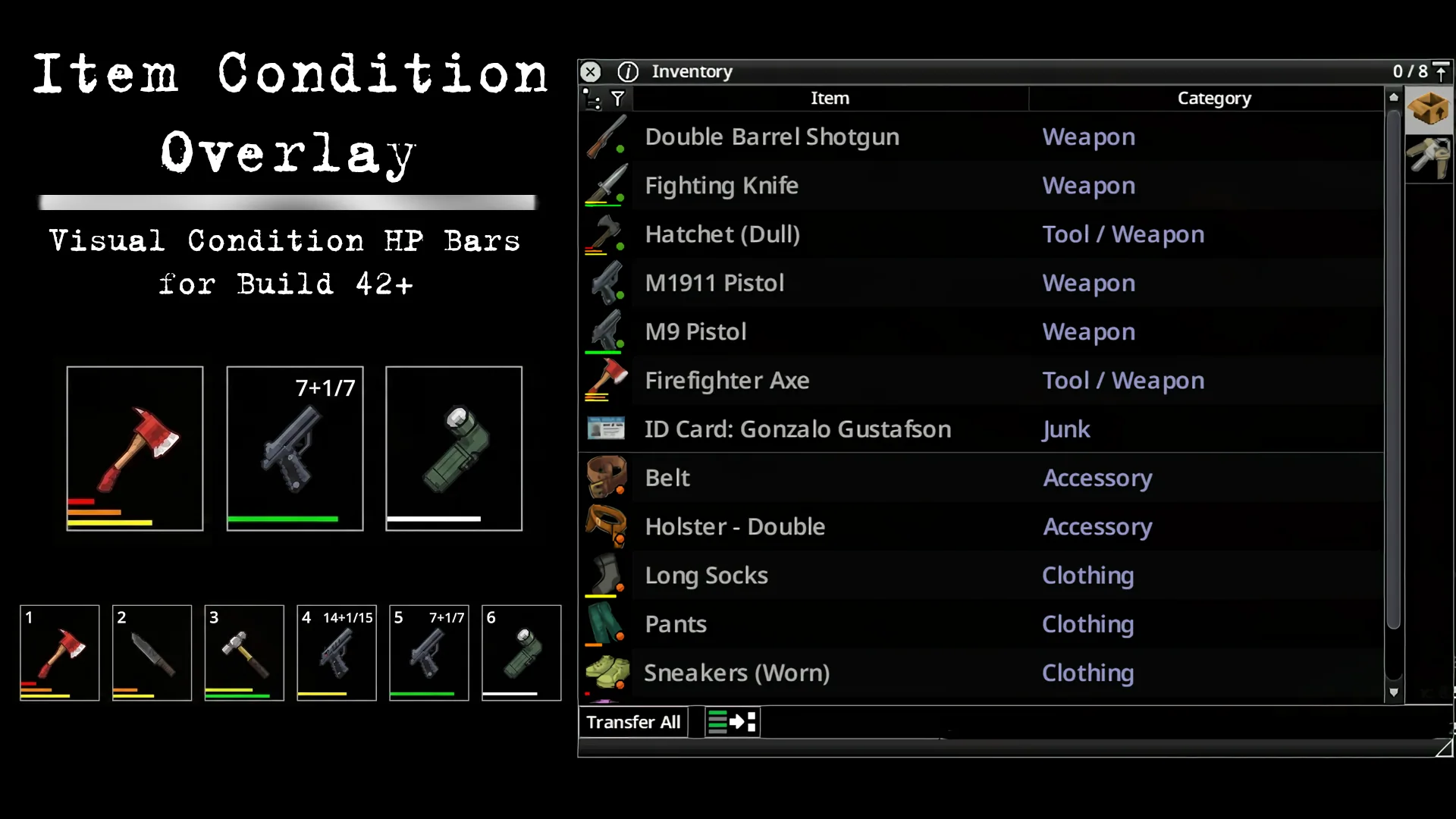
Item Condition Overlay adds visual indicators to inventory items and hotbar slots. Check durability, battery charge, ammunition, and container contents without opening individual item details.
Contents
Item Condition Overlay — Equipment Status at a Glance
Item Condition Overlay adds visual indicators to inventory items and hotbar slots. Check durability, battery charge, ammunition, and container contents without opening individual item details.
Colour-coded condition
Condition bars use four colours:
| Colour | Condition |
|---|---|
| Green | 75–100% |
| Yellow | 50–75% |
| Orange | 25–50% |
| Red | 0–25% |
Build 42 weapons can display separate bars for handle condition, head condition, and sharpness.
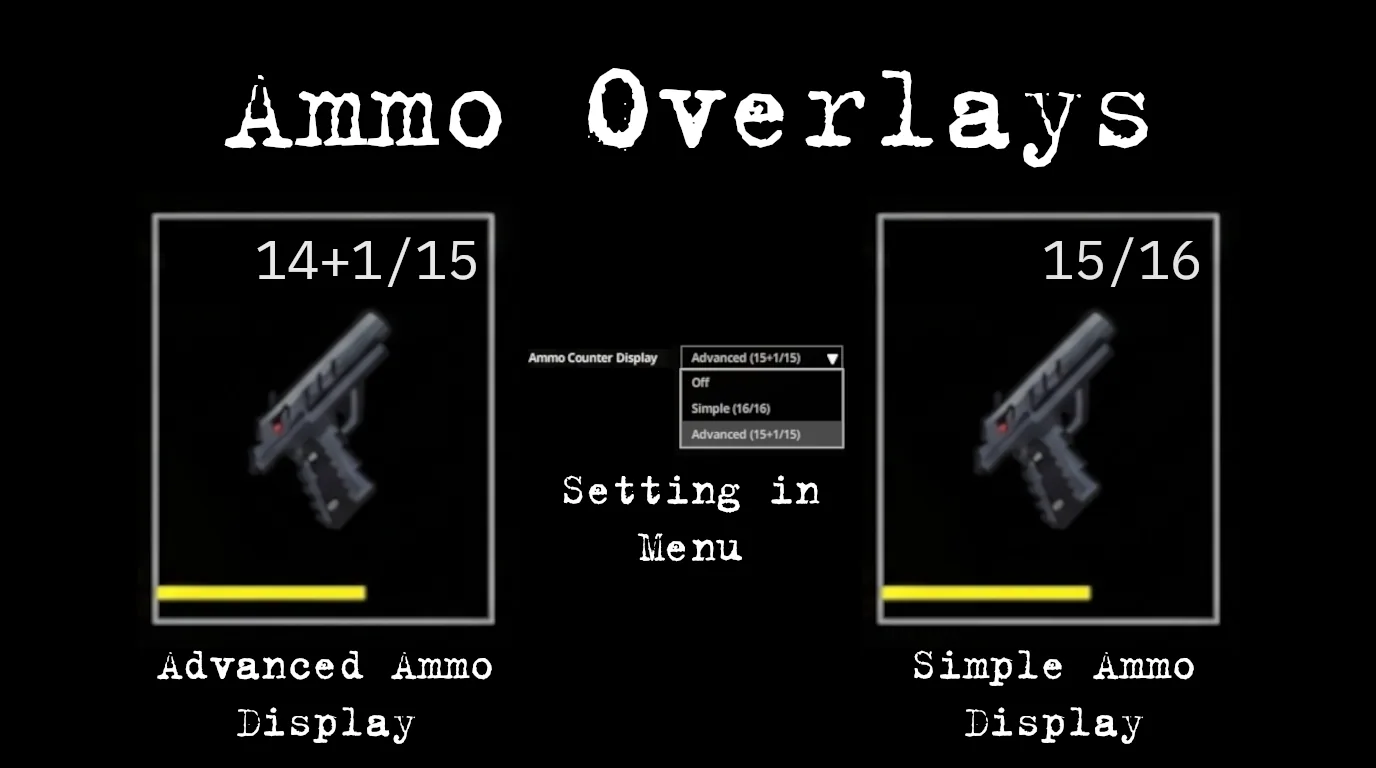
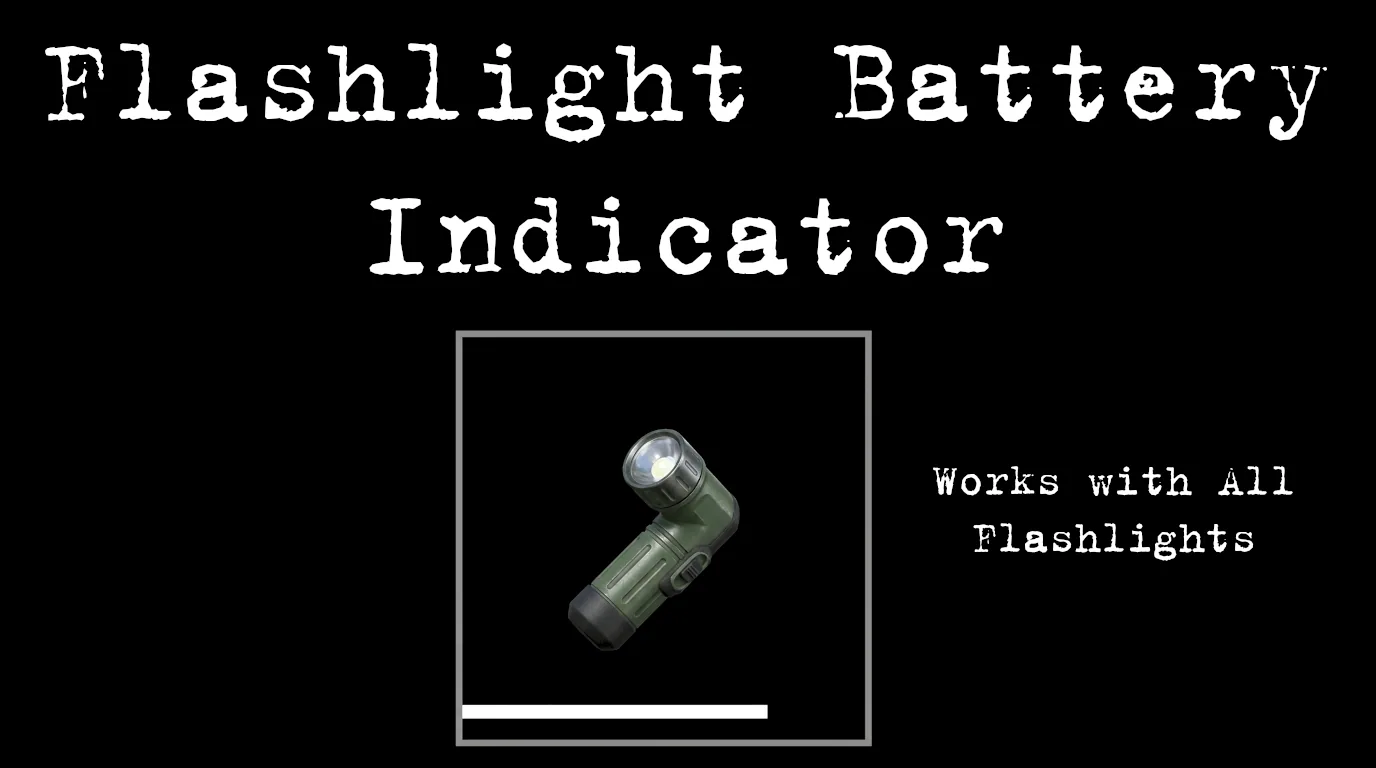
Hotbar firearms support ammunition counters with Off, Simple, and Advanced modes. Flashlights and weapon-mounted lights can show battery charge.
Containers and display filtering
Liquid containers show their remaining contents, with colours distinguishing water, petrol, bleach, tea, and other supported liquids.
Hotbar indicators remain visible. In the inventory, damaged items always receive condition bars, while refillable items can retain their indicators when full to distinguish them from empty containers.
Scaling and controller support
Hotbar scale can be adjusted from 75% to 250%. Slots, icons, bars, and ammunition text resize together, helping accommodate high-resolution screens and TV setups.
An optional controller setting keeps the hotbar visible with its indicators and ammunition counters.
Settings are available under Options → Mods → Item Condition Overlay.
Compatibility
Designed for Project Zomboid Build 42 and tested on 42.20. Supports single-player and multiplayer.
The mod runs client-side, stores nothing in the save, and can be added to or removed from an existing playthrough.
Screenshots 3
Comments 0
No comments yet — be the first.
Log in or sign up to leave a comment.