
















Adds customizable marks to books and media in Project Zomboid, letting you quickly identify unread, unfinished, and personally marked items. Compatible with Build 41 and 42, including multiplayer.
Has Been Read
v10.10.2026 · ModsFire, 1.1 МБ ·
12 downloads
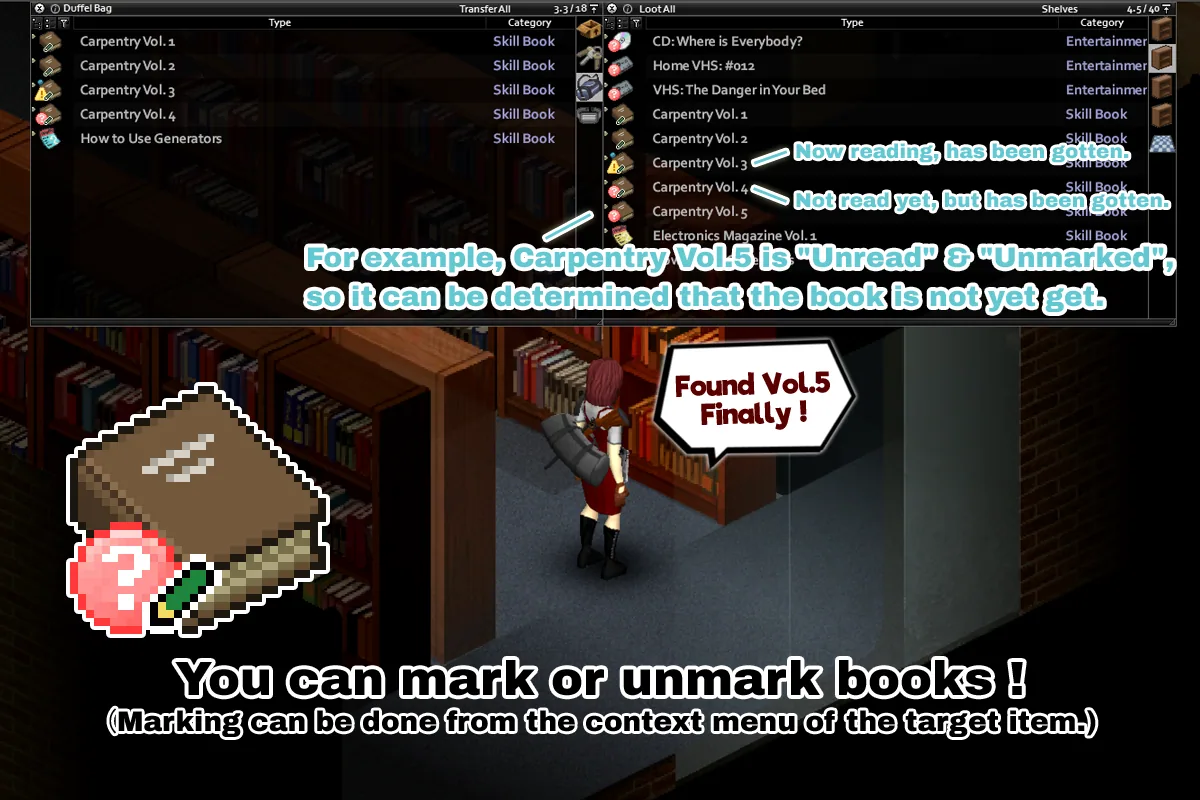
Has Been Read improves inventory management in Project Zomboid by adding clear, customizable visual marks to books and various media items. These marks help players quickly identify which items are unread, unfinished, or personally marked, streamlining looting and organization, especially in survival scenarios.
Features
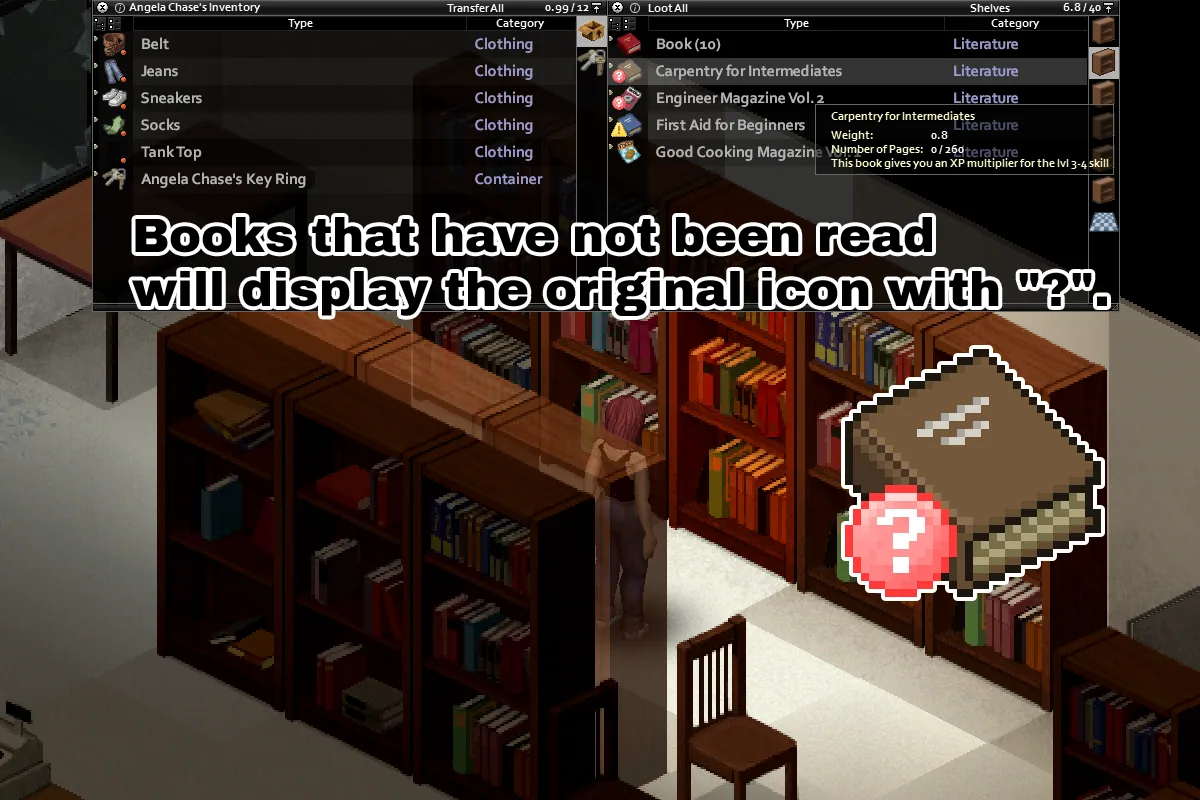
- Unread books and media display a "Not Read" mark (?). This includes unread skill books that are no longer needed for your current skill level.
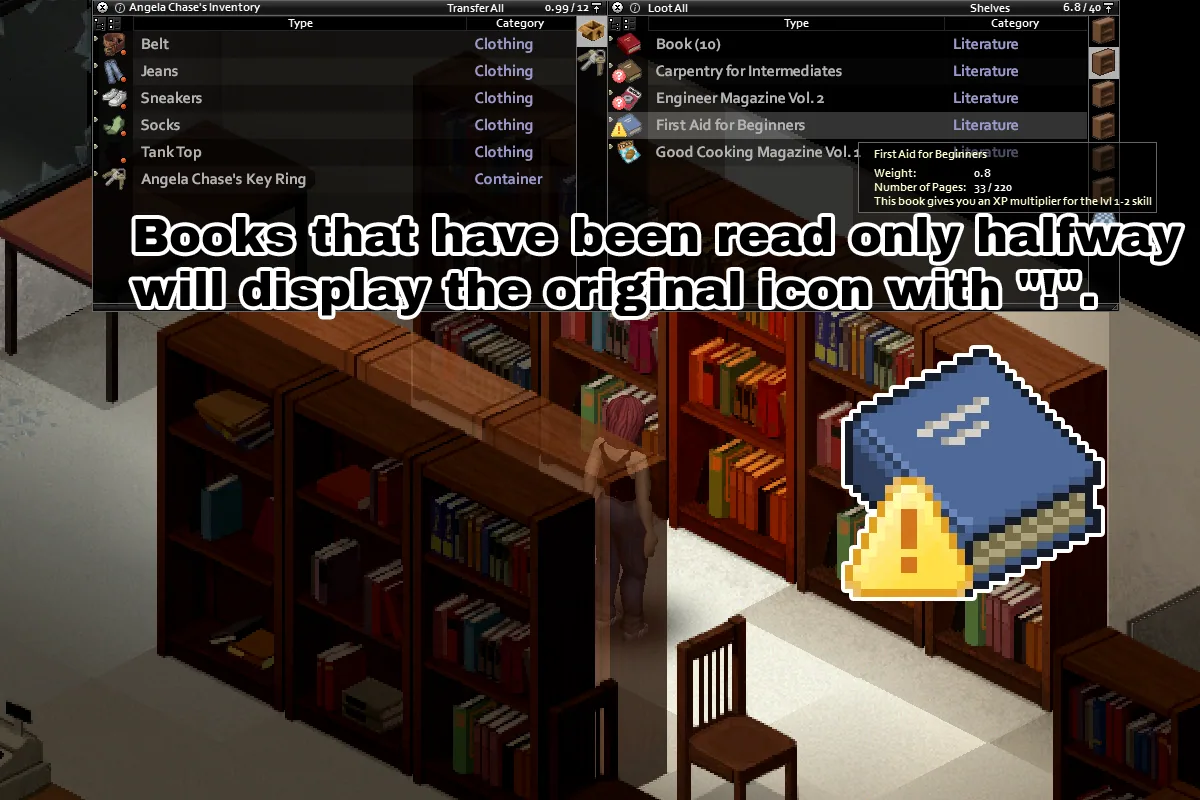
- Partially read books show a "Not Completed" mark (!).
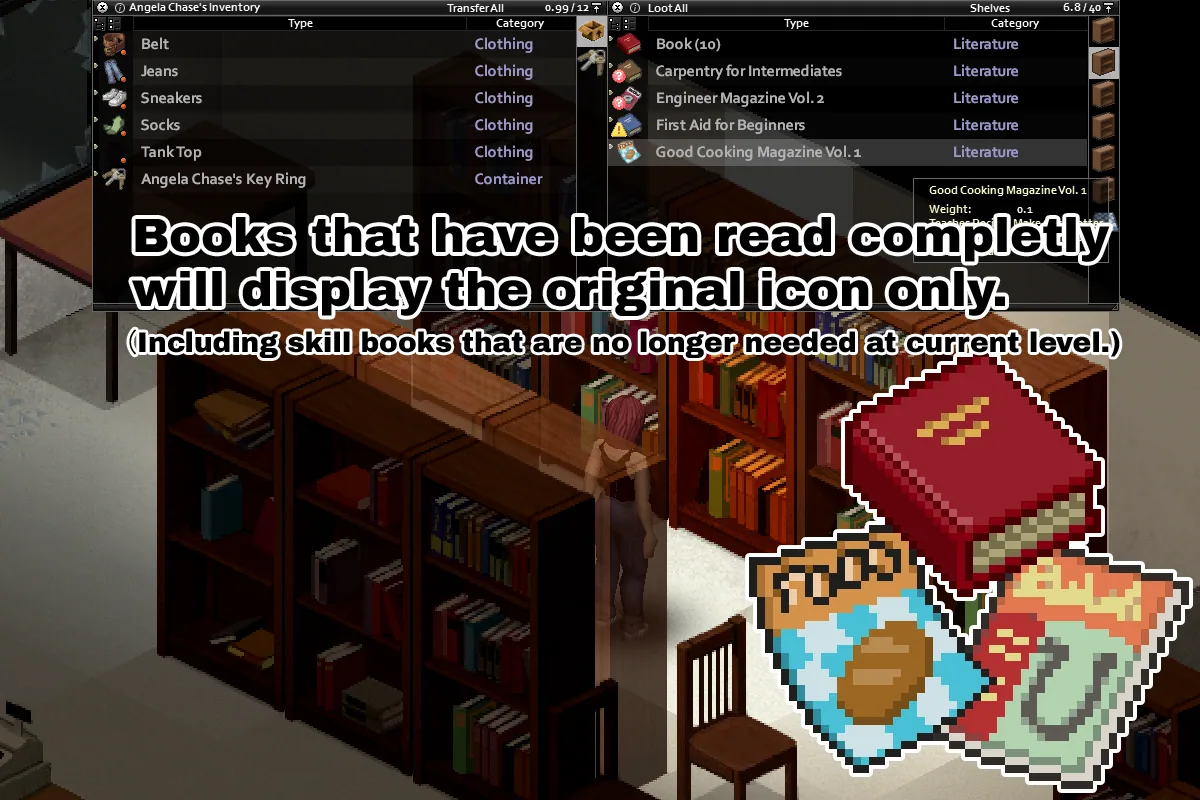
- Completed items keep their original icon by default. Optionally, you can enable an "Already Read" mark (v).
- A blue "Current Target" dot (o) highlights:
- Skill books suitable for your character's current skill level
- CDs and VHS tapes that may provide experience or teach recipes
- Item Marks can be manually added to supported items via the context menu. These marks help you remember which books or media you already own. Item Marks are tracked separately for each character.
- Automatic Item Marks can be applied when supported items are moved into your inventory or a bag you are carrying.
Options
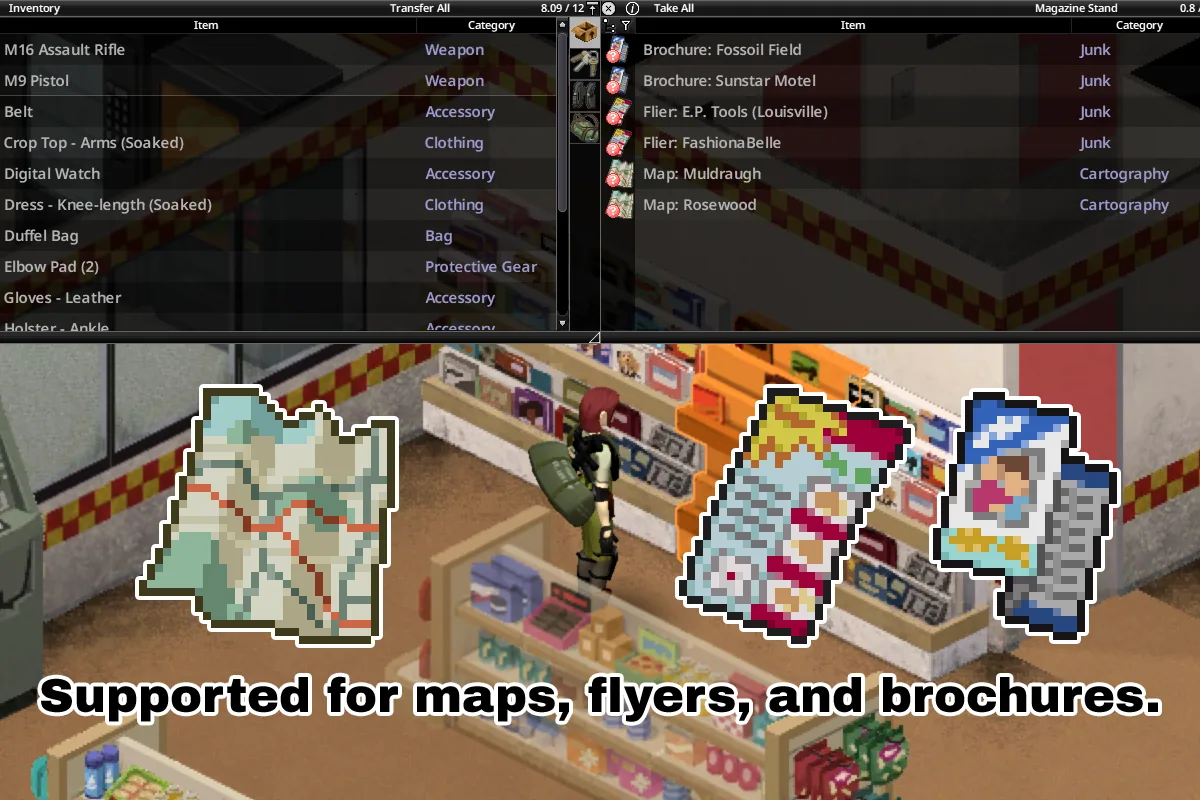
- Items for Status and Current Target Marks: Choose which item types can display status and target marks. Supported types include Skill Book, Recipe Magazine, Map, Flier, Brochure, Titled Literature, CD, VHS, and Home VHS. This does not affect Item Marks or auto-marking.
- Show Status Marks: Toggle display of the "Not Read" (?), "Not Completed" (!), and "Already Read" (v) marks.
- Show "Current Target" Mark (o): Highlights skill books at your current level, as well as CDs and VHS tapes that can provide experience or recipes.
- Show Item Marks (/): Display a pencil on items with an Item Mark and an eraser on items without one. Disabling both also disables adding, removing, and automatically applying Item Marks.
- Auto-Mark Items: Automatically applies an Item Mark when a supported item is moved into your inventory or a carried bag.
- Temporary Auto-Mark Toggle: Allows auto-marking to be paused or resumed from the context menu. Disabling this hides the context menu entry and applies the "Auto-Mark Items" setting directly.
Known Issues
- In Build 42.20 multiplayer, the vanilla game does not retain the read status of map items after reconnecting. Maps may appear unread after reconnecting. To avoid this, disable "Map" under "Items for Status and Current Target Marks." This does not affect already revealed map areas.
- CDs, VHS tapes, and Home VHS currently only support the "Not Read" mark. Since a separate "Not Completed" state is unavailable, partially viewed media is treated as unread.
Additional Notes
- Modded books are supported if they follow the vanilla book implementation.
- In Build 42, the read status of maps, fliers, brochures, and titled literature is taken from the vanilla per-character reading history. Items read before enabling the mod can be recognized.
- In Build 41, maps, fliers, brochures, and titled literature must be read after enabling the mod to be recognized as read.
- Read status and Item Marks are tracked separately for each character. Revealed map areas may be shared between characters, but whether a map item is read is character-specific.
- The mod can be included in mod packs without permission or credit. Use at your own risk.
Version History
- v3.8: Improved compatibility with CleanUI and additional modded books.
- v3.7: Improved compatibility with custom Recorded Media.
- v3.6: Enhanced item marking controls and option clarity.
- v3.5: Added support for Build 42.20.
- v3.4: Minor bug fixes and performance improvements.
Screenshots 6


Comments 0
No comments yet — be the first.
Log in or sign up to leave a comment.