












Discover all 14 phone apps in GTA 6, including BuckMe, RydeMe, Scooter Bros, and WAiNK. Learn how to unlock every app, fast travel, deliver vehicles, buy garages, manage money, and improve character stats.
Contents
- How to Open Your Phone in GTA 6
- All 14 GTA 6 Phone Apps
- Messaging, Photos, and Social Media
- Banking and Money Management
- Transportation and Fast Travel
- WAiNK - How to Scan Cars in GTA 6
- Other Useful Phone Apps
- Additional Smartphone Features
- Which GTA 6 Phone Apps Are the Most Useful?
- Frequently Asked Questions
- Conclusion
All GTA 6 Phone Apps: How to Unlock and Use Every App
The smartphone in GTA 6 is one of the most important tools available to Jason and Lucia. It handles communication, banking, vehicle management, property purchases, social media, and several features that make exploring Leonida easier.
There are 14 main phone apps documented in the game. Most are available from the beginning, while services such as BuckMe, Scooter Bros, and Vice City Real Estate become available through story progression.
This guide covers every GTA 6 phone app, its main functions, how to unlock it, and which services are worth using regularly.
How to Open Your Phone in GTA 6
To access your smartphone, press Up on the D-pad on PS5 or Xbox Series X|S.
The basic controls are:
- D-pad: Navigate between apps.
- X on PS5 or A on Xbox: Open the selected app.
- Circle on PS5 or B on Xbox: Go back or put your phone away.
- Hold Up on the D-pad: Quickly open the WAiNK vehicle scanner.
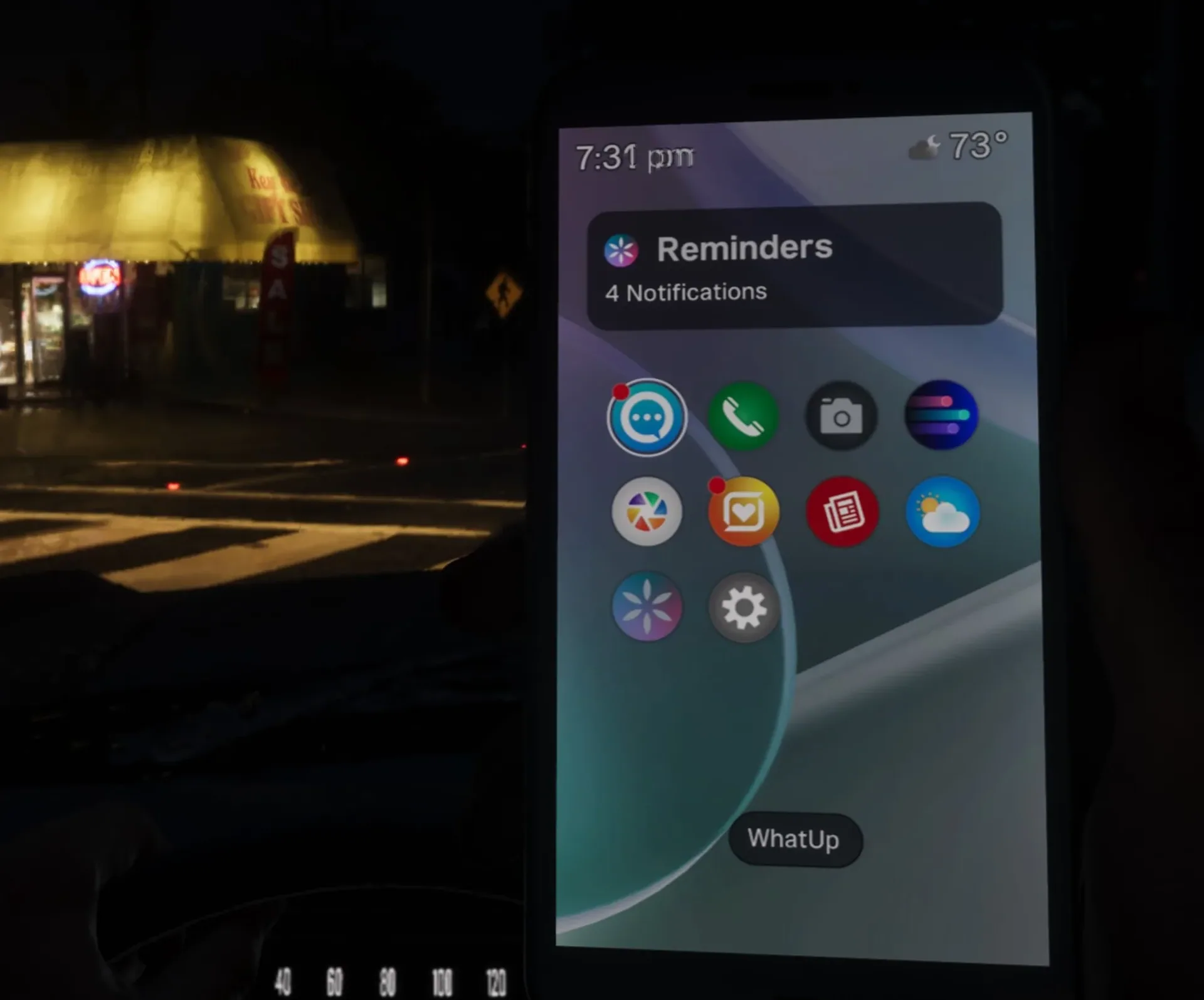
You can access your phone while driving, although using it may distract you from controlling your vehicle.
The home screen also displays Reminders, a widget that keeps track of unread messages, missed calls, and other notifications.
All 14 GTA 6 Phone Apps
Here is an overview of the main applications available to Jason and Lucia.
| App | Main function | Unlock requirement |
|---|---|---|
| WhatUp | Messages and mission updates | Available from the start |
| Contacts | Phone calls and services | Available from the start |
| Camera | Photos and selfies | Available from the start |
| Gallery | Saved and received pictures | Available from the start |
| Snapmatic | Social media feed | Available from the start |
| News | News from around Leonida | Available from the start |
| Weather | Weather forecast | Available from the start |
| Fitness | Character stats and workouts | Available from the start |
| Settings | Phone customization | Available from the start |
| WAiNK | Vehicle and collectible scanning | Early Chapter 1 |
| BuckMe | Banking and payments | Buck Me, Chapter 1 |
| RydeMe | Ride-hailing and fast travel | During Chapters 1-2 |
| Scooter Bros | Personal vehicle delivery | Moses, Chapter 2 |
| Vice City Real Estate | Garage purchases | Daily Driver, Chapter 2 |
Most story-related apps appear automatically after the relevant mission. If a service is missing, continue progressing through the campaign.
Messaging, Photos, and Social Media
WhatUp - Messages and Mission Updates
WhatUp is GTA 6's instant messaging app, similar to WhatsApp.
Jason and Lucia use it to communicate with each other, stay in contact with friends, and receive information about missions and optional activities.
Messages can contain photos, addresses, and useful mission clues.
How to use it: Open WhatUp, select a conversation, and read the latest messages. Check for interactive location information when characters send you an address.
Unlock: Available from the start.
Contacts - Calls and Services
Contacts stores phone numbers for the characters and businesses you encounter throughout Leonida.
You can use it to:
- Call Jason or Lucia.
- Contact story characters.
- Request transportation through Paradise Taxi.
- Reach available vehicle service providers.
For example, Jason can contact Joey during Chapter 1 to have his personal car repaired and delivered.
Not every character answers random calls. Some conversations only become available during specific story events.
Unlock: Available from the start.
Camera - Photos and Selfies
The Camera app lets you photograph Leonida's environments and take selfies of your character.
It includes zoom and composition controls, and you can share certain pictures with your partner.
The phone camera is separate from Photo Studio, GTA 6's dedicated photo mode found in the pause menu.
Photo Studio offers more advanced tools for creating screenshots.
Unlock: Available from the start.
Gallery - Your Saved Pictures
Gallery stores photos taken with your smartphone, images received through messages, and certain pictures connected to Jason and Lucia's past.
This is useful during missions involving photos of vehicles, locations, or people.
If you need to examine an image again, return to Gallery instead of searching through previous conversations.
Unlock: Available from the start.
Snapmatic - Leonida's Social Network
Snapmatic is GTA 6's social media platform, featuring photos, short videos, and posts from residents across Leonida.
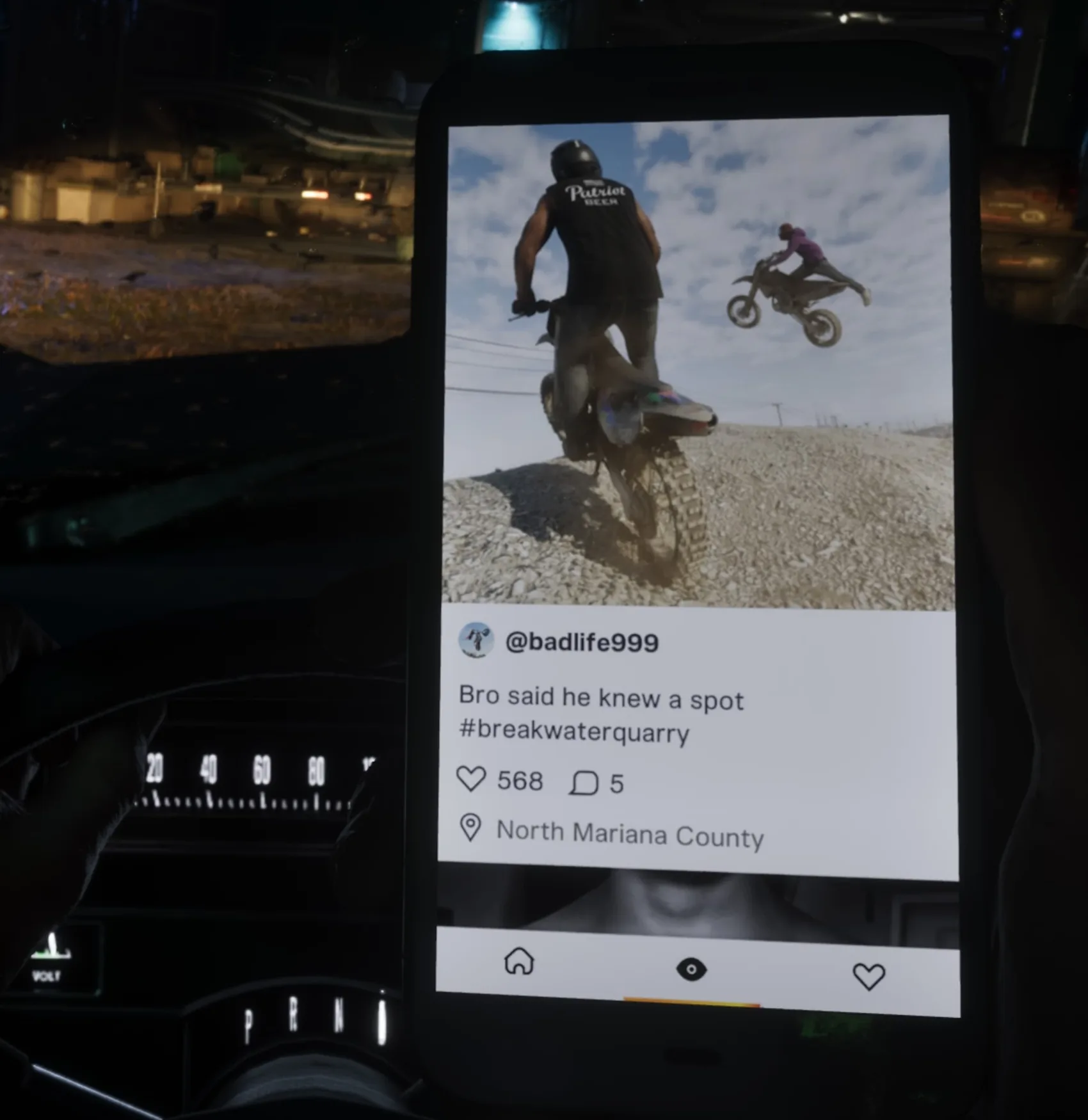
You can browse posts, view comments, examine tagged locations, and follow accounts.
Some posts may reveal points of interest or additional activities.
However, Jason and Lucia cannot freely publish their own pictures to the public feed. The protagonists are trying to avoid unnecessary attention while on the run.
Personal photos can still be shared privately through messaging.
Unlock: Available from the start.
Banking and Money Management
BuckMe - Your Banking App
BuckMe is GTA 6's digital banking service, used to manage money and pay for goods and services.
It becomes available during Buck Me (Set Up Bank Account) in Chapter 1, shortly after Lucia returns home.
During the mission, the protagonists attempt to open a traditional bank account before being introduced to BuckMe.
The app allows you to check your balance, locate ATMs, manage your accounts, and make payments.
Checking Account vs. Family Savings
| Account | Purpose |
|---|---|
| Checking Account | Money available for everyday purchases and services |
| Family Savings | Long-term savings connected to progression and rewards |
Important: Money transferred into Family Savings cannot be withdrawn.
However, reaching savings milestones increases your checking account limit and can unlock additional benefits, including discounts on certain purchases.
How to Deposit Cash in GTA 6
- Open BuckMe on your phone.
- Select
ATM Finder - Set Destination. - Travel to the marked ATM.
- Interact with the machine.
- Choose the deposit option and confirm the amount.
Keeping money in your account is generally safer than carrying large amounts of cash.
However, banking does not completely eliminate all financial losses when your character dies.
Unlock: Complete Buck Me in Chapter 1.
Transportation and Fast Travel
RydeMe - How to Call a Taxi
RydeMe is GTA 6's ride-hailing service, offering a convenient way to travel around Leonida.
It works similarly to Uber, allowing you to order a driver from your phone.
To request a ride:
- Open the RydeMe app.
- Select your destination on the map.
- Confirm the booking and pay the regular fare.
- Wait for your driver to arrive.
- Enter the vehicle and choose whether to complete or skip the journey.
Skipping the trip costs an additional $100.
To use fast travel while seated, look toward the driver using L2 or LT, then follow the Triangle or Y prompt.
The regular fare depends on the distance traveled, while the skip fee is charged separately.
Unlock: RydeMe becomes available during early story progression. Published launch guides disagree on the exact point, with some placing it during Buck Me in Chapter 1 and others in Chapter 2.
Before RydeMe appears, you can call Paradise Taxi through Contacts and use its ride-skipping feature.
Scooter Bros - Personal Vehicle Delivery
Scooter Bros solves one of the most common transportation problems in GTA 6: retrieving a vehicle left somewhere else on the map.
Instead of traveling back to your garage or parked car, you can request delivery directly to your current location.
To summon a vehicle:
- Open Scooter Bros.
- Choose a registered personal vehicle.
- Select
Request. - Wait for the vehicle to appear nearby.
Delivery costs vary depending on the distance and vehicle condition.
The app also offers a $12,500 premium membership, which includes three free deliveries per in-game day.
Those credits can also be used to recover eligible impounded vehicles.
Scooter Bros works particularly well with RydeMe. You can fast travel to another region and then summon your personal vehicle to continue exploring.
Unlock: Complete Moses (Take A Vehicle to Moses) in Chapter 2.
Vice City Real Estate - Buying Garages
Vice City Real Estate allows players to purchase additional garages across Leonida.
Each garage expands the amount of personal vehicle storage available to you.
To purchase one:
- Open Vice City Real Estate.
- Browse the available properties.
- Select a garage.
- Review its price.
- Confirm the purchase.
Despite the name, the app focuses on garages rather than unrestricted purchases of houses and apartments.
This makes it particularly valuable for players collecting rare cars and motorcycles.
Unlock: Complete Daily Driver (Steal the Crawler for Moses) in Chapter 2, which involves stealing a 1982 Crawler for Moses.
WAiNK - How to Scan Cars in GTA 6
WAiNK is one of the most useful tools for stealing and evaluating vehicles.
It allows you to inspect a car before attempting to break into it.
The scanner provides information about:
- Vehicle make and model.
- Door locks and security systems.
- Alarm presence.
- GPS trackers.
- Estimated resale value.
- Vehicle registration cost.
How to Use WAiNK
- Approach the vehicle you want to inspect.
- Hold Up on the D-pad to launch the scanner.
- Aim your phone at the car.
- Hold R1 on PS5 or RB on Xbox Series X|S.
- Review the vehicle's security and value information.
Knowing whether a car has an alarm or tracking device can help you decide whether stealing it is worthwhile.
WAiNK also supports scanning landmarks, sculptures, and certain other collectibles.
Some of these scans contribute toward GTA 6's 100% completion requirements.
Unlock: Available early in Chapter 1. Some guides associate its initial use with Unwanted Attention, while others describe it as an early default feature.
Other Useful Phone Apps
Fitness - Training and Character Progression
Fitness tracks Jason's and Lucia's physical development.
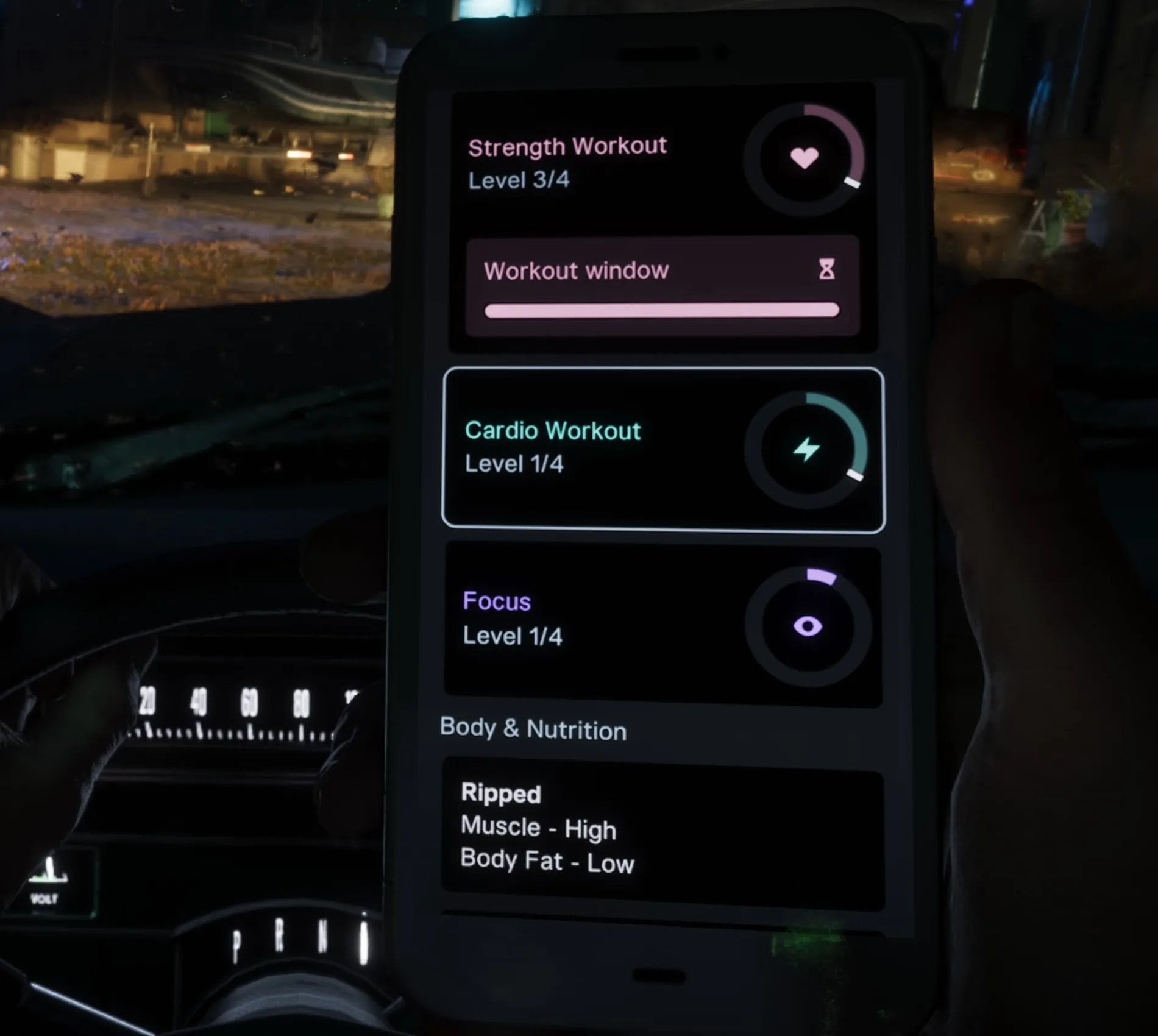
The app displays three main categories:
| Stat | What it affects |
|---|---|
| Strength | Physical conditioning and health |
| Cardio | Stamina and endurance |
| Focus | Progression of the character's focus ability |
You can also monitor your body composition, muscle development, body fat, and workout recovery.
Regular gym sessions help improve these attributes.
Remember to allow time for recovery after exercising instead of training continuously.
Unlock: Available from the start.
News - Headlines Across Leonida
The News app features reports from fictional media outlets such as Weazel News, The Leonida Journal, and Vice City Horn.
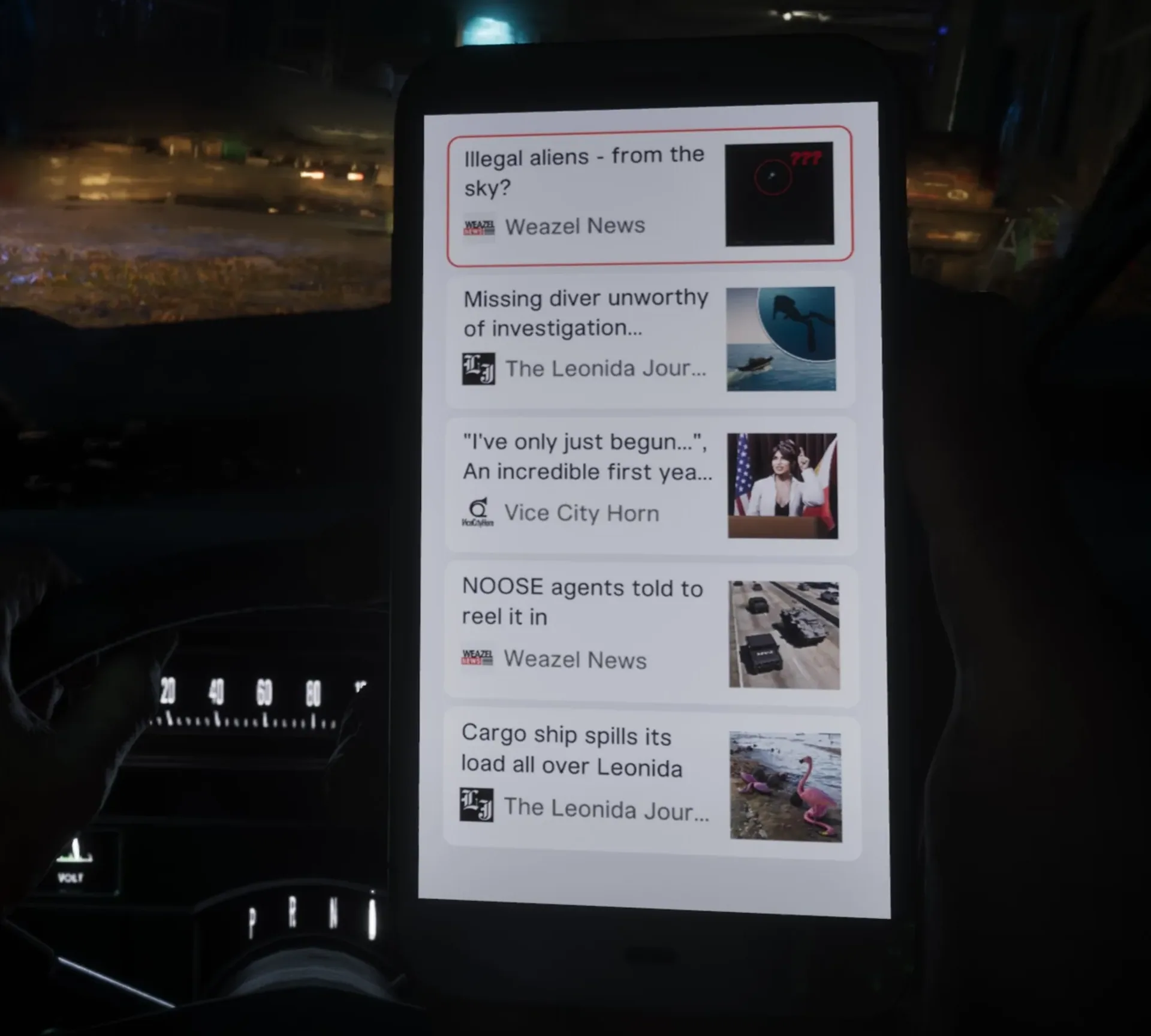
Articles may reflect important events taking place during the main story, including crimes connected to the protagonists.
Occasionally, news reports can also provide information about activities or interesting locations.
Unlock: Available from the start.
Weather - Forecasts and Outdoor Activities
The Weather app provides local conditions, hourly forecasts, upcoming weather changes, and sunset information.
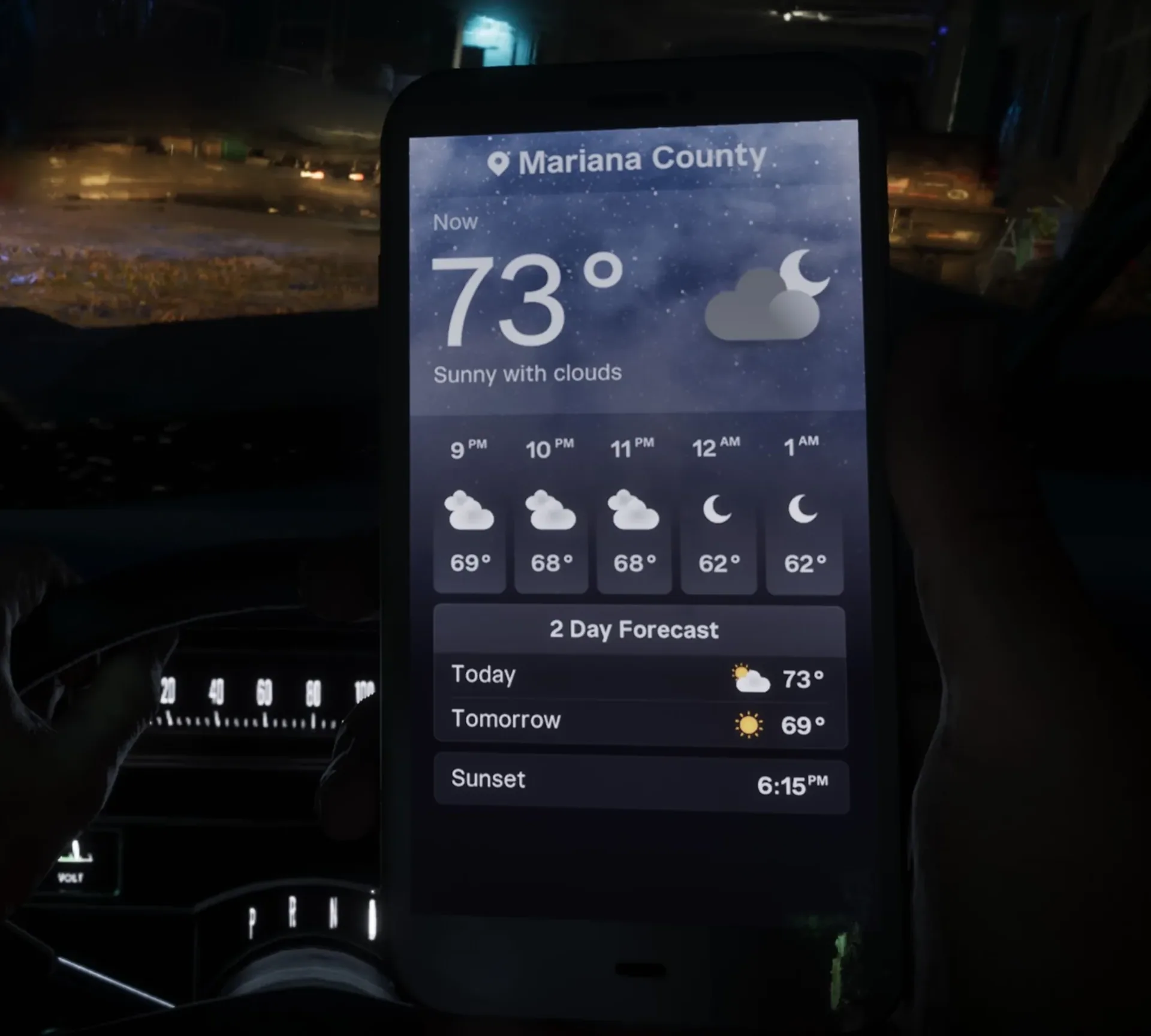
It is useful when planning fishing trips, boating, and other outdoor activities.
Sunrise and sunset times can affect fishing opportunities, while poor weather may make certain activities more difficult.
Unlock: Available from the start.
Settings - Customize Your Phone
Settings allows you to personalize the appearance and sound of your smartphone.
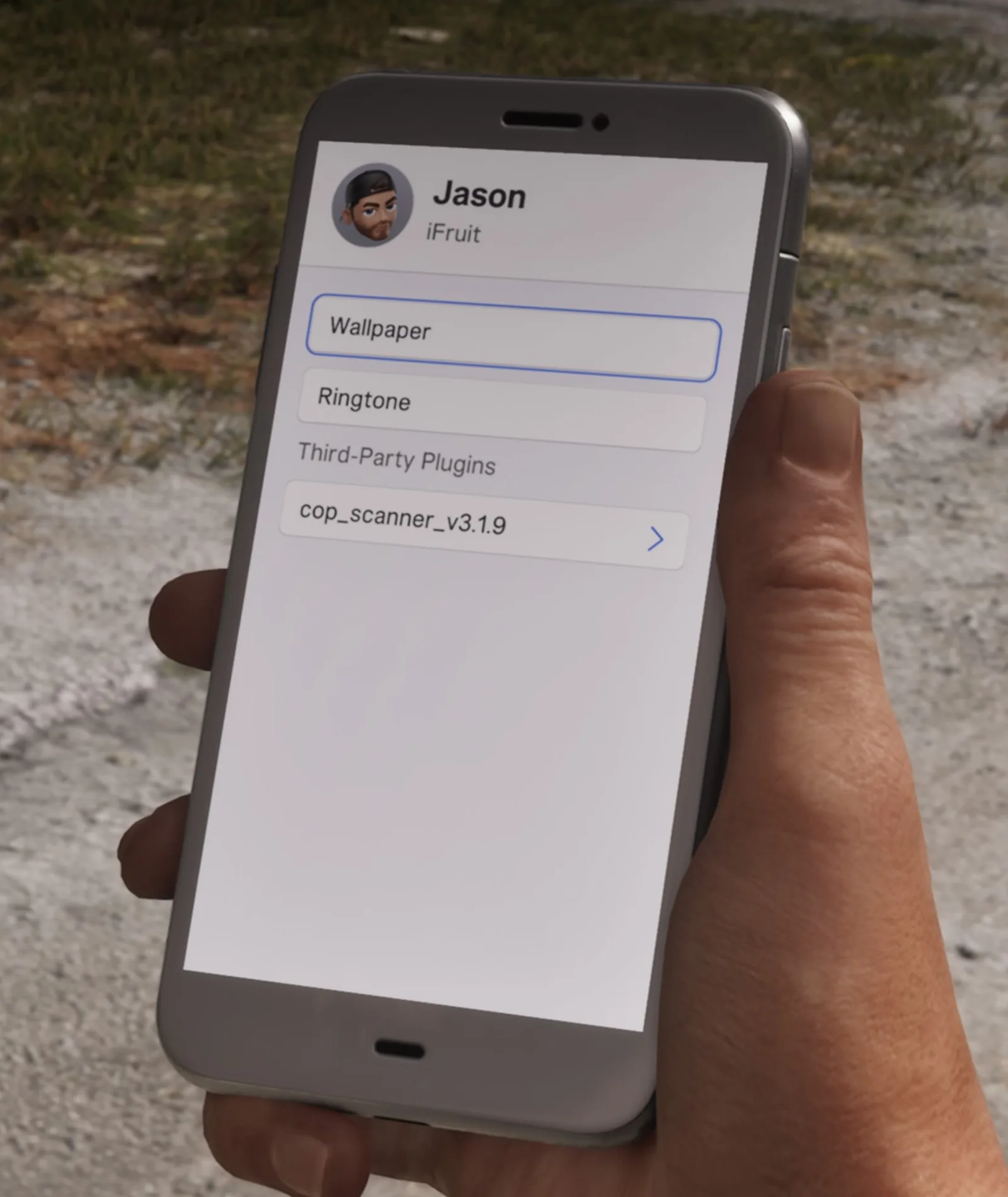
Available options include changing your wallpaper and ringtone.
The menu may also display third-party phone plugins installed during story progression, such as the police scanner.
Changing basic phone customization settings does not affect character performance.
Unlock: Available from the start.
Additional Smartphone Features
The 14 main apps are not the phone's only useful features.
Reminders keeps track of unread messages, missed calls, and other notifications. Check it when you suspect an important message or mission lead has been overlooked.
Police Scanner is installed during the Chapter 1 mission Unwanted Attention. It provides police radio communications during criminal activity and pursuits.
Music and podcasts can be played through headphones and earbuds connected to the smartphone. This allows Jason and Lucia to listen while walking, not just while driving.
Which GTA 6 Phone Apps Are the Most Useful?
Four services are especially valuable for everyday gameplay.
| App | Why you should use it |
|---|---|
| WAiNK | Checks vehicle security and resale value before theft |
| BuckMe | Manages spending and banked money |
| RydeMe | Saves time when traveling across Leonida |
| Scooter Bros | Delivers your personal vehicle wherever you need it |
Vice City Real Estate is also essential if you plan to maintain a collection of registered vehicles.
Meanwhile, WhatUp and Reminders are worth checking regularly for mission updates.
Fitness becomes increasingly important as you develop Jason's and Lucia's physical abilities.
Frequently Asked Questions
How Do You Open Your Phone in GTA 6?
Press Up on the D-pad on PS5 or Xbox Series X|S. Hold the same button to open the WAiNK scanner directly.
How Do You Summon Your Personal Car?
Complete Moses in Chapter 2, then open Scooter Bros, select a registered vehicle, and choose Request.
How Do You Fast Travel in GTA 6?
Call Paradise Taxi or use RydeMe. Once inside the vehicle, you can skip the journey for an additional $100.
How Do You Unlock Garage Purchases?
Complete Daily Driver in Chapter 2 to unlock Vice City Real Estate and purchase additional garages.
Can You Withdraw Family Savings in BuckMe?
No. Family Savings transfers cannot be reversed, although reaching savings milestones provides account upgrades and other benefits.
Conclusion
The smartphone is an essential part of GTA 6, giving players access to banking, transportation, vehicle scanning, communication, and character progression tools.
Early in the story, WhatUp, Contacts, BuckMe, and WAiNK are among the most important services to learn.
As you reach Chapter 2, unlocking Scooter Bros and Vice City Real Estate becomes especially useful for managing personal vehicles.
Using these apps regularly will save time, make vehicle theft easier to plan, and help you take advantage of more activities throughout Leonida.
Screenshots: ViceManual. Game imagery © Rockstar Games.
Comments 0
No comments yet — be the first.
Log in or sign up to leave a comment.