













Learn what all six GTA 6 Heat icons mean, how wanted star colors work, and how to lose the police. Clear evidence linked to your face, outfit, vehicle, weapon, partner, and CCTV recordings.
Contents
GTA 6 Wanted Level and Heat Icons: How to Clear Evidence and Lose the Cops
The police system in GTA 6 is much more advanced than in previous Grand Theft Auto games. Losing sight of a police car no longer guarantees that Jason or Lucia will be forgotten. Officers can remember a suspect's appearance, clothing, weapons, vehicle, and other identifying details.
These mechanics are part of the new Heat system, which tracks what law enforcement knows about you after a crime. The information appears as small red icons underneath your Wanted Level stars.
This guide explains all six main GTA 6 Heat icons, the different wanted star colors, and how to clear identifying evidence to avoid being recognized again.
How the GTA 6 Heat System Works
In earlier GTA games, escaping police usually involved breaking line of sight and waiting for the wanted stars to disappear.
GTA 6 introduces a more detailed identification system.
Police can gather information from witnesses, security cameras, and their own observations. They may continue using that information even after a pursuit has ended.
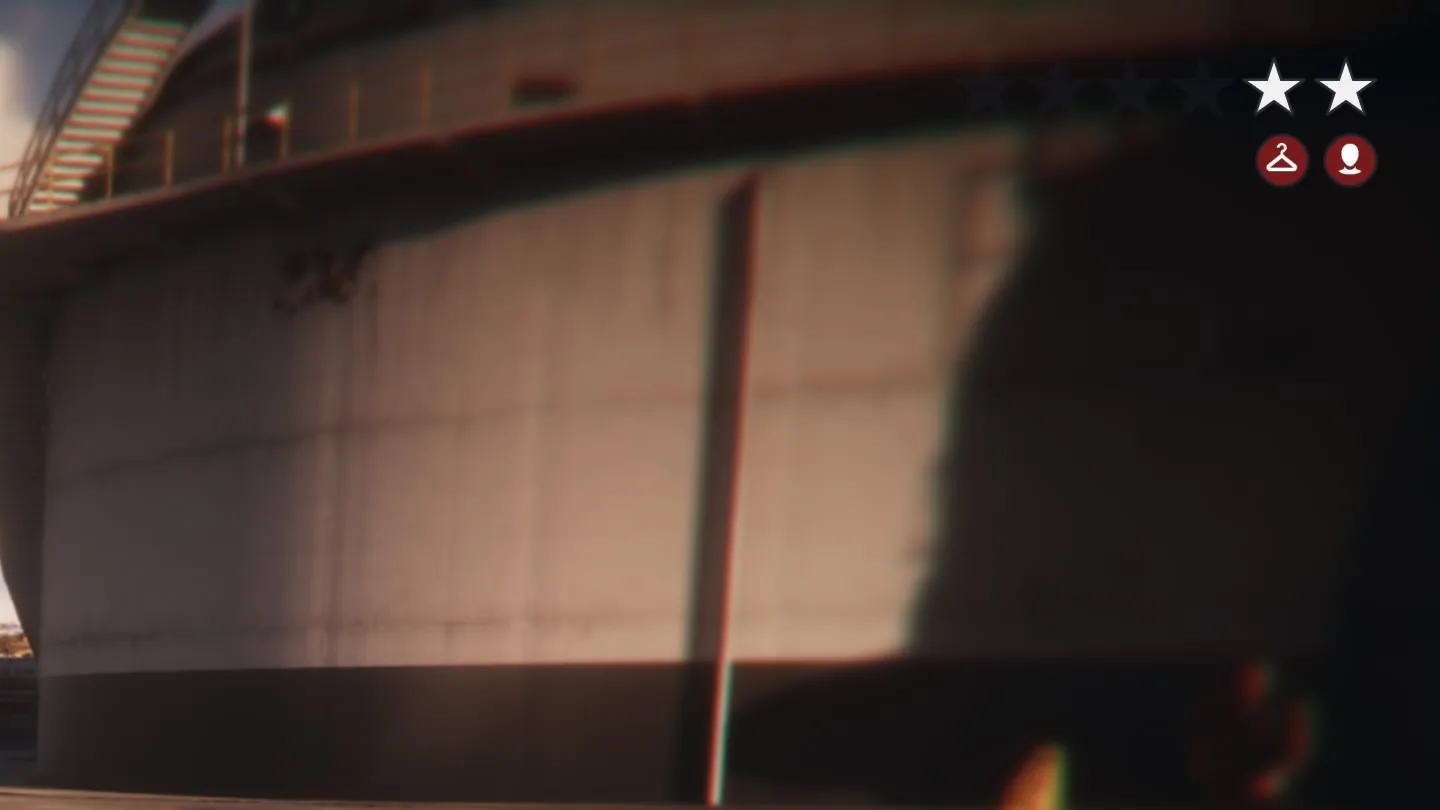
For example, if Jason robs a store without wearing a mask and escapes in a distinctive vehicle, officers may remember his face, outfit, and getaway car.
Returning to the same area without changing those details increases the likelihood of being recognized.
The key to losing the cops is not just escaping their sight, but removing the details they can use to identify you.
All Six GTA 6 Heat Icons Explained
Six main recognition indicators can appear underneath your wanted stars.
| Icon | What the police know | How to clear it |
|---|---|---|
| Face | Your physical appearance | Change accessories, wear a mask, or get a haircut |
| Clothes hanger | Your outfit | Change your entire outfit |
| Car | Your getaway vehicle | Switch vehicles or respray your car |
| Pistol | The weapon you carried | Holster or store the weapon |
| Two people | Jason and Lucia were together | Split up |
| Camera | CCTV recorded the crime | Destroy locally stored footage if possible |
Each indicator is tracked separately. Clearing your clothing evidence does not automatically remove the vehicle or weapon indicators.
Appearance - Face Icon
The face symbol means officers have information about what Jason or Lucia looks like.
To reduce recognition:
- Put on or remove sunglasses.
- Change your hat or other headwear.
- Visit a barbershop or salon.
- Change Jason's facial hair.
- Wear a mask during the crime and remove it afterward, once you're out of sight.
If multiple accessories are involved, you may need to change each of them.
The best approach is to put on a mask before committing a crime, preventing witnesses from getting a clear description in the first place.
Outfit - Clothes Hanger Icon
The clothes hanger indicates that law enforcement recognizes what your character was wearing.
Even if you change your hairstyle, a recognizable jacket or outfit can still attract attention.
The most reliable solution is to replace the entire outfit.
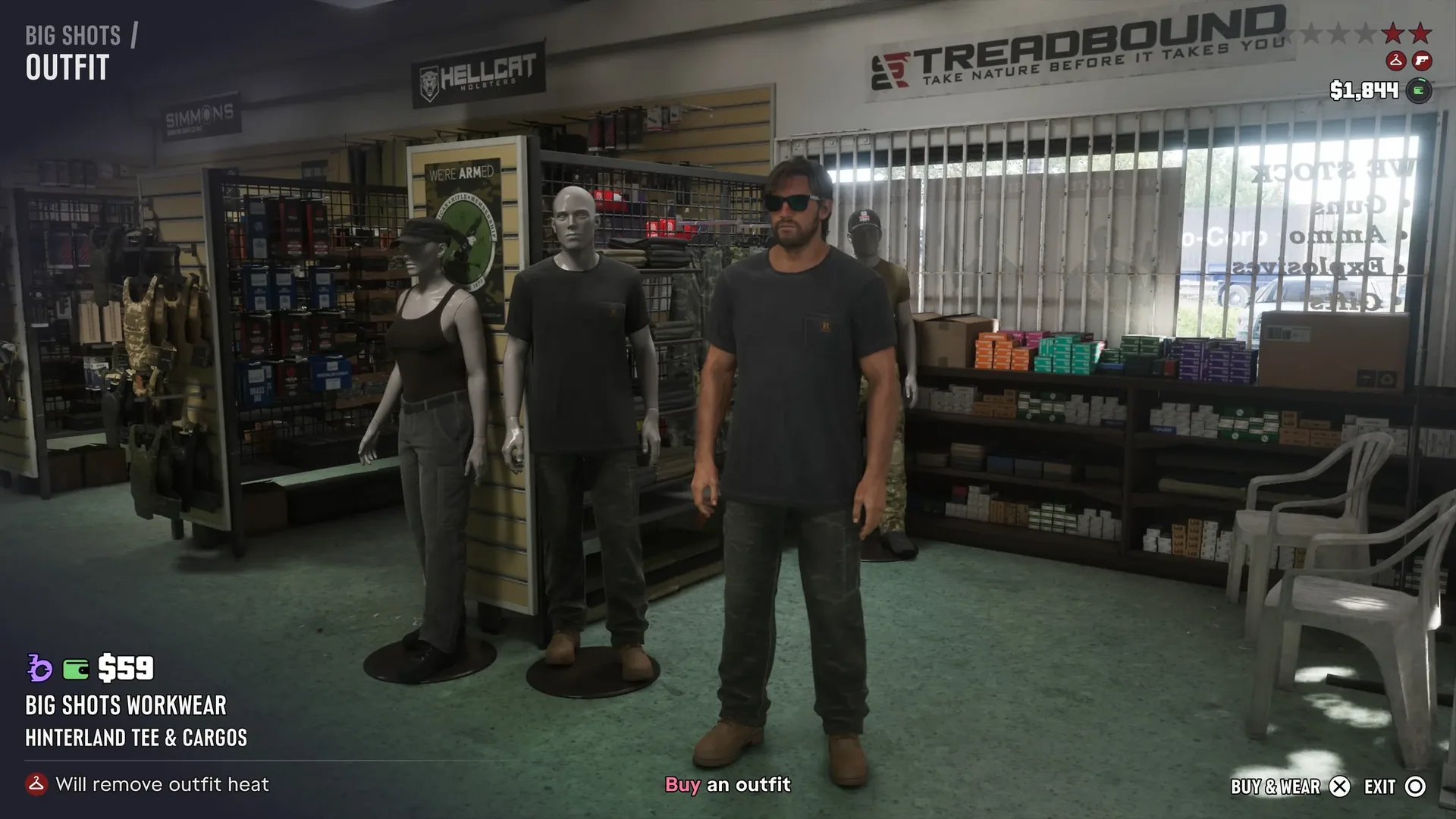
You can visit a clothing store or change into spare clothes stored in your personal vehicle's trunk.
Some store outfits display the message Will remove outfit heat, confirming that the purchase clears the clothing-related indicator.
Changing only your hat is not enough if the police have identified the rest of your outfit.
Vehicle - Car Icon
The vehicle icon means police have identified the car used during the crime or escape.
Continuing to drive that vehicle through an active Heat area makes recognition more likely.
You have two main options:
- Abandon the vehicle and switch to another car while out of police sight.
- Visit Pay 'n' Spray to change the paintwork after escaping the immediate pursuit.
Important: certain high-end vehicles have advanced GPS trackers. Depending on the installed tracking system, repainting the vehicle may not completely solve the problem.
Before stealing an expensive vehicle, consider scanning it with WAiNK to check its security features.
Visible Weapon - Pistol Icon
This icon indicates that police saw the weapon you were carrying or using.
Walking around with a rifle or shotgun can also attract attention from civilians and nearby officers.
To clear weapon-related Heat:
- Holster your handgun with L1 on PS5 or LB on Xbox.
- Store larger firearms in your personal vehicle's trunk.
- Leave long guns in an appropriate weapon locker.
- Drop weapons that cannot be concealed when necessary.
Handguns can generally be concealed, but larger firearms require storage or disposal.
Partner - Two People Icon
The two-person symbol indicates that law enforcement knows Jason and Lucia were working together.
If both protagonists continue traveling as a pair, officers can use that information to identify them.
To reduce this risk, split up and escape separately.
However, separating the characters does not make either of them immune to arrest. If your partner is caught during the escape, the attempt can still fail.
Security Camera - CCTV Icon
The camera icon means security footage captured the crime.
GTA 6 distinguishes between different types of surveillance.
Local CCTV: Recordings are stored on equipment inside the building. If you find and destroy the recorder, you may be able to eliminate the footage.
Cloud CCTV: Recordings are uploaded to remote storage. Destroying equipment at the location cannot erase footage that has already been transferred.
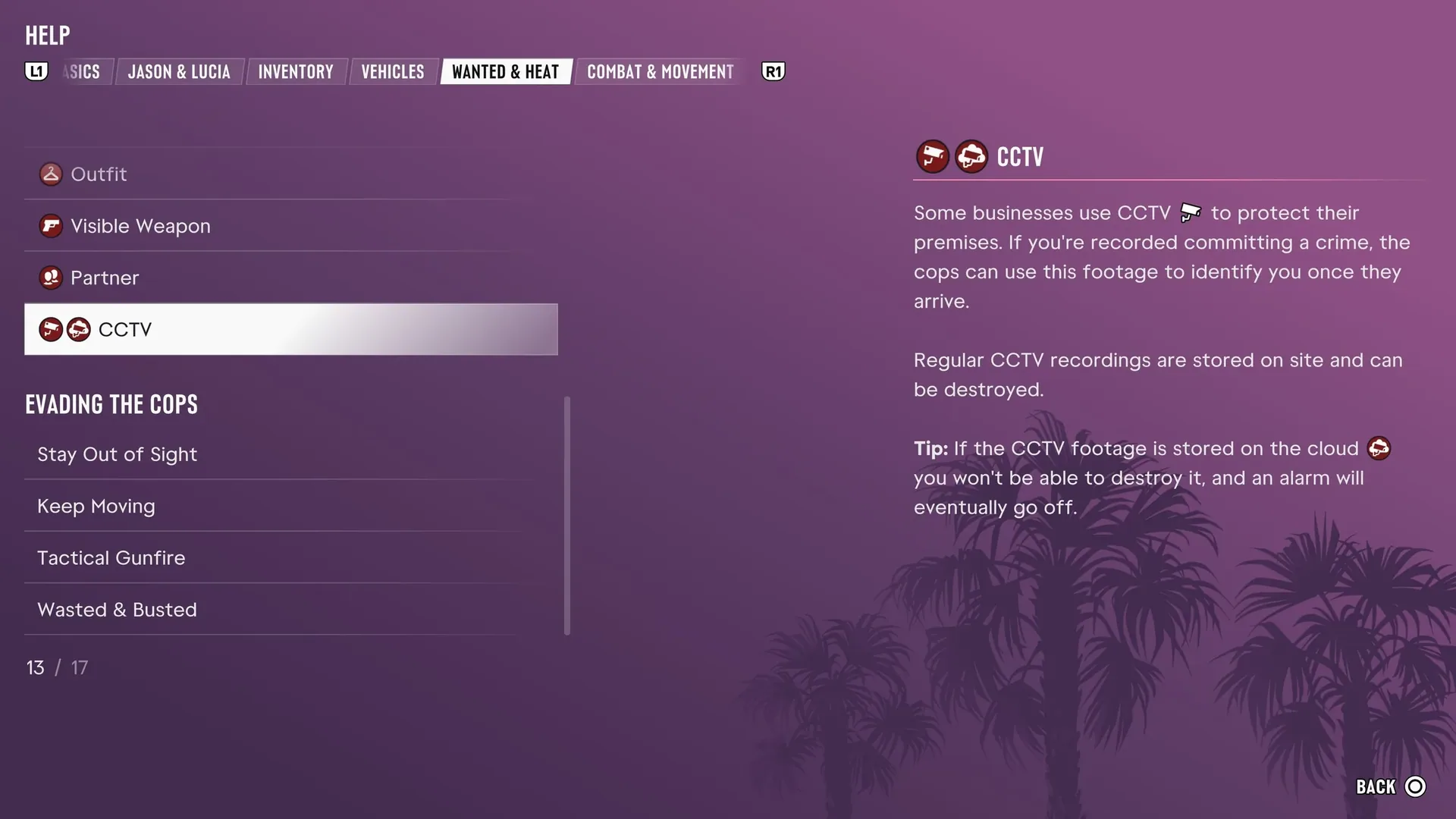
Cloud-based surveillance has a distinct camera indicator, and an alarm may eventually trigger even if you damage the equipment at the scene.
Before beginning a robbery, identify cameras and avoid being recorded whenever possible.
GTA 6 Wanted Star Colors and Their Meanings
GTA 6 brings back the six-star Wanted Level system, but the stars now change appearance to communicate the current police response.
| Star appearance | Meaning |
|---|---|
| Solid gray | A crime has been reported, and officers are responding |
| Hollow white | Police know a crime occurred but do not know the suspect's identity |
| Solid white | Police have visual contact and are actively pursuing you |
| Gray, sometimes flashing | Officers have lost direct sight but are still searching |
| Solid red | The immediate pursuit ended, but regional Heat remains |
| Hollow red | Heat remains in the area, but police lack sufficient identifying information |
Red stars are especially important.
They indicate that the immediate chase has ended, not that the police have completely forgotten about you.
Returning to the crime scene while matching a known description may trigger another pursuit.
Why Police Keep Searching After You Escape
Heat is also connected to the location where a crime was committed.
After escaping, a highlighted search area remains on your map, indicating where police activity is still elevated.
Repeated crimes in the same area can increase the number of patrols.
To reduce your Heat:
- Leave the area surrounding your last crime.
- Change your outfit and accessories.
- Get rid of your recognizable vehicle.
- Hide any visible weapons.
- Split Jason and Lucia up if they were seen together.
- Avoid committing new crimes nearby.
- Wait for police activity to decrease.
Heat gradually cools down when you stop drawing attention to yourself.
How to Lose the Cops in GTA 6: Step-by-Step
The most effective escape strategy involves breaking visual contact first, then clearing the evidence that connects your character to the crime.
Step 1. Break Line of Sight
Use alleys, buildings, fences, and other obstacles to prevent police from seeing you.
On foot, climb walls, use ladders, and move through areas that police vehicles cannot easily reach.
In rural regions, forests and dense vegetation provide additional opportunities to hide.
When sitting inside a stationary vehicle, hold Circle on PS5 or B on Xbox to duck down.
Step 2. Change Your Getaway Vehicle
After escaping the officers' immediate view, switch to a different vehicle or visit Pay 'n' Spray.
Do not change cars directly in front of a patrol, as officers may connect your new vehicle to the same suspect.
Step 3. Change Your Appearance and Outfit
Remove the mask or accessories used during the crime once you're safely out of sight.
Then change your entire outfit.
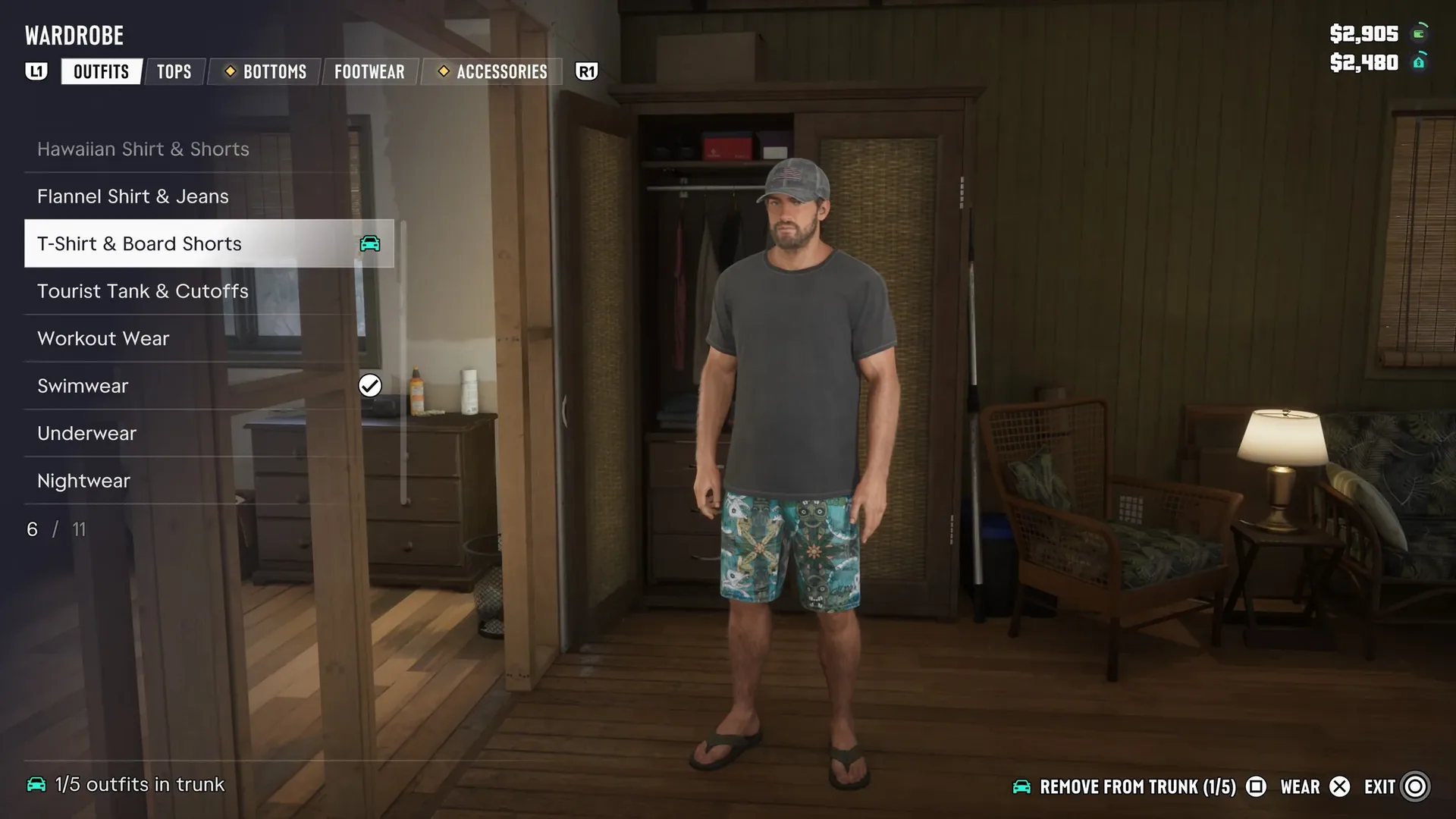
Your personal vehicle can store up to five spare outfits, making it useful to prepare alternative clothing before attempting robberies.
Step 4. Hide Weapons and Review Remaining Icons
Holster your handgun or store larger firearms in a suitable location.
Check the red icons under your wanted stars.
If an indicator remains active, the police may still have information linking you to the crime.
Some evidence cannot be removed immediately. Cloud CCTV recordings, for example, cannot be destroyed locally.
Step 5. Leave the Heat Area
Travel away from the crime scene and wait for police activity to decrease.
Avoid returning immediately after the direct pursuit ends.
Tip: Preventing witnesses from identifying you is often easier than removing evidence afterward. A mask, a prepared getaway vehicle, and a planned escape route can be more valuable than fighting a prolonged police chase.
How to Avoid Building Up Heat
Before attempting a robbery or another high-risk activity:
- Wear a mask or other face covering.
- Store spare clothes in your vehicle.
- Prepare a getaway car that you can abandon afterward.
- Use WAiNK to check for vehicle alarms and GPS trackers.
- Identify CCTV cameras before entering a building.
- Avoid openly carrying firearms when unnecessary.
- Avoid committing repeated crimes in the same area.
Bloodstained clothing can also increase suspicion. You can clean up by taking a shower at your safehouse.
Frequently Asked Questions
How Do You Remove Red Heat Icons in GTA 6?
Each icon has its own solution. Change your appearance, replace your outfit, switch vehicles, hide weapons, or separate from your partner depending on what the police know.
Why Are My Wanted Stars Red?
Red stars mean the active chase has ended, but police are still searching for you within a Heat area.
Can You Destroy CCTV Evidence?
Regular CCTV recordings stored on-site can be destroyed. Cloud-based footage cannot be erased by destroying local equipment.
Do Masks Help You Escape Police?
Yes. Wearing a mask before committing a crime makes it harder for witnesses to identify your face. However, it does not hide your outfit, vehicle, or other identifying details.
How Do You Completely Lose Heat?
Clear the identifying information you can, leave the active search area, and avoid further crimes until police activity decreases.
Conclusion
The GTA 6 Heat system makes escaping law enforcement more strategic than in previous games.
Police can track six main types of information: your face, outfit, vehicle, weapon, partner, and CCTV footage.
To avoid renewed pursuit, monitor the red Heat icons, remove identifying evidence, and leave areas where police activity remains elevated.
The most effective strategy begins before the crime itself. Wearing a mask, preparing spare clothes, planning a vehicle swap, and avoiding surveillance can significantly improve your chances of escaping cleanly.
Screenshots: ViceManual (vicemanual.com). Game imagery © Rockstar Games.


Comments 0
No comments yet — be the first.
Log in or sign up to leave a comment.