












GTA 6 bugs and troubleshooting guide for PS5 and Xbox Series X/S. Learn how to fix crashes, black screens, missing textures, audio issues, and map glitches, plus console FPS comparisons and the latest Rockstar updates.
Contents
- GTA 6 Known Issues at a Glance
- Minor Visual Glitches: NPCs, Clothing and Floating Objects
- GTA 6 Physics Glitches and Strange Vehicle Behavior
- Falling Through the Map in GTA 6
- GTA 6 Crashes, Black Screens and Missing Textures
- Audio Cutting Out or Crackling in GTA 6
- GTA 6 FPS and Performance: PS5 vs. Xbox Series X/S
- GTA 6 Won't Launch or Download
- Latest GTA 6 Updates and Patches
- How to Avoid Losing Progress to GTA 6 Bugs
- Frequently Asked Questions
- Final Verdict
GTA 6 Bugs and Glitches: Known Issues, Crashes, FPS Drops and Fixes
Since GTA 6 launched on November 19, 2026, players have encountered a range of technical issues across PlayStation 5 and Xbox Series X/S. Reports include pedestrians walking into walls, broken vehicle physics, disappearing textures, characters falling through the map, and occasional crashes that interrupt story missions.
However, not every performance problem is a bug. There's an important difference between a software glitch and a hardware limitation. Jason falling through the ground is clearly unintended behavior. Xbox Series S running at around 25 FPS during demanding gameplay is a performance limitation rather than something that can be fixed by changing a setting.
This guide covers the known GTA 6 bugs and technical issues as of November 20, 2026, along with available workarounds, console performance comparisons, and information about Rockstar's latest updates.
Some issues have been documented in professional reviews or captured on video. Others are based on individual player reports and have not been officially confirmed by Rockstar.
GTA 6 Known Issues at a Glance
Here's a quick overview of the most commonly discussed problems.
| Issue | Severity | Possible workaround |
|---|---|---|
| NPCs walking into walls | Low | Leave the area or reload a checkpoint |
| Floating objects and clothing pop-in | Low | Switch characters or reload the area |
| Broken vehicle physics | Low to medium | Wait for the animation to finish or reload |
| Falling through the map | High | Restart the checkpoint or load a save |
| Missing textures | Medium | Fully restart the game |
| Black screen during cutscenes | High | Restart and replay the affected scene |
| Crashes and mission softlocks | High | Retry the mission or load an earlier save |
| Audio crackling or cutting out | Medium | Check audio settings and headset connections |
| Low FPS on Xbox Series S | Performance limitation | Adjust presentation settings and wait for optimization |
Minor Visual Glitches: NPCs, Clothing and Floating Objects
The most widely reported GTA 6 glitches are relatively harmless and rarely prevent players from progressing.
NPCs Walking Into Walls
Some pedestrians continue walking directly into buildings, fences, or other obstacles instead of navigating around them.
The affected NPC may remain stuck in a walking animation indefinitely.
Reviewers at the Sydney Morning Herald encountered this issue while testing a pre-release version of GTA 6.
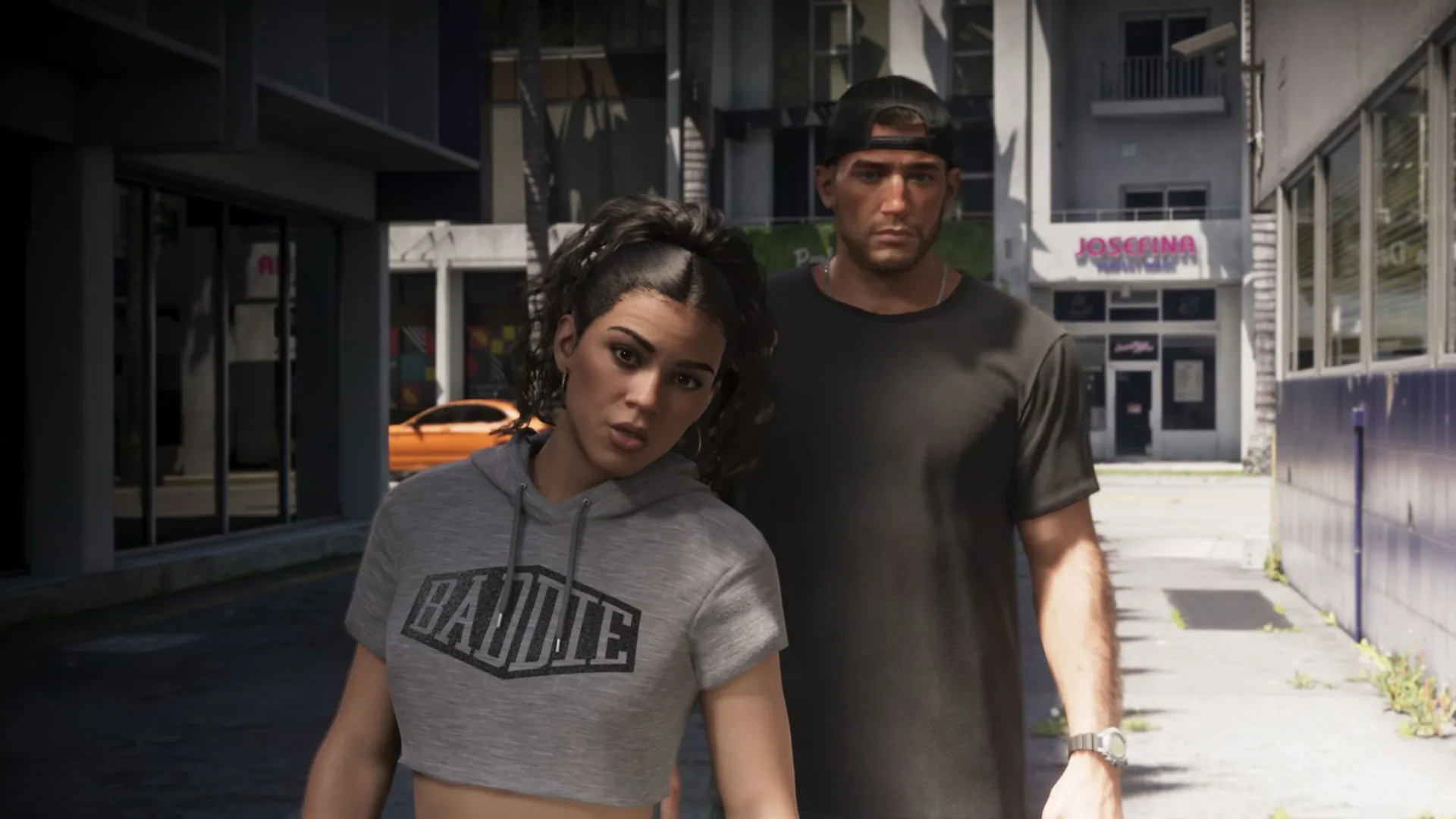
Possible fix: Ignore the NPC if it has no connection to your current objective. If a mission character gets stuck, try leaving the area or restarting the latest checkpoint.
Floating Objects After Character Switching
Shacknews reported a floating coffee cup at the protagonists' safehouse after switching between Jason and Lucia.
The object remained suspended in mid-air rather than returning to its expected position.
The exact cause has not been established, although the issue may involve how objects are refreshed during character switching.
Possible workaround: Switch characters again or leave and re-enter the location. A purely visual floating object generally does not require a complete game restart.
Clothing and Cosmetic Pop-In
Certain clothing elements may appear late when the camera moves or a character changes position.
GosuGamers noticed brief cosmetic pop-in while reviewing a pre-release build.
There is currently no reliable evidence that this visual problem causes purchased clothing to disappear permanently.
GTA 6 Physics Glitches and Strange Vehicle Behavior
GTA 6's detailed physics simulation occasionally produces unexpected results.
Several unusual incidents have appeared in gameplay clips shared by streamers and early players.
A Ship Clips Through a Bridge
Streamer JasonTheWeen encountered a large vessel behaving strangely near a bridge.
The ship tilted, partially passed through the surrounding geometry, and almost moved onto the nearby road before returning to its normal position.
Jason and a Police Officer Merge Into a Wall
During a police station encounter, MichaelDoesLife captured an animation problem involving Jason and an attacking police officer.
Both characters clipped into each other and nearby geometry during a fight.
They continued moving inside the wall until the animation eventually finished.
Waiting for the animation to complete may resolve this type of temporary collision problem.
Planes Passing Through Buildings
Windpress demonstrated a strange aircraft collision bug involving a plane passing through a skyscraper after the player jumped out shortly before impact.
Another widely shared clip showed streamer Neon surviving a jump from a moving aircraft without a parachute or visible fall damage.
These incidents are not normal GTA 6 gameplay mechanics.
Cars Launching Across the Map
TheCanadianGTR encountered a physics glitch reminiscent of GTA 4's notorious swingset bug.
After hitting a tree, the player's vehicle was launched across a considerable distance.
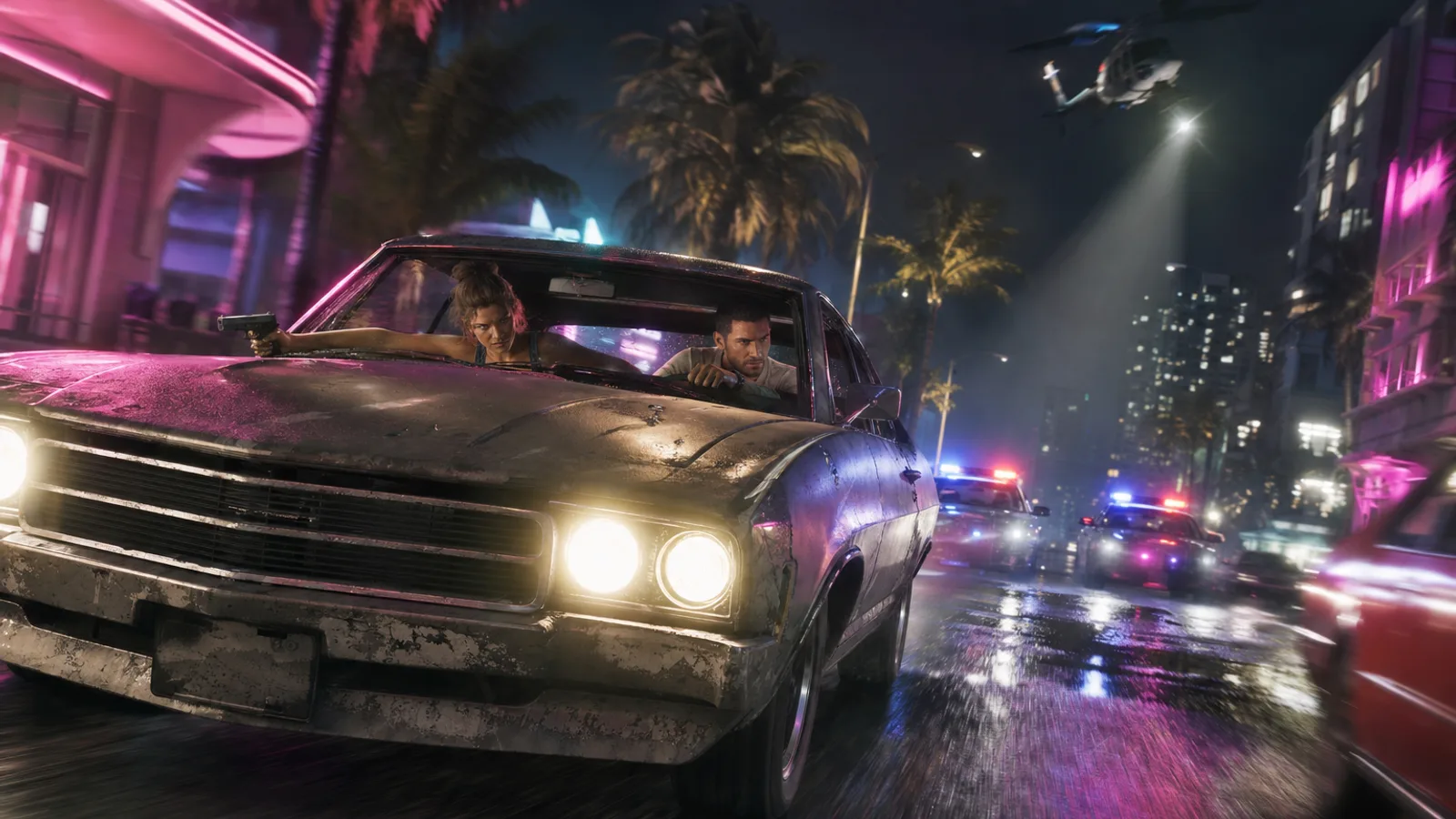
Other reported oddities include passengers failing to respond realistically to boat collisions during the Gone Fishing mission.
Important: Most of these incidents come from individual gameplay clips. There are no confirmed, consistently reproducible methods for triggering them.
Avoid experimenting with unpredictable physics glitches during missions where losing progress would be inconvenient.
Falling Through the Map in GTA 6
Some of the more disruptive bugs involve Jason or Lucia clipping through the terrain and ending up outside the playable world.
Lucia Falls Through the Ground During the Prologue
During the scripted scooter theft sequence, Lucia can occasionally fall through the road after being struck with a taser.
Instead of continuing the mission, she drops beneath the world and may remain in an endless falling animation.
In some cases, the game automatically restores her position.
Possible fix:
- Wait briefly to see whether the game corrects Lucia's position.
- If the fall continues, open the pause menu.
- Restart the latest checkpoint.
- If necessary, restart the prologue.
Jason Gets Stuck in the Void After Using His Phone
Another reported glitch occurs when Jason uses his smartphone while squeezed into a narrow space.
For example, standing between a vehicle and a fence can sometimes cause the character to clip outside the game world.
Jason ends up in a black void while the phone remains functional.
Possible fix: Fully close GTA 6 and reload your most recent save if restarting the checkpoint does not help.
Create a separate manual save before deliberately attempting to reproduce this issue.
GTA 6 Crashes, Black Screens and Missing Textures
Unlike minor visual glitches, these problems can interrupt missions or make the game temporarily unplayable.
Missing Textures and Low-Detail Models
Some players have reported resource-streaming problems, particularly during the opening sequence.
Symptoms include:
- Characters and vehicles appearing as low-poly models.
- Buildings and roads loading unusually late.
- Missing or blurry textures.
- Objects appearing directly in front of the player.
If the problem does not resolve itself:
- Close GTA 6 completely.
- Check for available game updates.
- Restart your console.
- Make sure the game is installed on suitable internal storage.
- On PS5, consider clearing the system software cache through Safe Mode if issues persist.
Clearing the cache is a standard console troubleshooting step, not a confirmed fix for every GTA 6 texture issue.
Black Screen During Cutscenes
Some players report cutscenes going completely black while dialogue and other audio continue.
The image may return after several seconds, or the game may advance to the next scene without displaying the missing sequence.
If the screen remains black, restart the game and reload the latest checkpoint.
GTA 6 Crashing on PS5 or Xbox
Crashes have been reported during the prologue and other early story sequences.
In some cases, the game closes to the console dashboard, forcing players to repeat part of a mission.
If GTA 6 keeps crashing:
- Restart your console.
- Install all available game and system updates.
- Fully close the game instead of relying on Xbox Quick Resume.
- Retry the affected sequence.
- If the problem continues, load an earlier save.
Do not delete your saved games to fix crashes. This is not a proven solution and may permanently erase your progress.
Lucia's Story Mission Won't Progress
One of the more serious launch issues involves an early mission featuring Lucia.
According to player reports, the next cutscene or objective occasionally fails to trigger after leaving a bank.
The character can still explore the world, but the mission no longer progresses.
Try restarting the latest checkpoint or replaying the mission. Loading an earlier save may help if the issue continues.
As of November 20, 2026, there is no universally confirmed fix for this mission softlock.
Audio Cutting Out or Crackling in GTA 6
Players on PS5 and Xbox Series X/S have also reported brief sound interruptions, headset crackling, and distorted character dialogue.
The problem sometimes appears several minutes after starting the game.
These troubleshooting steps may help:
- PS5: Temporarily disable 3D Audio for headphones.
- Xbox Series X/S: Change the headset audio format to Stereo Uncompressed.
- Fully close and restart GTA 6.
- Reconnect your headset or controller.
- Install any available controller firmware updates.
These are potential workarounds rather than guaranteed fixes. Rockstar has not published a universal solution for the reported audio issues.
GTA 6 FPS and Performance: PS5 vs. Xbox Series X/S
Performance issues are different from traditional gameplay bugs.
According to Digital Foundry's technical analysis, every console version of GTA 6 targets 30 FPS.
There is no dedicated 40 FPS or 60 FPS performance mode, including on PS5 Pro.
GTA 6 Console Performance Comparison
| Console | Internal resolution | Frame-rate performance |
|---|---|---|
| PS5 Pro | 1440p, PSSR upscaling to 4K | Almost locked 30 FPS, around 24 FPS under extreme stress |
| PS5 | 1440p | Usually near 30 FPS, with drops during demanding gameplay |
| Xbox Series X | 1440p | Generally 30 FPS, with dips during combat and chases |
| Xbox Series S | 720p, upscaled to 1080p | Often 25-30 FPS, around 20 FPS or lower in the most demanding scenes |
These figures describe observed performance, not guaranteed frame rates for every gameplay situation.
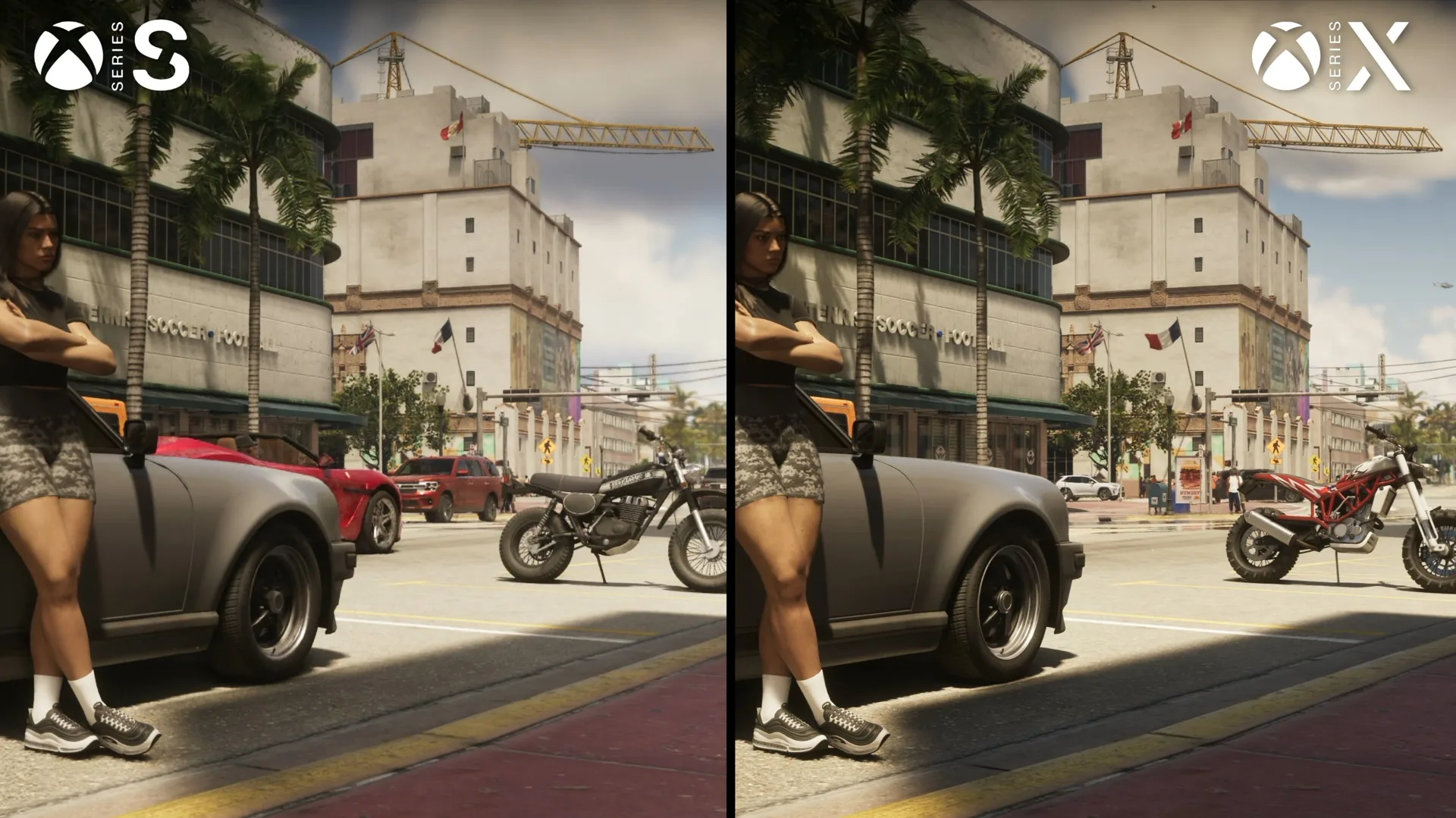
Why GTA 6 Runs Worse on Xbox Series S
The Xbox Series S has less processing power than the Series X and PlayStation 5.
To make GTA 6 run on the smaller console, Rockstar reduced its internal rendering resolution to 720p and adjusted aspects of the lighting, reflections, and shadows.
Despite those compromises, the game can spend extended periods around 25 FPS during firefights or fast traversal.
Digital Foundry recorded drops to approximately 20 FPS during particularly demanding destruction sequences, with isolated moments falling even lower.
This is a performance limitation rather than a random visual glitch.
Future optimization may improve the situation, but consistently locked 30 FPS gameplay on Xbox Series S cannot currently be guaranteed.
Can You Enable 60 FPS in GTA 6?
No.
At launch, GTA 6 does not offer a 60 FPS mode on any console.
Changing your television resolution, adjusting motion blur, or enabling a higher display refresh rate will not remove the game's frame-rate target.
Does 120Hz or VRR Improve Performance?
On Xbox Series X/S, enabling 120Hz output and Variable Refresh Rate at the system level may produce slightly smoother presentation on compatible displays.
However, it does not make the game render at 60 or 120 FPS.
On PS5 and PS5 Pro, system-level VRR does not provide the same benefit at GTA 6's 30 FPS target because the supported range begins above 48 FPS without the necessary low-frame-rate compensation.
How to Disable Motion Blur in GTA 6
One of the few adjustable graphics options is Motion Blur Strength, which defaults to 3 out of 10.
To change it:
- Pause the game.
- Open Settings.
- Select Display.
- Find Motion Blur Strength.
- Set it to 0 to disable the effect, or choose your preferred intensity.
Lower settings make the image sharper during camera movement.
Higher settings may make motion appear smoother at 30 FPS, although they can also reduce visual clarity.
Motion blur does not increase the actual frame rate.
Rockstar has also acknowledged an issue that caused the screen-edge vignette effect to appear stronger than intended in certain situations. The studio identified a fix, but there is no separate option to disable vignetting completely.
GTA 6 Won't Launch or Download
Required PS5 System Update
Sony required PS5 owners to install system software 26.07-14.23.00 before playing GTA 6.
Released on November 17, 2026, the update is approximately 1.27 GB.
To install it:
- Open PS5 Settings.
- Select System.
- Open System Software.
- Choose System Software Update and Settings.
- Install the available update and restart the console.
Sony's official notes mention security fixes rather than GTA 6 performance improvements.
GTA 6 Download Stuck or Not Progressing
If the game stops downloading:
- Check that sufficient free storage is available.
- Pause and resume the download.
- Test your internet connection.
- Switch to Ethernet if possible.
- Restart the console.
- If the problem persists, cancel and download the game again from your library.
Keep in mind that PlayStation Network and Xbox service outages can affect downloads and sign-ins independently of GTA 6.
Latest GTA 6 Updates and Patches
As of November 20, 2026, two GTA 6 updates have been reported, both released before the official launch.
| Update | Release date | PS5 download size |
|---|---|---|
| 01.002.000 | November 13, 2026 | Approximately 1.07 GB |
| 01.002.001 | November 16, 2026 | Approximately 602.5 MB |
On Xbox Series X/S, the reported download sizes were approximately 2.18 GB and 1.59 GB respectively.
Rockstar has not published detailed official patch notes for either update.
As a result, it is impossible to confirm exactly which individual bugs were addressed by each version.
Digital Foundry observed that animation frame pacing had improved compared with earlier pre-release footage, but Rockstar has not identified the specific update responsible.
There are currently no confirmed release dates for fixes targeting map clipping, crashes, black screens, or mission progression issues.
How to Avoid Losing Progress to GTA 6 Bugs
Until additional fixes become available, a few precautions can help reduce the consequences of serious glitches:
- Create manual saves before lengthy missions.
- Keep more than one save slot when possible.
- Avoid deliberately triggering glitches during important objectives.
- Fully restart the game after serious errors.
- Keep GTA 6 and your console firmware updated.
- Record recurring bugs and error codes when reporting them to Rockstar Support.
Backup saves are particularly useful before missions associated with reports of progression-blocking errors.
Frequently Asked Questions
Why Does GTA 6 Keep Crashing on PS5?
Crashes may result from game bugs or console-related problems. Update the game and system software, restart the console, and retry the affected mission. The exact cause depends on the individual error.
How Do You Fix Falling Through the Map?
Wait briefly for automatic recovery. If the character remains stuck, restart the checkpoint or load an earlier save.
How Do You Fix a Black Screen in GTA 6?
If audio continues, wait several seconds. If the picture does not return, fully restart the game. No universal fix has been confirmed.
Does GTA 6 Run at 60 FPS on PS5 Pro?
No. The PS5 Pro version targets 30 FPS, although it generally provides more stable performance than the other console versions.
When Will Rockstar Fix GTA 6 Bugs?
There is no confirmed schedule for the reported issues. Two updates arrived on November 13 and 16, but Rockstar has not released detailed patch notes for them.
Final Verdict
Most early GTA 6 bugs involve visual glitches or unusual physics, such as pedestrians getting stuck, floating objects, and unexpected vehicle collisions.
More serious problems include characters falling through the world, crashes, and mission progression failures. Reloading checkpoints or earlier saves is currently the safest practical response, although these methods are not guaranteed to work.
For performance, PS5 Pro delivers the most consistent 30 FPS experience, while Xbox Series S experiences more frequent and severe drops.
Until Rockstar releases additional patches, keep your game updated, maintain backup saves, and avoid deleting progress as a troubleshooting measure.
These precautions will help you continue exploring Leonida while waiting for official fixes.
Comments 4
их пофиксили уже?
игра только вышла, а уже баги нашли
Баги будут всю жизнь
Тупые американцы вот на нашу смуту посмотрели бы как надо делать
Log in or sign up to leave a comment.