















Dubs Mint Menus replaces RimWorld's build, bill and research menus with searchable, sortable windows, adds a designator wheel and up to 10 on-screen designator bars, plus drag-and-drop gear assignment, plant and health bill search and a global bill menu. Every menu can be switched on or off in the mod settings.
Contents
Dubs Mint Menus adds searchable menus for building, bills, research, gear, plants and surgery. It is aimed at large mod lists where the vanilla menus run out of room. Every menu can be switched on or off in the mod settings.
Build menu
The build menu gathers every architect category into one searchable window, shown either as a grid or as a list with each building's cost.
- Sort by any stat, such as comfort, beauty or hit points, with each building's value displayed. With no category selected it ranks everything together, so the best bed ends up at the top whichever mod added it.
- Pin a building to compare it stat by stat with whatever the mouse hovers over. Shift+click any building to pin it.
- Pin categories to the top, order everything A-Z, and read an info card for whatever is under the mouse.
- Open the window with a hotkey, by ctrl+clicking the architect button, or make it the default architect tab.
Mint wheel
A quick menu of designators that appears around the mouse cursor, opened with a hotkey or the right mouse button.
- Wheel or grid layout: rings of buttons, or rows and columns in any shape, from a single row to a block.
- Auto size grows as buttons are added. Fixed size keeps a set number of slots that stay where they are placed, with the empty ones shown.
- Layout, size, rings, rows, columns and button size are set in the wheel's setup.
- Fill it by clicking designators in the architect menu or the build menu while setting up, or by ctrl+clicking in the build menu. Drag to rearrange, right-click to remove.
Designator bars
Bars of designator buttons that stay on screen for the commands used all the time.
- Any number of columns and rows and any button size, so you can place a row along the bottom, a column down the side or a block in the corner. Up to 10 bars.
- Set up with the cog on the bar: click a slot, then click designators in the architect or build menu to fill it. Drag a bar by its title to move it.
- Bars are enabled in the Mint settings.
Bills
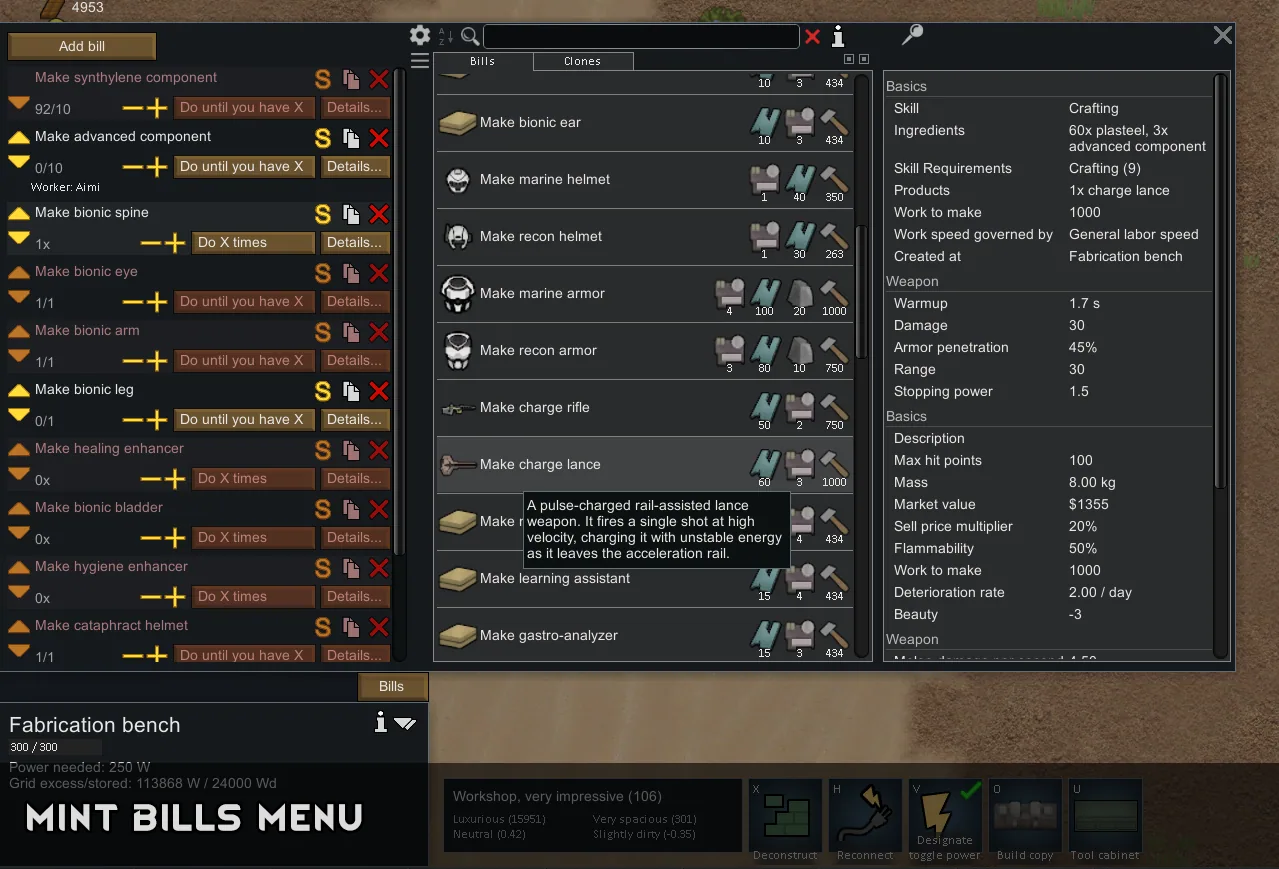
- Searchable bill list for any workbench, with product icons, ingredients and the info card.
- Pin a bill to compare it stat by stat with whatever is hovered.
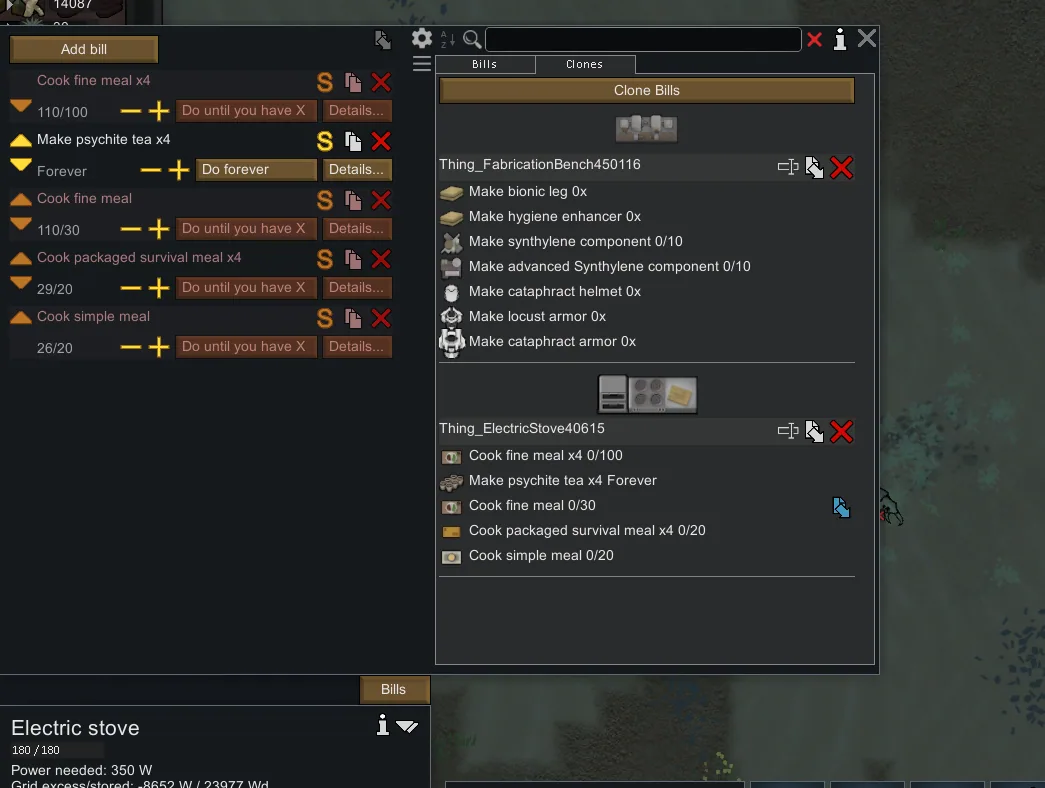
- Clone a bench's whole bill stack and paste it onto other benches.
- A global bill menu for adding bills to any bench from one place.
Research
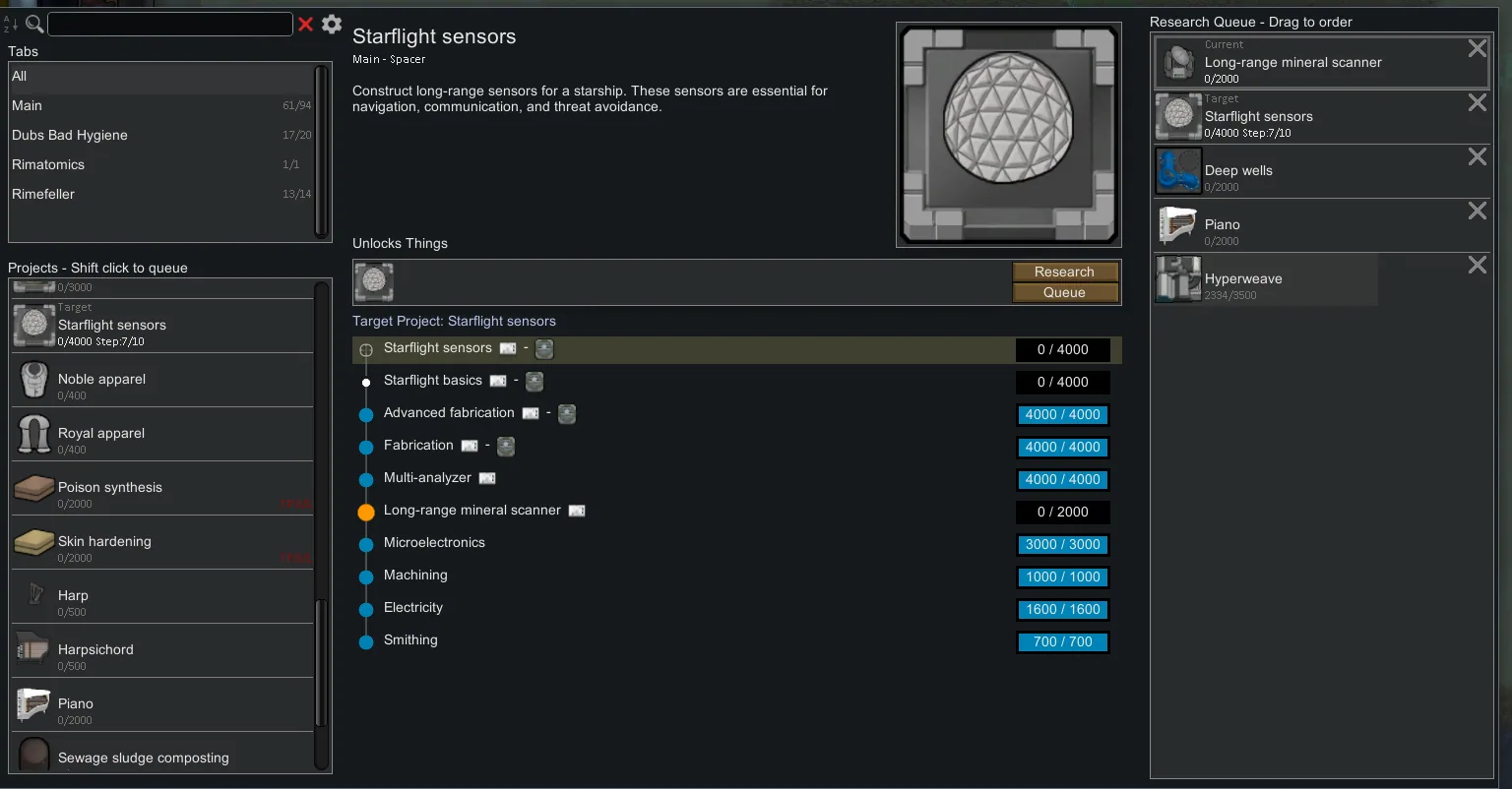
- A Rimatomics style research menu: search by project, mod, tech level or anything the project unlocks, and hide finished or locked projects.
- See everything a project unlocks: buildings, items, recipes, plants and more.
- A research queue that handles techprints, Anomaly studies, mechanitor, chip analysis and grav engine research in any order.
Gear
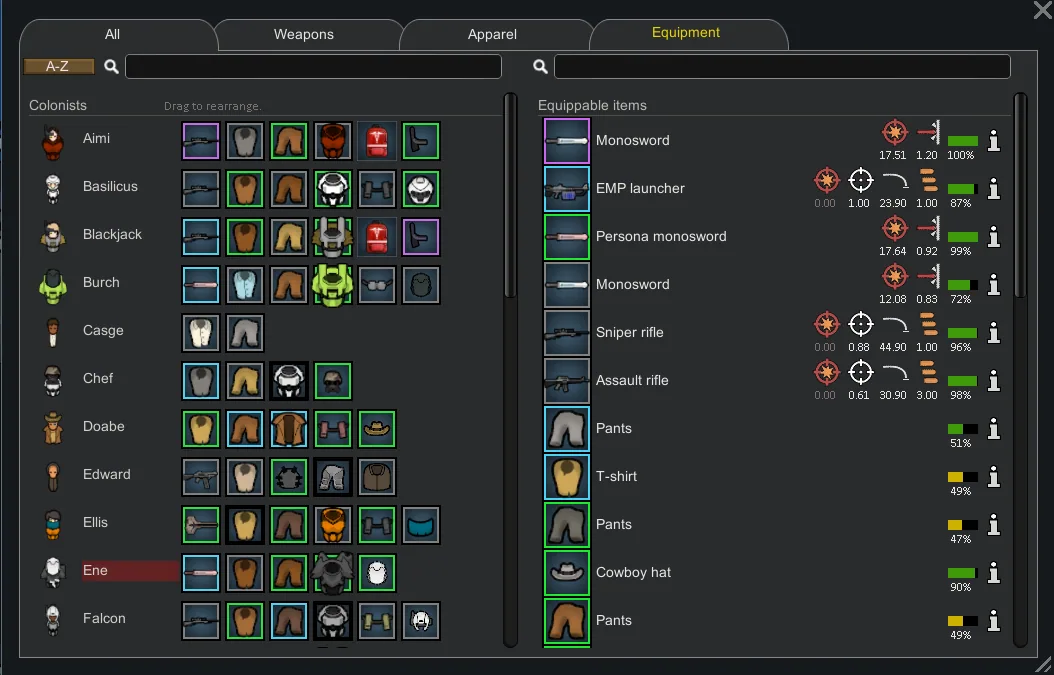
- Drag and drop weapons and apparel onto any pawn, and drop several to queue them all.
- Each pawn's weapon is shown on the apparel tab, condition bars appear on worn gear, and tooltips show armour, insulation and damage.
Other menus
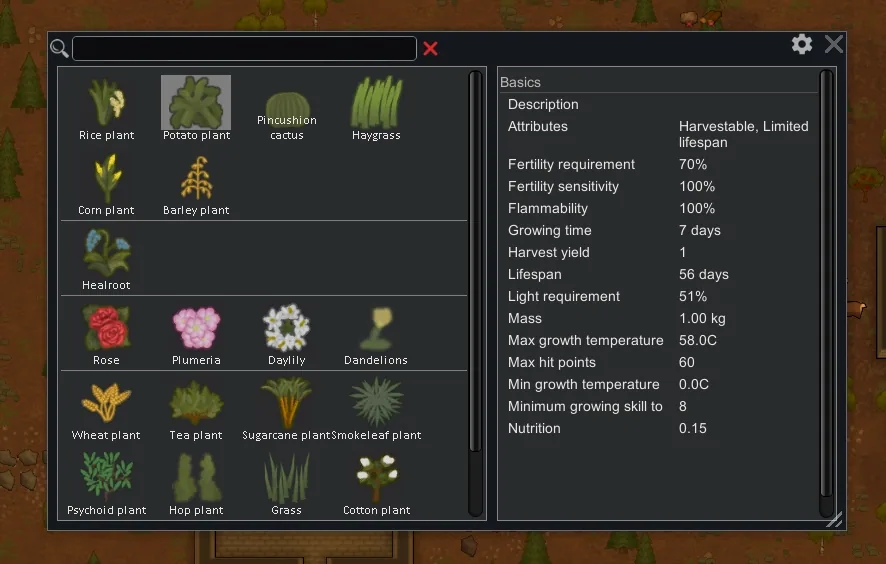
- Plant menu with search, sections by plant type and the info card.
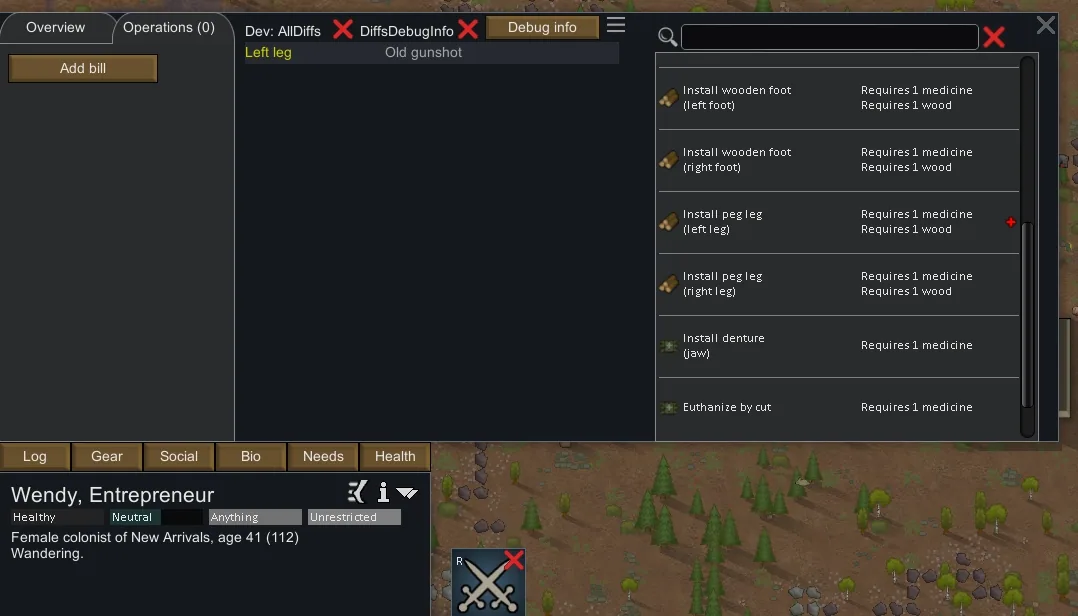
- Health bills list with search.
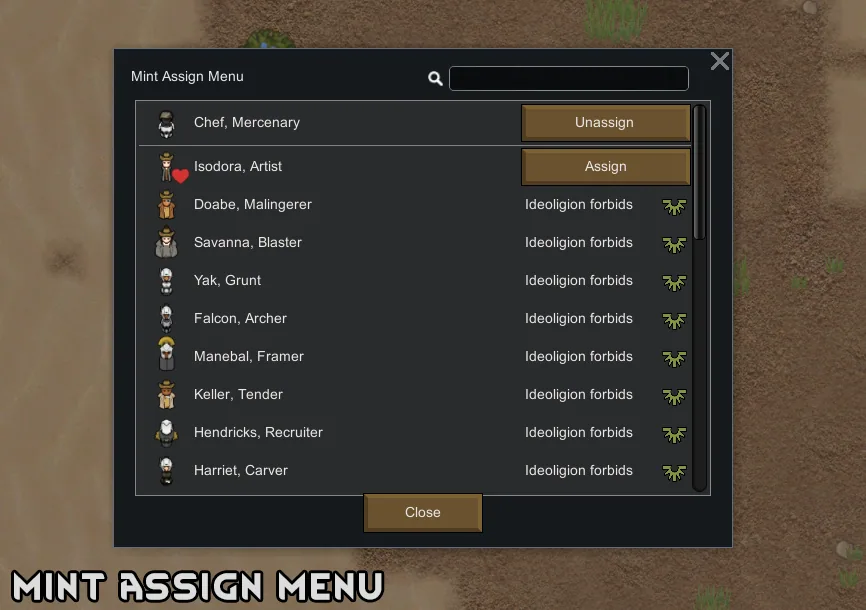
- Bed and building assignment menu.
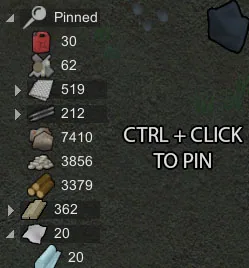
- Pin resources to the readout and hide the rest.
Search tips
Bills: thing type (melee, ranged, apparel), recipe or product name, mod name, stuff category (leathery), body part (legs), apparel tag (industrial) or layer (OnSkin).
Build menu: designator name, category name, mod name or stuff category.
Research: project name, mod name, tech level, or the name of anything it unlocks.
Languages
The mod includes English, Chinese, Korean and Portuguese.
Screenshots 8


Comments 0
No comments yet — be the first.
Log in or sign up to leave a comment.