















Dead Canvas: Trauma adds detailed, dynamic blood effects to Project Zomboid Build 42, with realistic splatter, weathering, multiplayer sync, and extensive customization options.
Contents
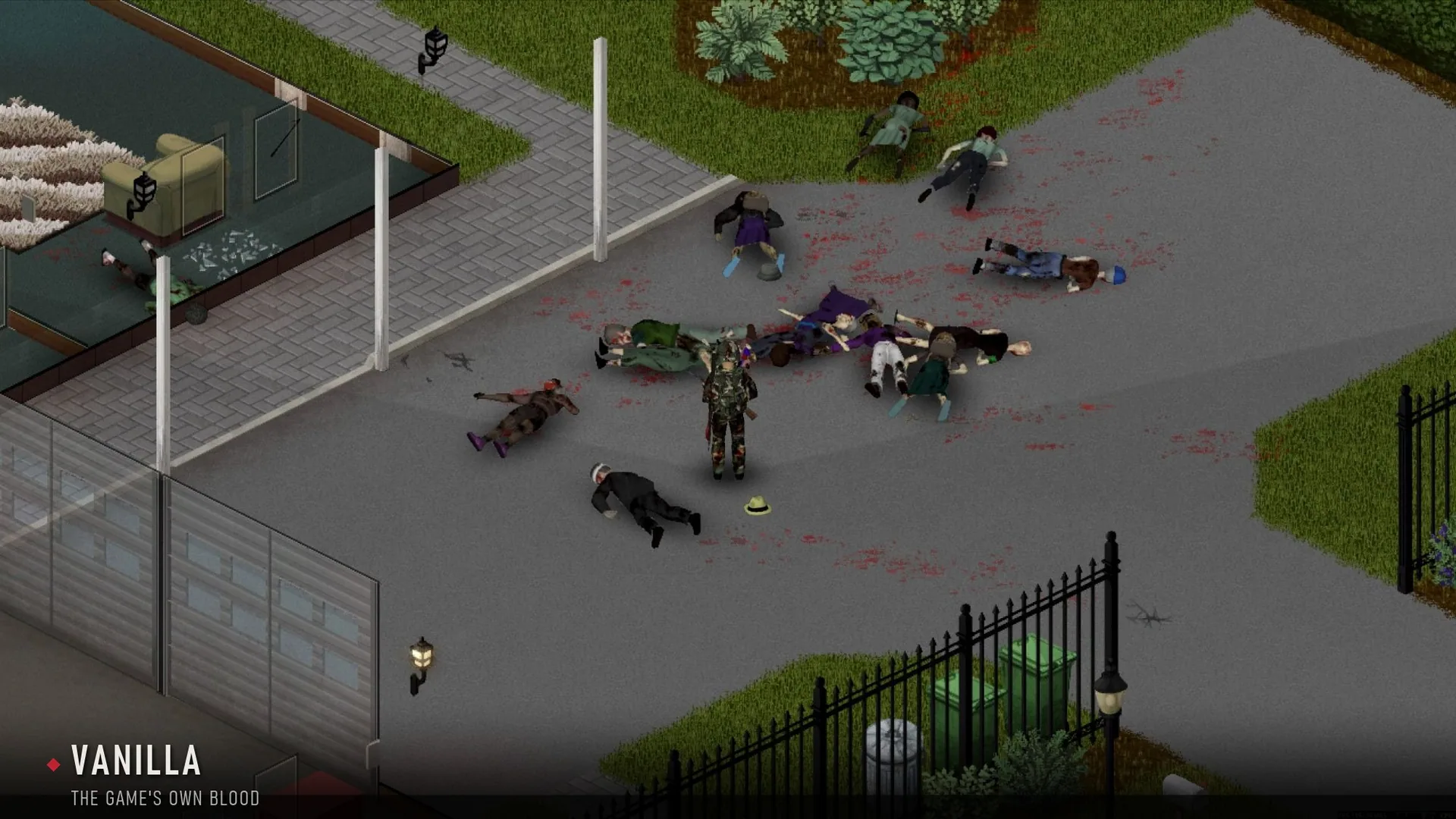
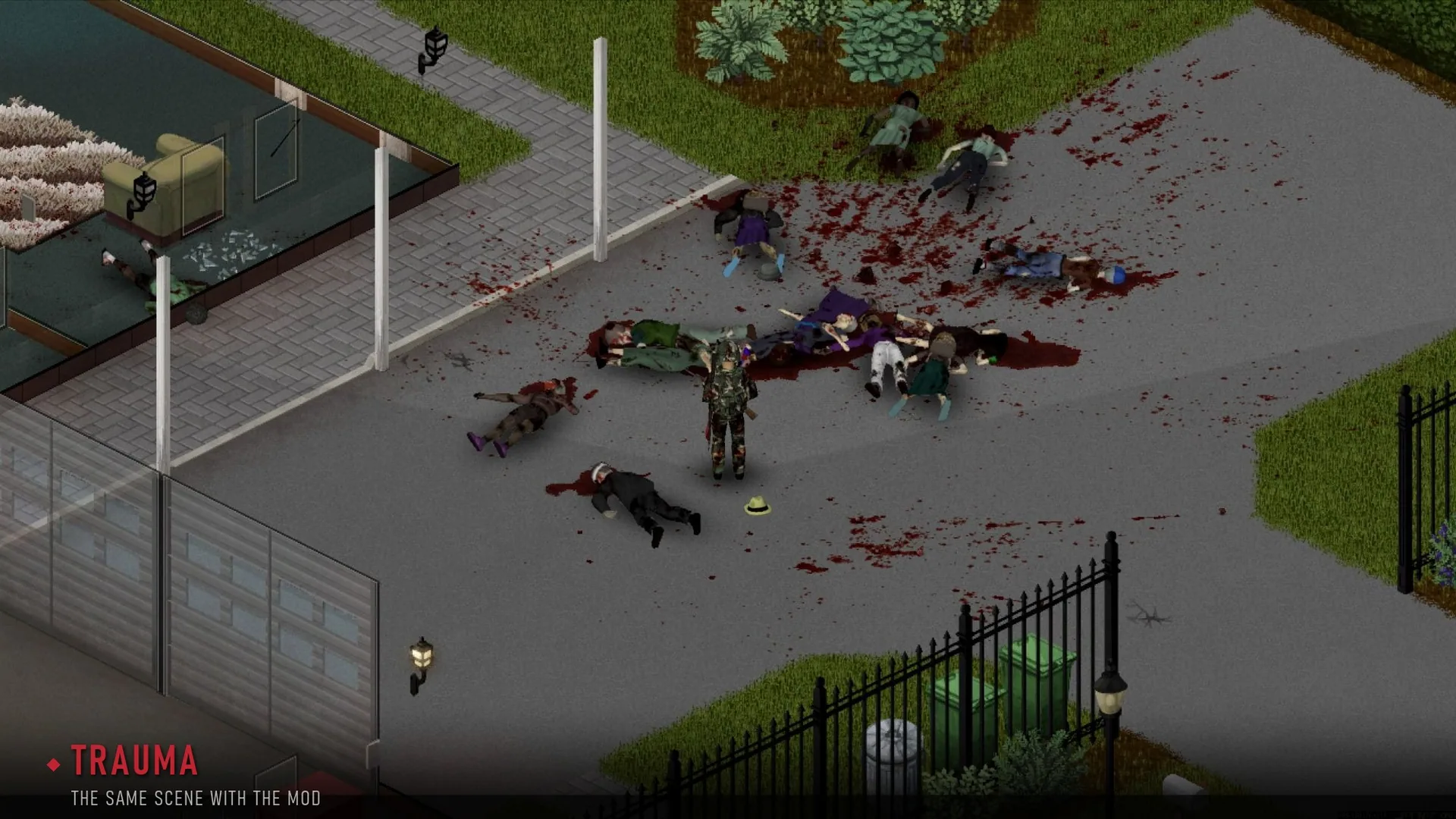
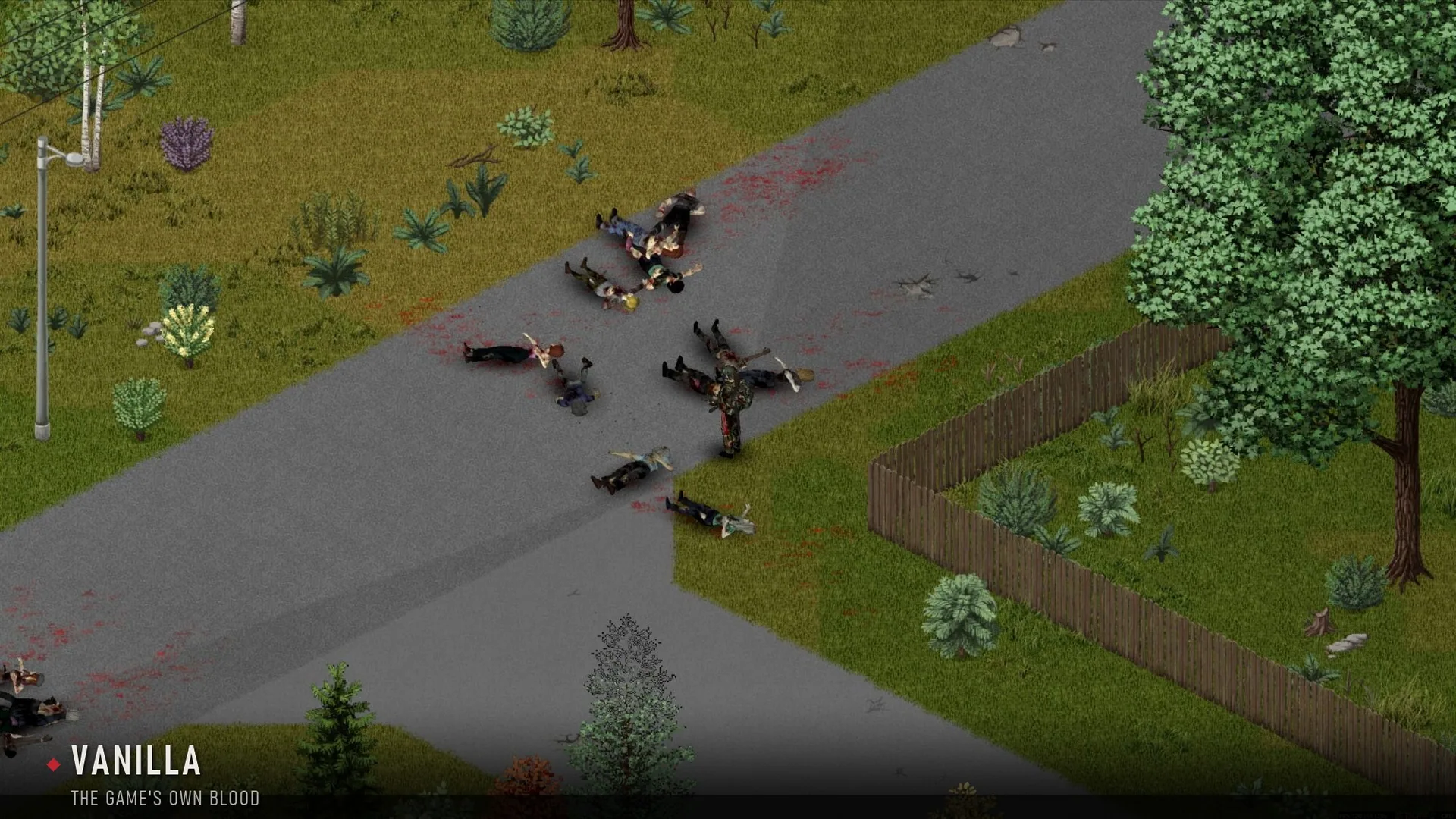
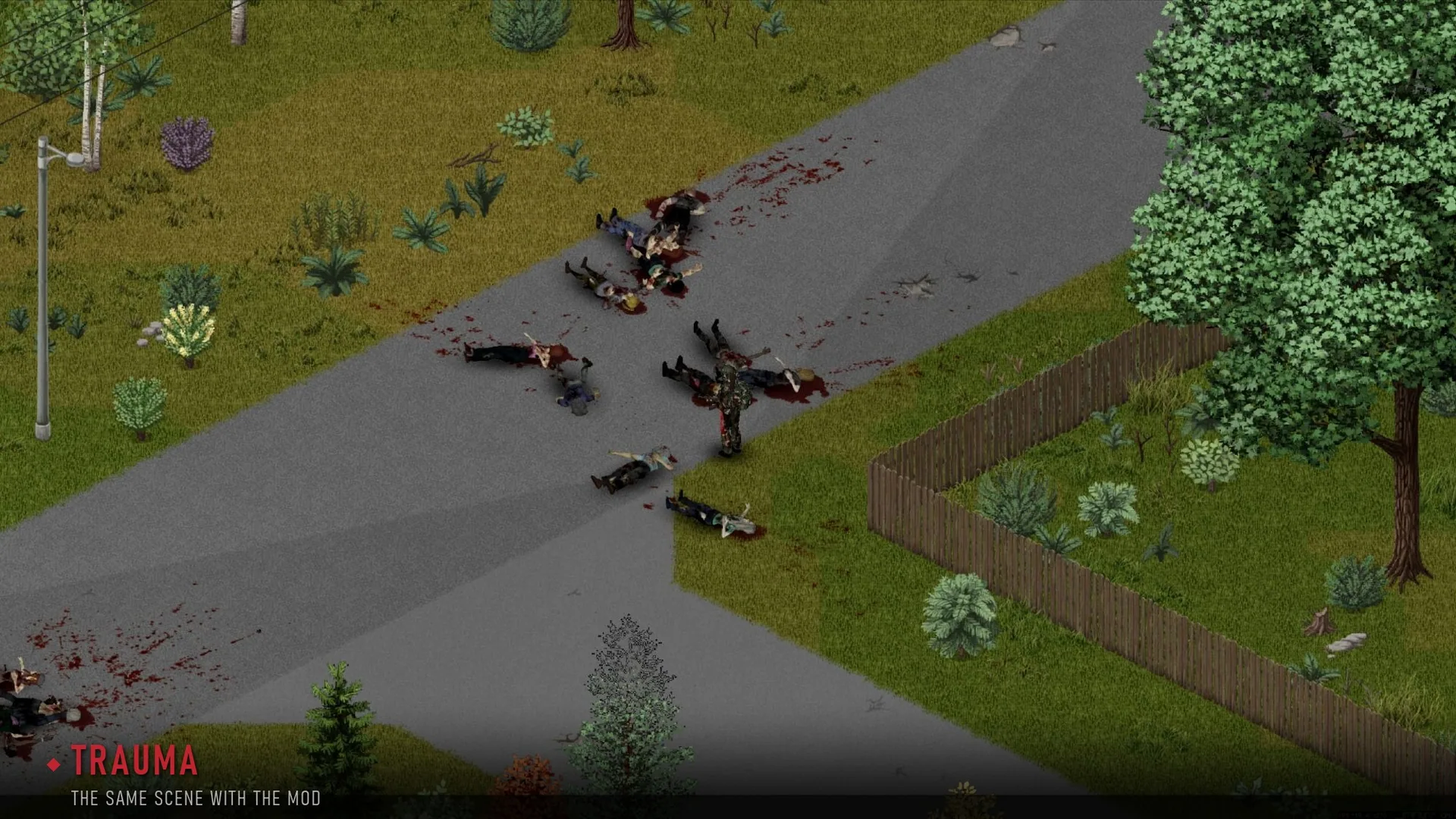
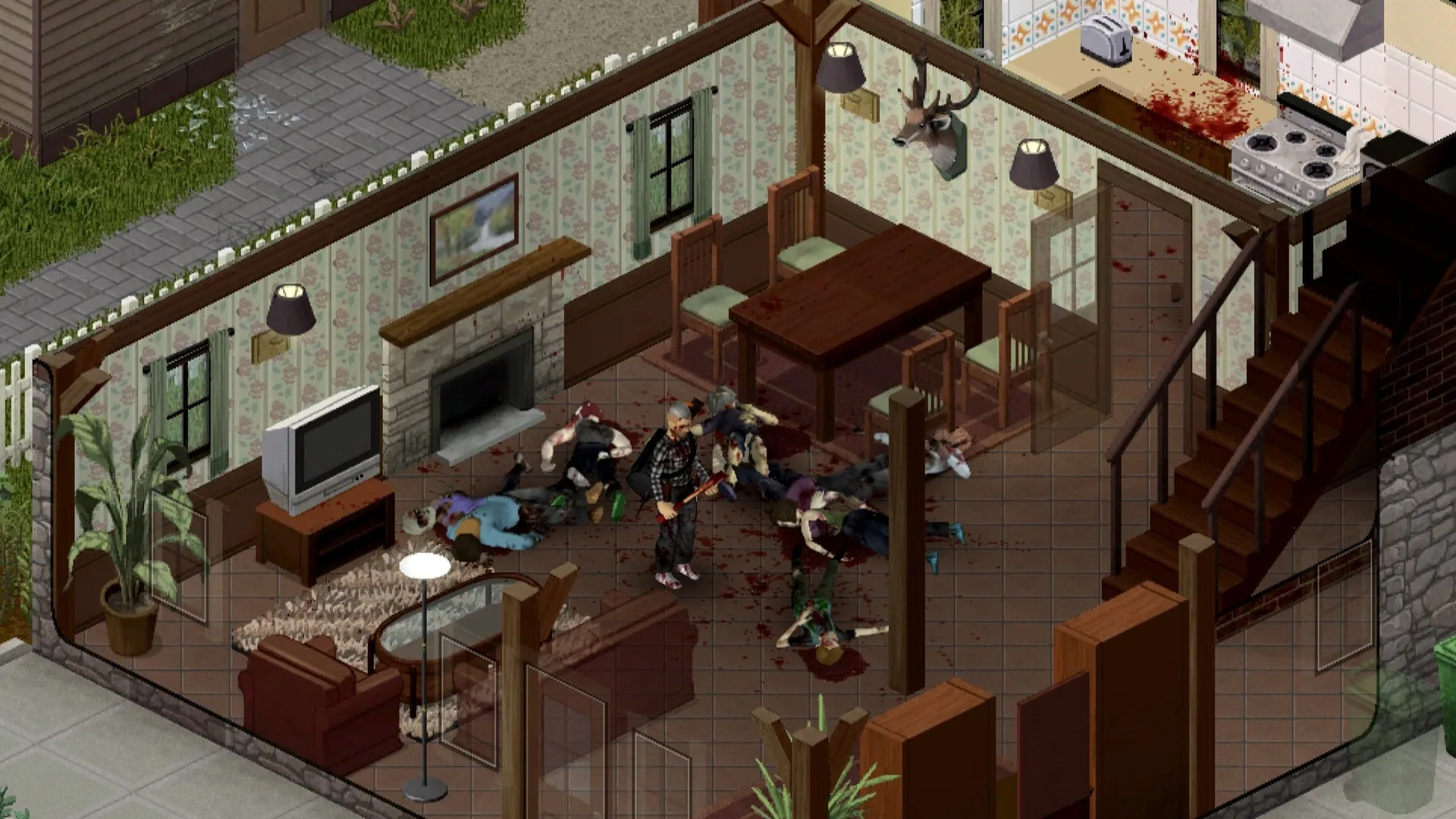
Dead Canvas: Trauma is a blood effects mod for Project Zomboid Build 42, designed to provide highly detailed and dynamic blood visuals. Blood splatters, pools, trails, and stains behave according to weapon type, impact force, and environment, with effects that age, dry, and weather over time. The mod is in active beta and may introduce bugs or conflicts, especially after game updates. Back up your saves before use.
Key Features
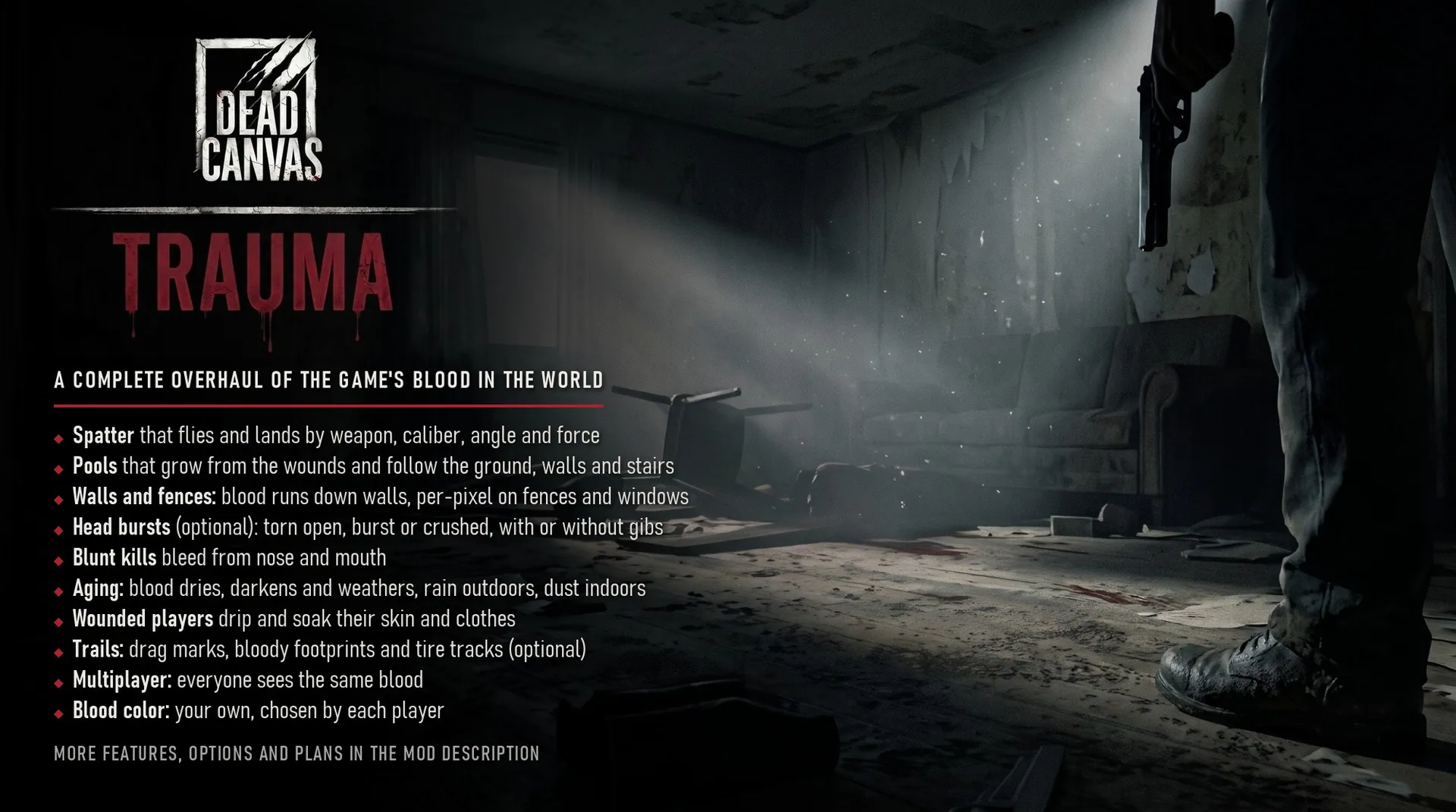
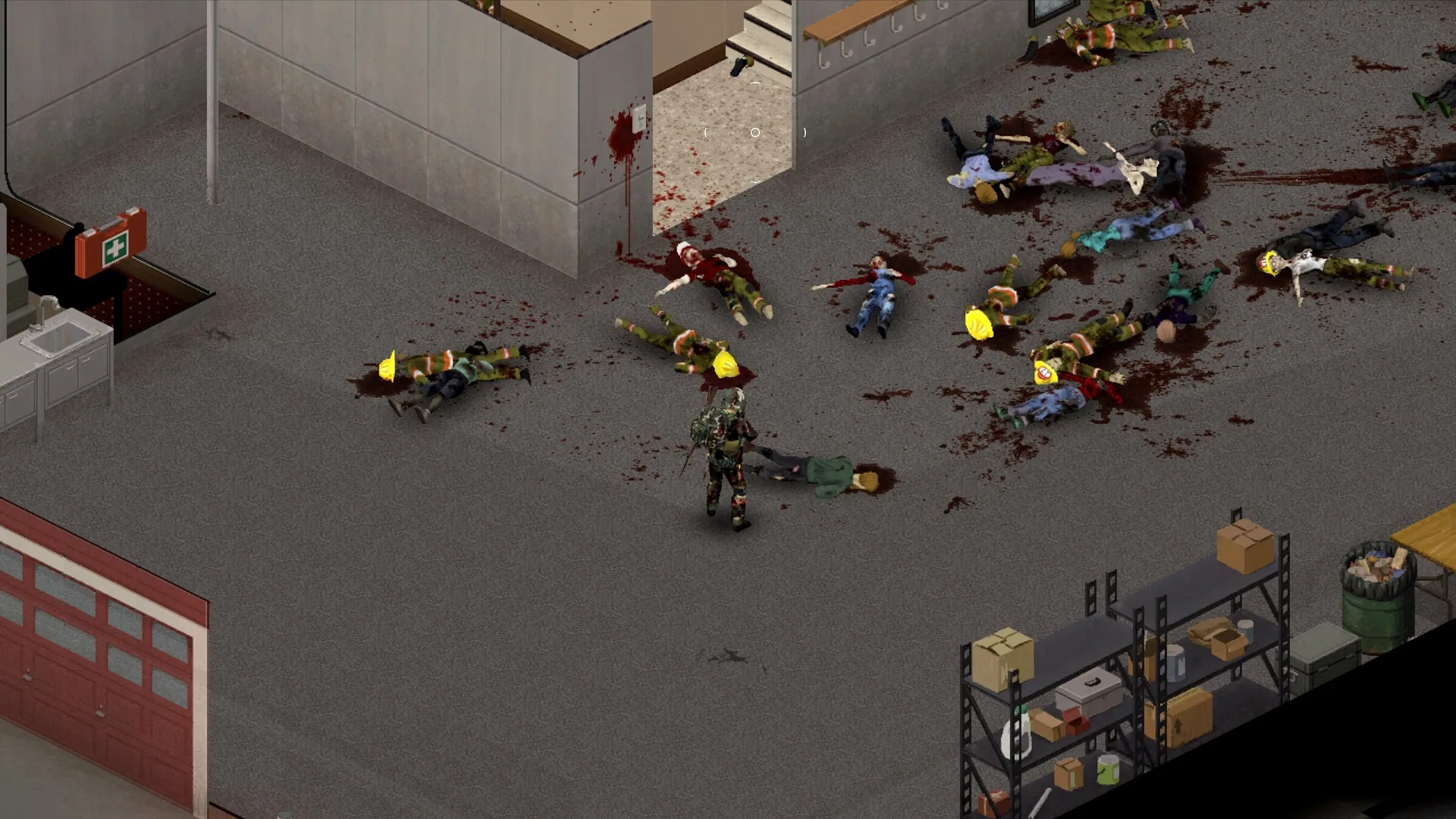
- Impact-based blood: Blood sprays, cuts, and splatter patterns depend on weapon type, hit location, and force. Blades create arcs and cuts, blunt weapons bleed less until heavy blows, and bullets cause exit splatter, with larger calibers producing greater effects.
- Head injuries: Rifles and shotguns can burst heads, sending hats flying.
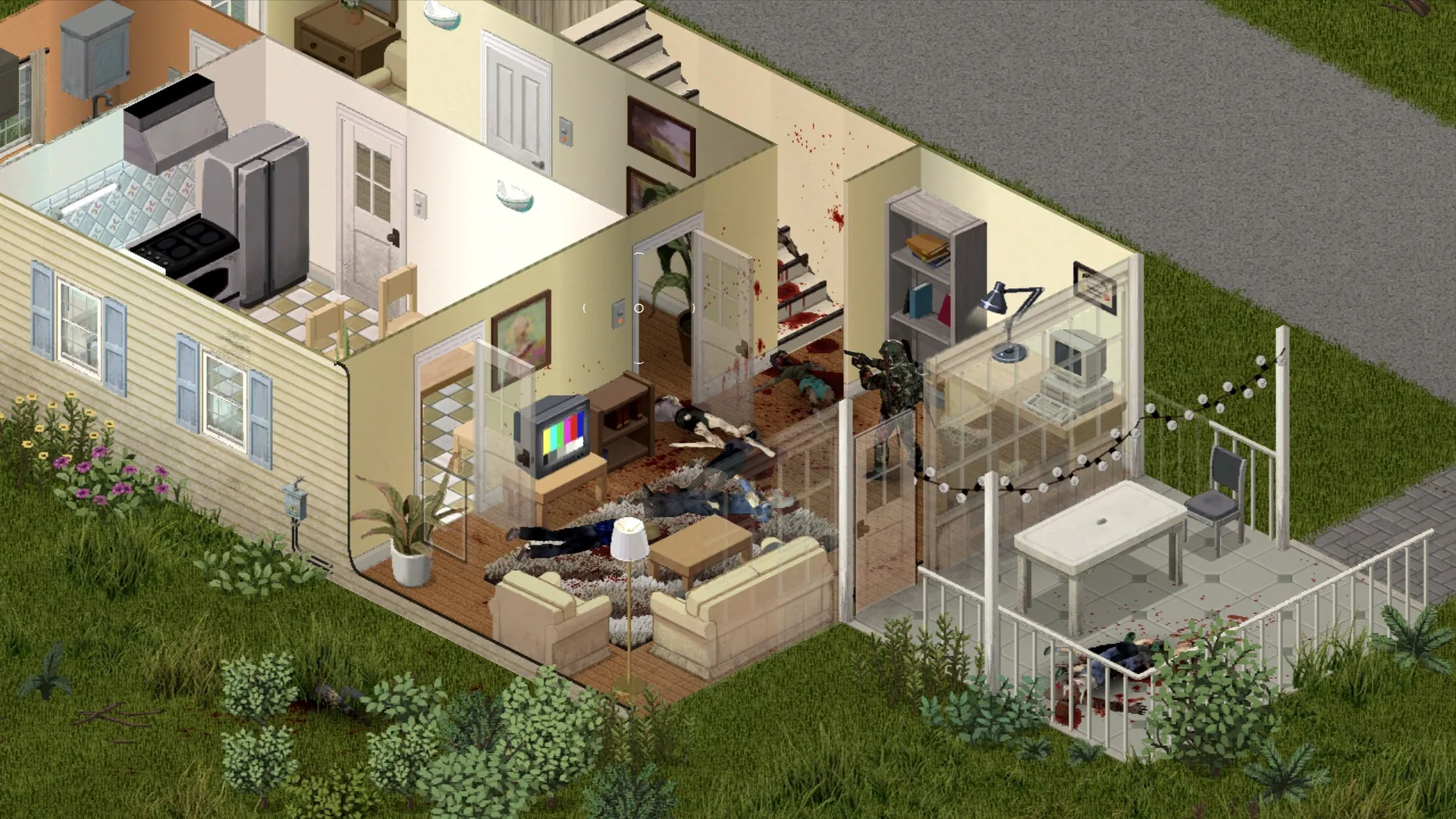
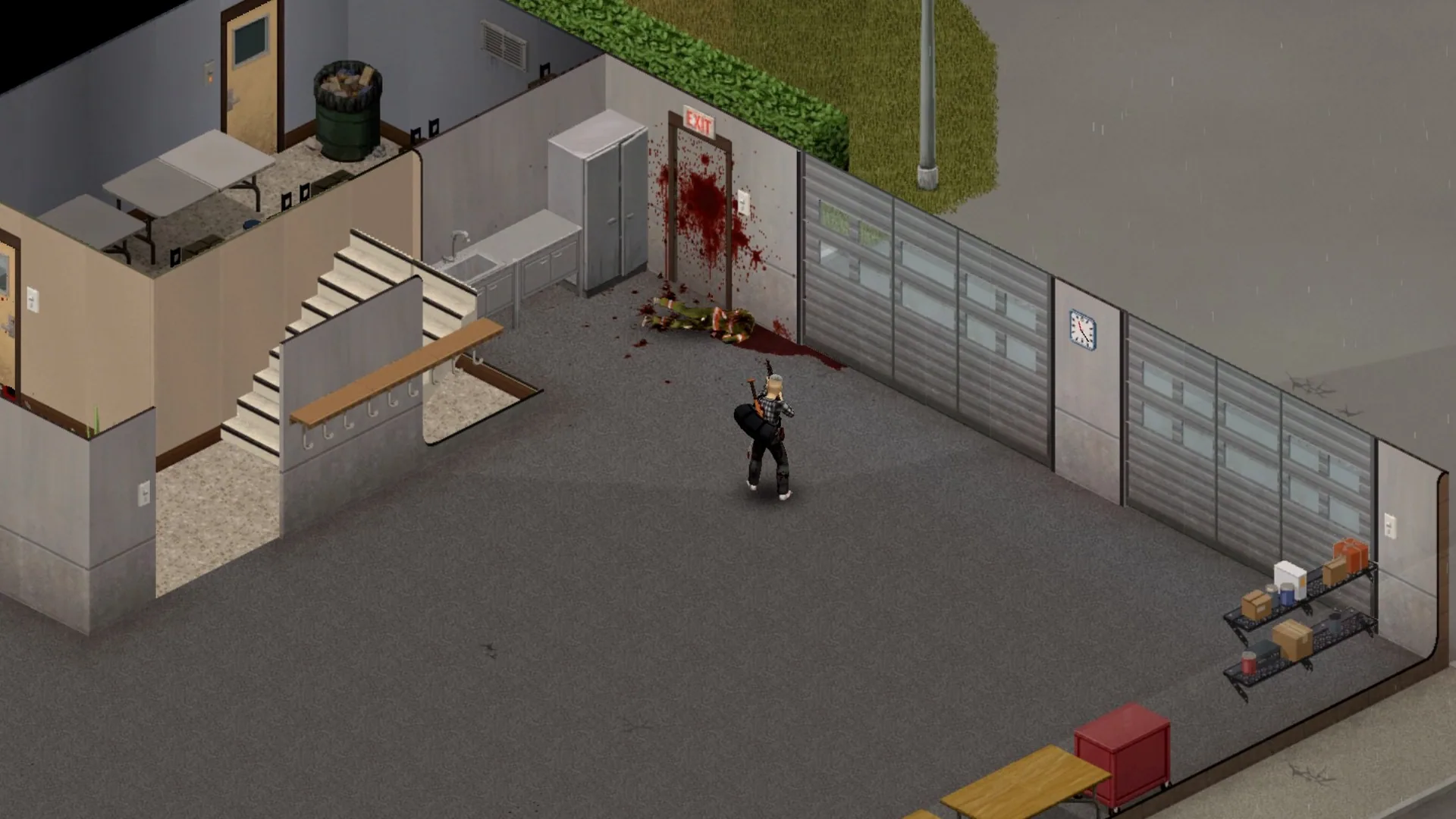
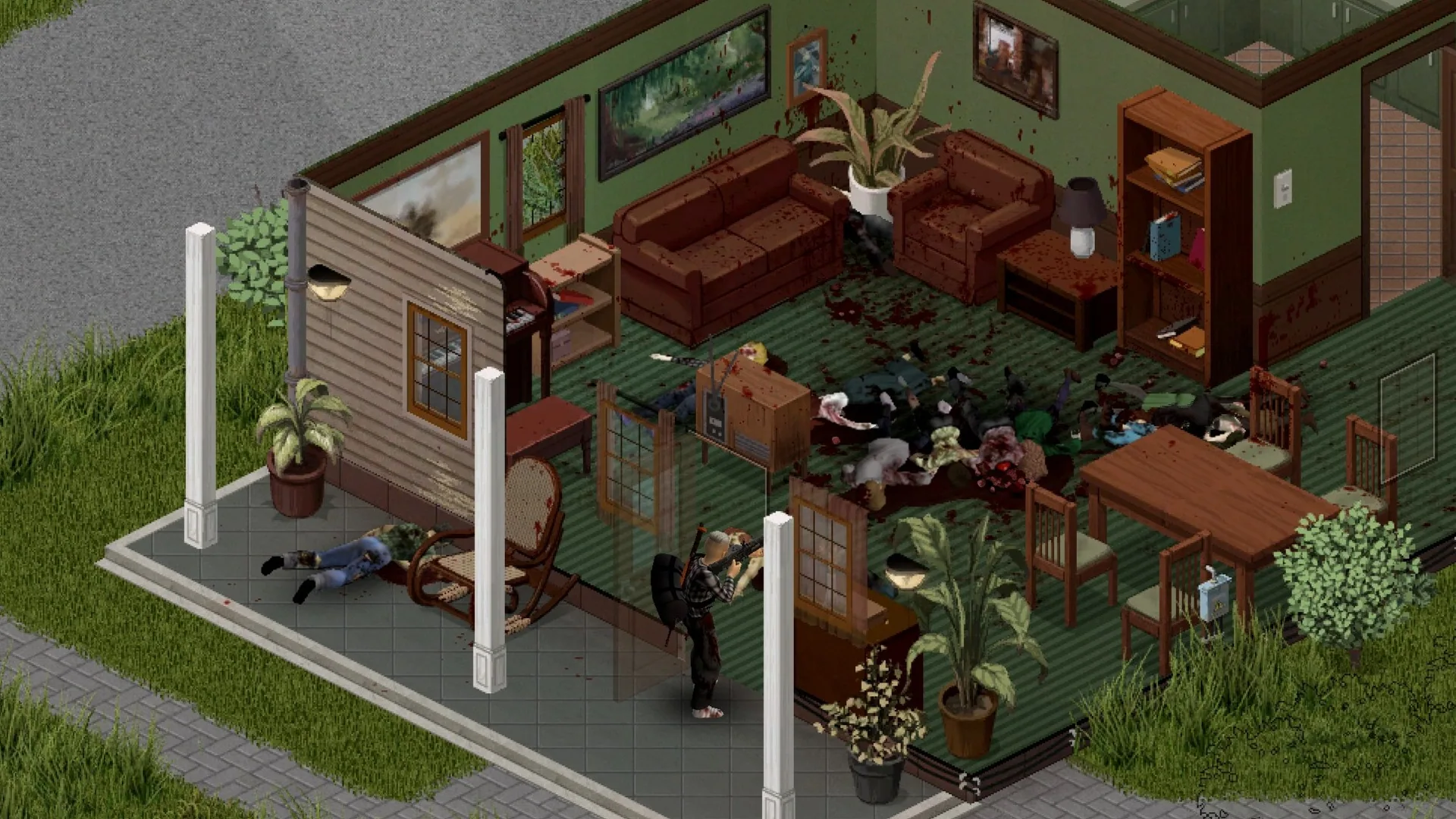
- Dynamic droplets: Blood lands on various surfaces-floors, stairs, walls, windows, fences-and follows shots between floors, running down walls.
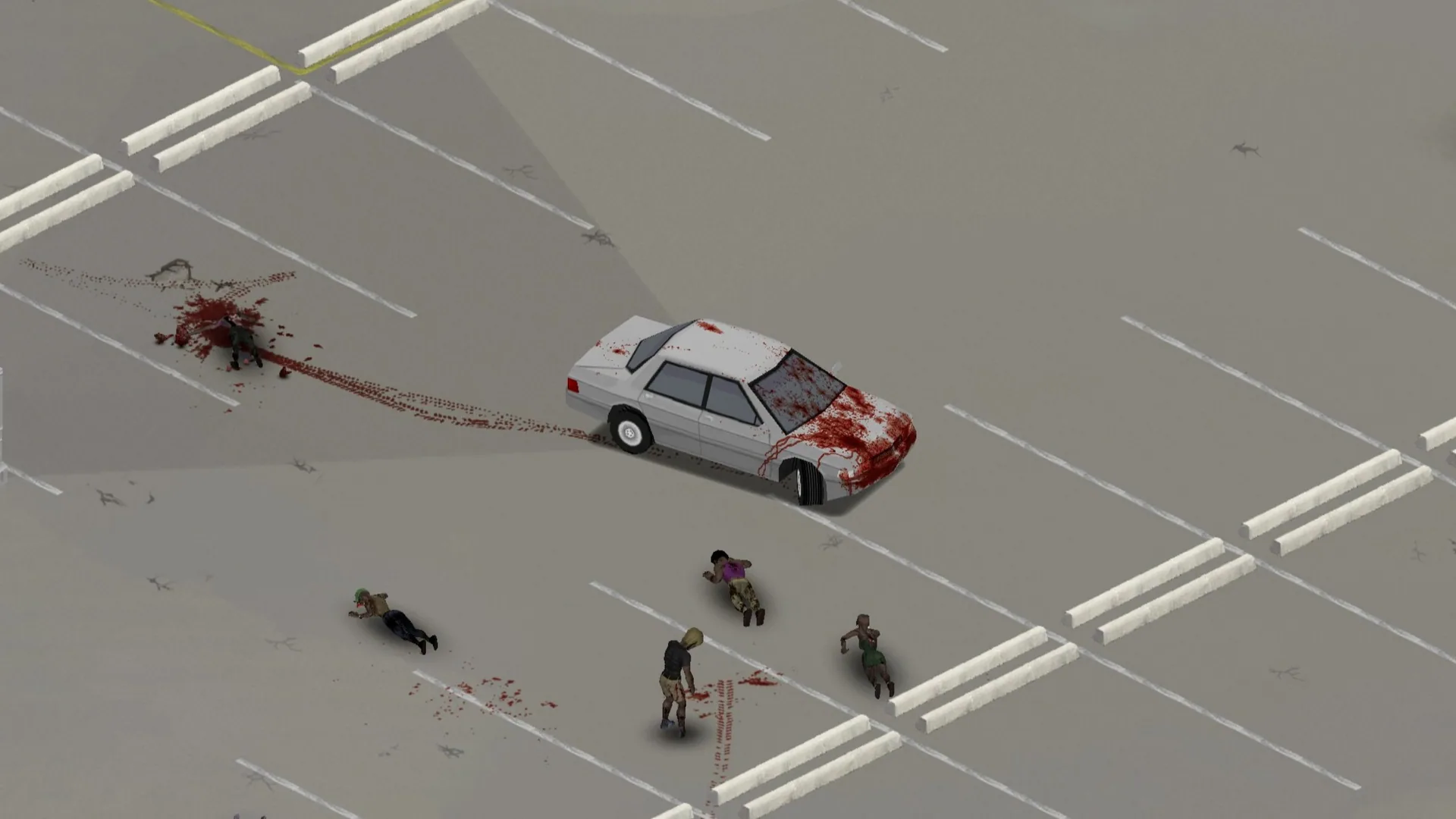
- Blood pools: Pools form beneath bodies, follow terrain contours, stop at barriers, run down stairs, and dry from red to nearly black.
- Surface-specific effects: Blood interacts differently with tiles, wood, concrete, asphalt, gravel, carpet, grass, soil, and various wall types.
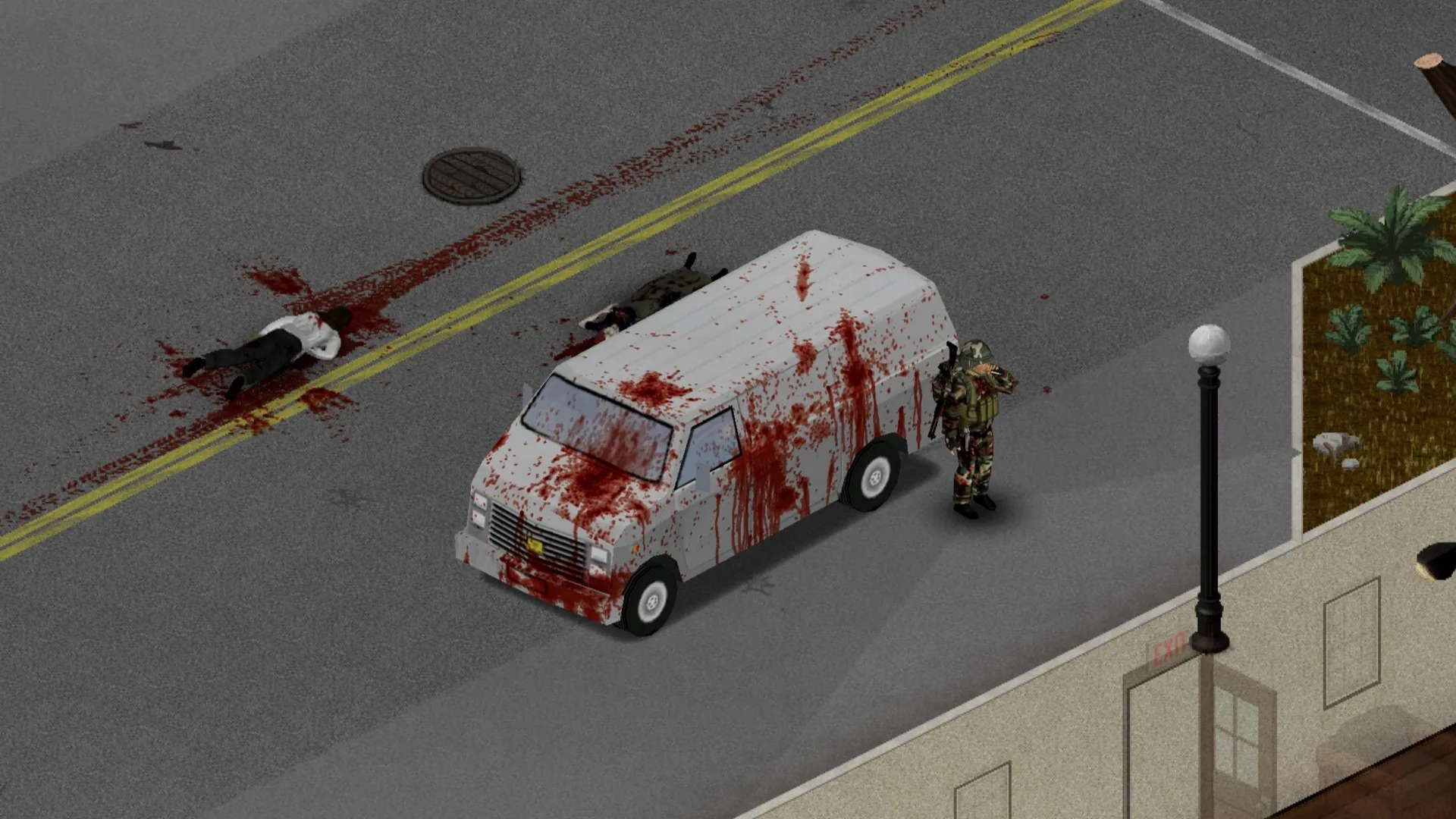
- Trails and tracks: Dragged bodies leave smears, bloody shoes make footprints, and vehicle tires create tracks.
- Vehicle blood: Vehicles accumulate blood based on collision force, with effects on body, doors, glass, and tires. Blood runs with airflow, fades in rain, washes off, and persists with the vehicle.
- Furniture: Blood stains furniture according to shape and material, and persists when moved.
- World integration: Existing blood in the game world is converted to the mod's system when loaded, though with less variety and precision.
- Weathering and cleaning: Rain outdoors fades blood to pale stains, while indoor stains crack and gather dust. The in-game Clean Stains function removes blood.
- Multiplayer: Blood effects are synchronized for all nearby players and work on dedicated servers.
Performance
The mod divides processing across CPU cores and dynamically adjusts its resource use based on game performance. Outside of combat, performance impact is minimal. For lower-end systems, the mod offers options such as "Performance" quality preset and "Sharp" blood look for lighter processing. Disabling gibs in head bursts can further improve performance.
Performance observations: - Upper mid-range PC: 95-120 FPS during intense fights, 1-2.5 ms per frame for the mod. - Mid-range PC: 85-105 FPS in most sessions, 60-65 FPS during heavy action. - Extreme stress test: 25-70 FPS with large numbers of corpses; the mod used 2-4 ms per frame.
Actual results depend on hardware, settings, and other mods.
Options
Sandbox settings ("Dead Canvas: Trauma" page): - Head Bursts: off, blood only, or blood and gibs (default) - Toggle options: Bloody Footprints, Bloody Tire Tracks, Blood on Vehicles, Blood on Furniture, Rain Wash-Out, Shots Hit Falling Zombies, Gun Grazes - Blood Weathering: mod's pace, slower, or game's default lifespan - Blood Cleaning: bleach removes gibs or bags them - Server settings: Blood Memory, Blood Upload Budget per Player, Save Changing Blood After - Admin panel: clean blood or gibs remotely
Player mod options: - Blood Color (presets or custom) - Blood Look (Sharp or Smooth) - Quality Preset (affects blood appearance speed) - Multi-threaded (toggle if issues occur) - Threads (set CPU core usage) - Blood on Vehicles
Requirements
- Project Zomboid Build 42.22 or newer
- ZombieBuddy mod (installed and loaded before Dead Canvas: Trauma; all players need it in multiplayer)
- Recommended: Physical Bullets mod for enhanced bullet effects
If ZombieBuddy is not set up, only the game's default blood effects will appear.
Compatibility
- Existing saves: Floor stains convert to the mod's system when loaded; wall stains remain hidden until the mod is removed. Removing the mod restores the game's original blood.
- Supported mods: Point Blank is supported; Guns of Marz calibers are tuned for compatibility. Basic support is expected (not fully tested) for Immersive Snow, Advanced Trajectory, Guns of 93, and Firearms B42.
- Potential conflicts: Other blood/gore mods, mods altering world rendering, and overhaul or performance mods affecting similar systems.
Known Limitations
- Multiplayer tested only with two players on a dedicated server.
- Gib collection and corpse head crushing in multiplayer are not fully tested or implemented.
- Blood does not appear on floors beneath open stairs.
Technical Details
The Java component handles only blood and wounds, integrating with the game's blood creation, rendering, saving, and sharing systems. It writes files only to its own folder, uses the game's mod channel for multiplayer data, and does not alter game rules or open external connections. The code is not obfuscated and can be inspected with a Java decompiler.
Screenshots 12


Comments 2
Обновление от 19.11.2026
Файл: Dead Canvas: Trauma
Что изменилось:
0.1.0-beta13
- Blood now keeps pace with the game's Time Before Corpse Removal (sandbox Blood Weathering, the new default for new worlds), by one model on floors and walls, indoors and outdoors: it darkens, cracks and gathers dust, then its crust breaks away in chips and leaves a faint shadow that fades too. With the game's 216 hours and no rain, outdoors it breaks away from about day 7 to 13 and the shadow is gone in about a month; rain before that washes it out instead, sooner. Shadows follow the ground: grainy on asphalt, concrete and gravel, in the pattern of grass and soil.
- Existing worlds keep their setting; your own sandbox presets and older server settings bring the old default (Dead Canvas: Fixed). Pick "Follow Time Before Corpse Removal" there if you want the new one.
- New sandbox option Indoor Weathering: blood under a roof stays (the default, as before), or goes the same way a little slower than outdoors. Furniture and vehicles keep their blood for now.
- Blood the world begins with breaks away in its first week instead of aging for a week first. With Follow Blood Splat Lifespan Days, blood is gone after the lifespan, at least a day and a half, so fresh blood stays fresh.
- Thin old blood now browns as thick blood darkens, so older spray turns brown once (green and black blood get paler instead).
- Servers keep blood for players who come later up to their memory limits; only "Follow Blood Splat Lifespan Days" still drops it after that lifespan.
- Worlds on "Follow Blood Splat Lifespan Days": partly washed old stains break away at once on the first load.
- Open All Containers: furniture keeps its blood while that mod shows it open.
- Walls with windows, doors and arches now look like the wall beside them as blood ages.
- Multiplayer: a bleeding player no longer makes everyone's inventory window refresh every few seconds.
- Fixes from several reviews.
- Servers and all players need this update (servers: a restart). ZombieBuddy asks once more at game start to allow the new Java part: click Yes.
Обновление от 19.11.2026
Файл: Dead Canvas: Trauma
Что изменилось:
0.1.0-beta13.1
- Servers: keeping blood for players who come later could hold up a server for seconds once it stored thousands of chunks (a slow case of the game's own sort). Trimming that store now takes tens of milliseconds. Corpses are checked once per area and server session instead of each time it loads, and only players running the mod's Java part are asked for blood.
- Quieter logs: without debug mode the mod's status lines come every 5 minutes instead of every minute (a minute in which the mod's work stood out still right away), lines about vehicles and furniture only when there is something to report, and repeating lines are limited, on clients and servers.
- Server hosts: the game writes each client command its filter lets through into the server's command log, the mod's too. Append ;-DeadCanvasTrauma.* to ClientCommandFilter in the server settings (after the entries already there, no spaces) to keep them out; they still work.
- The performance line in the log now also shows the mod's drawing and its work in hits, not only its update. Pauses and loads are left out of it and named at its end, so a long stand of the game shows too.
- Threads on Auto now leaves the game more than half of the CPU threads (8 threads: 3 helper threads instead of 4), and may use one fewer while you host a game.
- Small savings for gibs near vehicles; drawing restores the game's render state even if one of its draws fails.
- Vehicles' blood in multiplayer: an upload could land on another vehicle, because the game hands a vehicle's id to the next one at once. It now stays with its own vehicle. A vehicle whose blood from the server doesn't fit shows the game's own blood instead of none.
- The description now has a section on removing the mod: where it keeps its blood in a save and on a server.
- Saves, sandbox settings and server data stay as they are. Servers and all players need this update (servers: a restart).
Log in or sign up to leave a comment.