








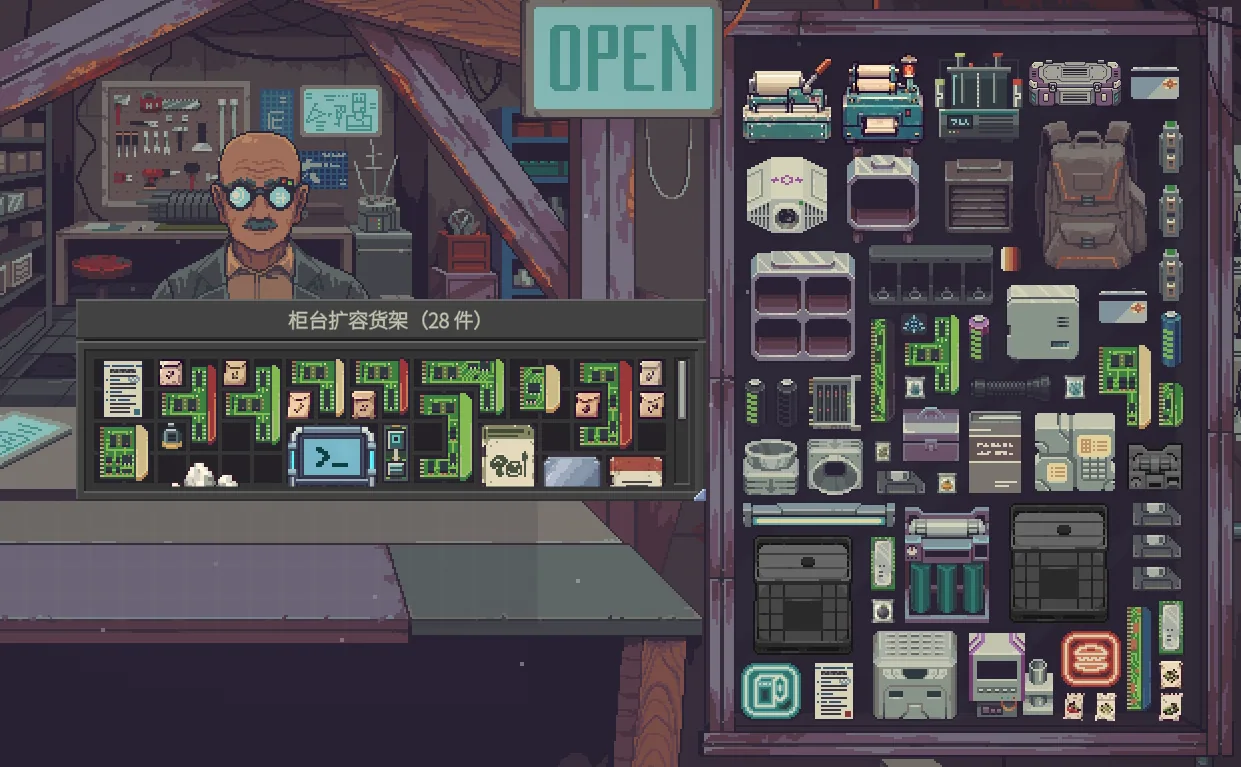



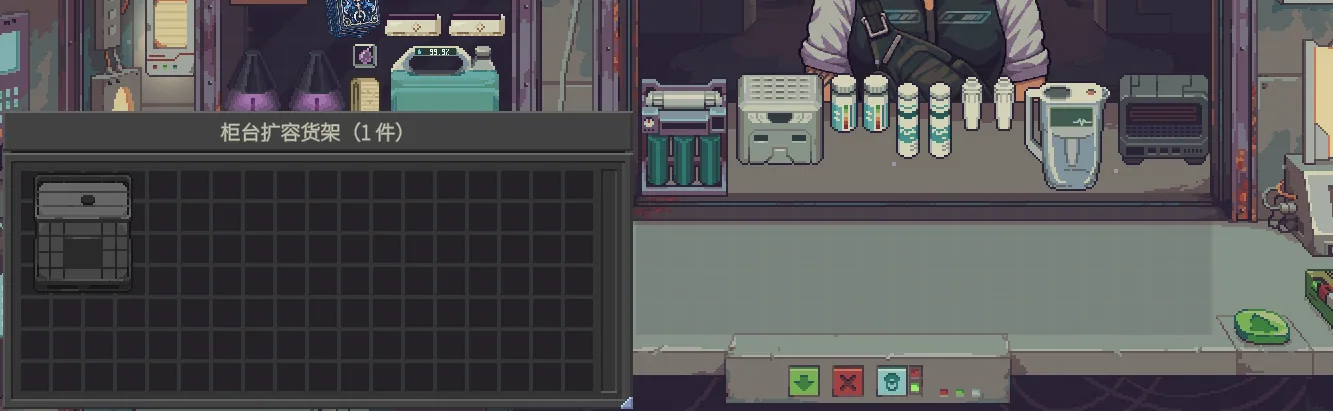
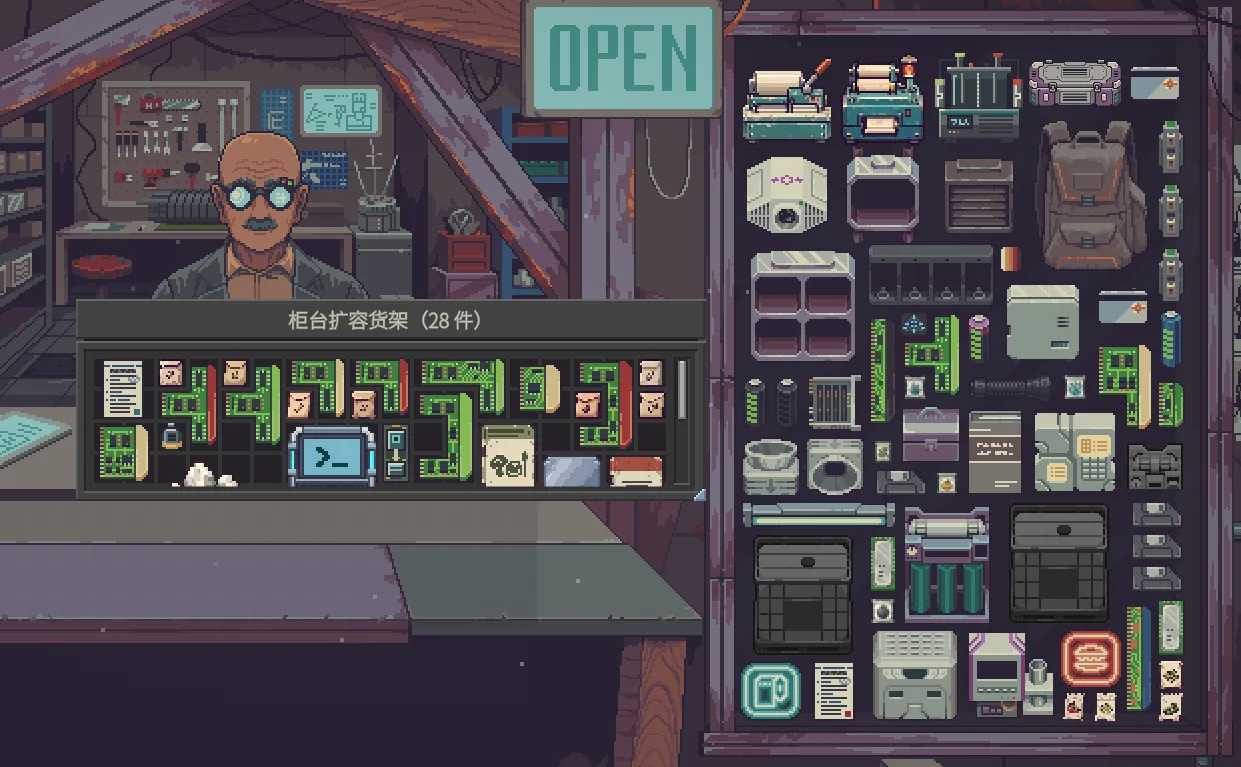
Counter Expansion Shelf catches goods that would disappear when your bargain counter or Dr. Jackson's counter fills up. They go into a scrollable grid 18 columns wide and up to 200 rows deep, where you can inspect and drag them to the counter or bargain area.
Counter Expansion Shelf catches goods that would disappear when your bargain counter or Dr. Jackson's counter fills up. They go into a scrollable grid 18 columns wide and up to 200 rows deep, where you can inspect and drag them to the counter or bargain area.
- Alt/Ctrl-click sends shelf items to the bargain area. The same shortcut sends goods back to the front counter first, then to the shelf. Items that still cannot fit stay in place. Shortcuts follow your game bindings.
- Wholesale includes shelf goods and respects the game's automatic inventory transfer option.
- The shelf opens on overflow, stays open when emptied and closes with the counter. Move it by the title bar or resize it from the lower-right corner. Layouts are saved separately for the two shops.
- Right-click an empty cell or use the game's sort shortcut. With Smart Inventory Arrange enabled, you also get Smart Arrange and Keep Containers & Machines.
The shelf is enabled by default. Choose 2–30 visible rows, with defaults of 4 in your shop and 12 at Dr. Jackson's. It defaults to the right and can switch sides to stay on screen. Editing rows resets that shop's saved height, while changing the side resets both positions.
Enable only one mod that redirects these overflow goods, including Counter Expand, Merchant Goods Paging, Jackson's Shop Pages and Supply List. The shelf can be added or removed mid-save. Unpurchased goods on it are not preserved by manual saves taken during a trade. Counter events fire when goods reach the counter. Overflow from unrelated containers is outside the mod's scope.
Screenshots 2

Comments 0
No comments yet — be the first.
Log in or sign up to leave a comment.