











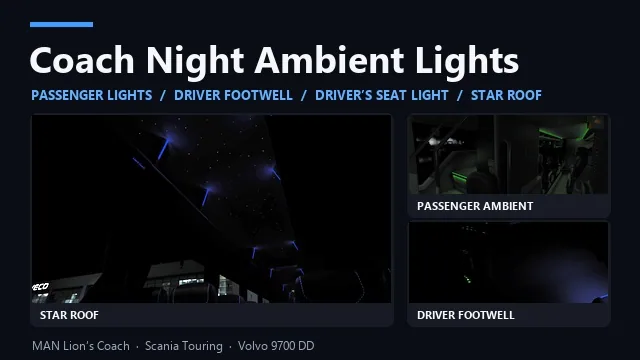



Add a soft, colour-matched glow to the driver's footwell while keeping the passenger ambient lighting. Choose a Star Roof option for a fibre-optic ceiling.
Contents
Add a soft, colour-matched glow to the driver's footwell while keeping the passenger ambient lighting. Choose a Star Roof option for a fibre-optic ceiling.
Supported coaches
- MAN Lion's Coach - 12.1 m and 13.9 m
- Scania Touring - 12.9 m and 13.7 m
- Volvo 9700 - 14.3 m
Features
- Two concealed lights beneath the dashboard, one on each side of the footwell.
- A colour-matched light above the driver's seat, set to 80% of one footwell lamp's output.
- Driver lighting matches the selected passenger ambient colour.
- 14 colour choices for each coach, including the original ambient-light colours. All 14 are available with or without the Star Roof.
- Original passenger ambient lighting retained.
- Shop thumbnails show the passenger lighting plus a matching driver-light inset.
How to use
Visit a service shop, open the ambient-light accessory slot and select an option named " - Pax & Driver". These are additional accessories, the original ambient-light options remain available.
Passenger ambient lighting turns on with the parking lights. The driver footwell spotlights and fitted stars turn on with the low-beam headlights. Use the Beacon key to toggle only the added light above the driver's seat. The factory cabin-light switch still works independently.
Requirements
Requires the Coaches DLC and Euro Truck Simulator 2 version 1.62.
Optional Star Night Roof
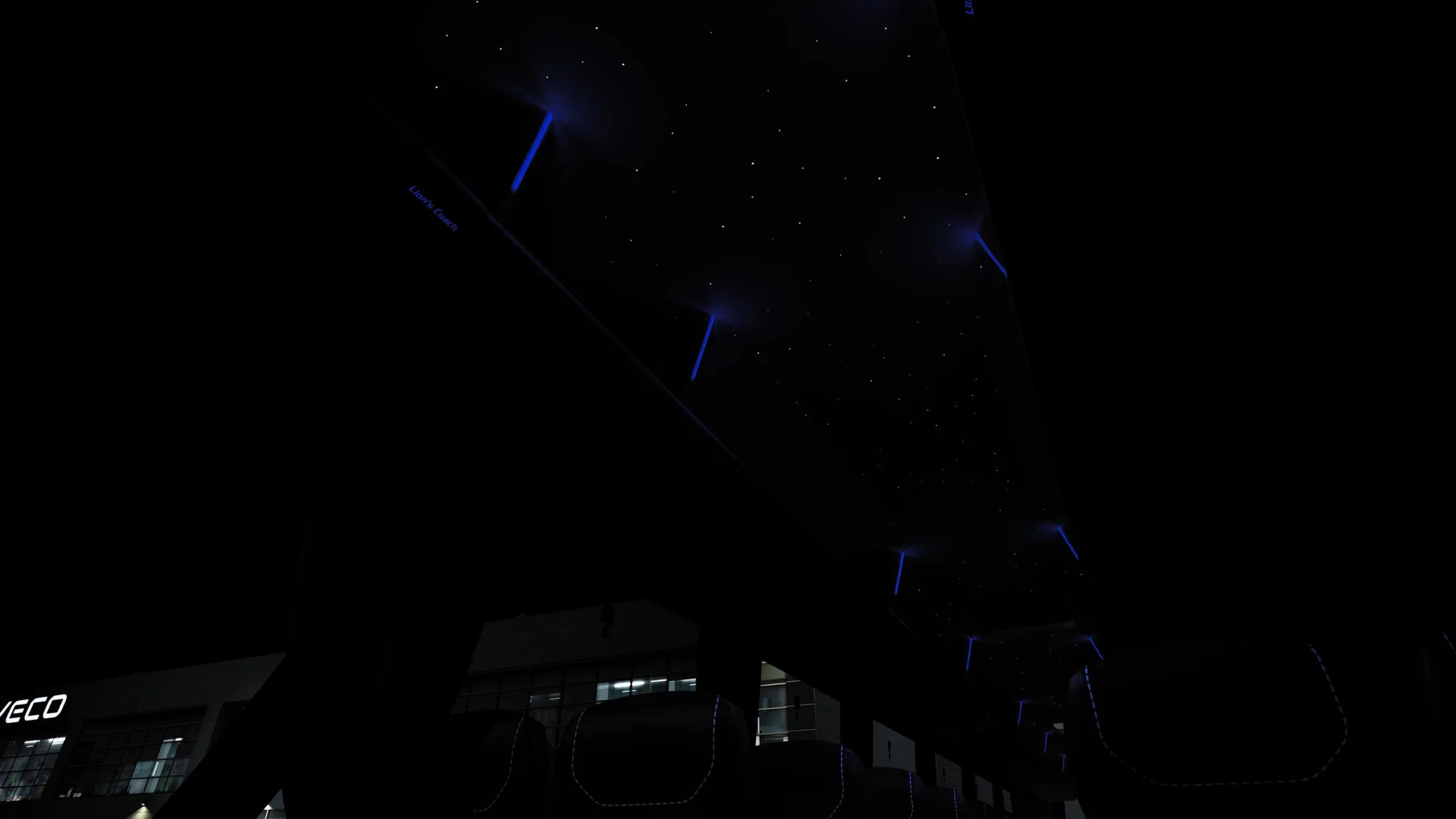
Choose " - Pax & Driver + Star Roof" in the ambient-light slot. Each option comes with the roof fitted to that coach body. The stars glow with low beams.
Modified ceiling geometry may need adjustments.
Compatibility
- Can be used alongside Coaches LED Steering Wheels.
- The shop entries are separate from BoHa's Ambient Lights for Coaches - both mods can be enabled in mod manager.
- Custom interiors need the standard ambient-light mount. Changes to the cabin or ceiling geometry can affect how the lights fit.
AI disclaimer
AI tools assisted with model edits, textures, game definition files, build scripts, the preview layout. The Workshop preview uses in-game screenshots. If you spot a problem, please report it in the comments.
Screenshots 1
Comments 0
No comments yet — be the first.
Log in or sign up to leave a comment.