















ZombieBuddy Extensions improves Java mod permissions, author verification, preload management, Windows security, and Local Coop compatibility in Project Zomboid Build 42.
ZombieBuddy Extensions for Project Zomboid - Improved Java Mod Support
ZombieBuddy Extensions is an unofficial enhancement package for ZombieBuddy 2.3.4 in Project Zomboid Build 42. It improves Java mod management, introduces additional security controls, fixes preload issues, and provides better support for local multiplayer hosting.
The extension is designed for players who use Java-based modifications and want greater control over how they are loaded and approved.
Main Features
- Trusted Authors. Trust verified developers without approving each of their mods individually. Saved trust persists across restarts.
- Permission Management. Improved Allow/Deny controls with persistent decisions and the ability to reset approvals.
- Author Key Caching. Stores verified Steam author keys for signature verification without repeated network requests.
- Preload Improvements. Removes outdated registrations, handles inactive mods, and provides clearer restart warnings.
- Local Coop Support. Shares client settings, temporary approvals, and author trust with locally hosted servers.
- Improved Stability. Isolates certain network errors instead of interrupting the entire startup process.
- Windows DLL Protection. Detects conflicting JVM libraries and verifies the active Java runtime.
- Experimental Mode. Allows startup to continue when certain SIGINFO data is unavailable.
Compatibility
| Parameter | Details |
|---|---|
| Version | 1.13 |
| Supported builds | B42.21, B42.22.2 |
| Required framework | ZombieBuddy 2.3.4 |
| Workshop ID | 3807686870 |
| Installation | Manual |
| Linux/macOS | Support not confirmed |
How to Install ZombieBuddy Extensions
Important: Steam Workshop downloads the extension files but does not install them automatically.
- Install and configure the original ZombieBuddy.
- Subscribe to ZombieBuddy Extensions.
- Close Project Zomboid and any running server processes.
- Locate the downloaded extension files:
Steam\steamapps\workshop\content\108600\3807686870\mods\ZombieBuddy_Extensions\42
- Back up the existing
ZombieBuddy.jarandzbNative.dllfiles. - Copy both replacement files into the game directory:
Steam\steamapps\common\ProjectZomboid
- Launch Project Zomboid with the original ZombieBuddy enabled.
Standard Windows launch option:
-agentlib:zbNative --
Experimental mode:
-agentlib:zbNative=experimental --
Folder locations may differ depending on your Steam library configuration.
Important Notes
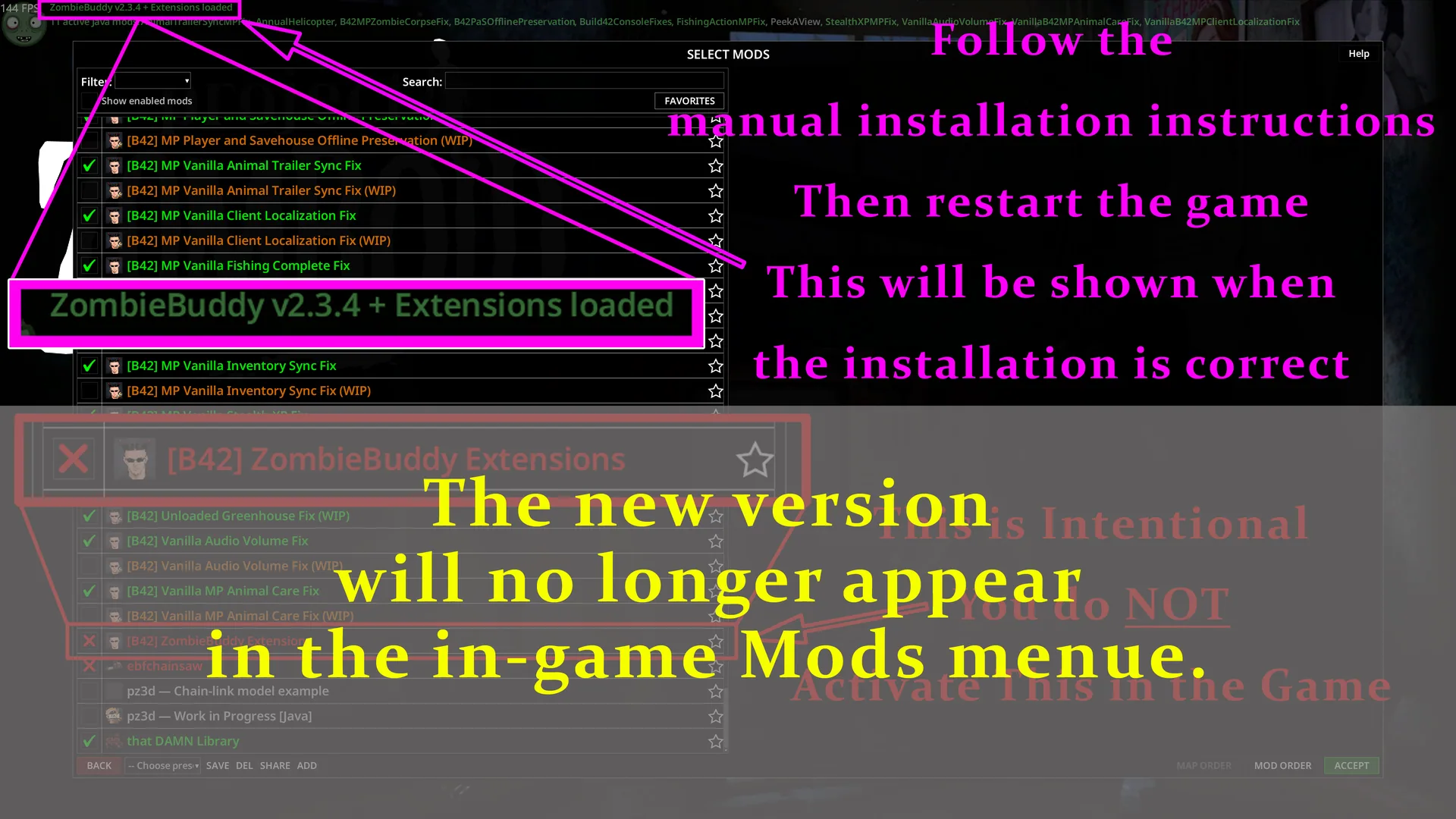
- ZombieBuddy Extensions does not appear as a separate mod in the in-game Mods menu.
- It is compatible with regular ZombieBuddy 2.3.4 in multiplayer, although individual Java mods may have additional client and server requirements.
- Preload changes may require a complete game restart.
- The
policy=allow-allsetting bypasses normal signature verification, but saved Deny decisions and Steam bans still apply. - Newer officially signed ZombieBuddy releases may overwrite the extension during automatic updates.
ZombieBuddy Extensions provides a more convenient and controlled Java mod environment for Project Zomboid, improving permissions, preload handling, and startup security.
Screenshots 1


Comments 0
No comments yet — be the first.
Log in or sign up to leave a comment.