












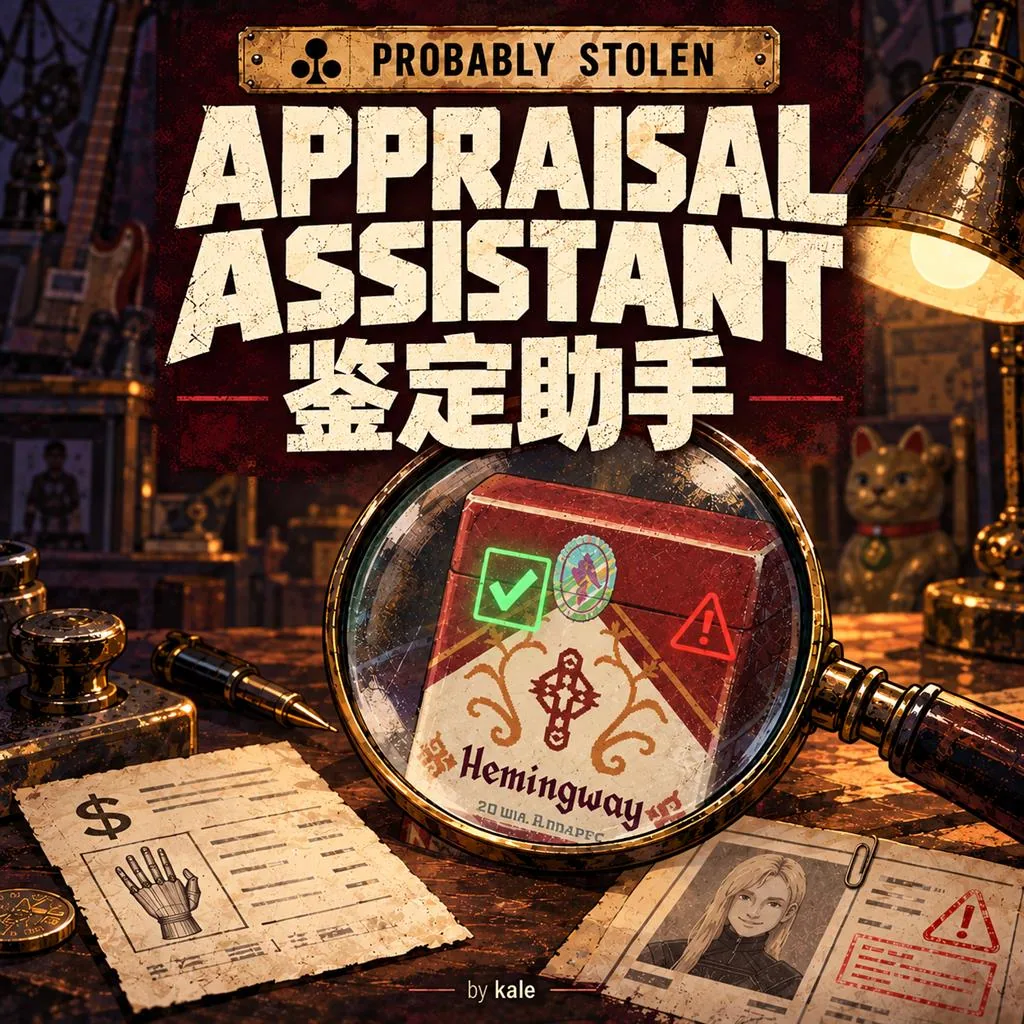



Appraisal Assistant displays item authenticity, true value and detailed appraisal information through the magnifier. It also warns about augmented and wanted customers, shows fluorescent berry quality, supports optional estimate submission and provides settings in all eight game languages.
Contents
Appraisal Assistant expands the game's magnifier with item authenticity checks, true value information and warnings about certain customers. It also provides optional estimate-filling tools, fluorescent berry quality information and customizable settings.
The mod uses the game's native mod system and supports all eight currently available game languages.
Item Authentication
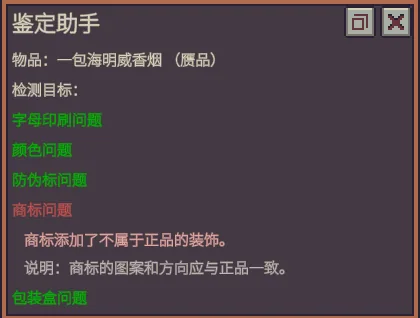
The assistant checks the authenticity of three item types:
- Syringes
- Cigarettes
- Food vouchers
Each check is marked in red or green. Optional explanations provide the specific reason for an irregularity and describe the normal standards used for comparison.
True Value Appraisal
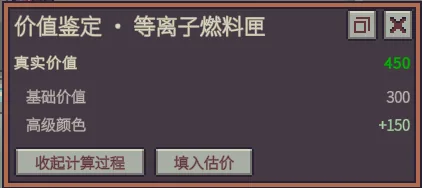
The assistant displays an item's true value when the relevant data is available.
Detailed calculation breakdowns are supported for these original game items:
- Prosthetic hands.
- Plasma fuel.
- Ribwiches.
Appraisal items added or replaced by other mods can also display their total value when the necessary data is readable. However, the assistant does not apply the original game's calculation breakdowns to these items.
Missing, unreadable or unverified information is explicitly identified rather than presented as a confirmed value.
Estimate Filling and Submission
Two estimate-handling options are available.
Fill Estimate is enabled by default and preserves existing preferences. It fills the estimate field without submitting the transaction.
Fill and Submit is disabled by default. When enabled, it replaces the ordinary fill-only button and allows the player to fill and submit an estimate with a single click.
This option uses the game's native submission process, including normal rewards, receipts and customer dialogue.
- Submission occurs only when the player clicks the button.
- No automatic background submission is performed.
- The feature does not bind submission to the Enter key.
- Disabling Fill and Submit restores the previously saved Fill Estimate preference.
Augmented Customer Warnings
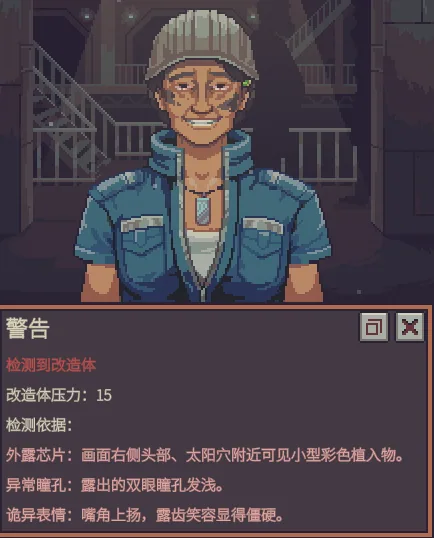
The assistant displays a separate warning when an augmented customer reaches the counter.
Identity detection and observable clues are presented separately. Explanations are limited to information actually shown in the game, including:
- Visible customer movements.
- Portrait and clothing details.
- Dialogue that has been fully displayed.
An optional pressure value can also be displayed, along with warnings about applicable extinction or outbreak risks.
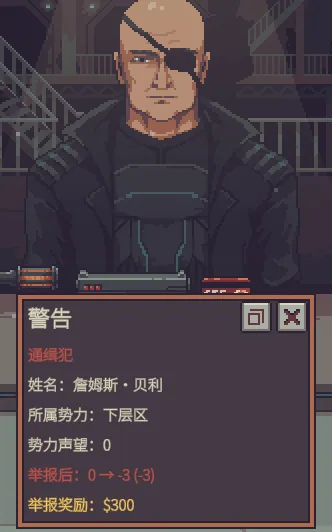
Wanted Customer Warnings
When a wanted customer approaches the counter, the assistant can display:
- The customer's real name.
- Their faction.
- The available reward.
- A preview of the reputation changes resulting from reporting them.
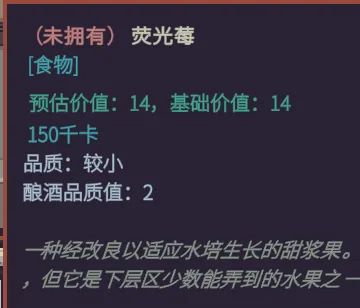
Fluorescent Berry Quality
The assistant adds quality information to the original tooltip for fluorescent berries.
An optional setting also displays the individual brewing quality contribution of each berry as a numeric value.
Language Support
The mod supports eight languages:
- Simplified Chinese.
- English.
- Japanese.
- German.
- French.
- Spanish.
- Russian.
- Polish.
By default, the assistant follows the game's selected language. A separate language can also be chosen in the mod settings.
Unrecognized languages fall back to English.
Existing game translations are used where available. Item names, faction names and quoted dialogue retain their original in-game wording.
Settings and Interface
Right-click the in-game magnifier to open the Appraisal Assistant settings window.
Alternatively, open the game's main menu, find Appraisal Assistant in the Mods list and select its settings gear.
The interface allows players to:
- Enable or disable individual assistant features.
- Configure detailed explanations separately.
- Turn off the magnifier's right-click settings shortcut.
- Choose between three window sizes.
- Move the settings window and save its position.
- Select the assistant's language independently of the game language.
The right-click shortcut can be disabled either in the main menu mod settings or in the assistant's own settings.
Installation and Usage
- Subscribe to the mod and wait for the download to finish.
- Open the game's Mods menu.
- Review and enable Appraisal Assistant.
- Restart the game.
- Load your save.
- Inspect supported items with the magnifier or wait for a customer to approach the counter.
Inspection is read-only. Authenticity checks and customer observations do not change item authenticity, item conditions or customer identities.
The optional submission feature performs an action only after an explicit player click, using the game's normal transaction system.
Screenshots 5
Comments 3
Прикольный мод
Обновление от 19.11.2026
Файл: 鉴定助手(Appraisal Assistant)
Что изменилось:
鉴定助手 1.1.1
Appraisal Assistant 1.1.1
Обновление от 19.11.2026
Файл: 鉴定助手(Appraisal Assistant)
Что изменилось:
鉴定助手 1.1.1
Appraisal Assistant 1.1.1
Log in or sign up to leave a comment.