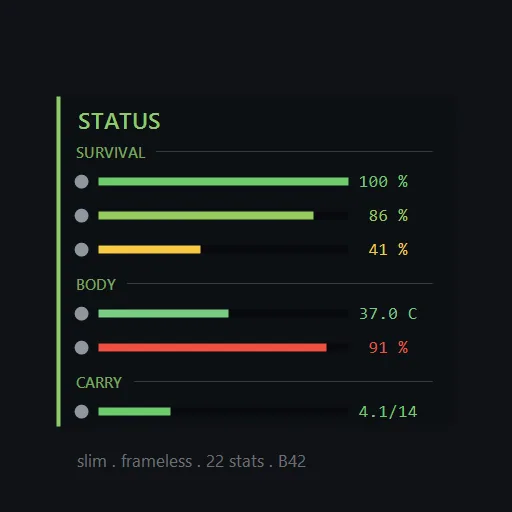

CH Status HUD displays your survivor’s condition as configurable bars with numerical values. It provides a more detailed overview alongside the familiar moodle icons, helping you follow changing needs and spot developing problems.
CH Status HUD — Character Stats Without the Guesswork
CH Status HUD displays your survivor’s condition as configurable bars with numerical values. It provides a more detailed overview alongside the familiar moodle icons, helping you follow changing needs and spot developing problems.
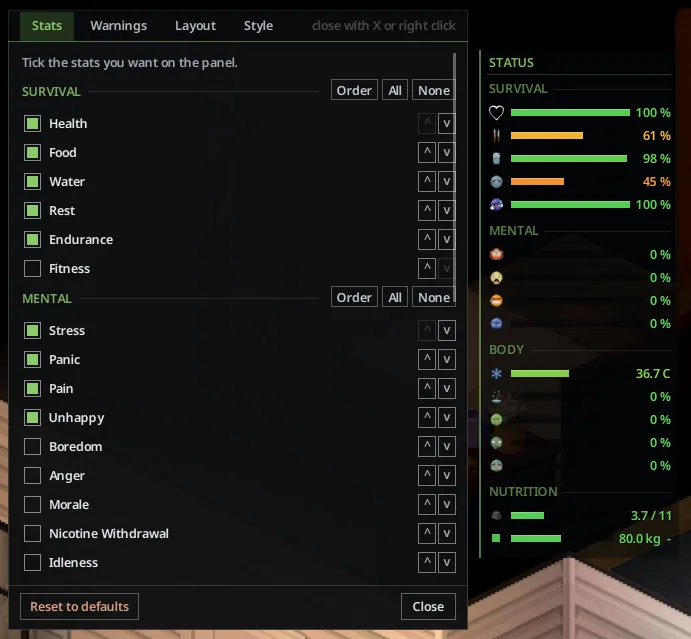
Choose from 32 indicators covering survival, mental state, physical condition, and nutrition.
Build the panel you need
Available readings include health, hunger, thirst, rest, endurance, stress, panic, pain, temperature, wetness, sickness, carried weight, body weight, calories, and nutrients.
You can select individual stats and adjust:
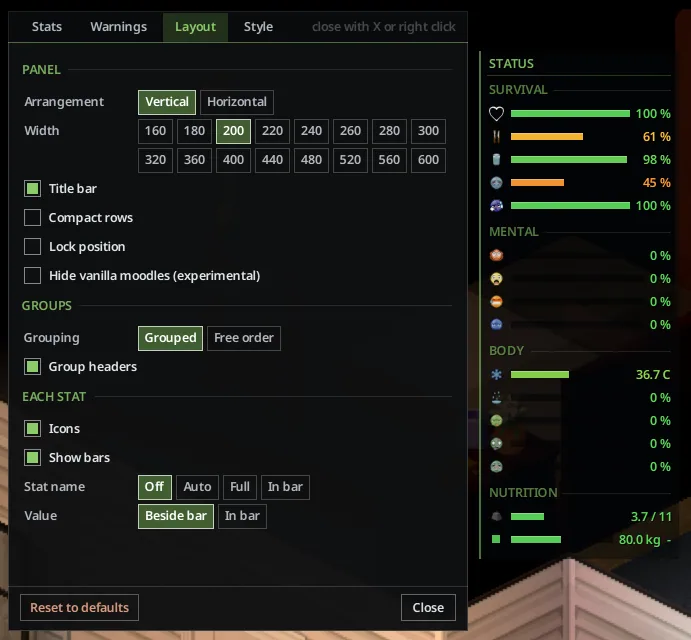
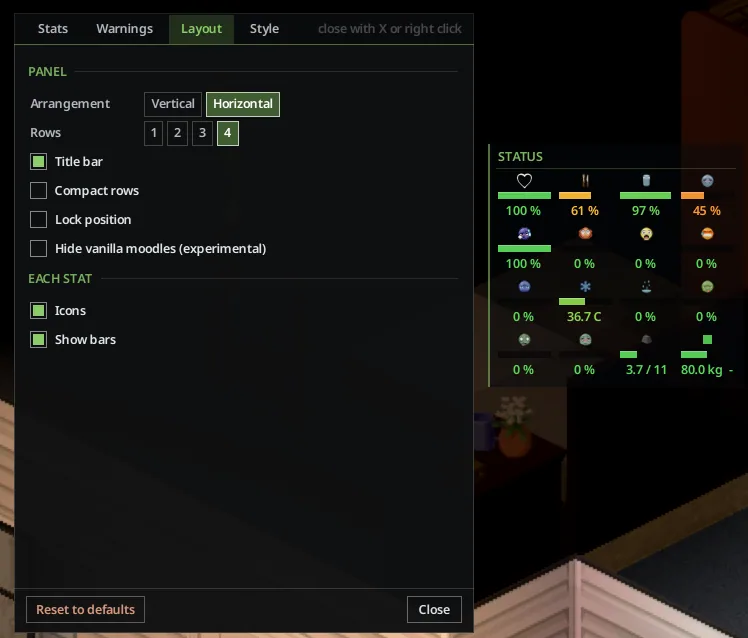
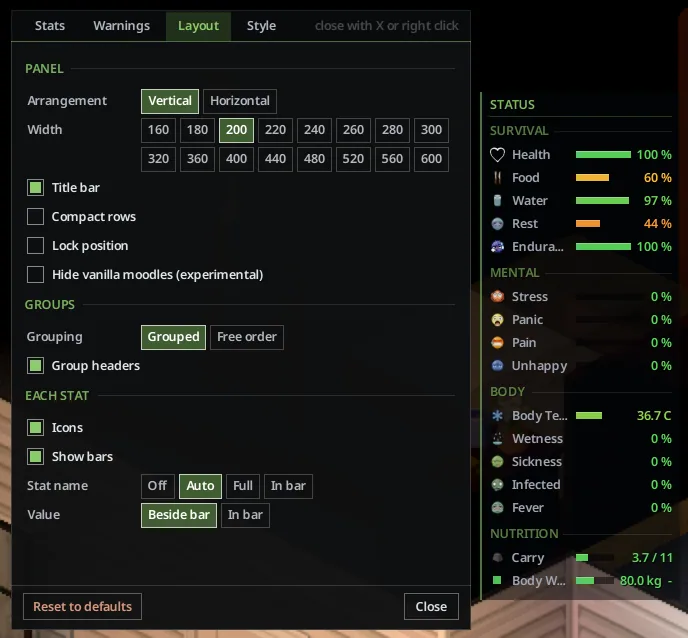
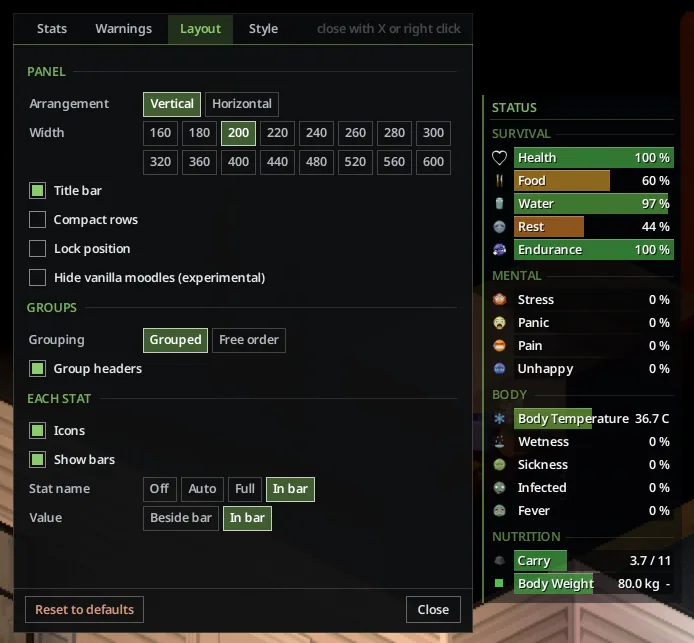
- vertical or horizontal layout;
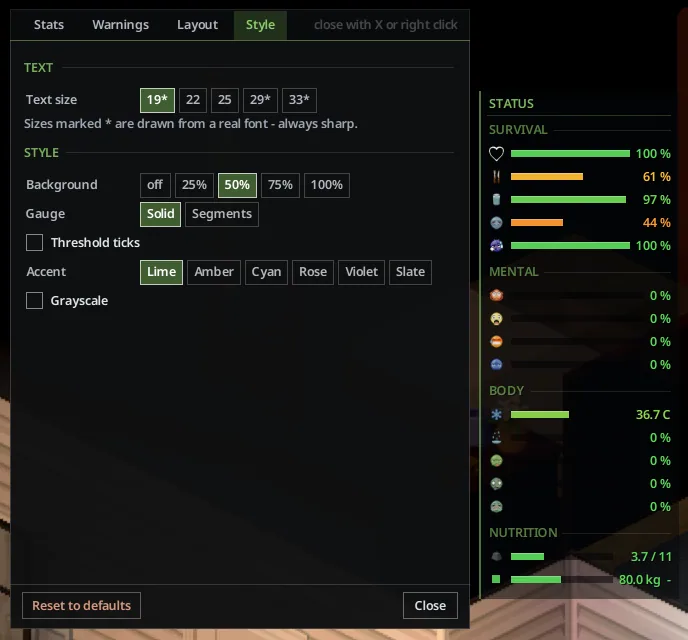
- panel size, fonts, and colours;
- grouping and indicator order;
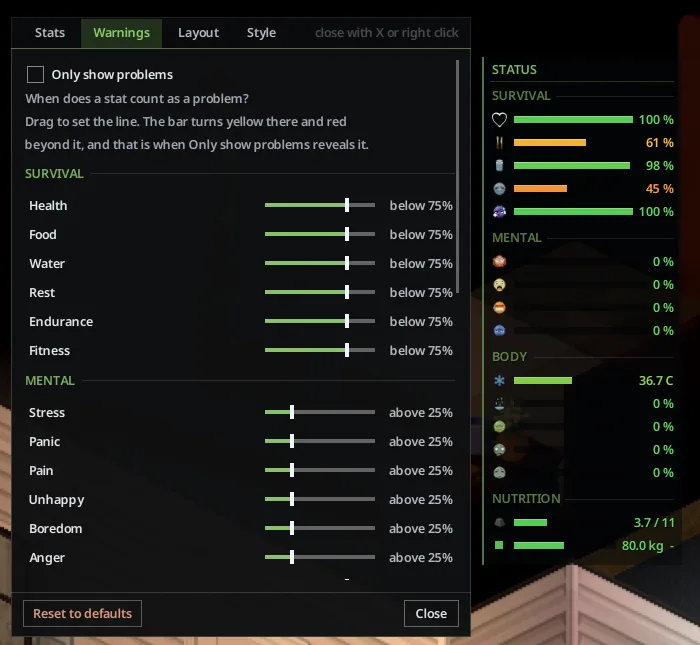
- warning thresholds;
- display of numerical values;
- a mode that shows only problems;
- visibility of the vanilla moodles.
Settings include tooltips explaining the available options.
Controls
Press ; to show or hide the panel. Installations that retained the older binding may still use U. Change the shortcut through Options → Key Bindings.
Drag the panel to reposition it and right-click to open its settings.
Adding it to an existing save
Build 42 keeps a separate mod list for each save. If the panel does not appear, open Load Game, select the save, choose Choose Mods…, and enable CH Status HUD there.
Multiplayer
The HUD runs client-side and stores no data in the save. Each player who wants the panel needs it installed.
For hosted sessions, enable it in both the mod and Workshop lists. Dedicated servers can add it to Mods= and WorkshopItems= when using the administrator sandbox controls to restrict available stats.
For troubleshooting, use Copy diagnostics from the panel’s context menu or find lines beginning with [CH Status HUD] in console.txt.
Screenshots 7

Comments 0
No comments yet — be the first.
Log in or sign up to leave a comment.