
Mod Folders helps you navigate a large mod collection by grouping entries into named, collapsible folders. Separate maps, weapons, vehicles, translations or testing tools, then keep the groups you rarely use folded away.
Mod Folders — Organize Your Mod Selection Screen
Mod Folders helps you navigate a large mod collection by grouping entries into named, collapsible folders. Separate maps, weapons, vehicles, translations or testing tools, then keep the groups you rarely use folded away.
Folder management
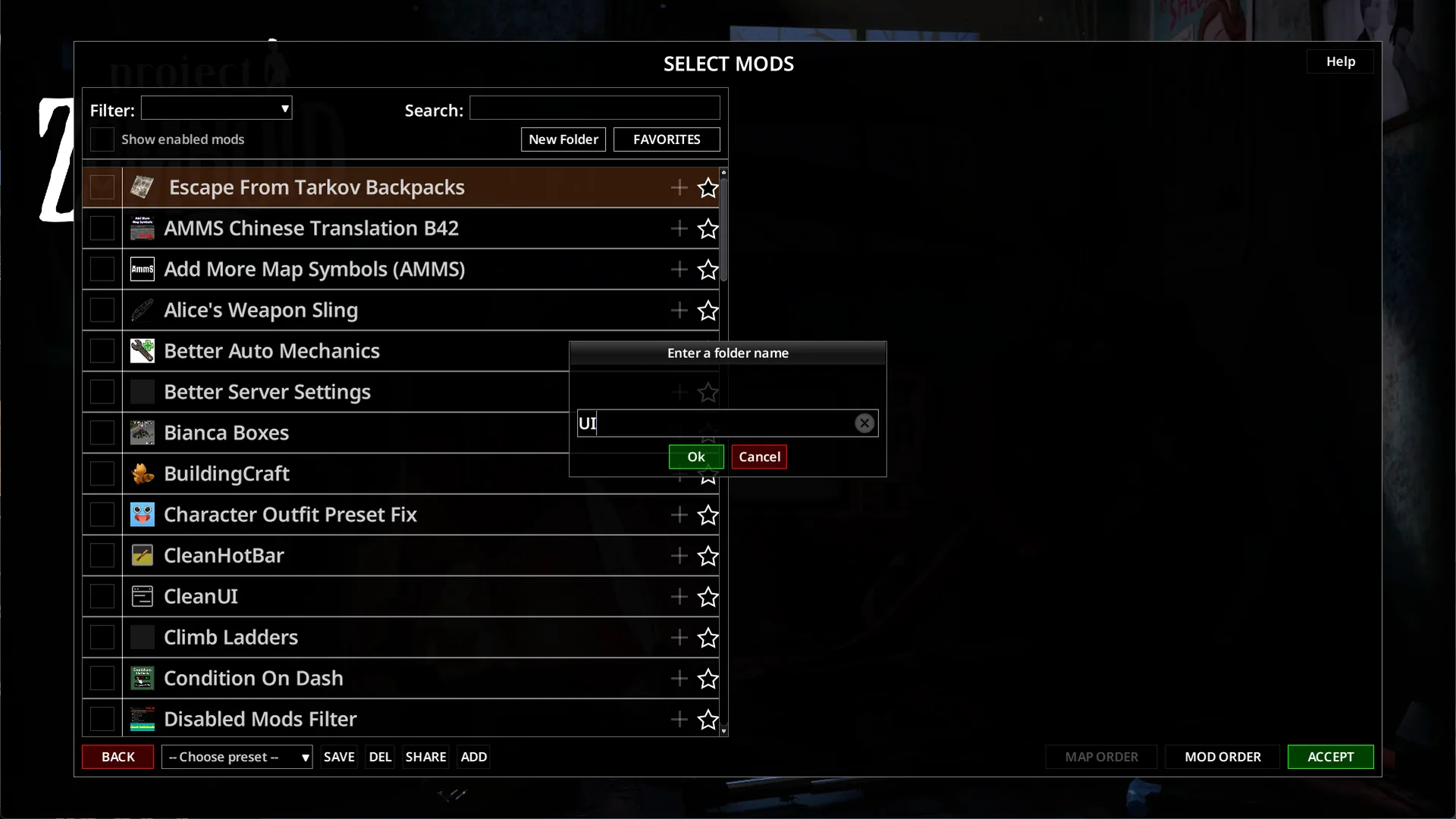
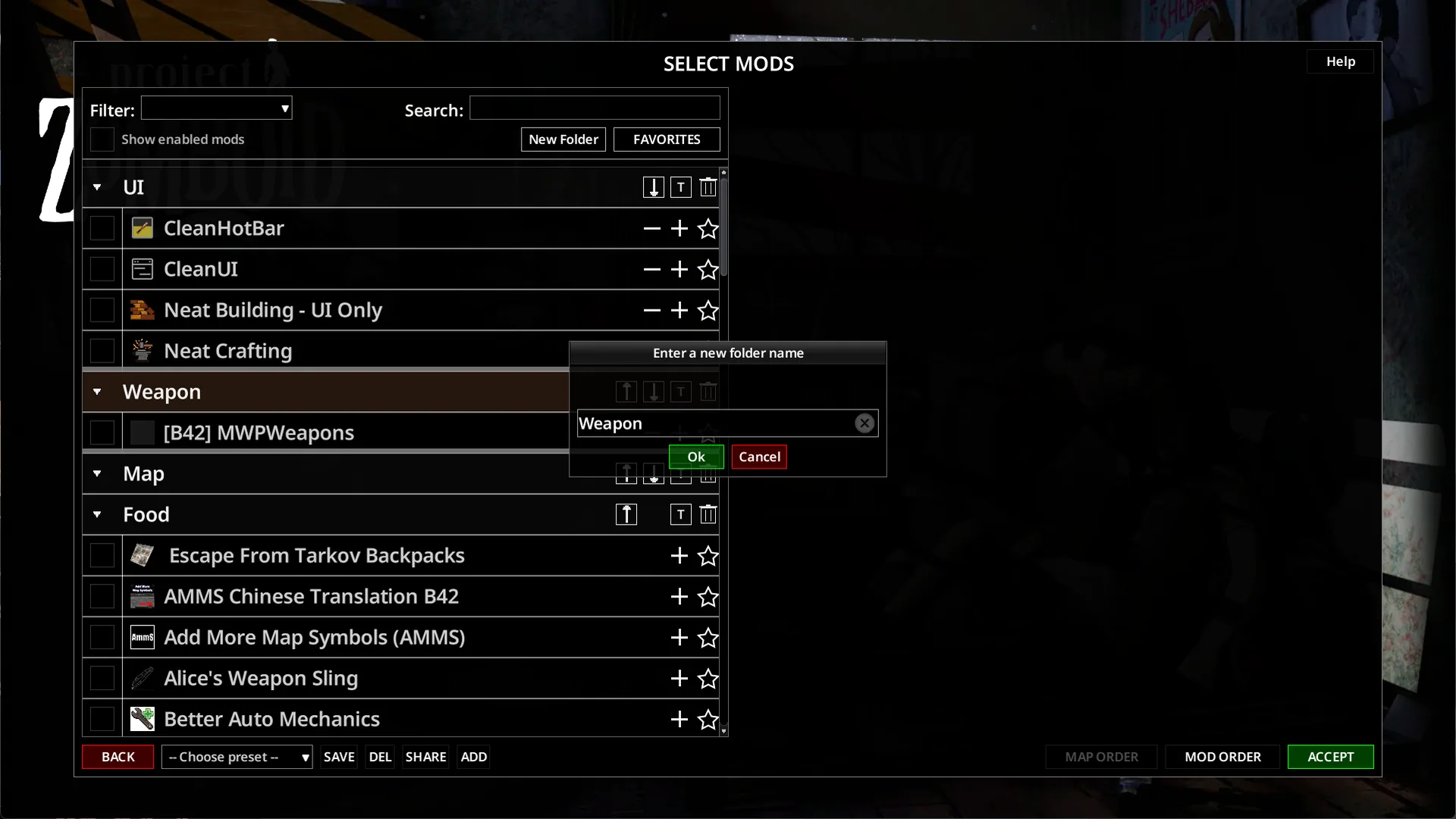
- Create up to 99 folders with custom names.
- Drag folders into your preferred order.
- Expand or collapse groups individually or all at once.
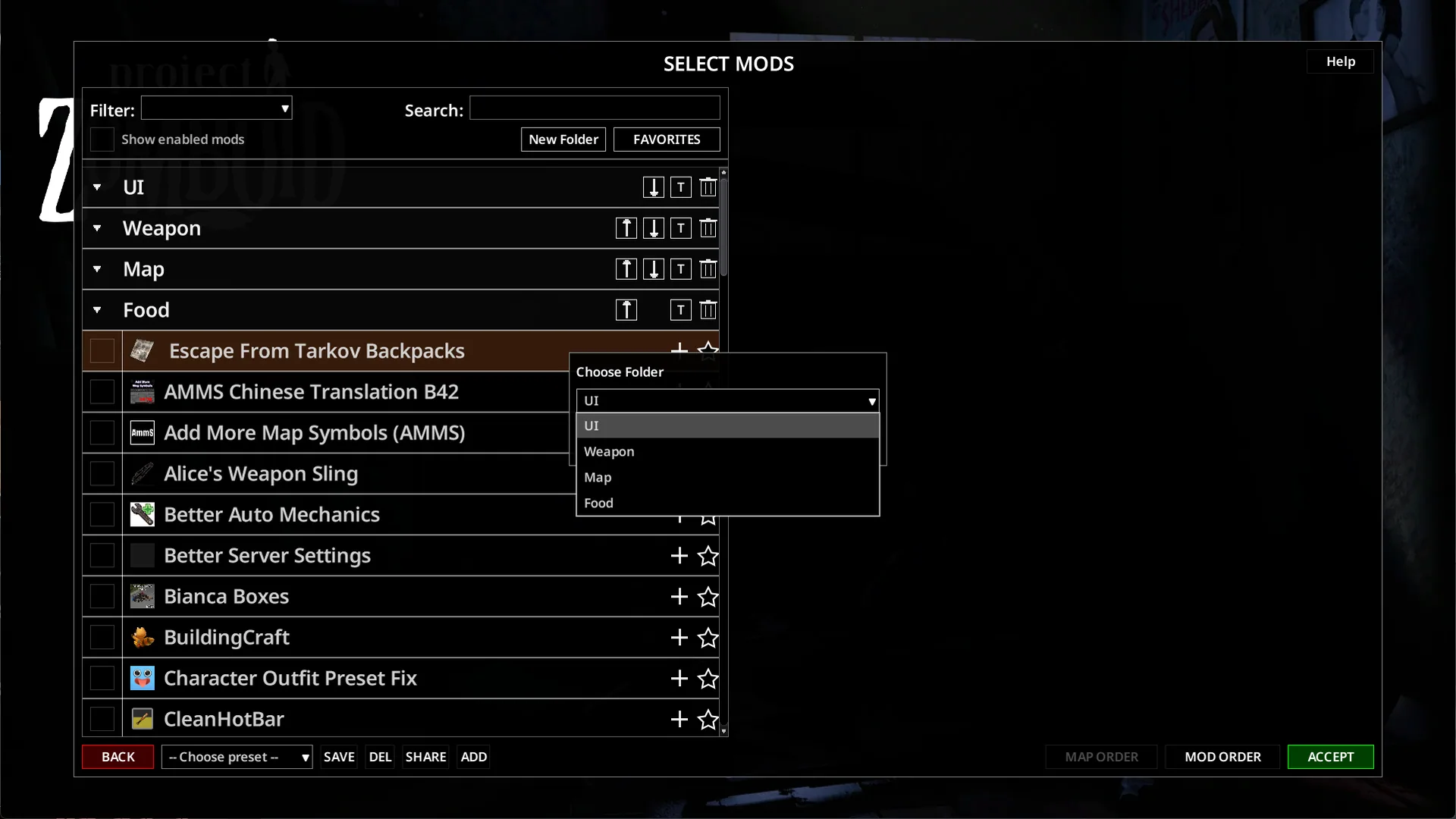
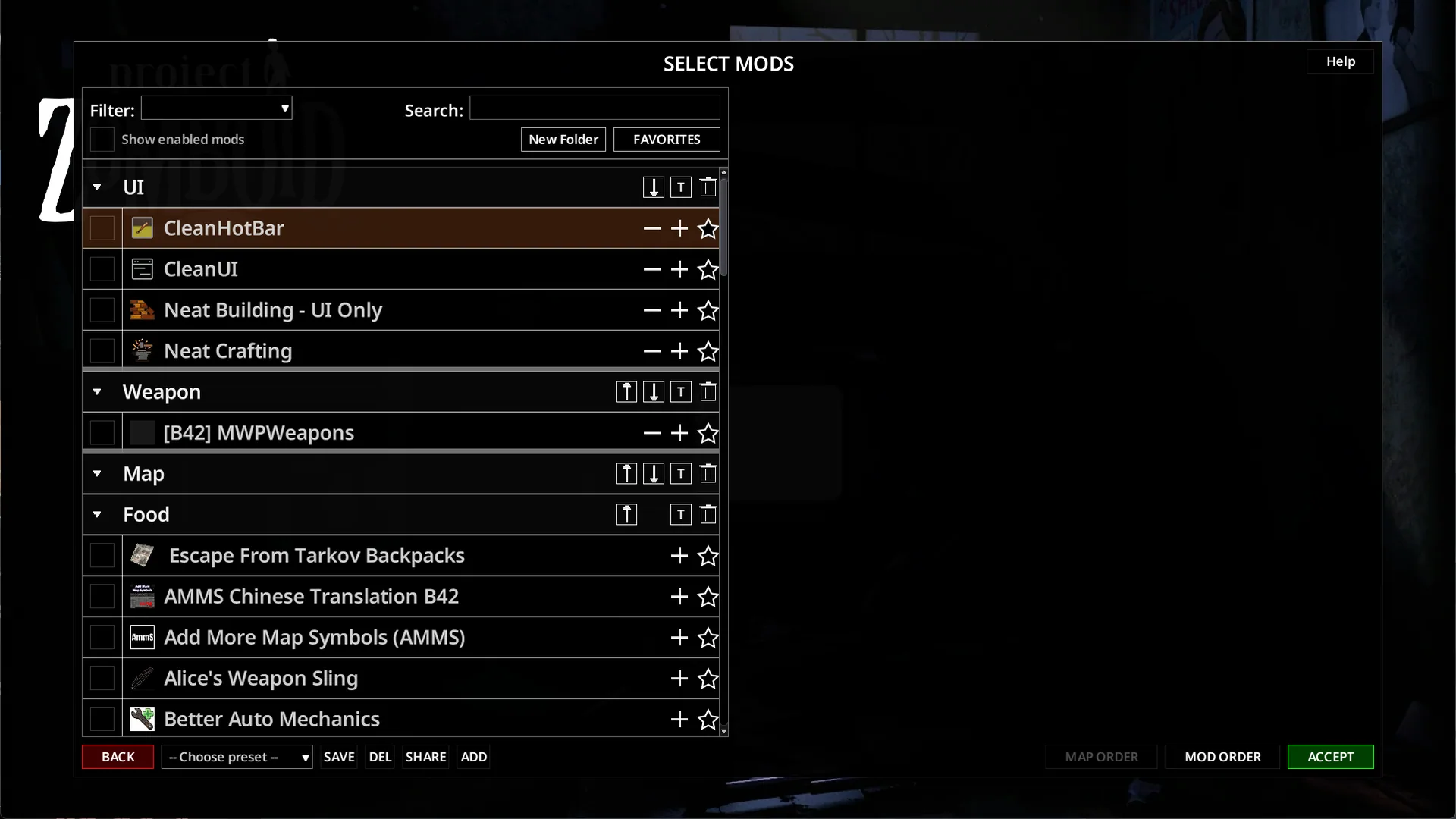
- Use a mod’s + button to assign it to a folder and − to return it to the uncategorized list.
- Enable or disable a folder’s installed mods together, with confirmation before applying the change.
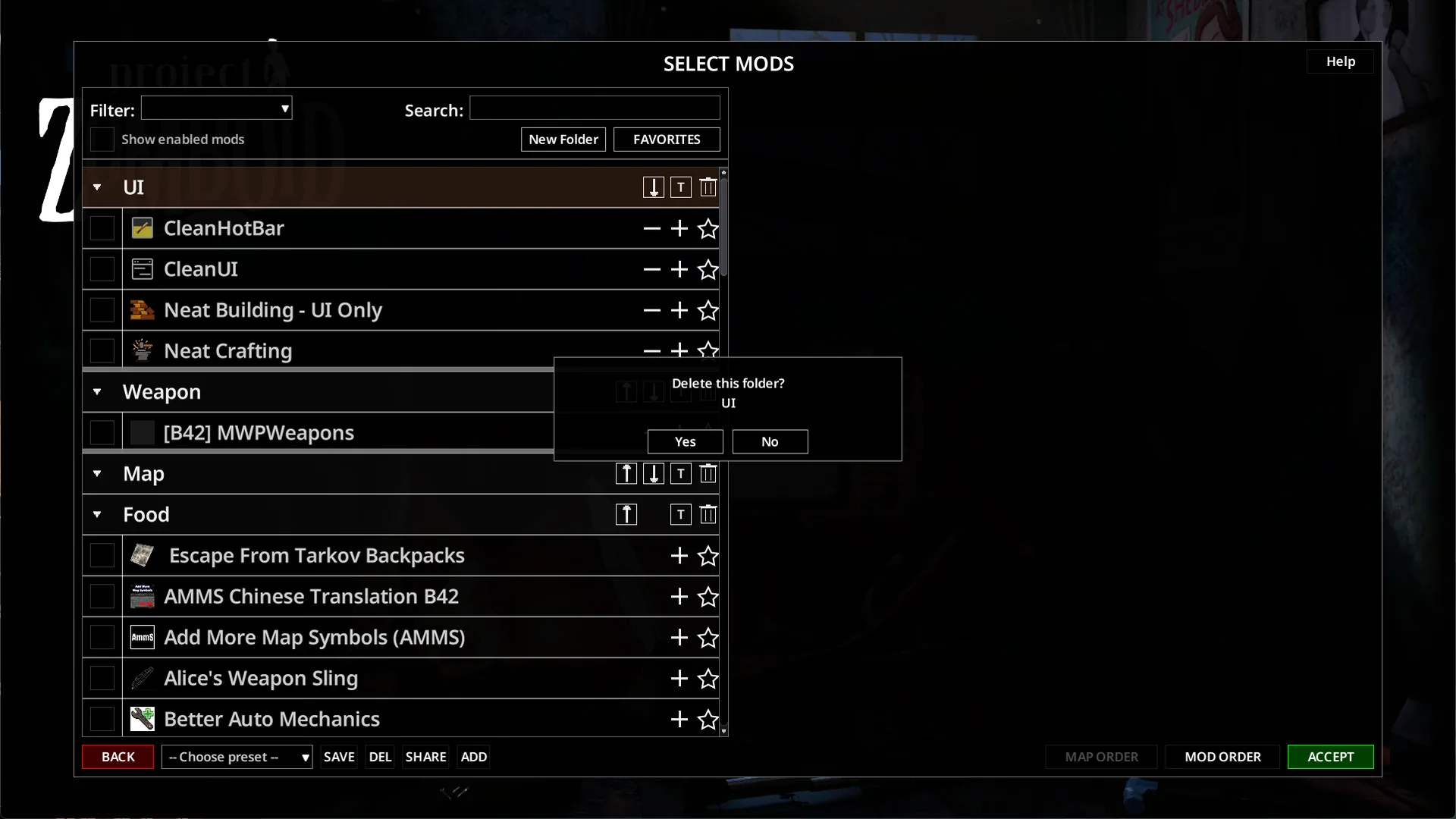
- Rename folders or delete them without removing their mods.
Folders appear above uncategorized entries. Names, order, assignments and expanded states are saved locally.
Moving a mod into a folder does not change whether it is enabled. Group activation happens only when you use the folder’s enable or disable controls.
Move several mods together
Ctrl + Click adds or removes individual entries from your selection, including mods from different folders.
Shift + Click selects a range within one folder or within the uncategorized list. Selected entries receive a yellow border.
To move the selection, click + on any selected mod and choose the destination folder.
Share your layout
The configuration is stored in:
C:/Users/<YourUsername>/Zomboid/Lua/ModFolders.cfg
Close the game before copying or replacing this file. Another player can place your configuration in their own Zomboid/Lua/ directory to use the same organization.
Mods they do not have are ignored. Installed mods absent from the configuration remain uncategorized.
Compatibility
Compatibility support is included for Mod Load Order Sorter, Mod Manager, Mod Tag and Mod Manager Reforged.
The mod changes the selection-screen layout without modifying saves or game content. It can be enabled or disabled without affecting existing saves.
Screenshots 5
Comments 0
No comments yet — be the first.
Log in or sign up to leave a comment.