 Razilator
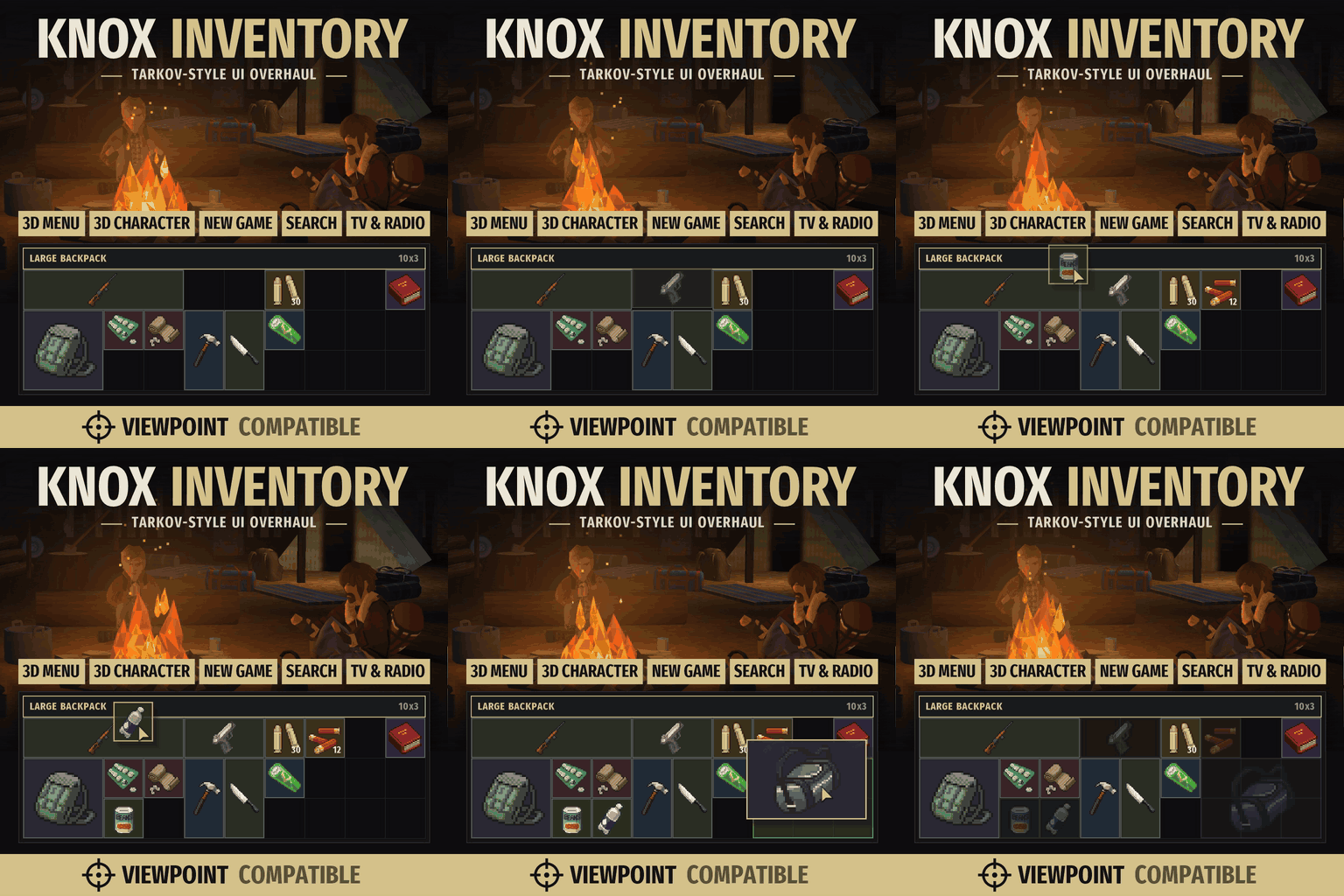
Knox Inventory The whole Project Zomboid UI, redesigned in the style of Escape From Tarkov - one stage at a time. A grid inventory where every item takes its real space, your character in 3D, and a main menu that is a camp with the heroes of your saves by the fire. NEW: 1.0 BETA - a test version…
Contents
Knox Inventory
Project Zomboid's entire UI, rebuilt in the spirit of Escape From Tarkov, one stage at a time. A grid inventory where every item takes up exactly the space it should, your character in 3D, and instead of a main menu, a night camp where the heroes of your saves sit around the fire.
Compatibility
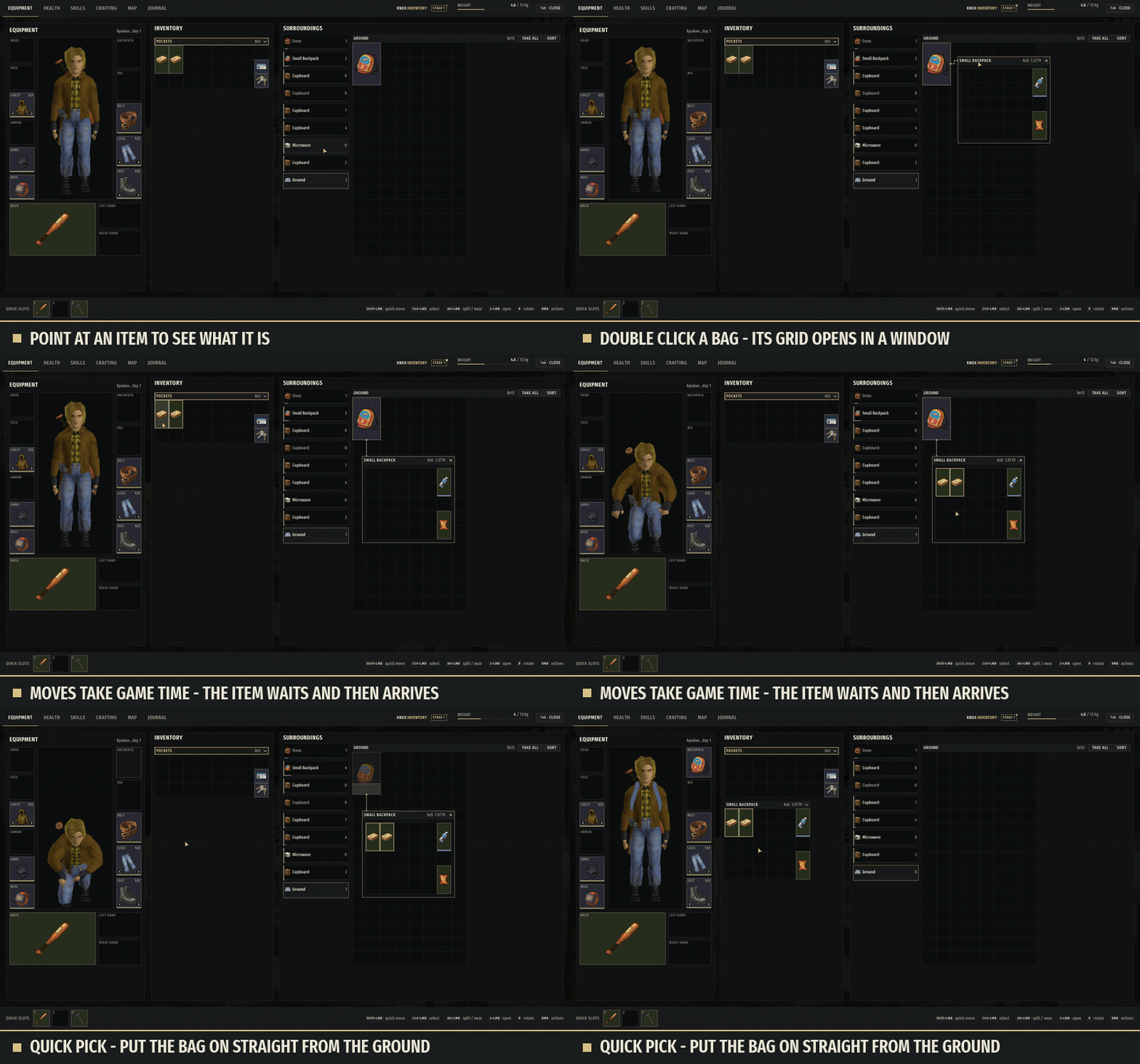
✅ Viewpoint, OldPoint and Project Viewpoint QOL are supported: - Knox windows give you a cursor; - Viewpoint's loot key opens Knox on whatever you're looking at (choose the fridge or freezer with the mouse wheel); - Viewpoint's Grab works through Knox's grids.
❌ Not compatible with Grid Inventory and Inventory Tetris, since they replace the very same windows.
Stage 1: Inventory
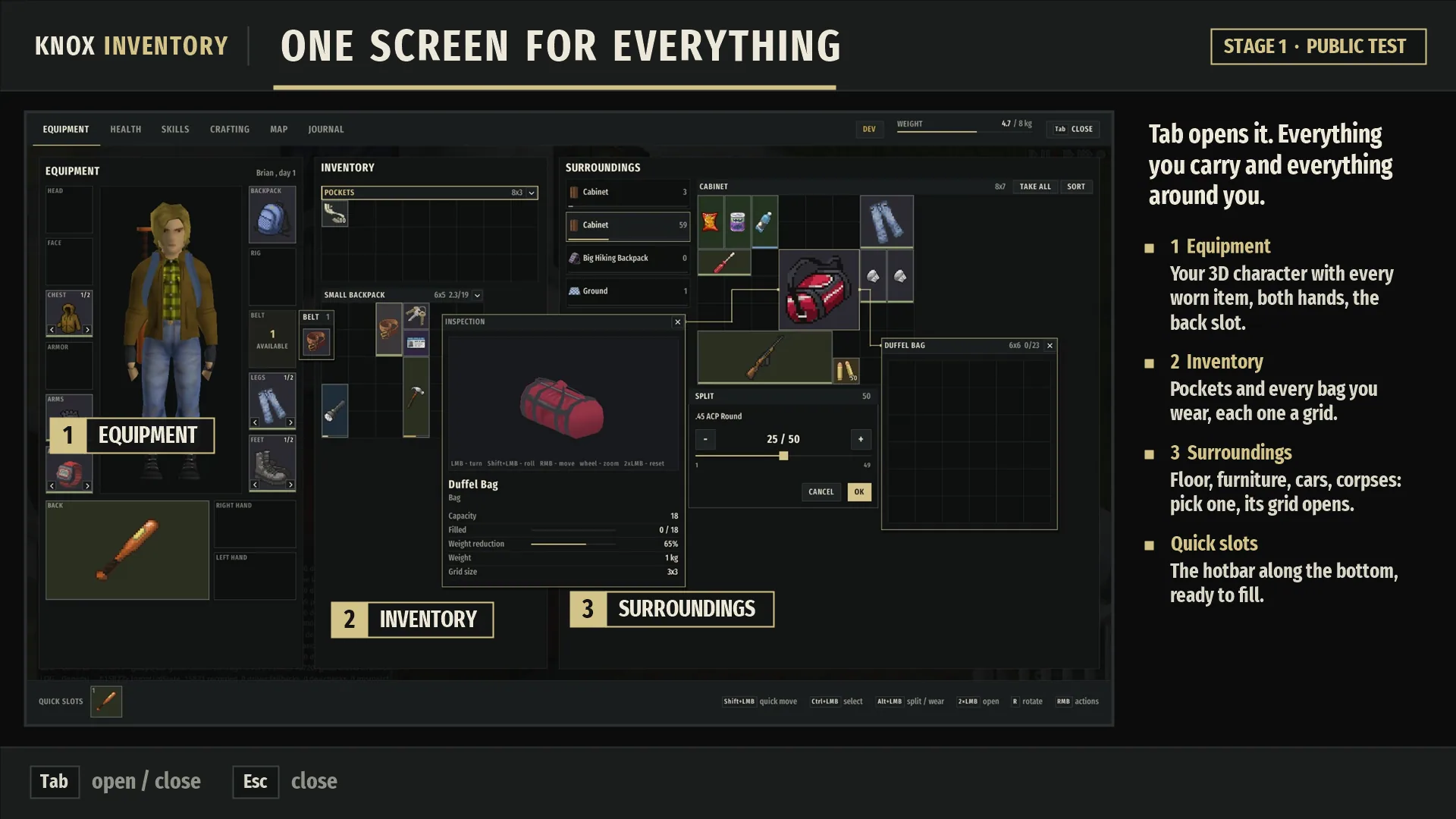
Press Tab for a single full-screen view of your equipment, your bags and everything lying around you.

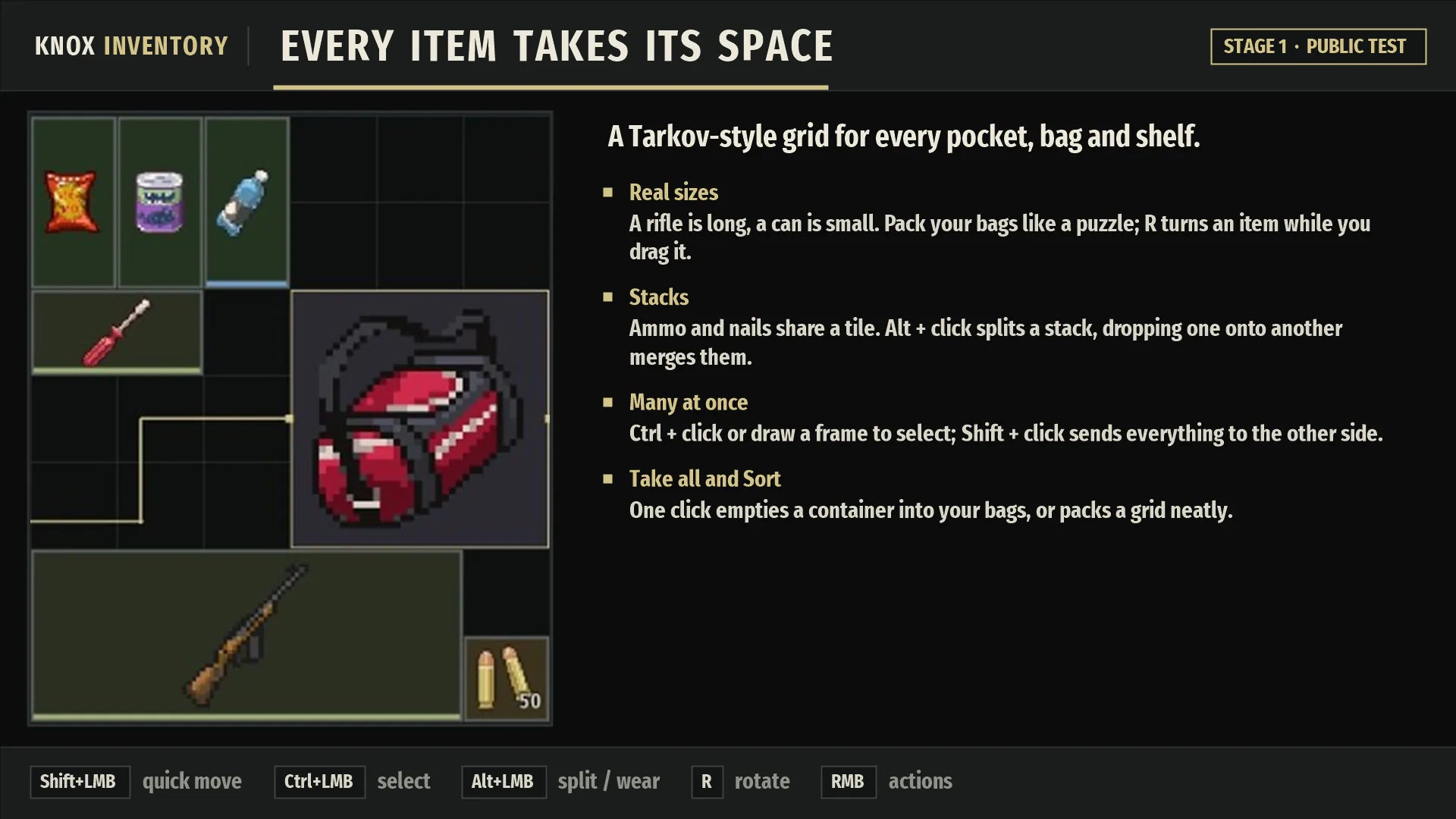
Grids for every pocket, bag and shelf. Items occupy their real size, rotate with R, stack, split (Alt + click) and merge.
Handling many items at once: select with Ctrl + click or a selection box, move across with Shift + click, and use Take all and Sort. Reorder bags by dragging their headers.
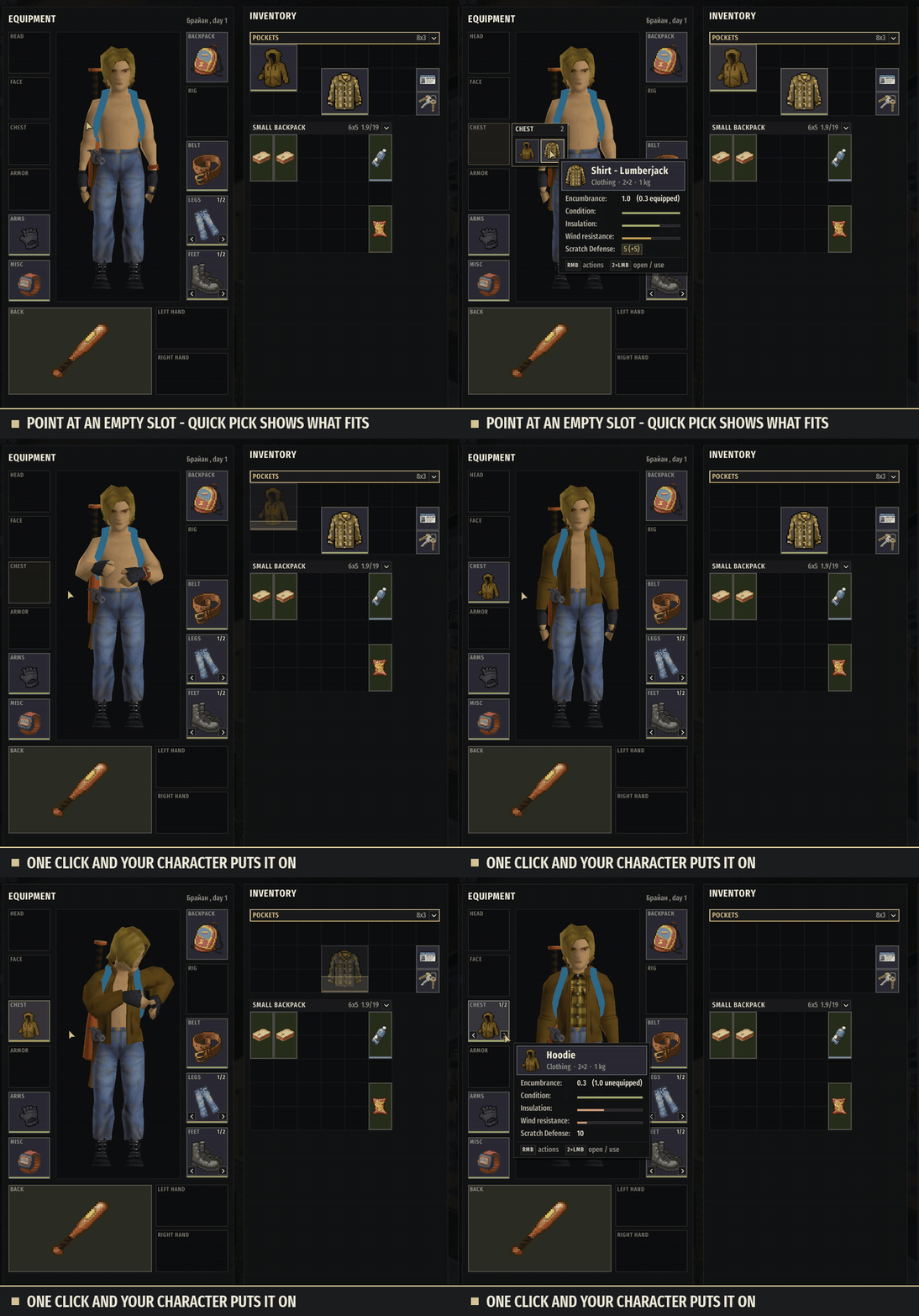
Equipment is laid out around your 3D character in layers for each body zone, switched with the mouse wheel or arrow keys. There are slots for both hands and the back.
Quick pick: hover over an empty slot and equip something that fits in a single click. It works on the game's hotbar too.
Drag hints: slots light up where an item can go, and whatever it would replace turns red.
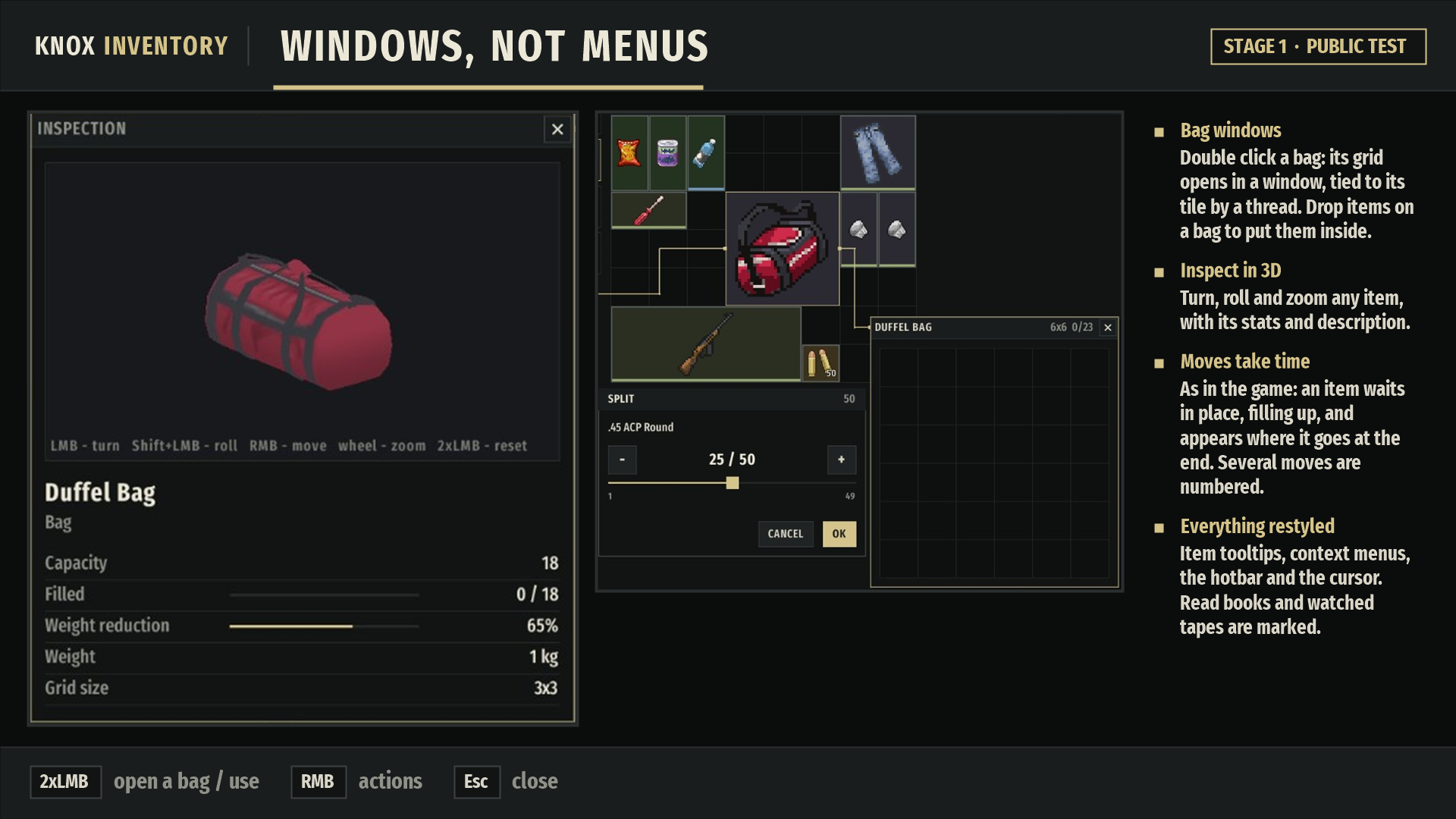
Bag windows are tied to the tile the bag is on. You can drop items straight onto a bag and inspect any item in 3D.
Moving takes game time: the item stays where it is and shows its progress.
Restyled look: tooltips, context menus, hotbar and cursor. Read books and watched tapes are marked.
TV and radio get windows of their own: the TV shows subtitles right on its screen, and the radio has a tuning dial and a tape log of what was said on air.
Main menu: the camp by the fire
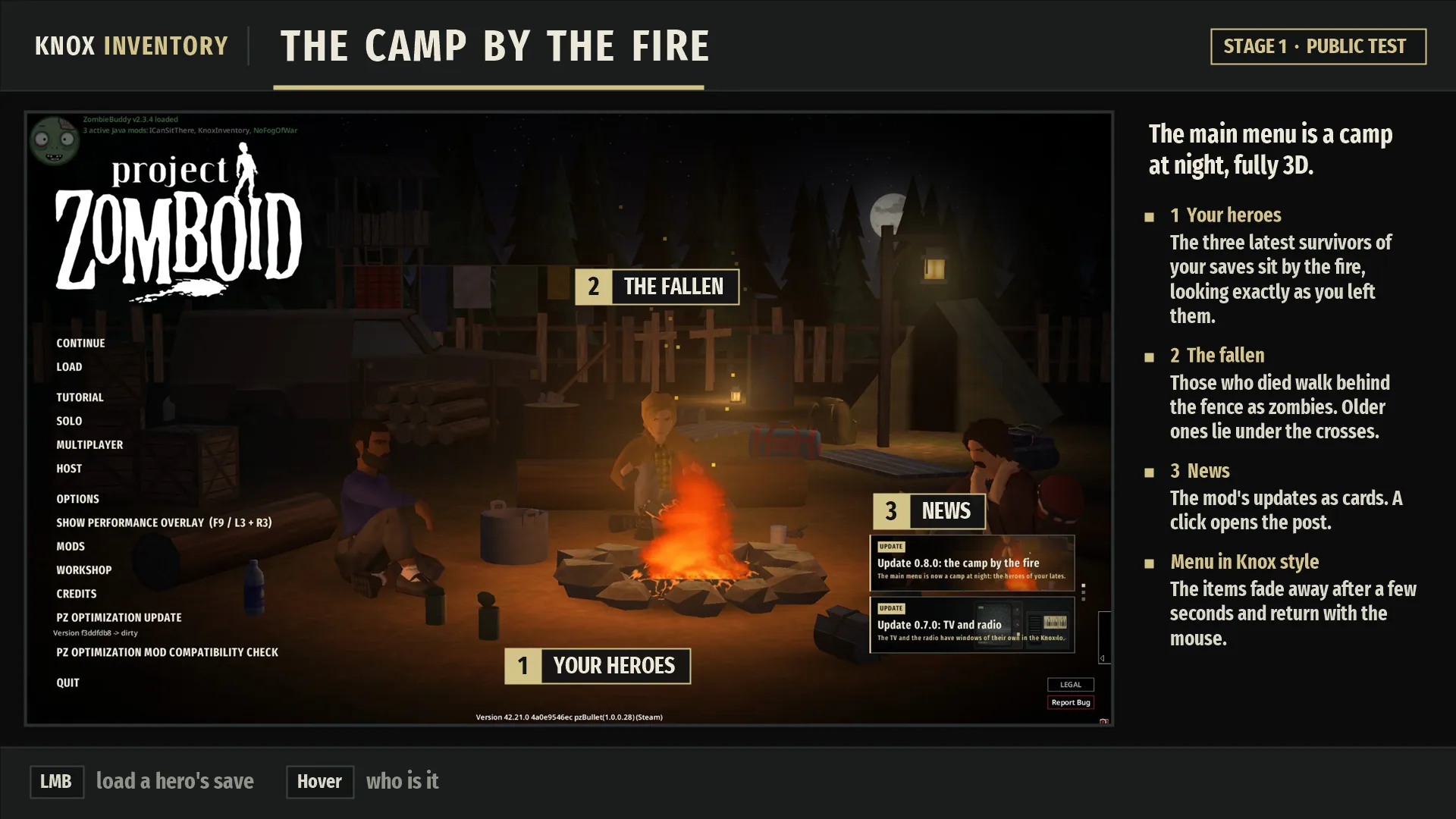
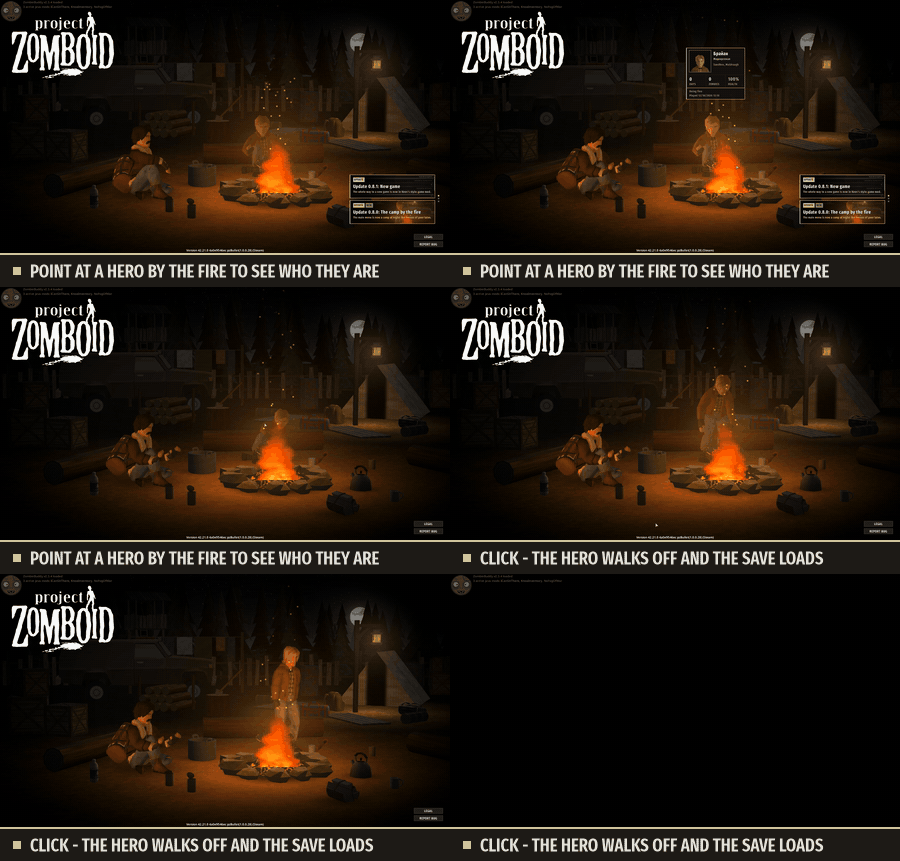
The main menu is a night camp in 3D, with the heroes of your saves sitting in it.
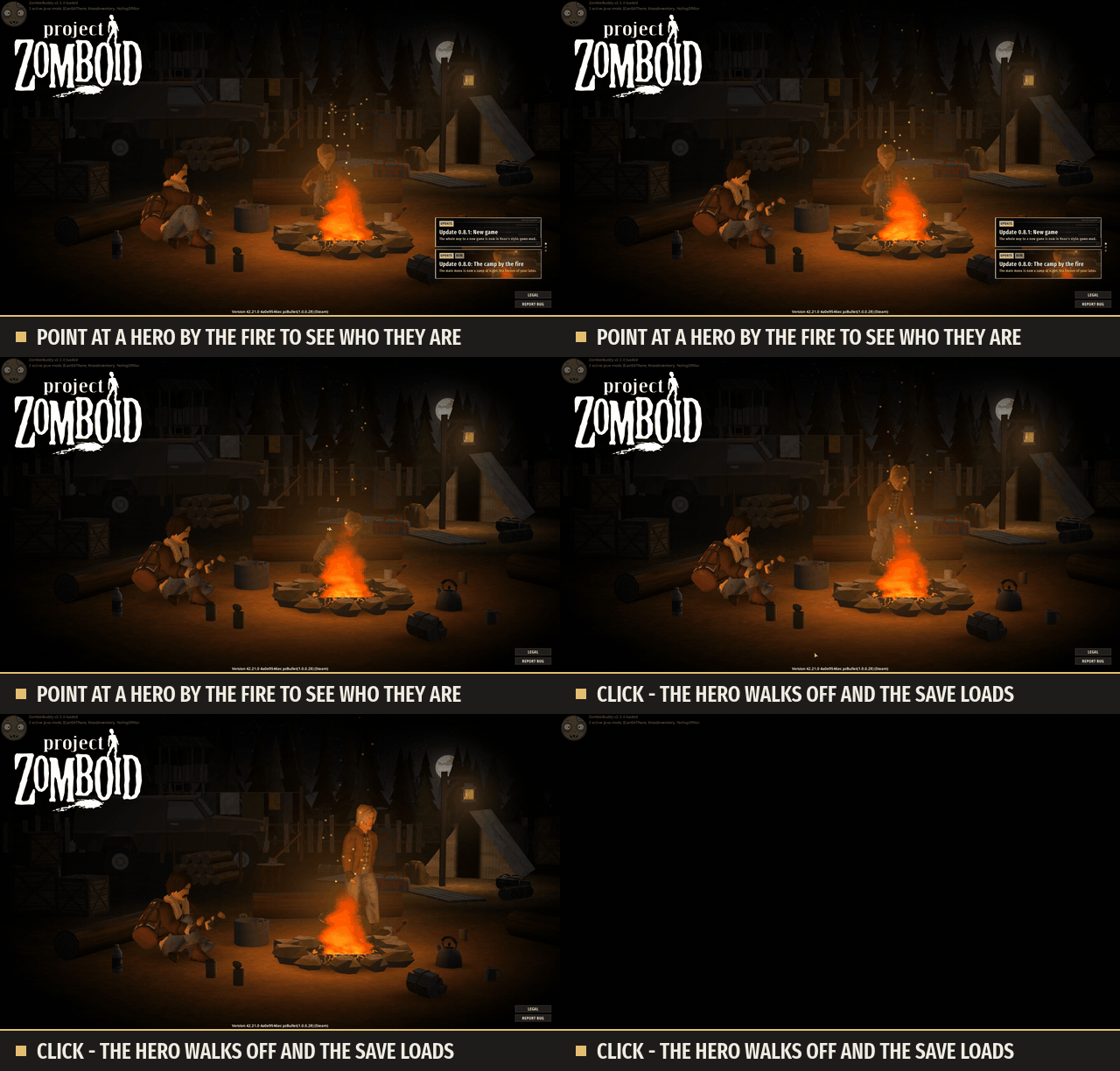
Your heroes by the fire. The three most recent survivors from your saves, exactly as you left them: face, hair, every piece of clothing, with their weapon lying beside them.
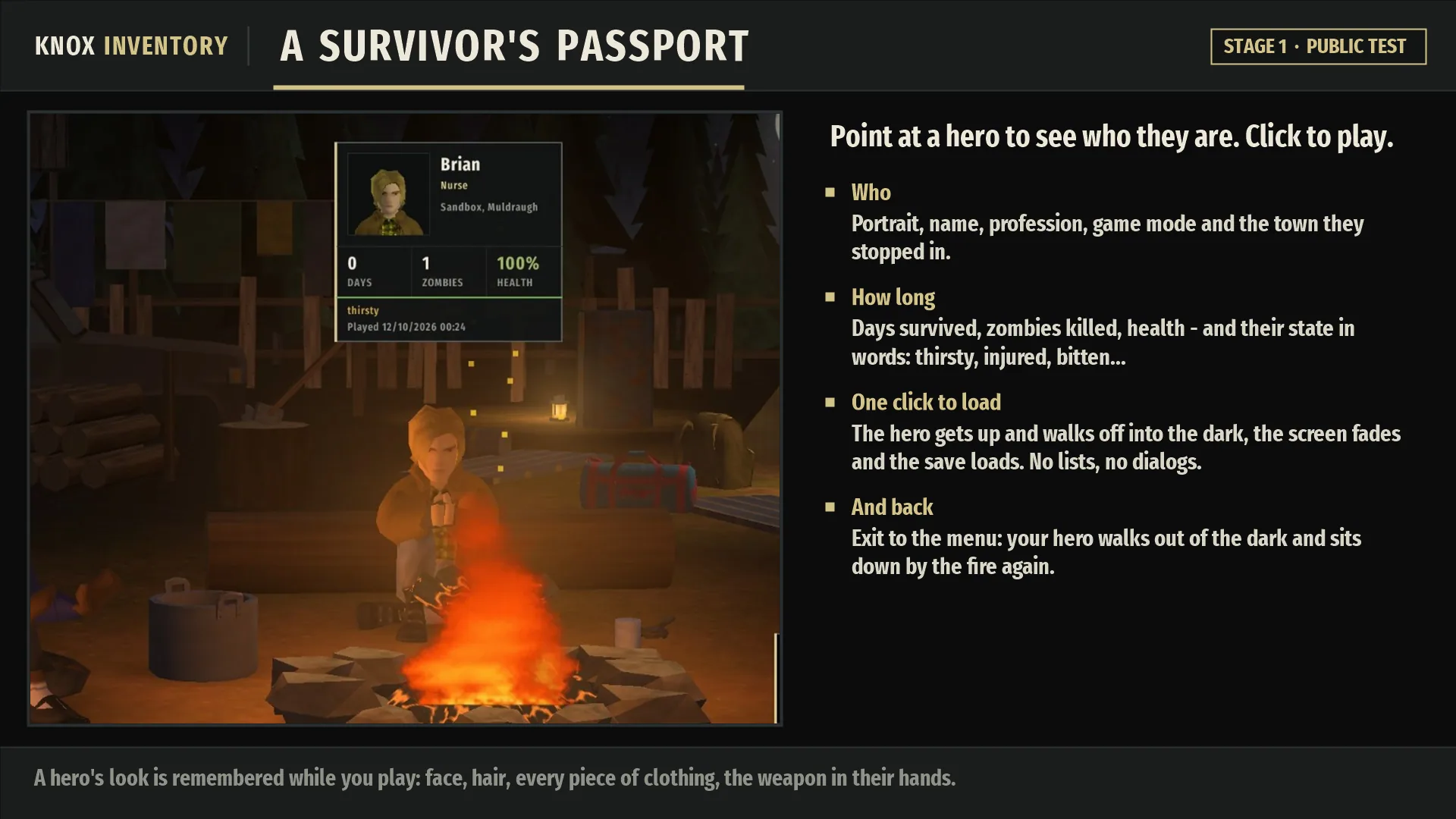
One-click loading. The hero stands up and walks off into the darkness, the screen fades out and the save loads. Return to the menu and they walk back and sit down again.
News right in the menu. Every update is explained with pictures without leaving the game.
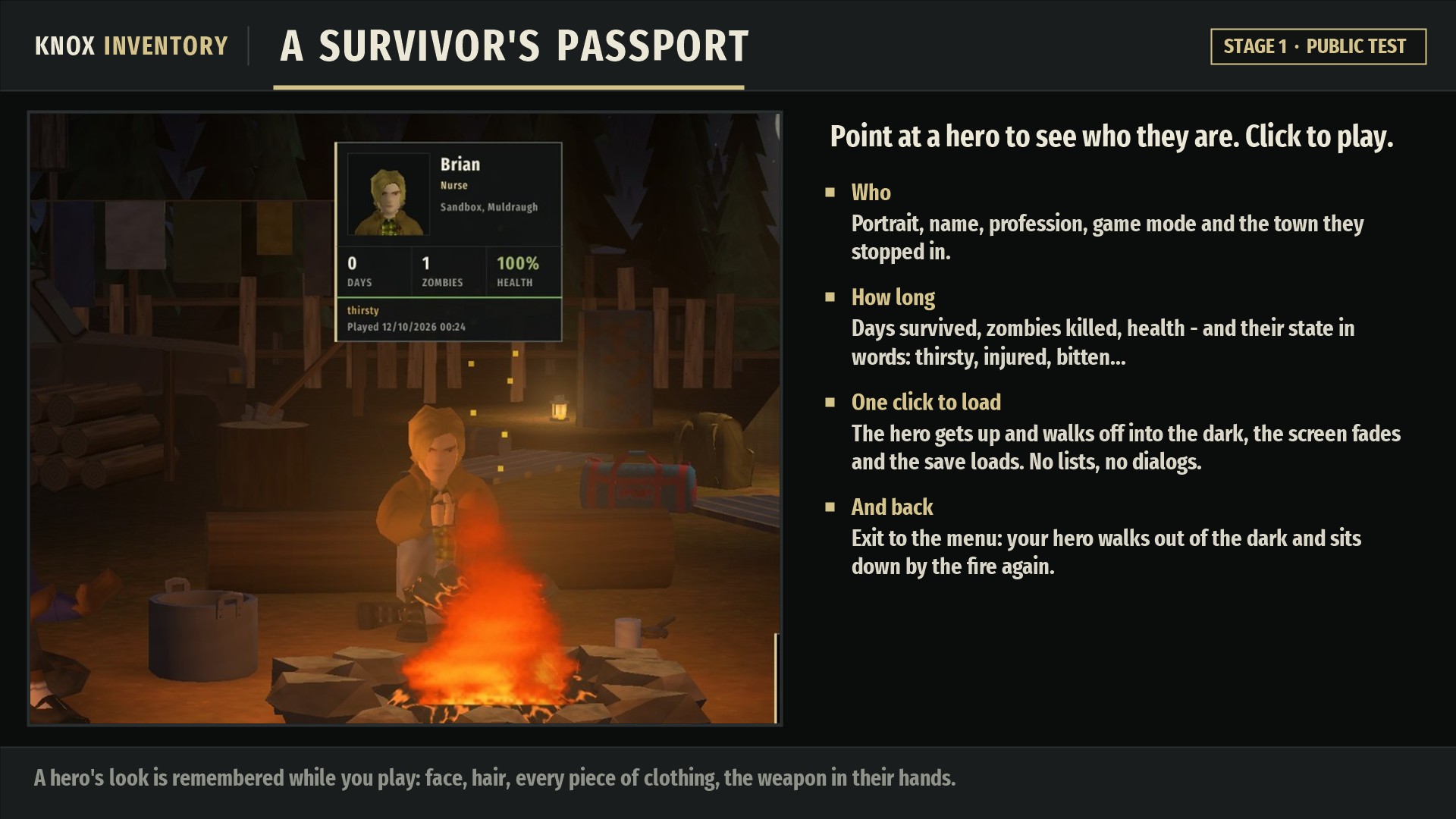
Survivor's passport. Hover over a hero to see their portrait, name, profession, game mode and town, days survived, zombies killed, health and mood.
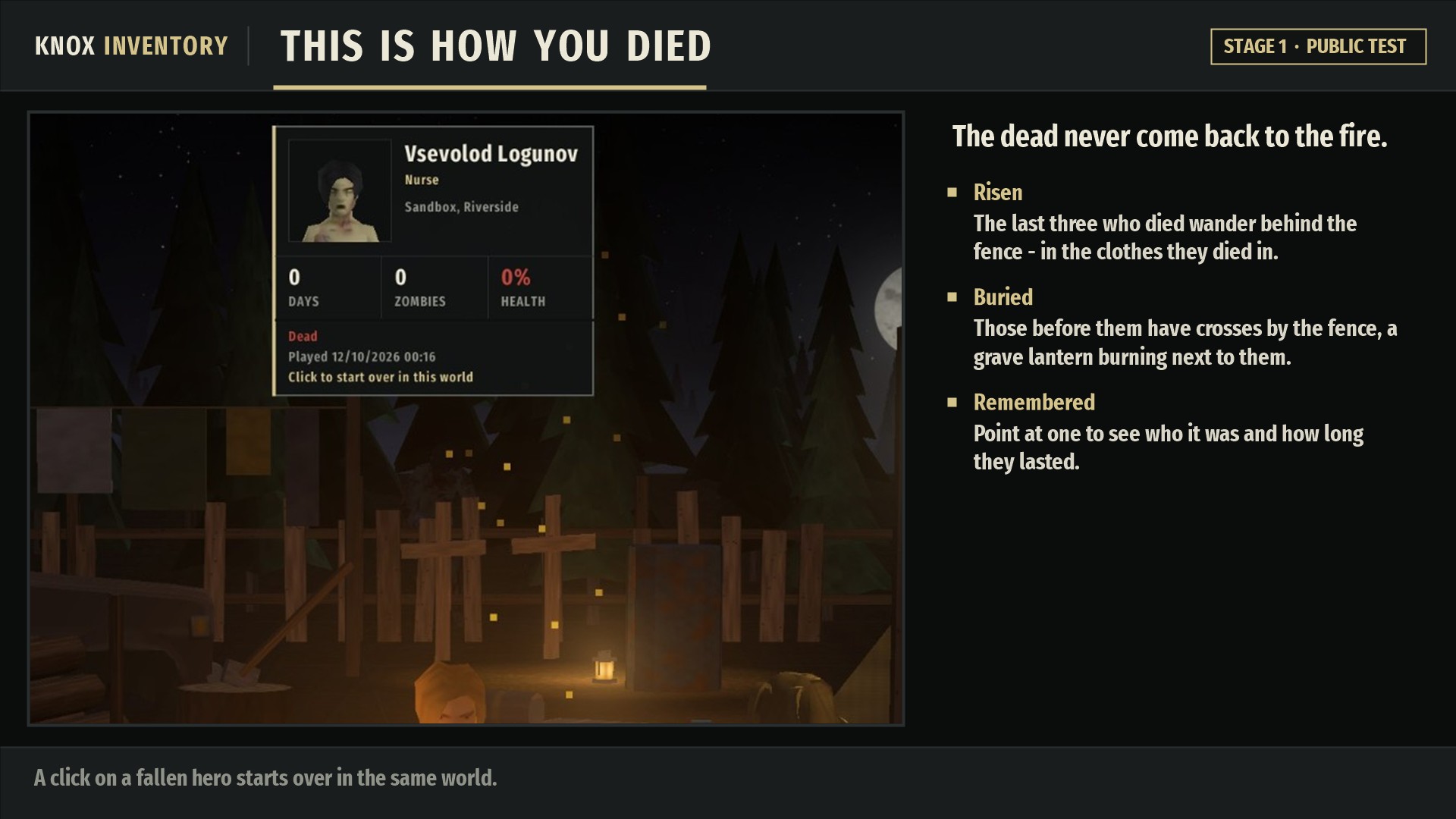
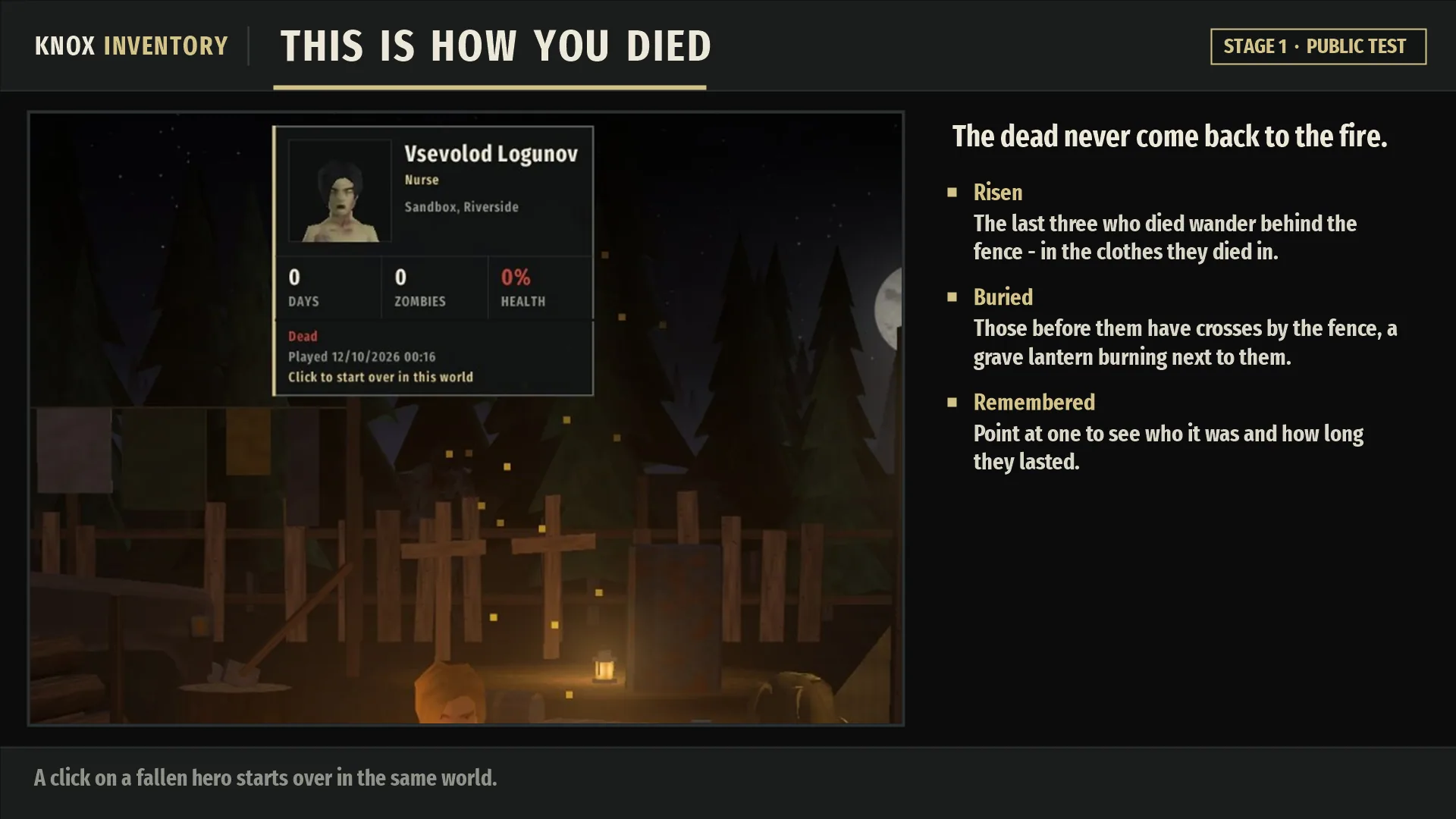
This is how you died. The dead never come back to the fire. The latest three shamble behind the fence as zombies, and those who fell before them lie under crosses beside a grave lantern.
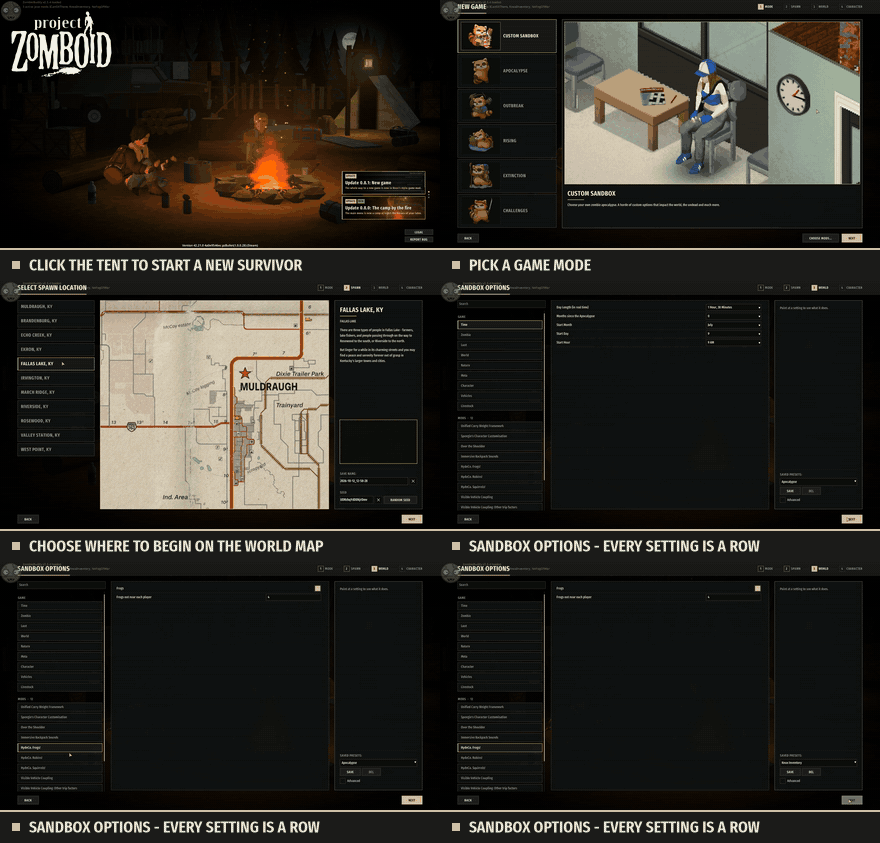
A new game, Knox style
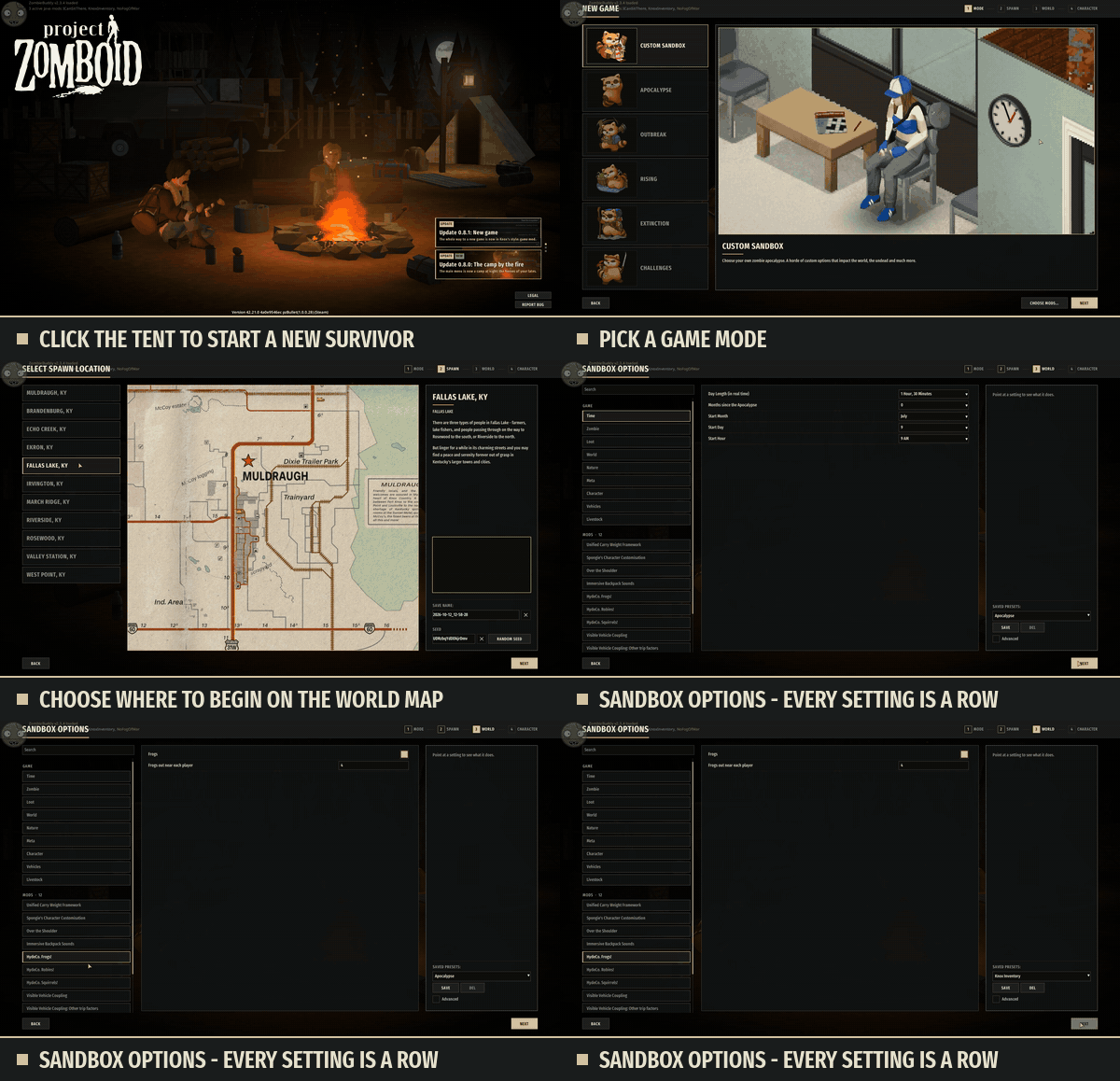
Click the tent in the camp and go through every step in the same style: game mode, spawn point on the world map and sandbox options.
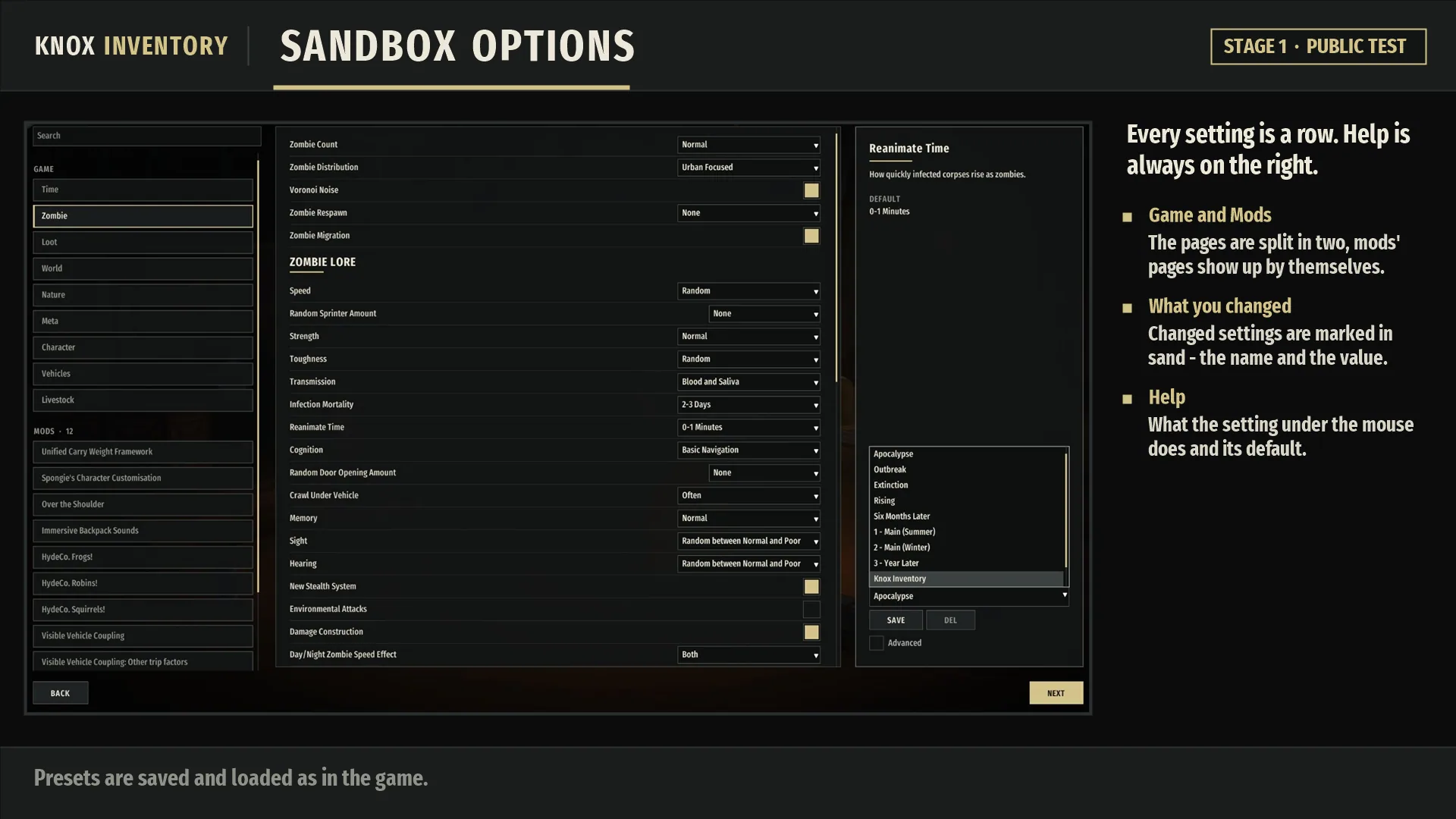
Sandbox options: each setting is its own row, pages are split into Game and Mods, and help is always visible on the right.
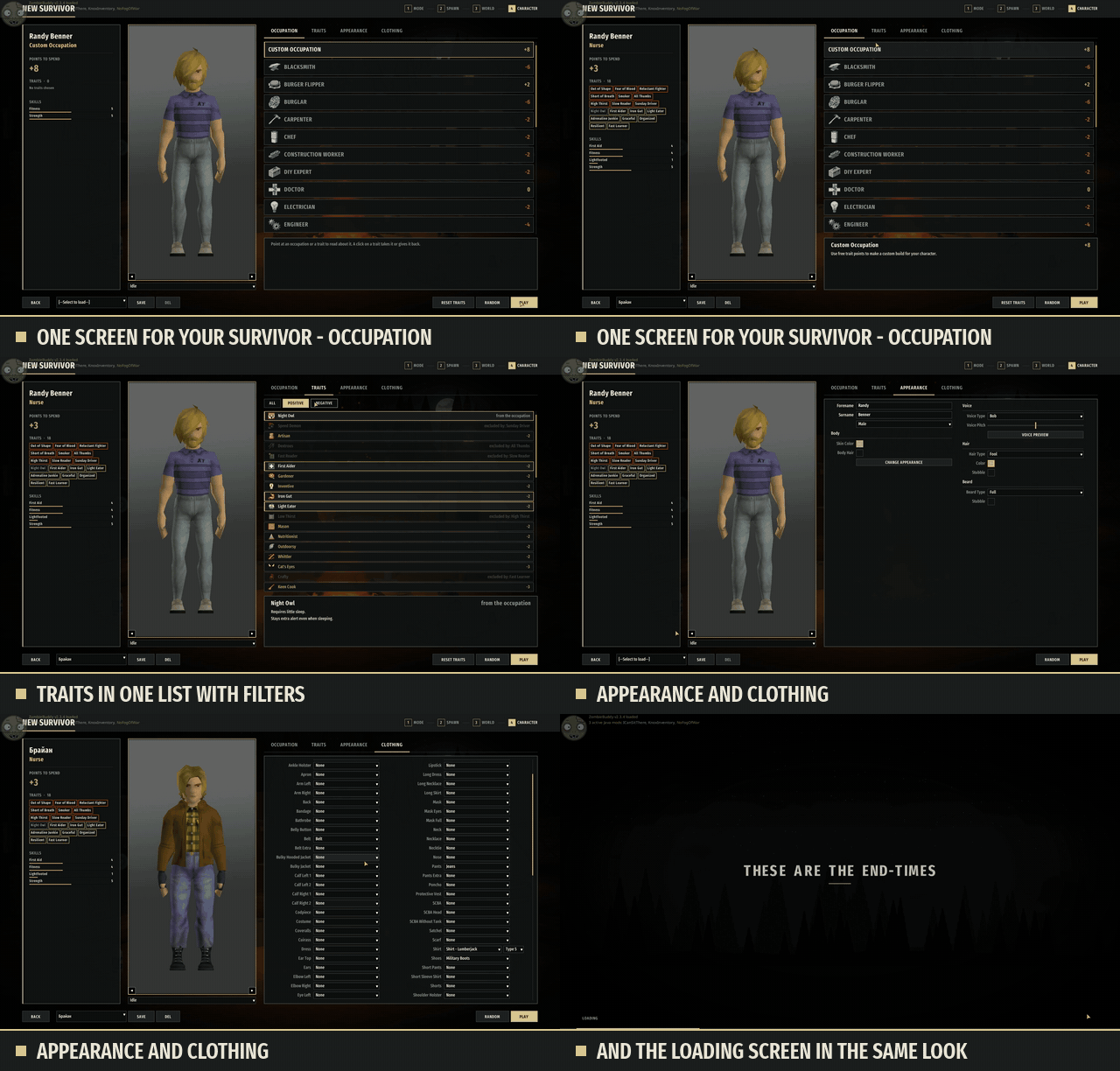
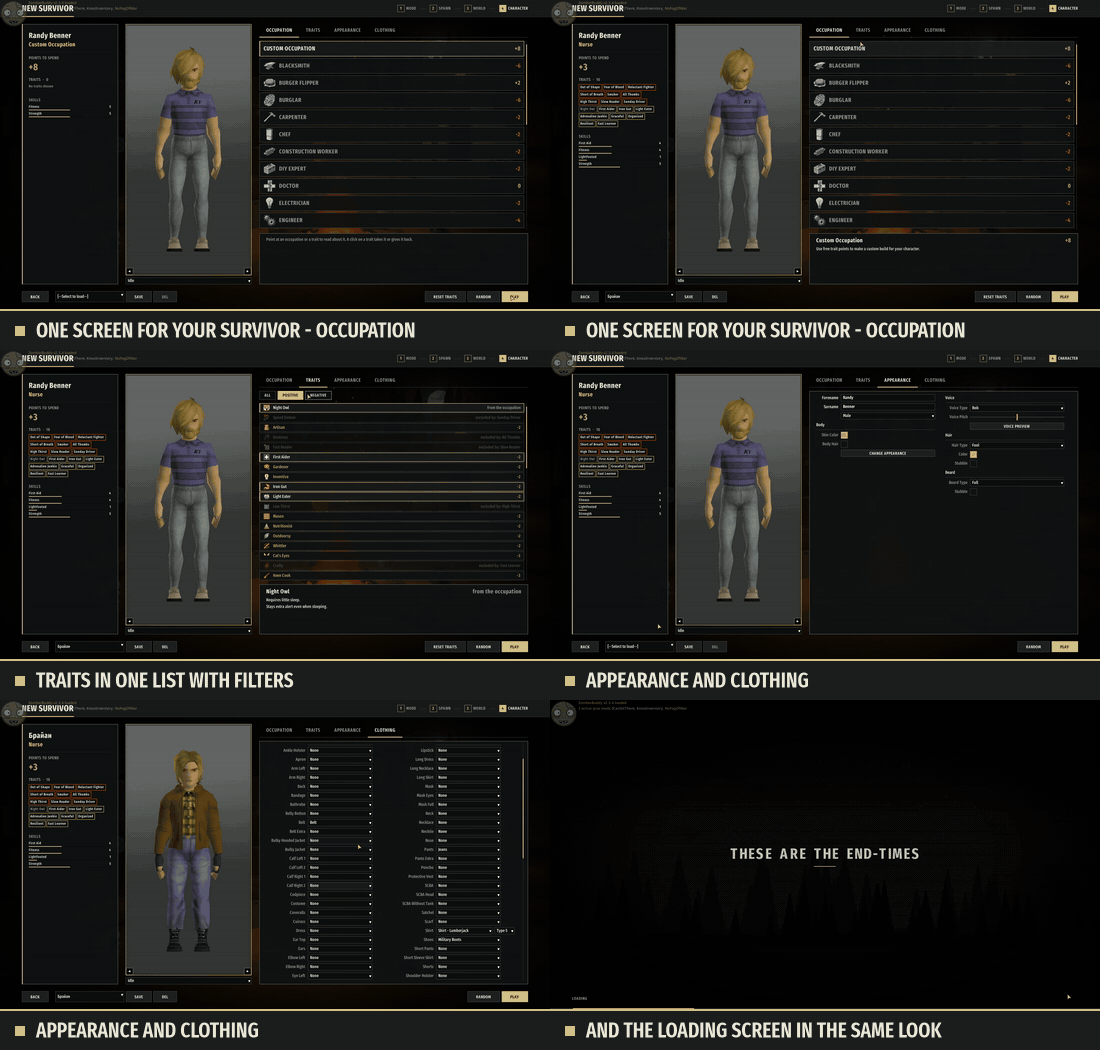
One character screen instead of two: occupation, traits with filters, appearance and clothing, with a summary of your survivor in view the whole time.
These are the game's own screens redrawn, so anything other mods add to them stays put.
Roadmap
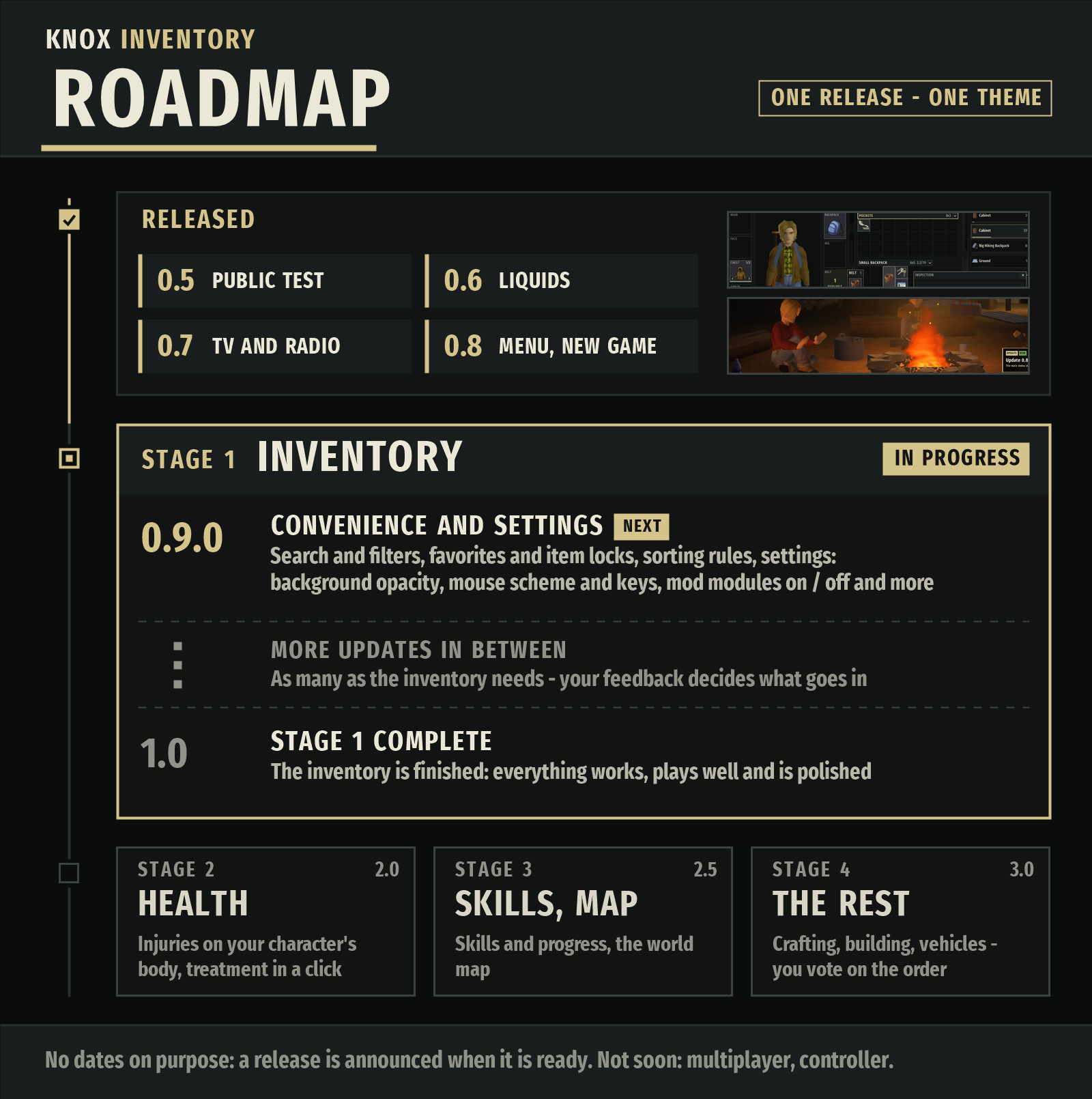
The inventory comes first: Stage 1 wraps up with 1.0, and only then do health, skills and the map get their turn. Until a stage is ready, its tab opens the game's standard window. Bugs, suggestions and the roadmap each have their own thread in Discussions.
Enjoying the mod? Give it a thumbs up on the Workshop; that's how other players find it.
Installation
Requires ZombieBuddy, a one-time setup.
- Install ZombieBuddy exactly as its page describes (it starts with the game through launch options).
- Subscribe to Knox Inventory, enable it and restart the game.
- On first launch and after every update, ZombieBuddy will ask you to allow Knox's Java part (
KnoxInventoryJava.jar). Allow it.
Without ZombieBuddy the mod stays off: you keep the game's standard inventory and menu, and the mod tells you what's missing.
FAQ
Why ZombieBuddy? Knox's fonts, tooltips, cursor, 3D framing, live character and camp menu all need Java code that Lua alone can't reach.
Can I keep only the camp menu, or only the inventory? Yes, right now. The "Knox Inventory | Modules" plate at the top of the main menu toggles the in-game interface, the main menu and the new game screens separately. Turn off everything except the main menu and you're left with just the camp. It's still part of Knox, not a separate mod.
Can I re-upload the mod or parts of it? No (see below).
Works with an existing save? Yes, you can add it at any time.
My hero shows up as a dark silhouette in the menu? Load that save once: the hero's appearance is recorded while you play.
Multiplayer? 0.9.8.7 is singleplayer only. 1.0 BETA runs on servers but is still being tested, so let the author know how it goes.
Will there be a windowed inventory? Not planned. The opacity sliders in Settings > Look let you see the world through it instead.
I want to change an item's size or sound.
Set your own values in Zomboid/Lua/knox_overrides.txt.
What about Grid Inventory / Inventory Tetris? No: both replace the same windows.
Controller? Controller play and split-screen keep the game's standard inventory.
Found a bug?
Post in Discussions describing what you did, and attach Zomboid\console.txt.
Screenshots 9
Comments 0
No comments yet — be the first.
Log in or sign up to leave a comment.